
Coast
5 Reviews 5/5 ★ ★ ★ ★ ★Mobile-first maintenance and asset management software for internal maintence teams. Create, track, and collaborate on maintenace tasks across any industry and team size.
Product Overview
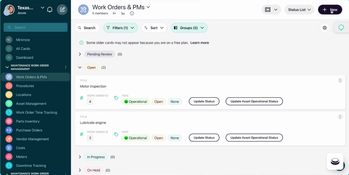
Coast is a maintenance and asset management software designed to help the “deskless workforce” succeed. The highly customizable all-in-one platform makes it easy for companies to set up and manage maintenance their way. It combines asset management, work order management, and preventive maintenance tools, enabling users to track maintenance tasks and communicate about ongoing work orders from any mobile device.
The software is designed to be adaptable for any industry or team size. Organizations can tailor Coast to their specific needs, whether that’s basic work order tracking or implementing comprehensive maintenance programs with custom fields, automated workflows, and advanced reporting across multiple locations.
Pros
- Highly customizable platform
- Mobile friendly IOS and Andriod app
- Very easy-to-use and setup
Cons
- No offline mode
- No GIS integration
Target Market
Small to mid-size maintenance teams (5-50) across all industries that handle most work in-house but occasionally need outside vendor support. Common in manufacturing, facilities management, healthcare, and property management.Not Recommended For
For companies that heavily rely on outside vendors for their maintenance.Video Overview
Key Features
Maintenance Management
-
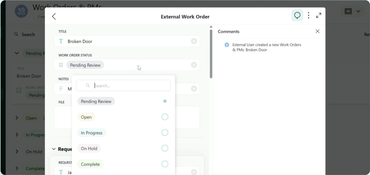
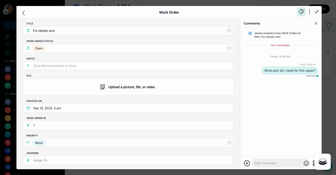
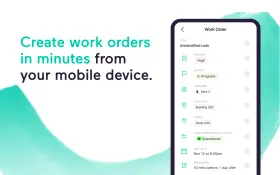
Work Order Management: Create, assign, and track work orders across desktop and mobile devices. Attach files, photos, videos, and manuals to any work order.
-
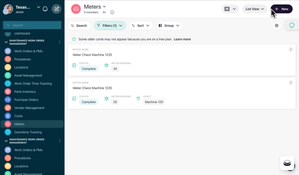
Preventive Maintenance Scheduling: Schedule recurring tasks by time(daily/weekly/monthly) or by usage and meter readings. Automatically generate work orders with due date reminders.
-
Checklists & Inspections: Create configurable checklists that can be accessed from mobile devices. Attach them to work orders or use checklists for standalone inspections.
-
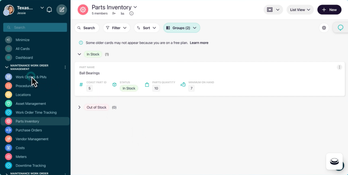
Parts Inventory Management: Track spare part quantities and receive alerts when it’s time to reorder more items. Inventory levels adjust automatically when used on work orders.
Asset Lifecycle Management
-
Asset Tracking: Store manuals, warranties, and complete maintenance history for each asset. Asset details can be accessed instantly by scanning a QR code.
-
Service Contract Management: Store service contract terms, coverage details, and vendor contact information for each asset in one location.
-
Warranty Tracking: View warranty start dates, expiration dates, and coverage terms directly within each asset’s profile.
-
Asset Acquisition & Disposal: Track equipment from purchase to retirement. Use performance data to make informed repair-or-replace decisions.
Team Communication & Collaboration
-
Built-in Team Chat: Replace disparate text and emails with organized group conversations. Create team chats by location, team, work order, or project.
-
Accountability: See who viewed messages, tasks, and shift assignments with real-time read receipts. Eliminating the “I didn’t see it” dilemma.
-
Universal Search: Find past messages, files, and work orders instantly. Search across all open conversations regardless of date or sender.
-
File Sharing: Attach documents, photos, videos, and manuals to chats or work orders. Ensure all information is readily accessible to all team members.
Workflow Customization
-
Custom Fields and Workflows: The system can easily be configured to your exact process. Add custom fields and build workflows that match your maintenance operations.
-
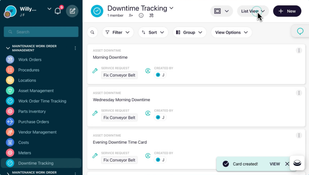
Custom Dashboards & Views: Create personlized dashboards for internal staff. Filter and view work orders by priority, assignee, status, or due date.
-
Automations: Add triggers to automatically send alerts for low inventory, overdue tasks, or meter readings.
-
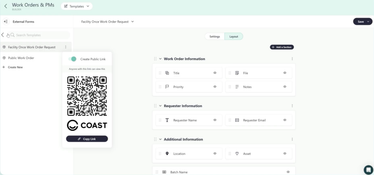
Custom Request Forms: Design customizable forms for submitting external and internal maintenance requests. Can be accessed and submitted by anyone with the unique link or QR code.
Mobile App
-
Mobile Access: Update, create, and manage work orders from an intuitive mobile app built for iOS and Android devices.
-
QR-Code Scanning: Scan equipment instantly to access complete asset details like maintenance history, related work orders, and warranty information.
-
Notifications: Receive notifications and updates on work order status, team chats, and new task assignments.
Reporting & Analytics
-
Maintenance Reports: Create reports to track downtime by asset, labor costs, part spending, and work order trends over time.
-
Custom Dashboards: Visualize maintenance costs, asset performance, and work order completion rates using customizable dashboards.
-
Asset Metrics: Monitor critical KPI’s like mean time to repair, preventive vs reactive maintenance, and overall equipment uptime.
Coast Pricing
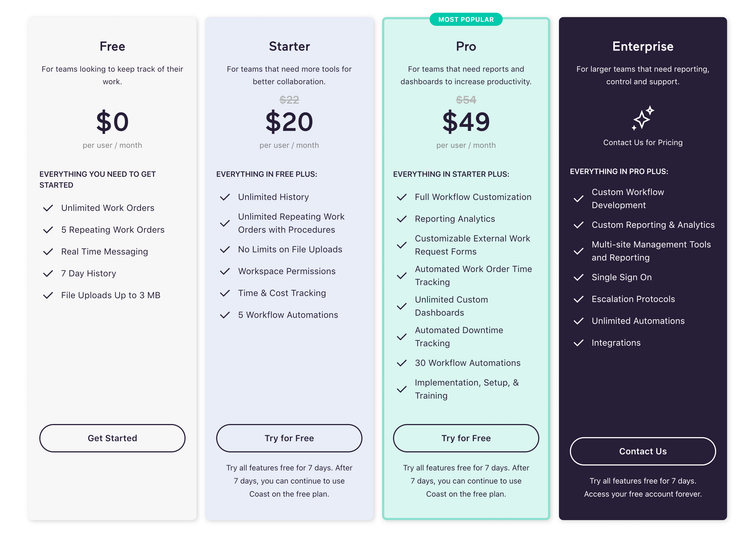
Coast offers tiered pricing plans that accommodate teams of all sizes and industries. All plans include unlimited work orders and access to the mobile app.
-
Free Plan: $0/user/month for basic features with a 7-day history limit for chats and cards
-
Starter Plan: $20/user/month (billed annually) with unlimited history, repeating work orders, and 5 workflow automations
-
Pro Plan: $49/user/month (billed annually) adding full workflow customization, reporting, analytics, and 30 workflow automations
-
Enterprise Plan: Custom pricing for larger organizations requiring multi-site management, custom reporting, and single sign-on (SSO)
Product Overview
Developer Overview
User Reviews of Coast
Write a Review
- Real Estate
Professional, kind, and helpful
Coast has improved our ability to manage our team, schedule repairs, track building maintenance costs, consolidate company information into a single space and improve our efficiency. The Coast team has been invaluable for onboarding, designing workspaces around our needs. Their team is professional, kind and very helpful, and I can’t recommend them more.
Best onboarding expereince ever
This has been the best software onboarding and learning experience I’ve ever had. Can’t say enough great things and we are so excited – making our lives so much easier, less stressful, less work, more organized, etc.
Pros
Great onboarding experience and an easy to learn mobile app
Cons
Nothing as of yet
- IT Consulting
Managing my team is a breeze
Coast makes managing my team a breeze. As an all-in-one tool that helps me manage my team, it has replaced all the back-and-forth emails and texts. My favorite feature is the tasks where I can track exactly what the progress of each task is.
Pros
All-in-one tool
- Food and Beverage
Best CMMS for its price
Coast is one the best CMMS for its price. When I was looking for a CMMS for my team, all the other software out there were at least two or three times the price of Coast for the same features. Beyond that, it is also very user-friendly, so my maintenance team who are not tech-savvy were able to get in there and start closing out work orders and PMs.
- Food Services
Simple to use. Staff is happy
So far so good. My staff receives notifications right away, which is nice. Used Crew previously and ran into many issues of notifications not being received till hours later. Very responsive when it comes to issues. Its simple to use and does what it is intended for. My staff is happy with it, so I am happy with it.
