

Square POS
1 Review 5/5 ★ ★ ★ ★ ★Point-of-sale and payment process software for small retail, restaurant, and service businesses.
Product Overview
Square is an all-in-one point-of-sale software and payment-processing platform for small and growing businesses. The platform is easy to set up and use with a single app that covers inventory, online ordering, invoicing, and a basic website builder. Restaurants, retail stores, salons, and service businesses can switch between different modes, each tailored to their specific operations. Paid plans unlock advanced features such as staff management, loyalty, and multi-location reporting.
Square also sells its own hardware, from card readers to registers and kiosks, but it can run on a mobile phone or iPad. Because Square processes your payments, you can’t bring your own merchant account. The free plan covers the essentials with flat-rate processing fees.
Pros
- Free plan with no monthly software fee
- Runs on phones, iPads, or Square hardware
- No long-term contracts
- Online store and invoicing are free
- Transparent pricing
Cons
- High online processing fees on the Free plan
- Clunky bulk editing for products and inventory
- Flat-rate fees add up at higher volumes
- Very basic reporting
Target Market
Small businesses that want POS, inventory, online sales, and invoicing on one platform. Strong fit for startups, restaurants, boutique retail, and appointment-based providers.Not Recommended For
Businesses that want to keep their own payment processor, have high card volumes, or require advanced restaurant features like reservations.Video Overview
Key Features
Below, we break down Square’s standout features, from the Square Dashboard to its restaurant and appointment tools, along with what our reviewers like and dislike about each one.
App Dashboard and Reporting
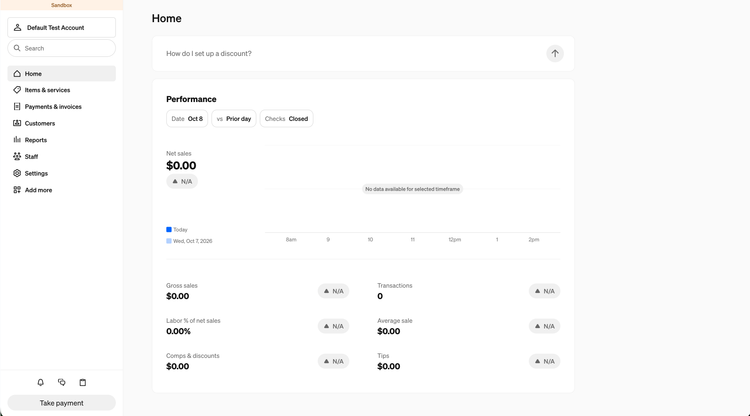
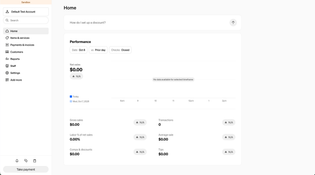
The Square Dashboard is where you set up and manage your POS, available in a browser or through the Square app for iOS and Android. On the home screen, new sellers see setup tasks while the navigation menu on the left organizes items, customers, staff, invoices, and settings. Under reports, you can view sales summaries, trends, and break down payments by card type. The mobile app puts key figures like gross sales and average sales on your home screen, which is handy for quickly understanding daily performance.
Pros:
- Customizable homescreen for mobile and desktop
- Easy-to-read dashboard and sales reports
- Guided setup tasks for faster onboarding
Cons:
- Limited reporting depth for complex operations
- Redesigned menu buries commonly used tools
- Some reports require paid plans
Checkout and Payments
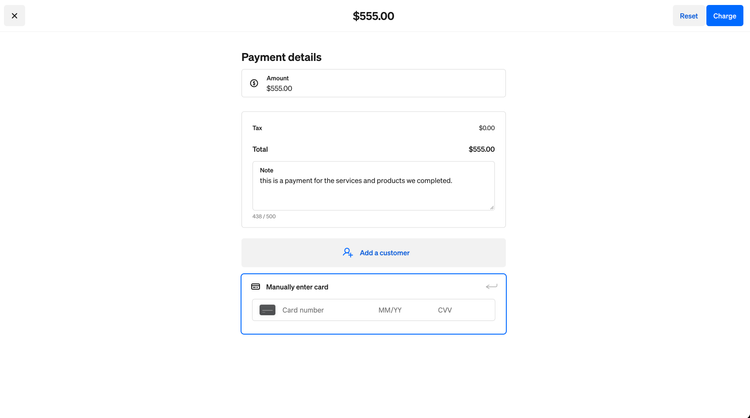
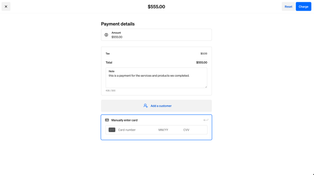
Square POS accepts tap, chip, and swipe cards, as well as Apple Pay and Google Pay on Square hardware or using a phone with Tap-to-Pay. Beyond the POS, Square can accept payments manually on mobile with the Virtual Terminal or send payment links via text or email. And for businesses with internet connectivity issues, the offline mode stores card payments for up to 24 hours and processes them once the device reconnects. Standard transfers reach your bank account the next business day for free, with instant transfers available for a fee.
Pros:
- No added fees for next-day deposits
- Tap to Pay without added hardware
- Offline payment support
Cons:
- Limited help with chargeback disputes
- Tap to Pay glitches on some mobile phones
- Instant transfer and processing fees add up quickly
Inventory Management
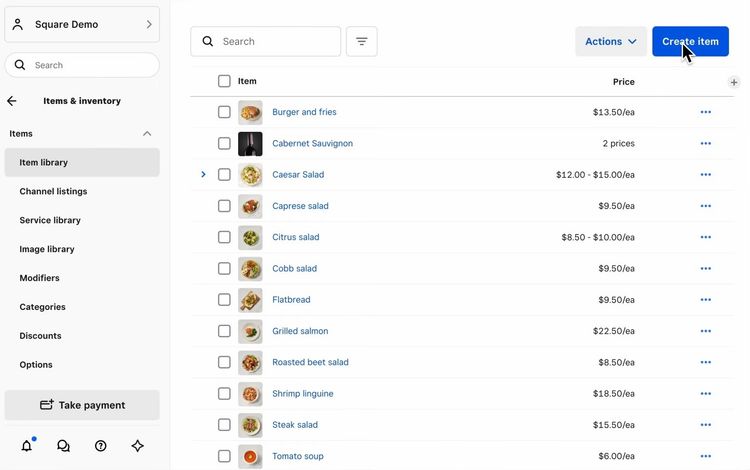
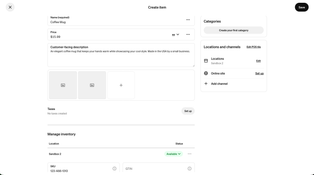
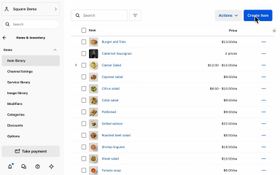
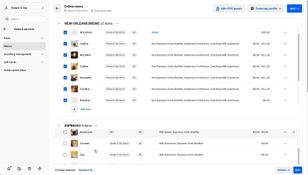
Square’s item library stores every product you sell and syncs stock levels between your POS and Square Online store. Each item can be assigned a category, with modifiers and variations for attributes such as size or color. You can sell items by weight with a compatible scale and set low-stock alerts on any item. Paid plans add multi-location stock transfers, barcode label printing, and vendor management with basic purchase ordering and cost tracking. Larger product catalogs can be uploaded or edited in bulk in spreadsheets.
Pros:
- Stock synced across in-store and online sales
- Low-stock alerts and automatic restock ordering
- Allows for bulk import of products by spreadsheet
Cons:
- Item variations are limited and tedious to set up
- Barcodes and cost tracking require paid plans
- Large catalogs are hard to manage and edits are prone to errors
Online Store and eCommerce
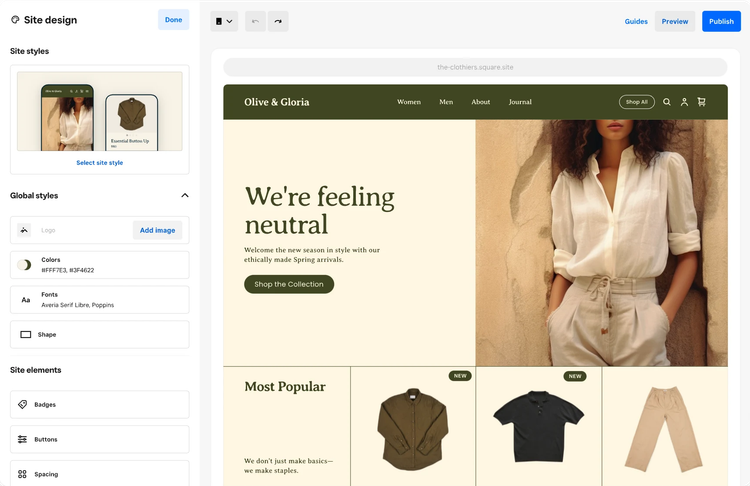
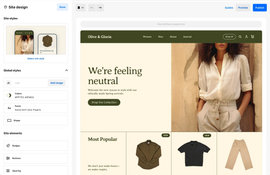
Every Square plan includes Square Online, a website builder, a number of themes, and templates that require no experience or coding. You can connect your own custom domain or list your products on Instagram, Facebook, or Google. Customers can choose between in-store pickup, shipping, or local delivery by your own staff or a third-party courier, with inventory synced across all options. Restaurants get their own online ordering page with no monthly fees or commissions. Paid plans add expanded design options, QR code ordering, and subscriptions.
Pros:
- Free, easy-to-use website builder
- Commission-free online ordering for restaurants
- Sell on Instagram, Facebook, and Google
Cons:
- Limited website design customization
- Inflexible local delivery and shipping settings
- High online processing rate on Free plans
Restaurant Features
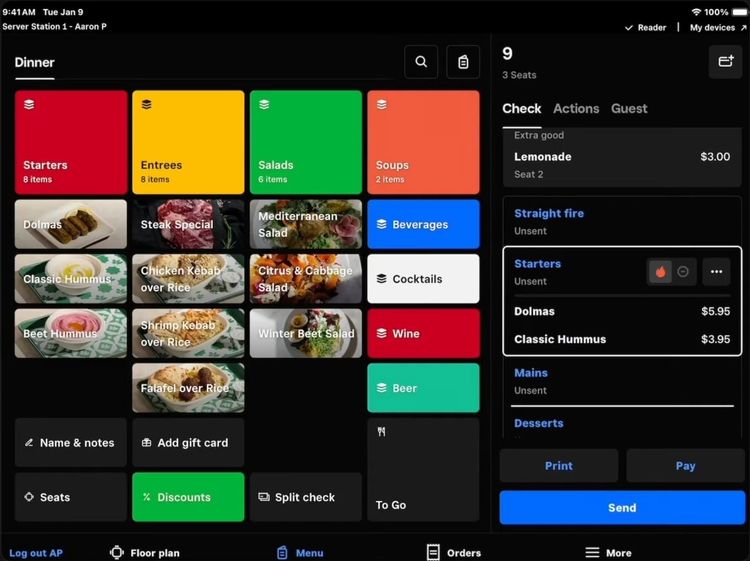
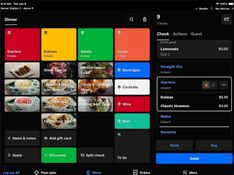
Restaurants can choose from Square POS’s Quick Service, Full Service, or Bar Modes, each with its own tools. Full-service restaurants get custom floor plans for tables and seats, timed coursing (Premium), split checks, and automatic gratuity, while bars can create preauthorized tabs. Your staff can take orders tableside using handheld devices; customers can self-serve at the Square Kiosk or order online through Uber Eats and DoorDash. All orders route to the POS or the Square Kitchen Display System (KDS), which sends them straight to the kitchen and flags sold-out items as unavailable.
Pros:
- Easy for new staff to learn quickly
- Custom dining room table and bar layouts
- Handheld ordering runs on iPads or Square hardware
Cons:
- Extra device fees for Square KDS and Kiosk
- No built-in reservation system (Integrates with Resy and OpenTable)
- Automatic updates can disconnect kitchen printers
Appointments and Service-based Features
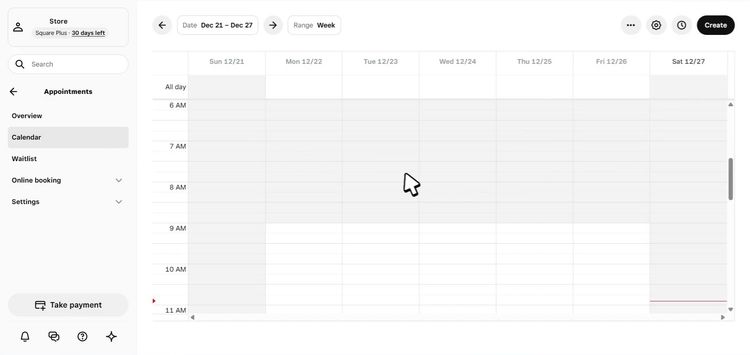
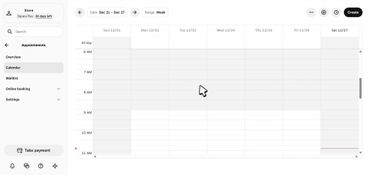
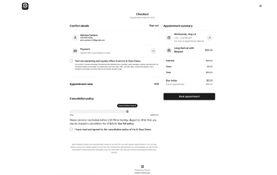
Square’s Bookings mode gives salons, spas, and other appointment-based businesses a free online booking site that customers can reach from your website, Google, and Instagram. Customers can book 24/7 and the calendar blocks off appointments from a synced Google Calendar, so staff are never double-booked. You can create one-time or recurring appointments, with paid plans adding cancellation and no-show fees, multi-staff appointments, and a waitlist that fills open slots. Contractors and consultants can use the Services mode to send invoices, manage estimates and contracts, and take payment in the field.
Pros:
- Easy and simple booking for staff and clients
- Automated reminders help reduce no-shows
- Supports booking directly from Google and Instagram
Cons:
- Limited booking page design options
- Occasional glitches and slow load times
- Advanced features like no-show fees require paid plans
Hardware
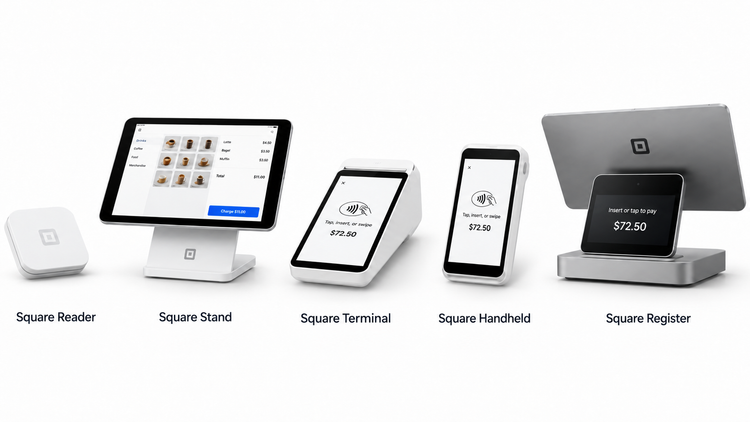
Square sells its own hardware, but you don’t need it to get started. The POS app runs on an iPhone, Android device, or iPad, and Tap to Pay turns your phone into a card reader. Most Square devices can be bought outright or financed with monthly payments and they work with any Square plan.
Below are a number of Square Hardware Devices:
-
Square Reader (2nd gen) ($59): A Bluetooth reader that pairs with an iPhone or Android phone to accept chip cards, contactless cards, Apple Pay and Google Pay.
-
Square Stand (2nd gen) ($149): A swiveling countertop stand that turns a compatible iPad into a POS, with built-in tap and chip payments. The iPad is sold separately.
-
Square Terminal ($299): A portable all-in-one card machine with a built-in receipt printer and an all-day battery that takes tap, chip and swipe payments.
-
Square Handheld ($399): A pocket-size POS with a built-in barcode scanner and camera, rated IP54 against splashes and dust, for tableside ordering and sales on the floor.
-
Square Register (2nd gen) ($899): A countertop POS with two touchscreens, one for the seller and one for the customer, and built-in tap and chip payments.
Square Pricing and Plans
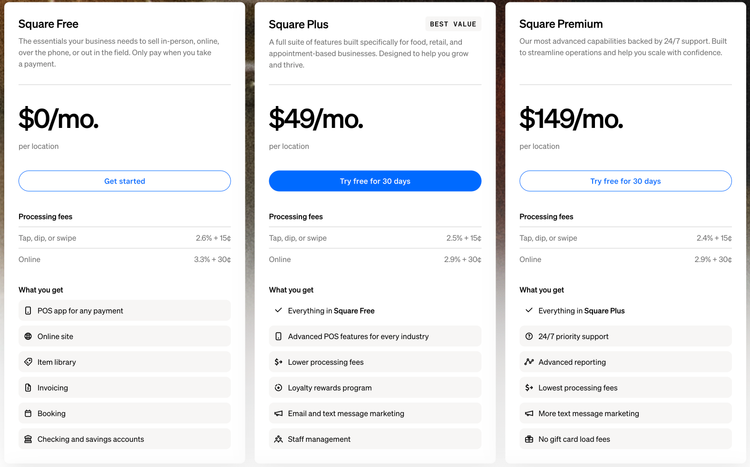
Square’s POS software is free to start, so most businesses only pay processing fees on each card sale. Paid plans add more advanced tools and lower in-person processing rates as your business grows.
A quick breakdown of the costs associated with Square:
| Square Free | Square Plus | Square Premium | |
|---|---|---|---|
| Monthly cost | $0 | $49/mo per location | $149/mo per location |
| Free trial | N/A | 30 days | 30 days |
| In-person fee | 2.6% + 15¢ | 2.5% + 15¢ | 2.4% + 15¢ |
| Online fee | 3.3% + 30¢ | 2.9% + 30¢ | 2.9% + 30¢ |
| Keyed-in fee | 3.5% + 15¢ | 3.5% + 15¢ | 3.5% + 15¢ |
| Instant transfer fee | 1.95% | 1.95% | 1.95% |
| Gift card load fee | 2.5% | 2.5% | None |
| Kitchen Display System | Not available | $30/mo per device | $20/mo per device |
Next-day transfers to your bank are free on every plan.
Alternatives
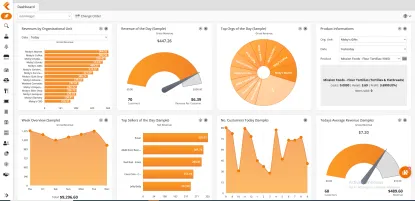
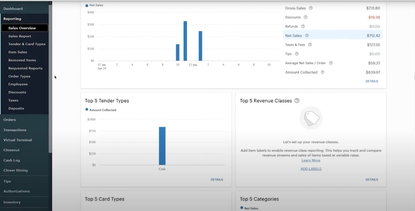
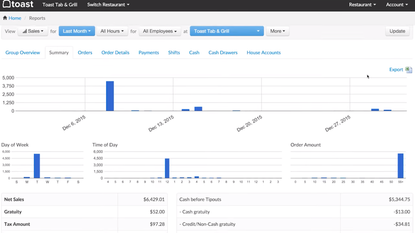
We like Square for start-ups and small businesses that want an easy, affordable way to start selling and accepting payments. With a free plan, quick self-set-up, and affordable hardware, there is a reason over 4 million businesses rely on it. But with higher processing fees, payment processor lock-in, and limited customization, growing businesses can outgrow it quickly. You can view our full list of the best POS systems or review three alternatives worth comparing below:
Product Overview
Developer Overview
Related Products

User Reviews of Square POS
Write a Review
Square POS Review
Square is a tool that ties everything together. It allows us to see the business holistically from anywhere.
