

Best Fleet Management Software
We’ve reviewed and researched the top fleet management software on the market for industries like construction, logistics, and the public sector. These platforms can help you maximize vehicle lifespans and optimize routes.

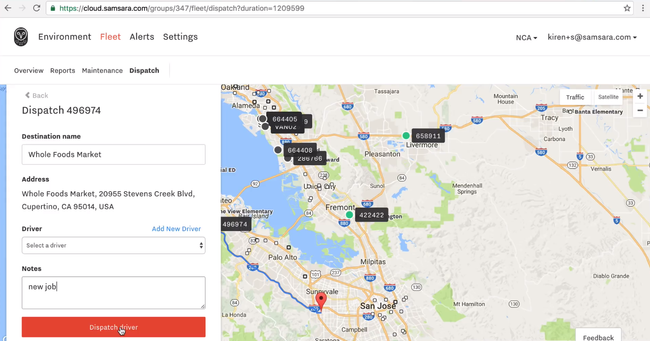
- Collects telematics data
- Compatible apps for iOS and Android
- Predictive ETAs
- Collects telematics data
- Low starting cost per month
- Cloud-based platform centralizes fleet data
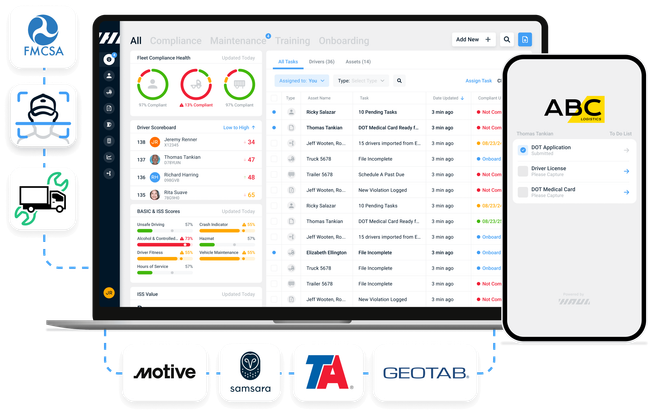
- Can handle complex toll reconciliation, auditing and back office integration.
- Have over 880+ sites in North America for bypass stations.
- Integrates easily with the major telematics (ELD) companies
Fleet management software tracks company vehicles and optimizes maintenance, routing, and fuel usage. We used our review methodology to rank our top picks based on features like route optimization and GPS tracking.
- Samsara: Best Overall
- Fleetio: Best for Heavy Equipment & Construction Fleets
- Fleetworthy: Best for DOT Compliance
- GeoTab: Best for Regulated Fleets
- AUTOsist: Best for Small Fleets
- Verizon Connect: Best GPS Tracking and Telematics
- Omnitracs: Best for Trucking and Semi Fleets
- Onfleet: Best for Delivery Fleets
- Azuga: Best for Driver Safety
Samsara - Best Overall
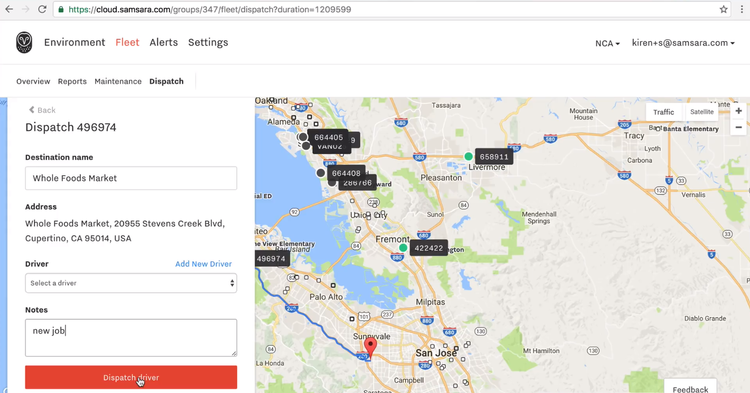
Samsara includes strong GPS tracking capabilities and advanced dashcam technology. The technology uses artificial intelligence to detect and record driving events. Additionally, Samsara has geofencing tools to monitor and enforce compliance with regulations, making it a strong pick for transportation and logistics companies.
Samsara’s one-update-a-second refresh rate ensures fleet managers can access nearly instantaneous data about their vehicles’ locations and conditions. Their dual-facing dashcams provide insights into driver behavior and enhance safety with features like night vision and driver alert functions. To cap it off, Samsara’s manager dashboard and driver app streamline communication and task management.
Samsara does not publicly list starting costs, but it’s priced per vehicle per month, which can quickly add up depending on the size of your fleet. Additionally, it requires a three-year minimum contract.
Fleetio - Best for Heavy Equipment & Construction Fleets
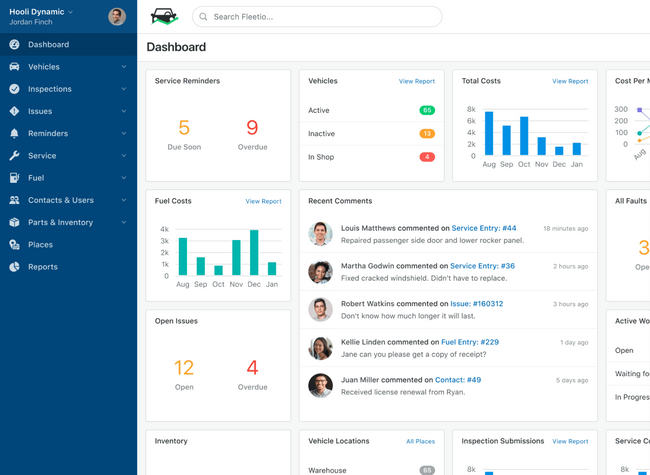
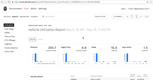
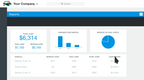
Fleetio’s expense-tracking dashboard includes an interactive chart that breaks down the costs your vehicle incurred over a specific period, giving fleet managers and construction companies a real-time view of each vehicle’s total cost of ownership. The dashboards include details about a fleet’s fuel, service, and miscellaneous costs.
Additionally, you can create custom expense reports to help you manage lifecycles. In the operating costs summary, view the total cost of a truck or piece of heavy machinery on one screen. Easily filter the data by different groups, vehicle types, or time frames to compare assets. Identify problematic machines by evaluating trends over time on easy-to-read pie and bar graphs. This allows you to adjust usage to determine ROI and make informed decisions to replace problematic equipment.
Fleetio is best for those managing a fleet of at least five vehicles. Like Samsara, it’s priced per vehicle, which can quickly add up for larger fleets. The lowest-tier plan, Essential, starts at $4/vehicle/month, billed annually. The plan limits you to 100 vehicles, so if you exceed this limit you’ll need to upgrade to the $7/vehicle/month Professional plan.

Fleetworthy - Best for DOT Compliance
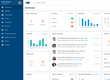
Fleetworthy’s licensing and permitting module helps you maintain valid credentials across different jurisdictions. That way, you can prevent lapses that could lead to audits or ground your vehicles. FleetWorthy’s team provides a compliance roadmap tailored to your company’s actual footprint by assessing your operating regions, travel routes, and vehicle types. You can ensure proper licensing for every vehicle, permitted according to IFTA and IRP standards.
Once Fleetworthy sets this baseline, it pivots to ongoing process management. Fleetworthy’s specialists continuously monitor changes in state and federal regulations, managing any updates or renewals to prevent downtime. It handles initial permit applications, renewals, and ongoing coordination with agencies. In other words, they free up your internal staff by providing an expert-led process that stays current on compliance requirements.
Each update, communication, and document is logged in the record retention system. This provides you with immediate access during IFTA or DOT reviews, ensuring you never fall prey to fines or penalties due to disorganized paperwork. This keeps each vehicle’s compliance history fully traceable and transparent, allowing you to easily export it for audit preparation. Plus, the module’s reporting tools transform compliance data into operational insights. For example, you can examine asset utilization to identify underutilized or overburdened vehicles, which will help you detect regulatory risks such as missed inspection intervals or preventive maintenance.
Fleetworthy’s compliance solutions are best suited for complex compliance needs across multiple vehicles and states. It’s probably more system than you need if you’re a fleet with just one or two trucks. The platform is priced per unit, though exact rates aren’t published.
GeoTab - Best for Regulated Fleets
GeoTab provides an FMCSA-compliant ELD (Electronic Logging Device) that automatically records driving time and engine data. It ensures that regulated drivers with hours-of-service limits do not exceed their allotted time on the road. Whether it’s government employees like police or semi-drivers doing long-haul, GeoTab eliminates the need to manually track hours with a fully automated system.
Additionally, GeoTab includes electronic DVIR inspections via the mobile app. Fleet managers can create custom inspection checklists based on their fleet’s vehicles and compliance requirements. If one fails an inspection, you’re alerted instantly so you can schedule maintenance as soon as possible, reducing vehicle downtime and keeping drivers safe.
The system automatically generates ELD-compliant reports to track driver hours, vehicle issues, and work limits. Each is filed in the system with clear audit reports that show complete driver history, which gives you more transparency. Additionally, Geotab earned certifications like FIPS 140-2, FedRAMP, and ISO 27001 to meet stringent government security and data protection standards.
GeoTab does not display any pricing information on its website. Instead of selling directly, it utilizes a network of resellers who enhance the product’s value by offering additional services such as sales, support, consulting, and project management. That said, it can be a hindrance if you end up with a poor reseller—just be sure to thoroughly vet your options before choosing.
AUTOsist - Best for Small Fleets
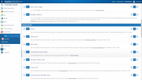
AUTOsist is built for fleets with a diverse set of assets, ranging from vehicles to generators and heavy machinery. The platform makes it easy to track maintenance, inspections, fuel, and other vehicle records. Its customizable spreadsheets and digital forms allow operators to tailor fleet management and maintenance records to their needs.
Suited for small to medium-sized businesses that manage fleets of 50-100 units, AUTOsist generates driver behavior assessments through GPS tracking and scorecards. It offers dual-facing in-cab HD safety cameras for enhanced accountability. Additionally, the system is web-based with a mobile app for iOS and Android so operators can manage fleets remotely. They can easily set service reminders, upload fuel receipts, and assign multiple drivers to vehicles on one platform.
AUTOsist’s lowest-tier plan, the Maintenance Package, starts at $5/vehicle/month, billed annually. While AUTOsist provides discount volume pricing after 100 assets, none of the plans include purchase order functionality for spare parts.


Verizon Connect - Best GPS Tracking and Telematics
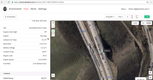
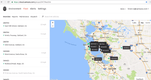
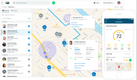
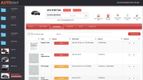
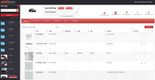
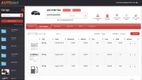
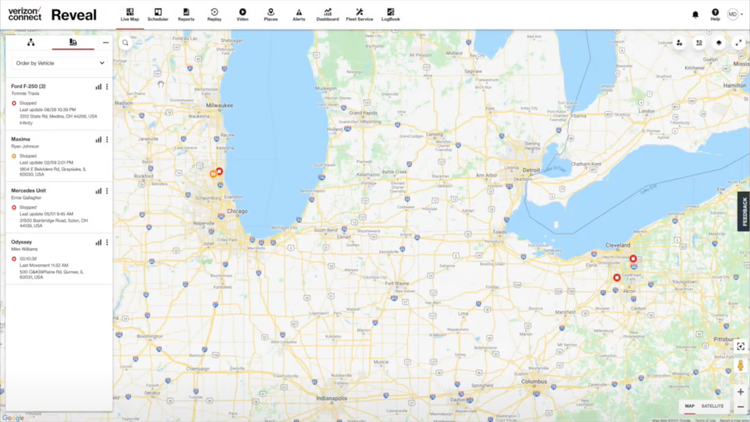
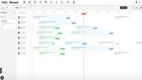
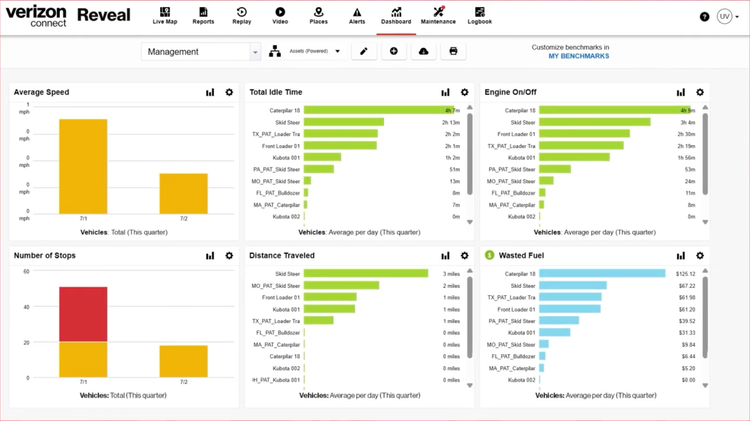
Verizon Connect offers comprehensive telematics for GPS tracking, driver safety, and maintenance. The GPS tracking in particular stands out, allowing you to see the status and activity of your entire fleet out on the road. The interactive map shows you every route, along with construction and weather factors in the area. And for industries like construction, you can set up geofences around certain areas to ensure equipment is used correctly.
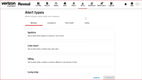
For driver safety, Verizon Connect offers AI dashcams that monitor both the driver and the road. The AI technology detects unsafe behaviors behind the wheel and issues real-time audible alerts to drivers. So things like being on your phone, drowsiness, distractions, and an unfastened seat belt will all set off these alerts. For road-facing detections, tailgating, speeding, and rolling stops will also trigger alerts. From there, the incidents will be clipped and sent to safety managers for review.
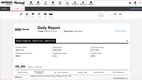
For maintenance, you can monitor vehicle diagnostics to get nearly real-time data on its health. When a device detects a problem, you’ll be notified with the exact fault code and severity. This lets your maintenance team know exactly what the issue is for faster resolution. It’s a great way to extend your fleet’s useful life and keep drivers safe by reducing unexpected breakdowns.
Verizon Connect can serve a wide variety of industries, including construction, distribution, field services, and commercial fleets. That said, it’s best for mid to large-sized companies with a sizable fleet to manage due to its extensive features and hardware. Unfortunately, they require a 3-year contract if they install the tracking equipment themselves, which can be a long commitment for smaller teams.
Omnitracs - Best for Trucking and Semi Fleets
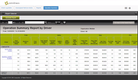
Omnitracs is strong for long-haul trucking companies needing intelligent routing capabilities and compliance tools. Intelligent routing optimizes workflow by storing customized routes, which helps in simplifying operations and coordinating activities. Omnitracs also provides GPS tracking, combining location monitoring with engine diagnostics and reporting software.
The system’s emphasis on safety, compliance, and effective asset management helps businesses grow and transform by providing full fleet visibility. Additionally, Omnitracs offers detailed driver management solutions, ELDs & Hours of Service (HOS) compliance, and vehicle navigation.
On the other hand, the admin user interface is a little clunky due to complex navigation and a dated design. Additionally, the complexity and breadth of features can be overwhelming for new users.

Onfleet - Best for Delivery Fleets
Onfleet specializes in managing last-mile delivery fleets, with advanced routing algorithms and a user-centric design. The software’s dispatch and route optimization make it a good fit for organizations with complex delivery routes or time-sensitive orders. Onfleet also offers proof-of-delivery and a driver chat feature that keeps customers accountable and drivers in the loop of any changes.
Overall, provides real-time tracking, automated customer notifications, and in-depth data analysis capabilities. We found the system easy to navigate, allowing fleet managers to auto-assign drivers by region. Finally, the platform supports real-time data insights, including predictive ETAs and auto-dispatch features.
However, Onfleet doesn’t offer a dashboard designed specifically for mobile devices. Although it provides mobile apps for drivers, the dashboard for dispatchers and managers is web-based, not a separate mobile app. This setup may not suit some managers who prefer a mobile-based approach.

Azuga - Best for Driver Safety
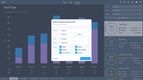
Azuga offers strong driver safety features, including seatbelt alerts, weather monitoring, and driver safety record tracking. The platform keeps driver safety fun with a leaderboard that tracks safety scores and rewards high-performing drivers with fun badges. This helps improve motivation and safety compliance for drivers or technicians on the road.
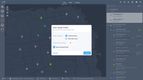
This platform also offers route optimization and extensive tracking tools, with traffic and weather alerts through Google. This makes it a great fit for managing the fleets of service trades, such as HVAC, plumbing, and electrical, that are affected by weather daily.
In fact, Azuga includes a breadcrumb feature for detailed movement history. It also has Earth mapping integration and customizable landmark settings for frequent locations. Overall, we appreciate Azuga’s ease of use and its effectiveness in improving driver safety, particularly through its AI-powered, front and rear-facing dashcam.
However, Azuga had one of the slowest refresh rates. Data refreshes once every two minutes, compared to Verizon Connect’s rate of 30 seconds. Samsara provides real-time vehicle locations second by second.
What is Fleet Management Software?
Fleet management software is a system that tracks and manages a company’s vehicles, equipment, and the people who operate them. It provides operations managers and fleet supervisors with a single place to monitor GPS telematics, maintenance scheduling, driver records, fuel tracking, and compliance reporting. Most fleet management systems either pull data directly from vehicles via onboard diagnostics or require installed telematics devices to automatically log vehicle location, mileage, and engine hours.
Fleet management helps turn vehicle data into smarter driver decisions. With driver safety features such as driver behavior monitoring and real-time route tracking, these platforms provide fleet managers with concrete evidence for training. Often overlapping with fleet maintenance software, these systems can automatically trigger service work orders based on mileage and engine hours, reducing unplanned breakdowns and extending vehicle life.
Key Features
-
GPS Tracking and Location History: Track vehicles on a live map, or replay an animated history trail showing each turn, each stop, and the time spent at every stop. Use this to decrease route times, spot excess idling, and see when drivers go faster than the posted speed limit.
-
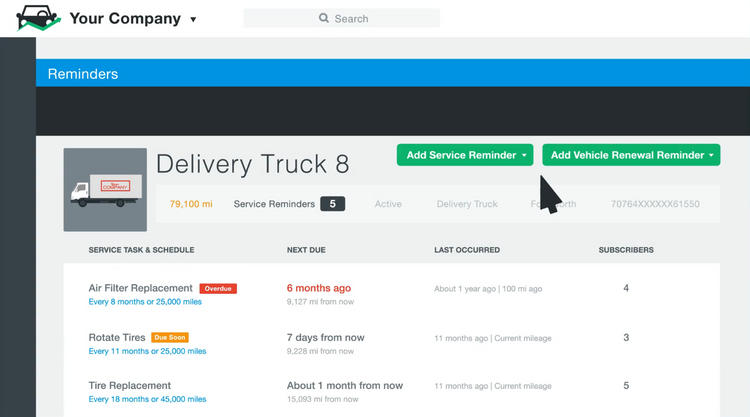
Preventive Maintenance and Work Orders: Create service alerts based on mileage, engine hours, or calendar date, then turn them into work orders with parts and labor logged against each vehicle. Maintain a historical list of maintenance performed to catch repeat failures on the same unit.
-
Driver Records: Keep records of driver information, such as insurance, licenses, medical certificates, and driving history. Set expiration reminders so a lapsed license or an expired medical card doesn’t put an unqualified driver on the road.
-
Fuel Tracking and Fuel Cards: Import fuel card transactions and match each purchase to a vehicle and a driver. Compare miles per gallon by unit to catch fuel theft, an engine problem, or a driver who idles too much.
-
Compliance and Inspections: Record hours of service through an electronic logging device (ELD) and collect driver vehicle inspection reports (DVIR) from the cab before and after each trip. Track mileage by state to file International Fuel Tax Agreement (IFTA) returns without rebuilding the numbers by hand every quarter.
-
Driver Safety and Scorecards: Flag harsh braking, speeding, and hard cornering as they happen, and pair each event with dashcam footage. Rank drivers over time to give safety managers concrete evidence to train on.
-
Route Planning and Optimization: Helps you and your drivers build the most efficient route for better fuel management. Reroute drivers or technicians as needed during the day to reduce fuel costs from idling and backtracking.
-
Vehicle and Asset Records: Store the make, model, VIN, purchase or lease terms, and warranty coverage for every unit in one profile. Assign vehicles to drivers or locations so you know who had what, and when.
-
Reporting and Dashboards: Report on cost per mile, total cost of ownership by vehicle, utilization, and maintenance spend. Compare units side by side to decide which vehicles to keep and which ones to replace.
-
Mobile App: Let drivers submit inspections, log fuel stops, and photograph defects from the road instead of filling out paper forms. Technicians can close work orders from the shop floor as they finish the job.
-
Integrations: Connect to your accounting software so fuel, parts, and service costs flow into the general ledger without duplicate entry. Common integrations include QuickBooks, fuel card providers, payroll, and telematics hardware.
Benefits
Know Your Cost Per Mile
The American Transportation Research Institute put the industry-average cost of operating a truck at $2.336 per mile in 2025, the highest figure in the report’s history. Fleet management software calculates cost per mile for each vehicle by keeping fuel, repair, and mileage data in the same record, which helps you understand which expenses are costing your fleet money.
Control Repair and Maintenance Costs
Repair costs climb as a fleet ages, and older units consume a larger share of the budget over time. Based on an industry report, repair and maintenance ran $0.22 per mile in 2025, up 8.6 percent from the year before. Use fleet management software to schedule preventive maintenance based on mileage and engine hours, and to see which vehicles are taking the largest share of your shop budget.
Cut Fuel Waste
Fuel is one of the most costly expenses for fleets, especially with rising prices worldwide. Based on an industry report, fuel accounted for $0.48 per mile in 2025, second only to the cost of paying your drivers. Use fleet management software to monitor fuel card transactions and better understand which vehicles or drivers are costing the most per mile.
Improve Driver Safety and Reduce Crashes
Driver history is the clearest early warning you have of crash risk. Of the large-truck drivers involved in fatal crashes in 2024, 19.3 percent had a previously recorded crash, and 17.0 percent had at least one prior speeding conviction. Use fleet management software to track harsh braking, speeding, and hard cornering by driver, and pair those events with dashcam footage so you have evidence when a driver was not at fault.
Stay Ahead of Compliance
Federal requirements change on short notice, and a change to your hardware or paperwork can put trucks out of service. In March 2026 the FMCSA removed 14 devices from its list of registered electronic logging devices and gave carriers 60 days to replace them. Use fleet management software to keep driver qualification files, inspection reports, and hours of service current, so a rule change doesn’t turn into violations at a roadside stop.
Fleet Management Software Pricing
Fleet management software can cost anywhere from under $1,000 a year for small fleets to well over $100,000 a year for enterprises. Plans are almost always charged per vehicle per month, with average costs ranging from $4 to $100 per vehicle, depending on the features included. Below is a general breakdown of what you can expect to pay based on the size of your business or fleet:
Small Fleet Pricing (1-5 vehicles)
- Average Cost: $1,000 to $7,500 per year
- Expected Features: Plans at this tier cover maintenance reminders, work orders, digital inspections, fuel logs, and a driver mobile app. Low-tier plans often do not include integrated hardware or telematics for free.
- Examples: Fleetio, AUTOsist, Zubie
Mid-Size Fleet Pricing (5-25 vehicles)
- Average Cost: $5,000 to $15,000 per year
- Expected Features: Plans at this tier cover live GPS tracking, geofencing, engine fault codes, and driver scorecards on top of maintenance and inspections. Mid-tier plans usually require a telematics device in each vehicle, which is often billed separately from the subscription.
- Examples: Verizon Connect Reveal, Azuga, Motive
Large Fleet Pricing (26-100 vehicles)
- Average Yearly Cost: $20,000 to $50,000+ per year
- Expected Features: Plans at this tier cover dual-facing dashcams, AI video review, hours-of-service logs, custom reporting, and API access. High-tier plans commonly come with a multi-year contract, especially when the vendor installs the hardware for you.
- Examples: Samsara, Geotab, Fleet Complete
Enterprise Fleet Pricing (100+ vehicles)
- Average Yearly Cost: $75,000+ per year
- Expected Features: Plans at this tier cover custom integrations, single sign-on, multi-region and multi-brand support, and a dedicated support contact. Enterprise plans are quote-only, though per-vehicle rates usually improve once you pass 100 vehicles.
- Examples: TrimbleTMS, AssetWorks, Solera Fleet Solutions
Additional Costs to Consider
- Hardware and Installation: Telematics devices, dashcams, and cellular data are often billed separately from the software subscription.
- Annual vs. monthly billing: Paying annually usually costs less per vehicle. Some vendors only offer their higher tiers on an annual contract.
- Implementation and training: Larger deployments can carry a one-time setup fee covering data migration, asset list building, and driver onboarding.
- Add-on modules: Fuel cards, compliance reporting, and advanced route optimization are frequently priced separately rather than bundled into the base plan.
How to Choose
Selecting fleet management software shouldn’t be difficult. Answer these six questions before you start booking demos:
-
Fleet Size: Fleet size sets your budget range and determines whether you pay a true per-vehicle rate or a monthly minimum. It also narrows the vendor list, since some platforms are built for hundreds of vehicles, while some small-fleet plans cap out at 100 assets.
-
Vehicle Type: Light-duty vans, heavy trucks, buses, and off-road equipment each carry different requirements, from tracking engine hours instead of odometer readings to handling roadside inspections. Understand what you need for fleet management, since this decides which platforms to focus on.
-
Compliance Requirements: If you run commercial motor vehicles across state lines, electronic logging, inspection reports, and fuel tax filing are not optional. If you run light-duty vehicles locally, you can skip that entire feature set and pay less for it. Ask vendors if they can provide the reports you need.
-
In-House vs. Outsourced Maintenance: Fleets that service vehicles in-house need work orders, parts inventory, and technician time tracking. Fleets that outsource to dealers or independent shops need vendor records, invoice tracking, and service history pulled in from third parties instead. Ensure the system can support the way you work.
-
Integrations: Confirm the system connects to your existing software platforms if that is a priority. Integrations can replace the manual work of re-entering fuel and repair costs. Check if your fuel card providers, payroll, and any telematics hardware you already own can connect.
-
Driver Adoption: The system only produces useful data if drivers actually submit inspections and log fuel stops. Ensure your drivers will enjoy using the system before purchasing. Test the mobile app with two or three drivers during a trial, rather than judging the platform solely on the manager dashboard.

