

UpKeep Independent Review

We found UpKeep works best for maintenance teams who spend the day on the floor and want a CMMS their techs will actually use. In our hands-on testing, creating and assigning work orders took only a few clicks, and missed deadlines were flagged on the dashboard and in the mobile app right away. Since our last review, UpKeep has grown beyond a basic CMMS and now includes EHS recordkeeping, IIoT sensors, fleet maintenance, training, and Nova AI.
The trade-off is how much sits behind the higher tiers. Features many multi-site teams will want, like the offline mobile app, the request portal, custom dashboards, eSign support, and API access, sit behind quote-only plans. And per-user pricing can add up quickly for large maintenance teams.
- One platform for maintenance, safety, inventory, fleet, and IIoT
- Unlimited free requester, viewer, and vendor users
- Easy-to-use mobile-first platform for non-tech-savvy users
- Plug-and-play IIoT sensors that suggest work orders
- Strong customer service through chat, phone, and email
- Key features gated to higher tiers
- Per-user pricing adds up with large teams
- No on-premise or perpetual license option
- Developer Upkeep
- Client OS iOS, Android, Web
- Deployment Cloud Hosted
What is UpKeep?
UpKeep is a mobile-first CMMS that helps maintenance teams move from reactive repairs to scheduled preventive maintenance. Technicians can open work orders, scan asset QR codes, attach photos, and log parts from their phones, while managers track PM compliance, inventory, and asset history from the desktop.
Beyond the core CMMS, the platform includes safety management for incident tracking and OSHA 300 recordkeeping, Edge sensors that trigger work orders from machine readings, and a Nova AI assistant on every plan. UpKeep is best used across manufacturing, food and beverage, facilities management, healthcare, and fleet operations.
Our Ratings
| Usability - 9.2 | UpKeep has a clean, modern interface on desktop and mobile; technicians can create, assign, and close out work orders in a few clicks; Nova AI lets users pull reports and generate work orders through chat. One of the easier-to-navigate mobile apps we have reviewed. |
| Support - 9.5 | Support includes live chat, phone, and email, plus a searchable help center and Learning Center; training and structured onboarding are available with flexible paid implementation packages. |
| Features - 9.5 | UpKeep features an easy-to-use mobile app and CMMS platform for work orders, PMs, meter readings, parts tracking, and asset records. It also provides Safety for incident tracking, OSHA records, and CAPA workflows. Edge sensors, Fleet, Learn, and Nova AI are new features that make the system well-rounded for complete maintenance management. |
| Security - 9.1 | Secured by Amazon Web Service (AWS) technology, SSO is limited to the most expensive plan, and data can be imported/exported through CSV files. UpKeep is SOC 2 Type 2 Compliant with role and site-based permissions. |
| Value - 8.5 | Paid plans start at $24 per user per month, with unlimited free requester, viewer, and vendor users. Important features such as PM scheduling and inventory start at the Premium plan, while offline mobile, the request portal, API access, and SSO sit on quote-only plans; implementation packages are sold separately. |
| Performance - 9.2 | In our testing, moving between work orders and modules was quick. While some reviewers have reported sync issues and slow refreshes on mobile, we did not experience any during our trial run. Larger asset registries may have slight delays in loading content. |
| Scalability - 9.3 | UpKeep includes unlimited work orders and locations on every plan. The multi-site module, custom roles, and workflow automation are great for large teams, but are limited to the Enterprise plan. It has great API documentation for integrating with ERPs and other 3rd party applications. |
Features
We tested UpKeep’s core CMMS workflows in a demo account, then checked our findings against UpKeep’s feature documentation for the modules it has added since our last review.
Work Orders
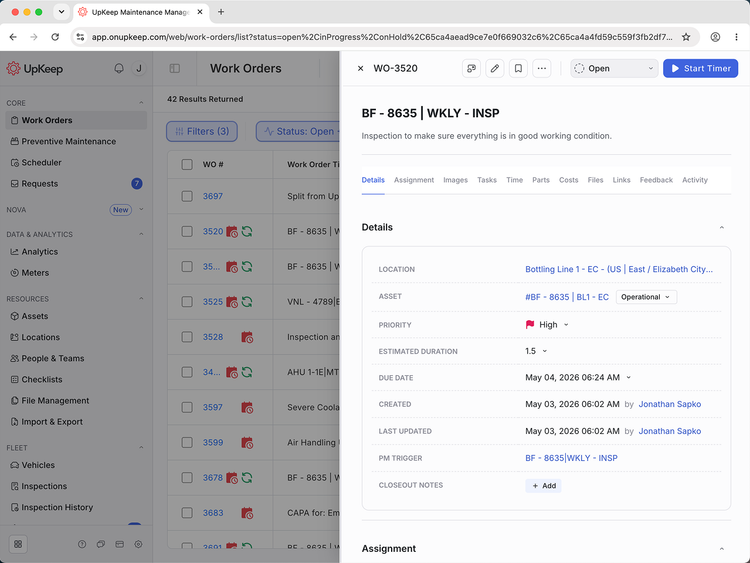
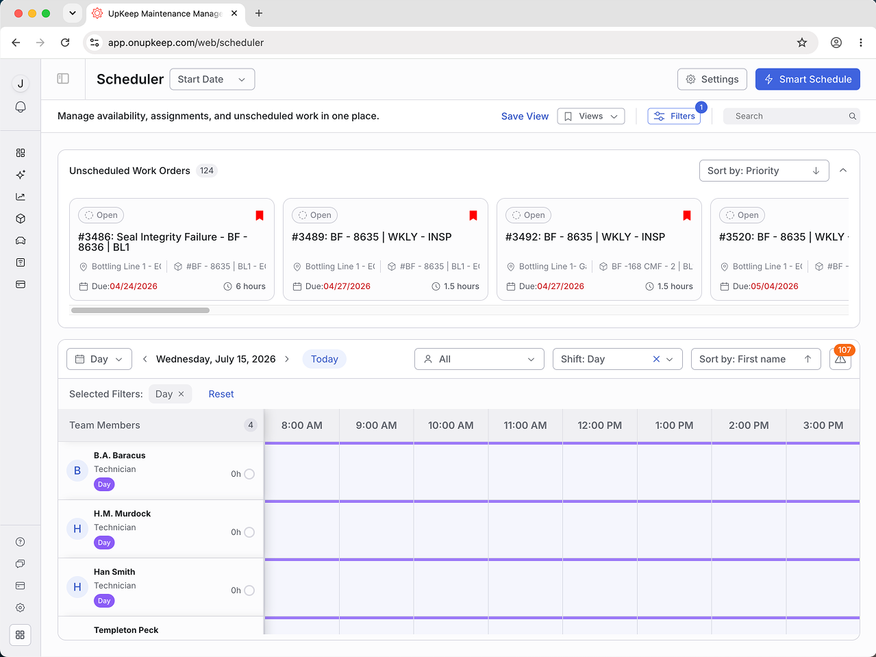
Work orders are easy to make in UpKeep. Select the blue “+Work Order” button from the Work Orders tab, fill in the details, set a timeframe, and assign workers. You can add parts and labor directly to the work order to estimate costs before the job starts. You can also attach photos so technicians know exactly what needs attention when they arrive.
Upcoming and overdue tasks sit at the top of the dashboard. When we deliberately missed a task deadline, a red exclamation mark appeared right away, making it clear what needed to be done. On mobile, technicians can scan an asset’s QR code to pull up its history and open work orders, attach photos, and close out jobs from the floor. Offline mode is available starting on the Professional plan.
Meters and Condition Monitoring
The Meters tab lets you log readings from equipment across your facility, with clear indicators when a reading is past due. Each meter can carry a work order trigger, so an out-of-range reading automatically creates a work order. The history tab shows every past reading, when it was taken, and who took it, which is useful for any team that needs to audit readings.
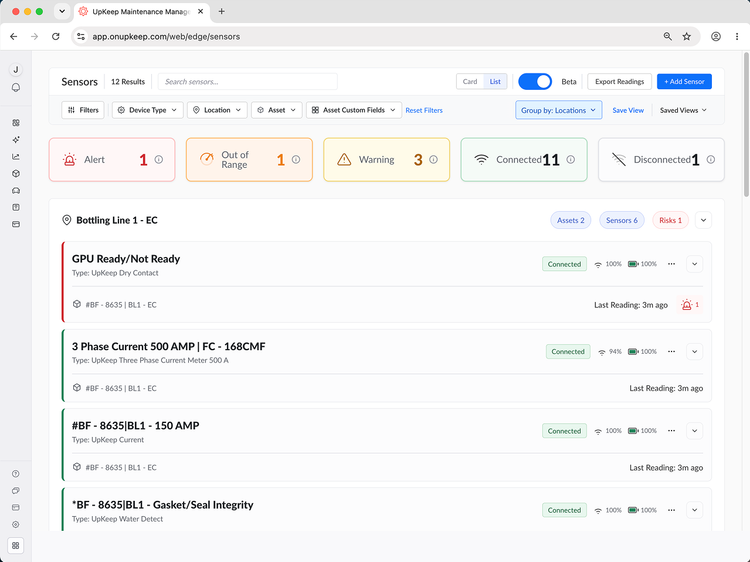
UpKeep Edge takes this further with plug-and-play sensors that record vibration, temperature, current, humidity, and water levels. We liked that when readings crossed a set threshold, UpKeep would automatically create an incident and suggest a work order. Edge is sold under its own plan.
UpKeep Safety
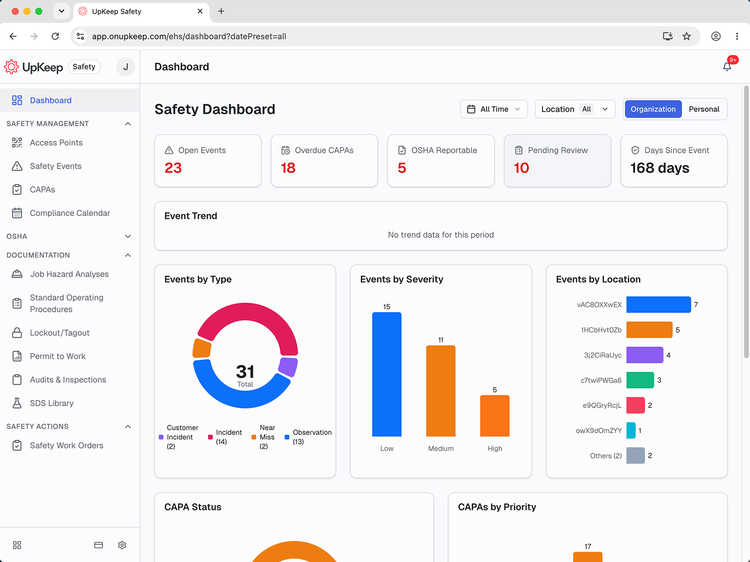
UpKeep Safety gives EHS and operations teams one place to manage incidents, injuries, inspections, and audits. Technicians can report an incident from the floor by scanning a QR code or using voice capture. OSHA forms can then be automatically filed out using those reports. Corrective actions are driven by CAPA workflows with AI-generated root cause analysis.
What we like most is that safety records are tied to the people and assets relevant to them. If a guard fails on a conveyor, the incident, the corrective action, and the repair work order all point back to the same records. Safety also covers lockout/tagout procedures, permits to work, and a safety library.
Nova AI and Apps
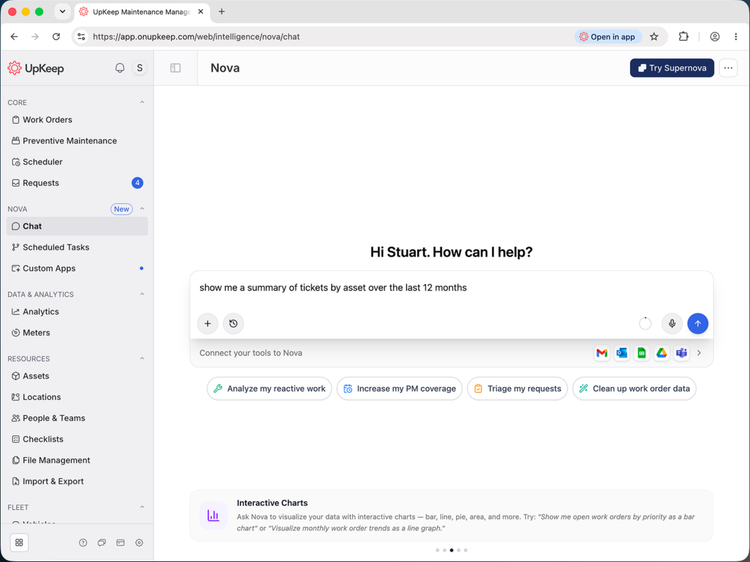
Nova is UpKeep’s AI assistant, included on every plan with a monthly allotment of credits. You can ask it questions about your maintenance data in plain language and have it draft work orders and PM schedules. You can also schedule recurring prompts, like a weekly summary of overdue work.
Nova Apps are a paid add-on and are a bit more interesting. It gives users a place to extend UpKeep beyond its core features. Just describe what you want the tool to do, and Nova builds an app that deploys directly inside UpKeep. These apps can read and write CMMS, Safety, and Edge data in UpKeep, and can be used in from the mobile app. If you’d rather not start from scratch, the Nova Apps Marketplace offers prebuilt apps you can install and customize further.
UpKeep Learn
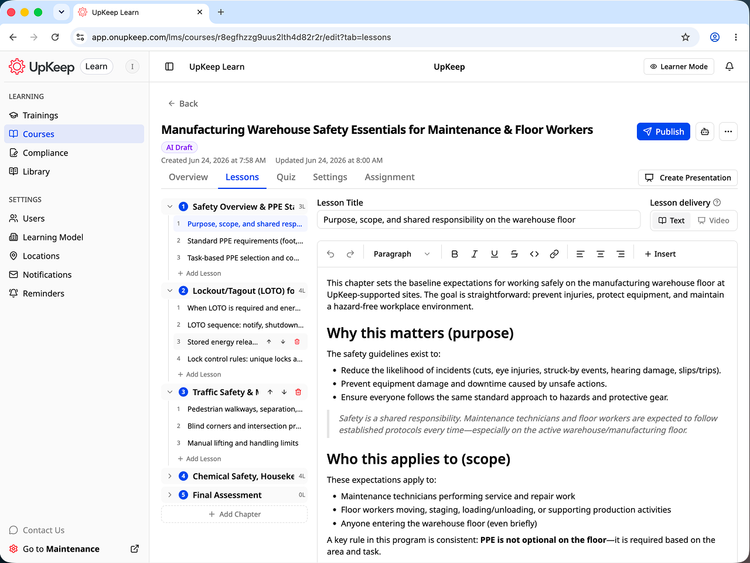
We found that the UpKeep Learn module is great for managing employee training and for storing SOPs and a general knowledge base. It was easy to build training courses and safety checklists from existing SOPs, though you can build them from scratch. The system also tracks and records each technician’s skills and certifications, ensuring that only qualified employees are assigned to critical work orders requiring training.
UpKeep Fleet
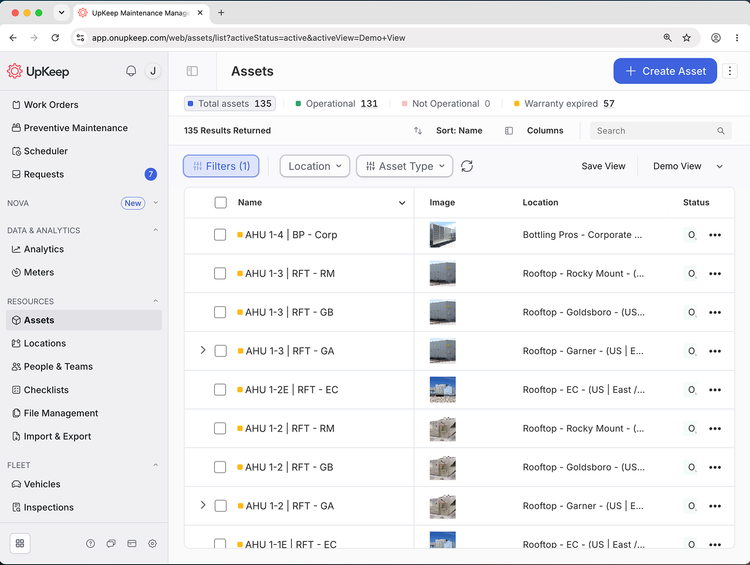
UpKeep now handles fleets of vehicles and other mobile equipment alongside fixed assets. Maintenance teams can maintain a full registry of their fleet and schedule by mileage and engine hours, and we liked how it felt exactly the same as using the rest of the UpKeep platform. Another nice feature was that Fleet tracks your vehicles’ registration, warranty, and DOT compliance.
What Features Are Missing?
While UpKeeps new features add much-needed functionality for maintenance teams, we thought it might have been better with some additional features:
- Integrations: UpKeep’s open API and custom integrations are limited to the Enterprise plan. Teams that need to connect maintenance data to an ERP or other systems should plan for that tier.
- Customization: You can add custom fields, but core fields and the overall layout can’t be removed or reworked. Teams with very specific terminology or processes may find this limiting.
- Offline mode on lower tiers: Offline mobile starts at Professional, which is required for teams working in basements, remote sites, or anywhere with poor signal.
- Larger side panels: When you review a work order or meter reading on a desktop, the details open in a side panel. Depending on the monitor, this can make reading difficult.
Pricing Plans
| Plan | Pricing | Features |
| Essential | $24 per user per month |
|
| Premium | $55 per user per month | Includes everything in Essential plus:
|
| Professional | Requires custom quote | Includes everything in Premium plus:
|
| Enterprise | Requires custom quote | Includes everything in Professional plus:
|
This pricing covers UpKeep’s maintenance plans. Safety, Learn, Edge, and Fleet are custom-priced add-ons. Only admin, technician, and limited technician users require a paid license. View-only, requester, and third-party vendor users are free and unlimited.
Implementation is sold separately, with packages ranging from a $500 training-only option to $5,000 for advanced training, plus custom enterprise implementation by quote.
Alternatives
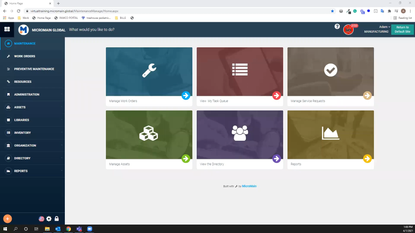
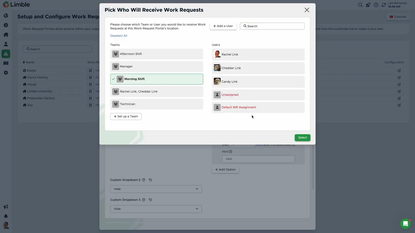
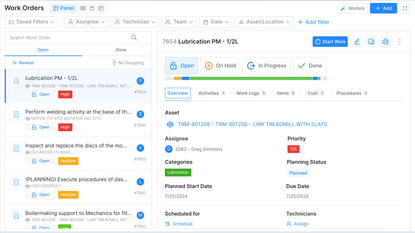
While UpKeep is a strong mobile-first software, these are three CMMS platforms that you should compare UpKeep to:
Summary
After testing UpKeep, we’d recommend it to maintenance teams that need a CMMS their technicians will actually use. The mobile app makes it easy to create, assign, and close out work orders from the floor. For companies with many assets or multiple locations, UpKeep keeps everything in one place. The Safety, Edge, Learn, and Fleet add-ons replace separate disconnected tools and tie safety records, sensor data, and training to the work order and assets already in the system.
With plans starting at $24 per user per month, UpKeep is a moderately priced CMMS, and the free requester, viewer, and vendor seats help keep costs down. Preventive maintenance and spare parts inventory start on the $55 Premium plan, which is comparable to other platforms at this level.
We would not recommend UpKeep to smaller teams that need API access, SSO, or workflow automation on a tight budget, since those features are limited to the Enterprise plan. Companies with large technician teams should also consider how many techs need access early, since per-user pricing can add up quickly. It’s also not an option for organizations that require on-premise hosting or a perpetual license.
User Reviews of UpKeep
Write a Review
- Containers & Packaging
- 11-50 employees
- Annual revenue $1M-$10M
Happy we stuck with UpKeep
About a year ago, we considered moving off of Upkeep. Their purchasing module for our parts inventory was not up to par. There was no offered dropdown to monitor the POs for the parts. However, once we began exploring the CMMS market, we found that other systems weren’t really any better. Over the past year, Upkeep has made updates to the software, including improving the purchasing module, and we have found ourselves happy with the decision to stay on the system.
- Food Products
- 1-10 employees
- Annual revenue $0-$1M
Great Pricing
We have purchaed UpKeep for our grain facility after reviewing a few computerized maintenance systems. We enjoyed both MaintainX and UpKeep equally and felt they both had very strong features.
Ultimately though, UpKeep had better pricing and their features were very similar to MaintainX and we felt more comfortable with that system.
Pros
Strong Features Great Pricing
- Containers & Packaging
- 11-50 employees
- Annual revenue $1M-$10M
Okay but there are several areas it falls short
The system overall is okay but there are several areas it falls short, especially regardng the purchaisng alongside the parts invenotry. It has little ability to see PO’s associated with parts or the vendors the part comes from. Any parts entered on a PO line become a part in the invenotry without the ability to run a stocked versus nonstocked item. There are also issues with maintaining costs. Any costs changed on a PO changes that value across all PO’s, including historical.
The software works fine across other areas such as work order creation and PM schedules.
- Professional Services
- 251-1K employees
- Annual revenue $100M-$250M
Love the Mobile App
We needed a facility maintenance software for our 3 new facilities and ended up going with UpKeep. We are using it right now to track all of our maintenance and work order requests.
Our favorite part right now is the mobile app. Our techs can use a mobile device to input information directly on site. We also have used QR codes on all of our assets. This lets us scan the asset and then update it with the work or maintenace check each time.
We have not needed support yet but we have attended a few of their webinars which really helped us answer questoins and use the software for all of its amazing features.
Pros
Great Mobile App QR scans for all of our assets Very easy to use
Cons
We love UpKeep so far. Nothing negative.
UpKeep Review
I need PPT based on the UPKEEP, How to use
Pros
Easy to access all the data in single step
Cons
Still Studying the Function
- Professional Services
- 251-1K employees
- Annual revenue $100M-$250M
The right tool for the job
We ended up landing with UpKeep. They were the right tool without too many of the bells and whistles. I feel we get more out of UpKeep than some other systems we looked at and I keep finding more utility for the program each day.
UpKeep was able to offer us exactly what we needed and I am very happy with how things are going. Their support team is great and the implementation process went very smooth for us.
We did buy a few too many licenses than we needed but now we have flexibility to add in the future.
Pros
Great support and setup team Price point is great for what we need.
- Specialized Consumer Services
- 251-1K employees
Software issues
We have used this system daily for several years and are looking for other options because there are significant problems with this software. We chose it based on your website and wish we hadn’t.
Pros
Employees able to create work orders for work they have done using an iPhone.
Cons
There are several key features needed to manage maintenance work orders that are missing from their code. We have used UpKeep for several years and are going through the pain of leaving them because they are unable to fix these software issues. I recommend you stay away for this reason.

UpKeep Review
Great people to work with, software is easy to use
Pros
Personal Service
Cons
They may me happy too much
Managing tasks so much easier
We’ve been using Upkeep since the end of 2016. We use task management, we use the billing, we use the assets, we use the inventory. We use all of the features. Primarily for our maintenance of the vacation rentals and long-term rentals. With UpKeep, we really appreciate the ability to manage inventory, manage assets, but it’s the task management that has made our job scheduling and managing tasks so much easier.
Before UpKeep, we used an excel spreadsheet to manage our tasks and try and schedule them. UpKeep has allowed us to continually manage routine, preventative, and ongoing tasks throughout our entire team and has allowed us to continue to maintain our quality.
Using UpKeep has greatly decreased the amount of time required to schedule and manage tasks. It’s allowed me and other managers to spend more time in the field.
I would recommend UpKeep with any maintenance team.
UpKeep is user-friendly
We’ve been using UpKeep for three years. We use it to run inspections and handle maintenance. UpKeep is user-friendly. The interface is really easy for our technicians and for our requesters that do in-work requests. UpKeep’s been different in ways as far as being in the cloud, it saves all the information there as well. It’s improved our business in terms of reliability and keeping an actual schedule of all of our assets and in a timely fashion getting things done. I would recommend UpKeep to maintenance teams for the following reasons: the friendly user interface and the mobile application is really nice.
