The Best Home Builder Software
Home builder software can manage each phase of residential construction, from estimating and job costing to scheduling and client updates. We compared features, pricing, and fit for small, custom, and production builders to find the best home builder software for your team.

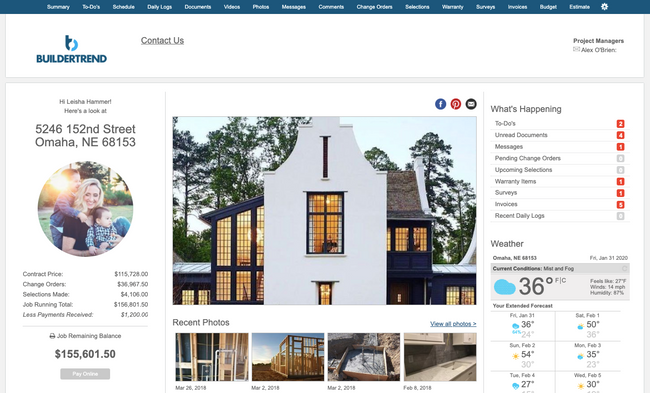
- User-friendly interface and mobile access
- Homeowner portal for customer service
- Strong filtering and reporting tools
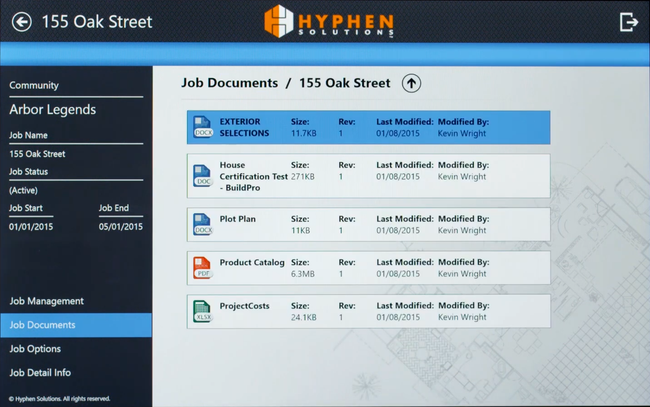
- Built-in warranty tracking
- View subcontractors and suppliers availability in real-time
- Centralizes project tracking, scheduling, and job costing
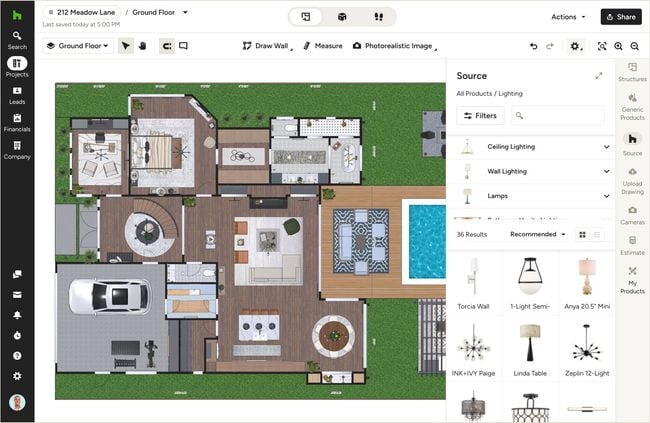
- Platform is user-friendly and requires minimal training
- Basic plan with a Pro directory listing is free
- Includes marketing and advertising tools
Home builder software ranges from single-purpose tools to full platforms, and the right fit depends on whether you build one or two homes a year or manage thousands as a production builder. After comparing products through our independent review process, here’s how the main types compare.
| Software Type | Best For | Key Features | Examples |
|---|---|---|---|
| All-in-One Solutions | Builders who want project management, job costing, and client communication in one system instead of connecting separate tools. | Project management, job costing, client portals, and accounting or accounting integrations | Buildertrend, MarkSystems, JobTread |
| Construction Accounting | Builders replacing general accounting systems like QuickBooks or Sage 50. | Construction accounting, job costing, budget tracking, cash flow management. Some include payroll. | Custom Homebuilder Solutions (CHS), Sage 100 Contractor |
| Customizable Platforms | Builders who also take on remodels, light commercial, or other project types. | General construction management tailored to your workflows, with flexible modules or add-ons for project and financial management. | Procore, Houzz Pro, JobPlanner |
| Specialized Tools | Builders needing a single specific tool or feature | Standalone tools, such as estimating, lot management, or procurement | STACK (estimating), LotVue (lot management), Tradogram (procurement) |
| Design Software | Builders who draw their own plans | Floor plans, elevations, construction drawings, and 3D renderings | Chief Architect, Cedreo, SoftPlan, SketchUp |
- Buildertrend: Best Overall
- BuildPro: Best for Production Builders
- Houzz Pro: Best for Custom Home Builders
- Custom Homebuilder Solutions (CHS): Best for Accounting
- ECI MarkSystems: Best Project Communication Tools
- JobTread: Best for Small Home Builders
- Sage Construction Management: Best for Design/Build Firms
- NEWSTAR: Best Home Builder ERP
- Buildxact: Best for Residential Remodelers
Buildertrend - Best Overall
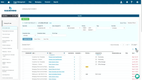
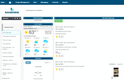
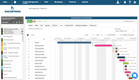
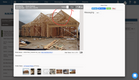
Buildertrend keeps internal teams and homeowners on the same page with its daily log feature. Home builders can document daily activities, take notes, and log any unexpected events, creating a transparent record for each day. Team members and trade partners can quickly add photos or complete daily checklists from their mobile devices, so field details don’t get lost between the job site and the office.
The daily log feature also includes automatic notifications, instantly updating homeowners on any project developments or delays as they happen. Unlike other tools, such as Procore, that focus primarily on internal stakeholder communication, Buildertrend keeps homeowners updated in real time, which cuts down on manual updates and follow-up calls. Homeowners can access these logs through a dedicated client portal, where they can review project milestones, view photos, and send comments if they have questions.
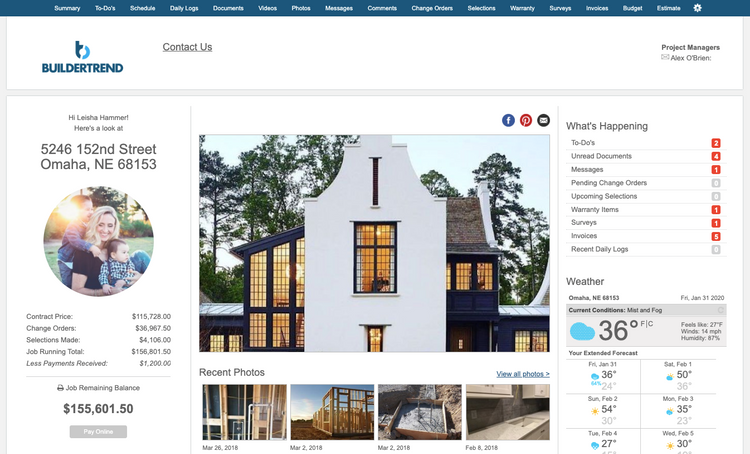
The daily log also works as an accountability tool for home builders, creating a detailed record of weather impacts, site conditions, and daily equipment usage. If a homeowner raises a question or issue later, your team can pull up past records and respond with specifics.
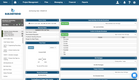
Buildertrend no longer publishes pricing. Plans are quoted after a call with its sales team, and every plan includes unlimited users. That makes it a good fit for small to mid-sized home builders, renovators, and remodelers who want homeowners, internal staff, and trade partners working in one system without paying per seat.

Read our full Buildertrend review.
BuildPro - Best for Production Builders
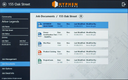
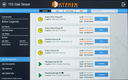
BuildPro by Hyphen Solutions connects home builders with their suppliers and trade contractors on one platform. For production builders running high build volumes, a late delivery or missed trade start on one house can push back the next several. With BuildPro’s supplier and contractor portal, home builders can assign tasks, set project deadlines, and monitor supplier and subcontractor progress in real time.
The portal also manages direct communication across the construction supply chain. Trade contractors can view schedules, update their task status, and document any issues on the job site. Suppliers get real-time updates on material needs and delivery timelines, so they can plan deliveries around your schedule.
BuildPro’s vendor loading module gives builders a clear view of how much work their material vendors and trade partners can take on. You set a capacity for each vendor, and BuildPro checks it against your schedules and flags anyone who’s overbooked, so you can shift work before a delay reaches the job site.
Pricing requires a consultation. Its integration with existing construction systems and limited built-in reports leave room for improvement, but for production builders coordinating dozens of trades and suppliers, the scheduling and vendor tools are the main reason to choose it.
Houzz Pro - Best for Custom Home Builders
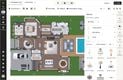
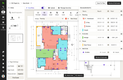
Houzz Pro’s selection tool streamlines decision-making and boosts transparency between custom home builders and owners. With the clipper tool, builders can quickly assemble a unique product library from preferred vendors, pulling images, prices, and details into a centralized, accessible hub. Clients get one place to review options tailored to their custom home.
Unlike traditional methods that rely on vendor catalogs or cumbersome email exchanges, Houzz Pro enables clients to view options, leave feedback, and make final selections through their online portal. They can instantly see how each choice affects their overall budget, keeping them informed and in control every step of the way. This process provides a smoother, more personalized experience that helps earn positive customer reviews and referrals.
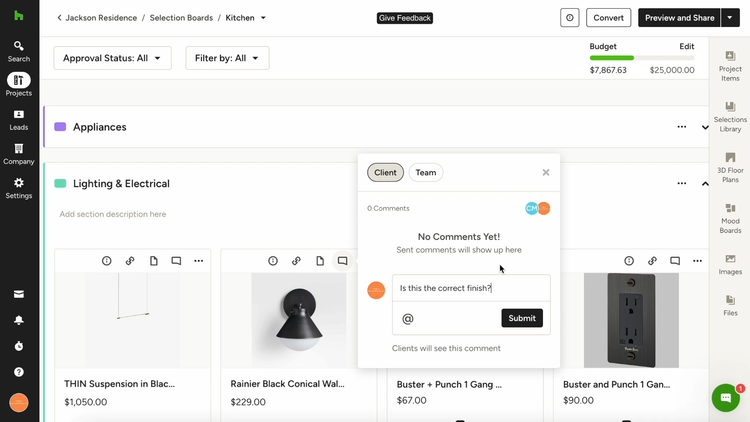
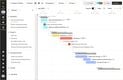
Once clients confirm their selections, Houzz Pro turns approved items into purchase orders and tracks order status, product specs, and vendor details across projects.
The Pro plan starts at $199/month for one user and includes estimates, invoicing, takeoffs, selections, and budget management, with a 30-day free trial. A free Basic plan is also available. Each package is designed to simplify project management and selections for custom home builders while improving the homeowner experience.







Read our full Houzz Pro review.
Custom Homebuilder Solutions (CHS) - Best for Accounting
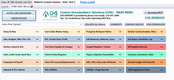
Custom Homebuilder Solutions (CHS) is accounting and job costing software tailored specifically for homebuilding professionals. It automates project cost management and draw requests and simplifies financial reporting by eliminating the need for external spreadsheets. Payroll runs in the same system, so wages and employer burden (payroll taxes, workers’ comp) post straight to job costs, reducing the need for outside software integrations.
CHS is built for accrual-basis job costing and supports the two common IRS-approved methods of revenue recognition for construction: completed contract and percentage of completion.
-
Completed Contract Accounting: This method defers revenue and expenses until a project is completed, which is great for builders with longer projects or fixed-price contracts. This approach is more conservative and avoids recognizing partial profits until all project costs are understood.
-
Percentage of Completion Accounting: This method recognizes revenue and expenses incrementally as a project progresses, giving real-time insight into profitability. Banks and lenders prefer this method, as it provides a balanced view of ongoing project performance.
If your CPA needs cash-basis numbers for taxes, CHS provides year-end reports to make that conversion.
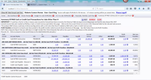
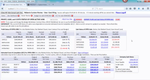
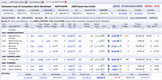
CHS goes beyond standard accounting by including tools like automated draw requests and an estimated cost at completion (ECC) worksheet. The automated draw requests streamline billing and can handle fixed-price and cost-plus contracts, with builder fees or markup applied automatically. Additionally, the ECC tool provides daily updates on project costs, contract balances, and profitability, helping builders quickly oversee their finances.
Some home builders note that CHS is more complex than general accounting systems like QuickBooks or Xero, but this added complexity, especially advanced job costing, specialized revenue recognition, and construction-specific payroll, makes CHS ideal for small to mid-sized builders focused on managing their finances more effectively.
Read our full CHS review.
ECI MarkSystems - Best Project Communication Tools
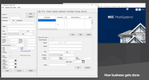
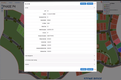
ECI MarkSystems’ Internet Toolkit (ITK) helps you coordinate efficiently across a high volume of jobs, field teams, and vendors. It’s a communication hub that supports live updates to schedules and work orders, so changes are available to downstream trades as soon as they’re made. This is helpful if you’re managing dozens, or even hundreds, of homes across multiple communities at once.
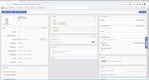
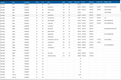
The ITK feature allows your superintendents to tweak project schedules directly in the field. Work orders, purchase orders, and VPO approvals are tied to the schedule, and superintendents can approve or hold vendor payments as each house moves through construction. Meanwhile, your trade partners can log in from a mobile device to view real-time schedules across all their jobs and communities.
Because changes made in ITK show up immediately in the main system, everyone works from the same information, and it reduces the time your superintendents spend on paperwork. While pricing requires a custom quote, ECI MarkSystems is generally best for production and semi-custom builders.
Learn more about ECI MarkSystems.
JobTread - Best for Small Home Builders
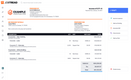
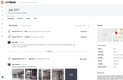
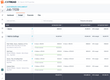
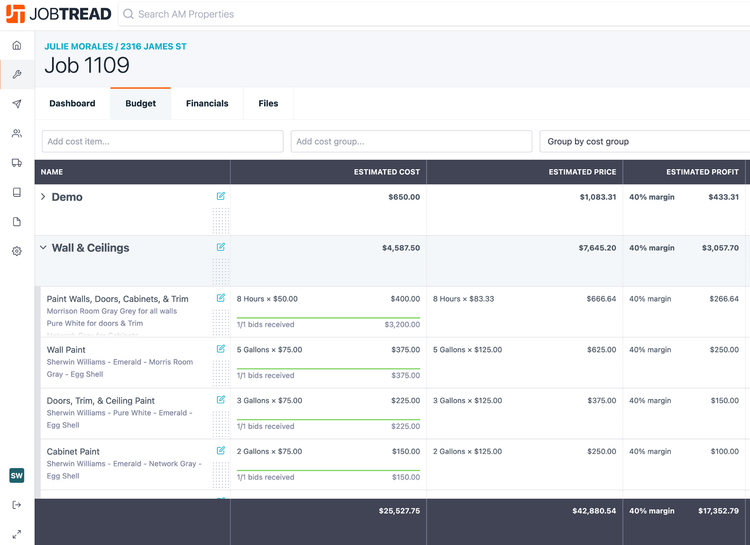
JobTread’s budgeting and job costing tools connect each estimate to the purchase orders, sub and vendor bills, and customer invoices that follow it, so you aren’t re-entering numbers as a job moves from bid to closeout. As bills come in, the job’s budget vs. actual view updates, showing the margin line by line. For a builder running a few homes at once without a project accountant, that view can catch an overrun while there’s still time to adjust a draw or a change order.
Pricing is $199/month with one internal user and every feature included, plus $20/month for each additional office user ($16/month billed annually). Clients, subcontractors, and vendors use the portals free, so the bill doesn’t climb as your trade list grows. There’s no free trial, but monthly plans come with a 30-day money-back guarantee.
The tradeoff is setup. Plan time to build out cost types, templates, and selections before your first job, and users say the mobile app works better for daily logs and photos than for estimating. It syncs with QuickBooks Online, but Xero users need a third-party connector.


Read our full JobTread review.
Sage Construction Management - Best for Design/Build Firms
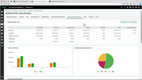
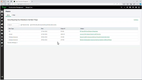
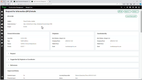
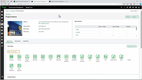
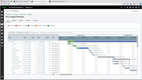
Sage Construction Management makes it easy to combine your design and construction project phases under a single contract and management team. The estimating and bid management tools include cost databases for building detailed proposals. You can build estimates from scratch, import them from spreadsheets, or start from previous estimates, and attach drawings, photos, or documents for context.
Leads and bids are tracked in one system with status history and activity tracking, and you can send proposal-style bid packages that include drawings, specifications, and documents.
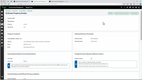
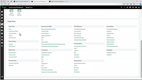
Once a bid is accepted, the estimate details move into the awarded project, and into Sage’s financial software if you use it. That way, you’re not re-entering details; the project is set up with budgets, job cost codes, and contracts, including fixed, cost-plus, and unit-price contracts.
Sage doesn’t publish prices. It uses a standard pricing plan rather than one based on a percentage of construction cost, and exact costs require a quote.


See our full Sage Construction Management review.
NEWSTAR - Best Home Builder ERP
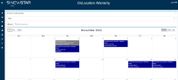
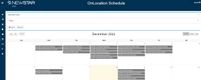
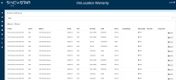
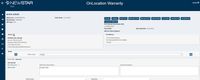
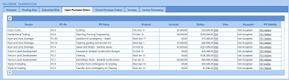
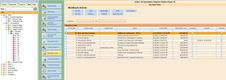
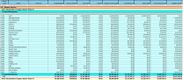
NEWSTAR runs accounting, purchasing, and construction in one system, which starts to matter once you’re closing dozens of homes a month across several communities. Its Estimating & Purchasing tools automate purchase order processes and track PO costs against selling prices as invoices come in. Because accounting is built into the same platform, those costs flow into job costs and the books without a separate accounting sync.
Pricing requires a custom quote and varies by the modules you choose. Reviewers mention a steep learning curve for new staff, a dated interface, and financial reports that sometimes need an Excel add-in. If you want a cloud-first system, Constellation also sells NX, a newer ERP with similar modules.



Check out our full NEWSTAR review.
Buildxact - Best for Residential Remodelers
Buildxact is a cloud-based estimating and project management tool designed for residential builders and remodelers needing a single system to manage a job from initial quote to final invoice. Unlike platforms designed around large production builds, Buildxact is optimized for smaller teams managing variable, one-off projects where accurate, fast bidding directly affects margins.
The platform’s strongest feature for remodelers is its connected takeoff-to-estimate workflow. You load digital plans, take measurements with point-and-click commands, and feed those numbers directly into a line-item estimate.
From there, Blu, Buildxact’s AI construction assistant, can review estimates for overlooked items, generate new estimates from scratch, or assist with assemblies on repeat job types. Live supplier pricing integrations keep material costs up to date, so your quotes reflect what you’ll actually pay rather than last quarter’s prices.
Buildxact fits best for small to mid-sized remodeling operations. The Buildxact Onsite mobile app is only included on the Pro plan ($399/month) and up, and performance can slow down on larger, more complex projects. Plans start at $199/month or $169/month billed annually, and a free Go plan lets you try AI estimates and proposals before you buy.

View our full Buildxact review.
Home Builder Design Software
The picks above manage the build itself: estimates, schedules, budgets, and client updates. If you draw your own plans, you’ll also need design software to turn a client’s ideas into floor plans, elevations, and construction drawings. These are the design tools we’d shortlist for home builders.
Chief Architect Premier generates framing automatically as you draw walls, and doors and windows cut their own openings. It also keeps a materials list that updates as the design changes, which helps when you’re pricing a plan revision. It produces site plans, elevations, cross sections, and construction drawings. Pricing is subscription-only, at $229/month or $1,995/year.
Cedreo is built for the sales stage. Cedreo says you can build a 2D and 3D presentation in about two hours and render interiors and exteriors in about five minutes, so you can show a prospect a finished-looking home before they sign. The Professional plan is $129/month for unlimited projects and 40 renderings a month, and a free plan covers one project. Because it’s aimed at presentations, check that its drawings meet your permit office’s requirements before relying on it for construction documents.
SoftPlan is residential design software with construction drawings and material takeoffs built in. It’s now sold by subscription only, at $169/month per station, which includes SoftPlan, SoftList, reView, and SoftPlan+ cloud services. Billing is monthly or annual, and you can request a free trial before buying.
SketchUp is the most flexible of the four for 3D modeling, which helps with custom shapes and concept work. SketchUp Pro costs $33.25/month billed annually and includes LayOut for turning models into documentation. Unlike Chief Architect and SoftPlan, SketchUp doesn’t generate framing or material lists on its own. Builders who want framing add a third-party extension such as Medeek Wall, which costs $150 for a permanent license.
What is Home Builder Software?
Home builder software is a subset of construction management software that provides project management, estimating, job costing, scheduling, and procurement. Whether builders construct production, custom, or semi-custom homes, this software can help maintain project timelines, reduce delays and cost overruns, and manage communication with subcontractors and homeowners.
Home Builder vs. General Contractor
Home builders and general contractors both manage projects, coordinate subcontractors, handle permits, and communicate with clients, but their roles differ. General contractors focus on a wide range of construction types, primarily overseeing project execution, while home builders specialize in residential construction, often involved in designing and customizing homes.
This difference is reflected in their software options. Home builder software includes tools like client portals, design approvals, and detailed job costing tailored to residential projects, while general contractor software is geared more toward commercial and diverse construction needs.
Key Features
The best home builder software should offer features tailored to residential construction. Here are a few of the top features to consider:
-
Project Management: Centralizes project tasks, timelines, and documentation into an organized central hub. Monitors milestones and deadlines to keep projects on schedule.
-
Estimating and Bidding: Automates bid creation with preloaded templates and provides precise estimates based on past projects or specific job parameters using material and labor cost databases.
-
Subcontractor Bid Management: Manages subcontractor bids more effectively, ensuring that all quotes can be easily compared and selected based on project needs, helping builders choose the best fit for each job.
-
Job Costing and Budget Management: Tracks actual project costs against budgets using cost codes and categories, allowing builders to monitor expenses and make adjustments for profitability.
-
Scheduling: Provides Gantt charts or calendar views to manage timelines, assign tasks, and adjust schedules as project phases progress.
-
Procurement: Simplifies vendor management and the procurement process. Helps create purchase orders, track orders, and set up digital approval workflows.
-
Accounting: Manages project finances, including payroll, invoicing, and financial reporting. Some systems include built-in accounting features, while others allow integration with third-party accounting platforms.
-
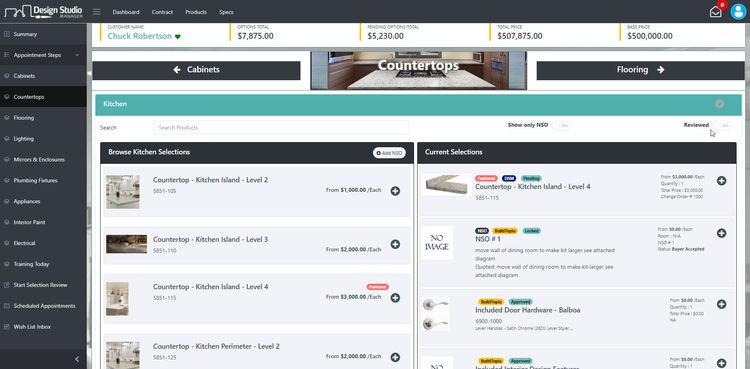
Client Management and Communication Tools: Enhances client satisfaction with homeowner portals, daily logs, and document sharing. Some systems provide design tools and lot management features, allowing clients to select home designs and available lots online.
Primary Benefits
Improved Profit Margins
Home builder software can help reduce the likelihood of budget overruns and keep projects on track with job costing and budget tracking tools. By tracking costs in real time, builders can pivot or make changes quickly to ensure projects stay profitable and don’t negatively impact your bottom line.
Higher Efficiency and Team Collaboration
A centralized home builder software helps builders stay informed and up-to-date on the job site. Team members can communicate with the office, view project details, and reduce the amount of repetitive data entries, ensuring your team is efficient.
Professional Client Communication
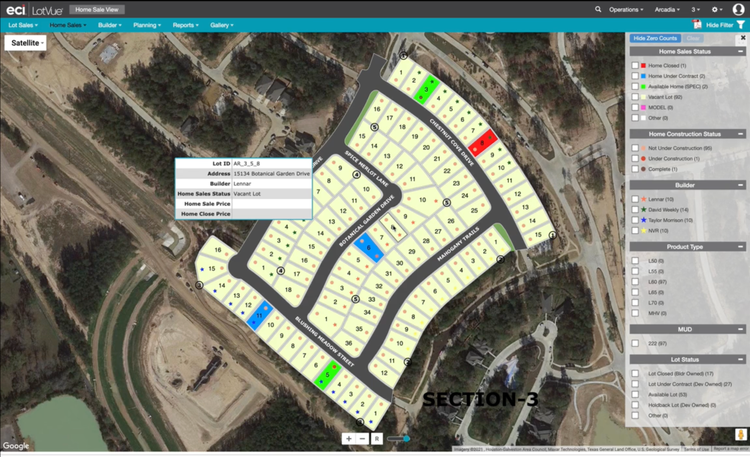
Keep homeowners in the loop by offering personalized project portals. Builders can share project updates, approve or deny changes, and collect payments. Some solutions, such as LotVue by ECI, offer interactive site maps that allow potential buyers to view live lot maps or even request viewings online.
How to Choose
When evaluating home builder software, weigh factors like integration requirements, ease of use, company size, and budget.
-
Business Size and Project Volume: Consider how scalable the software is and which features your team will use. Smaller home builders will want to prioritize a quick setup, minimal training, and basic project management. On the other hand, larger volume or production builders need features to manage multiple projects, workforce, and vendors.
-
Integration: Determine how well each software integrates with any existing tools, such as estimating tools and accounting or ERP systems. Making sure these systems “play nice” with each other will reduce the number of double entries and manual work for your team. It is also worth noting that new systems might offer overlapping features, and you can save money by consolidating them into a single solution.
-
User Experience and Support: Understand your employees’ tech experience and comfort with software. Should you go with a stronger but more complex system or stick with a simple tool that might be easier to learn? Also, it’s important to understand the support and training you will receive from the systems you partner with.
-
Budget and Pricing Structure: Evaluate how many man-hours you spend on a specific task and how automating that task will save you time. Find which pricing model best suits your financial expectations. Models vary from monthly subscriptions to fixed annual fees or even pricing per project.
-
Builder Type: Match the software to how you build. Small builders often do best with simple all-in-one tools like JobTread, custom builders with selections and construction accounting tools like Houzz Pro or CHS, and production builders with supply chain and scheduling platforms like BuildPro or NEWSTAR.
Pricing
The cost for home builder software ranges anywhere from under $2,000/year to over $250,000/year depending on your company size, features required, and deployment model.
Some systems list their price publicly, like JobTread starting at $199/month and Houzz Pro starting at $199/month after a 30-day free trial. Other systems, such as Buildertrend and BuildPro, require a consultation before getting accurate pricing.
| Software | Best For | Starting Price | Pricing Notes |
|---|---|---|---|
| Buildertrend | All-in-one management | Custom quote | Unlimited users on every plan |
| BuildPro | Production builders | Custom quote | Pricing requires a consultation |
| Houzz Pro | Custom home builders | $199/month | 1 user; Teams plan $399/month for 5 users; 30-day free trial; free Basic plan available |
| CHS | Construction accounting | $140/month for 1 user | $100/month base + $40/user/month; $250 one-time setup |
| ECI MarkSystems | Project communication | Custom quote | Built for production and semi-custom builders |
| JobTread | Small home builders | $199/month | Includes 1 user; $20/month per added user |
| Sage Construction Management | Design/build firms | Custom quote | Standard pricing plan; quote required |
| NEWSTAR | Home builder ERP | Custom quote | Priced by module |
| Buildxact | Residential remodelers | $199/month | Unlimited users; 15% off annual billing; free Go plan |
Based on business size, here are the estimated costs:
| Business Size | Annual Subscription | Features Included |
|---|---|---|
| Small (1-20 employees) | $1,500–$10,000 per year | Basic project management, task scheduling, document sharing |
| Medium-sized (20 to 100 employees) | $10,000–$30,000 per year | Cost estimation, client communication, change order management |
| Large (100-500 employees) | $30,000–$100,000 per year | Advanced budgeting, integrated or built-in accounting, supplier management |
| Enterprises (500+ employees) | $100,000–$250,000+ per year | Trade partner portals, procurement & bid management, custom API endpoints |