The Best Food Manufacturing ERP Software
The right ERP can make it easier to track ingredient lots, pass audits, and run recalls. We compared food and beverage ERP systems by industry fit and company size, from small bakeries to large meat processors.

- Integrated QC tests throughout product lifecycle
- Single System – No Bolt-ons required
- Multi-level serialization for DSCSA requirements
- Compiles data in real-time for better decision-making
- Covers finance, sales, customer service, manufacturing, and more
- Supports multiple languages and currencies
- Includes quality control and compliance features
- Integrates with QuickBooks, SAP Business One, Dynamics, and Sage
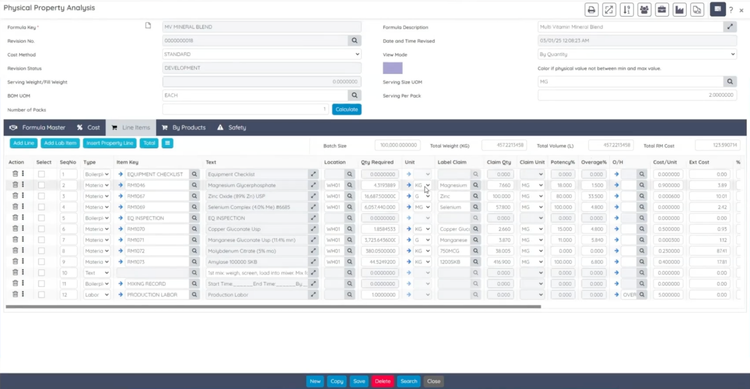
- Formula and recipe management with potency-based adjustments
After comparing food manufacturing ERP platforms through our independent review process, we picked the top options for food and beverage processors. We considered each system’s feature set, including specialized capabilities like lot traceability, recipe management, and recall reporting.
- Deacom: Best for Bakery & Confectionery
- Sage X3: Best for Beverage
- BatchMaster: Best for Dairy
- Wherefour: Best for Small Food Manufacturers
- Food Connex: Best for Seafood Processing
- Aptean: Strong Compliance Tools
- iNECTA Food ERP: Best for Meat and Poultry
Deacom - Best for Bakery & Confectionery
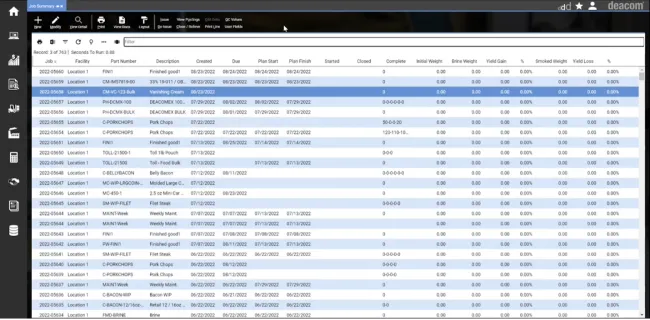
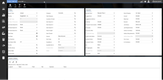
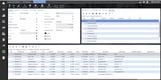
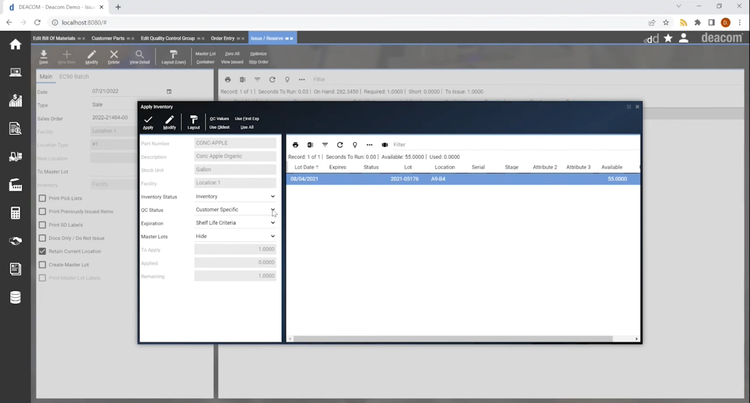
Deacom helps you assess how each ingredient contributes to your final product’s cost. Its ingredient cost tracking module provides options for:
- Average Cost: Calculates a rolling average of ingredient costs over time, like fluctuating prices for cocoa or sugar, to even out short-term price spikes. This promotes stable product pricing.
- Standard Cost: Provides standard ingredient costs to better forecast expenses for new products or high-demand periods like holidays.
- Actual Cost: Reflects true costs to help respond to margin shifts from premium items like fresh dairy or seasonal fruit; helps determine whether to adjust pricing, alter recipes, or negotiate with suppliers.
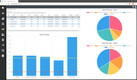
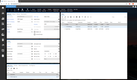
This food and beverage ERP also rolls up labor and material expenses into the final product cost, giving you a full overview of your total production expenses. Its routing features allow you to set machine and labor costs based on standard production metrics, like units produced per hour, to visualize how operations affect your product costs.
By combining ingredient, labor, and operational costs, Deacom helps bakeries set prices that maintain profitability, even when ingredient costs fluctuate over time.
Deacom requires a custom quote, and its process manufacturing packages have a minimum of five concurrent users. Smaller batch and process manufacturers can start with Deacom Essentials, which includes lot tracking and traceability like the full Enterprise edition. Enterprise adds FDA validation, so it’s the better fit if your products require validated systems.
Read more about Deacom ERP on our product page.
Sage X3 - Best for Beverage
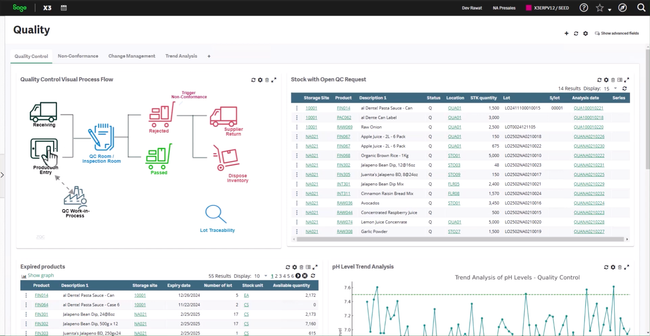
Sage X3 offers a recipe and formula management module that helps keep beverages consistent across batches. You can manage multiple recipe versions for each drink without losing your formulations. So if you have seasonal flavors or supplier changes, you can maintain recipe integrity and remain flexible. This can help with products that rotate limited-run flavors, like sports drinks, beers, or sodas.
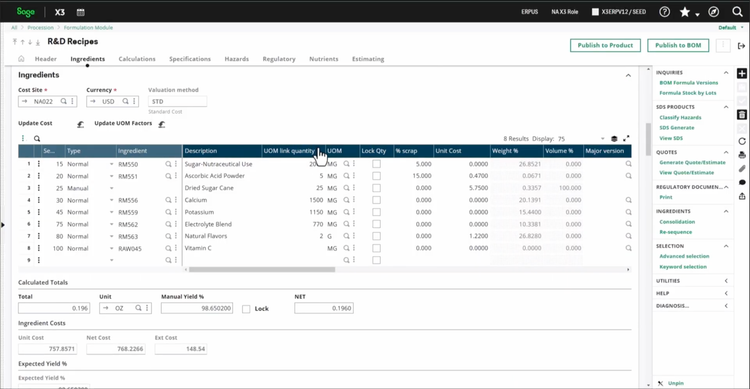
Additionally, the module includes recipe scaling. This means you can adjust batch sizes up or down and still keep the correct ingredient ratios. So if you have seasonal demand shifts, like hot chocolate in the winter, Sage X3 can calculate the proper amount of ingredients as you scale up production.
Sage X3 offers a full food and beverage manufacturing suite, with features like batch tracking, demand forecasting, and quality control. Because of its flexibility and breadth of features, it requires a custom quote for specific prices. Third-party estimates put subscriptions at around $25,000/year to start, before implementation.
Get pricing details and discover key features for Sage X3.
BatchMaster - Best for Dairy
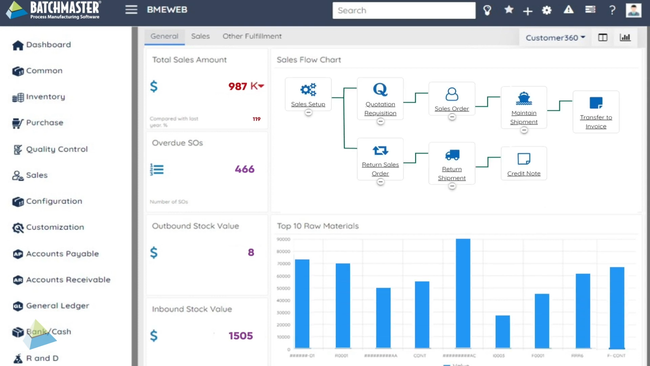
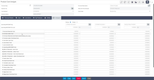
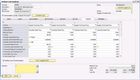
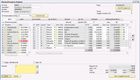
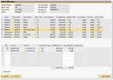
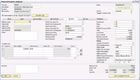
BatchMaster’s industry-specific compliance tracking makes it a good option for dairy manufacturers. Its dairy edition includes HACCP, non-conformance, and CAPA tracking, plus lot traceability that supports BRC and SQF. You can set up quality inspection plans at receiving and production, so raw milk and finished products are checked against your specs before they move on. BatchMaster also handles the co-products and by-products common in dairy, like whey from cheesemaking, and tracks shelf life on perishable inventory.
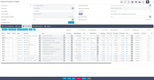
In the event of a recall, BatchMaster supports backward tracing by linking sales orders or lot numbers back to their production sources. If a compromised ingredient is found, you can use the traceability tool to identify which supplier batches it came from so you can isolate affected products. This can prevent recalls from escalating further and supports proactive rather than reactive quality management.
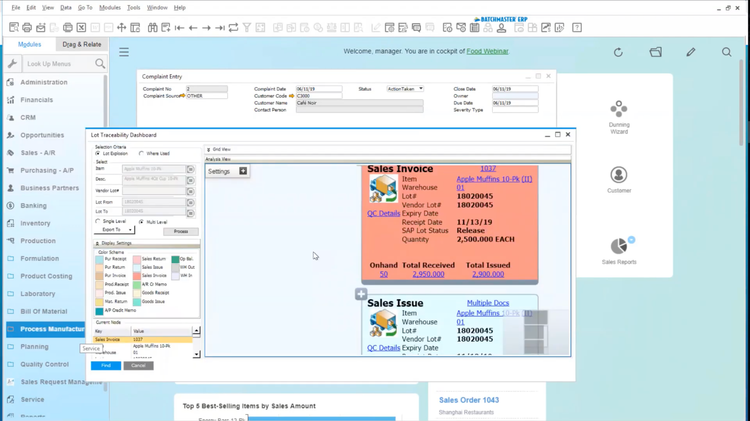
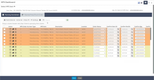
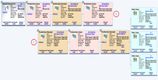
Additionally, BatchMaster includes built-in root cause analysis, linking non-conformances directly to CAPA records. It then provides a graphical tool to view batch paths, so you can trace the entire production and distribution path of a lot, both backward and forward. Plus, the system even captures and links customer complaints to batch records, making any issues over spoilage or contamination immediately traceable.
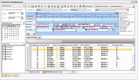
That said, the interface could be more streamlined. BatchMaster’s full ERP runs natively on SAP Business One, so it will feel most familiar to teams already using SAP. If you’d rather keep your current accounting system, BatchMaster’s manufacturing application can also run alongside QuickBooks, Sage 100/300, or Microsoft Dynamics GP.
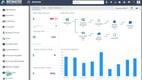
Check out pros, cons, and pricing on our BatchMaster product page.
Wherefour - Best for Small Food Manufacturers
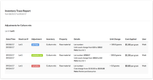
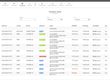
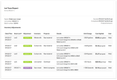
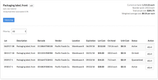
Wherefour ERP is built around one-click lot tracing, which is usually the first thing a food business needs when it outgrows QuickBooks and spreadsheets. Every receiving, production, and shipping transaction is recorded with its lot code, so you can trace a raw ingredient forward to the finished batches and customers it reached, or trace a finished lot back to its suppliers. Its recall report generates in under two minutes and lists every affected lot, the customers who received it, quantities shipped, and dates. That one report replaces the half-day spreadsheet search many small teams still run during a mock recall.
Those same records cover the key data elements FSMA 204 requires at each critical tracking event, and Wherefour flags which of your items fall on the FDA’s Food Traceability List. Even before the FDA’s deadline, many large retailers and grocers require lot-level traceability data from suppliers through EDI. Beyond full lot traceability, you get MRP, production with formula management, inventory, and barcode scanning built for food and beverage manufacturers.
Wherefour doesn’t include native accounting. It syncs with QuickBooks, Xero, Sage Intacct, and Microsoft Dynamics, which suits teams that want to keep their books where they are, though QuickBooks item mapping can be confusing during setup. Batch work orders are also built one at a time, and large reports can slow the system while they run. Pricing is by custom quote, with monthly, quarterly, or annual billing and no long-term contract.
Read more about Wherefour on our review page.
Food Connex - Best for Seafood Processing
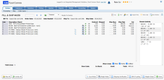
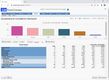
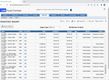
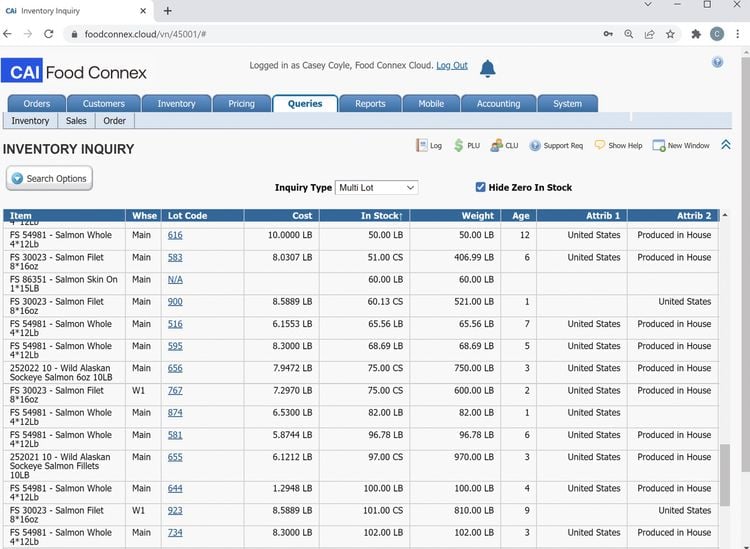
Food Connex includes a dynamic inventory management and lot tracking module. As shipments arrive at your plant, this food ERP software allows you to instantly assign a unique lot number and batch code to each delivery. For each number, you can drill into supplier details and lot attributes like origin, grade, and quality.
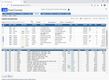
This inventory control module captures all product details in real time, so it’s easy to customize downloadable reports in Excel and CSV. These reports can give you detailed insights into product movement, order history, and stock levels, helping your managers make better decisions about replenishment and pricing adjustments.
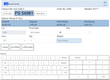
It’s also great for maintaining compliance with HACCP and FSMA regulations, which are crucial for food safety. Packing stations capture weights as your team cuts and packs product, so you can see whether an item has been processed and who handled it. From there, tracing all products through the processing lifecycle is easy during a recall.
Overall, it’s a solid pick for small to mid-sized seafood processors and distributors with straightforward warehouse configurations, since each warehouse is limited to a single storage slot per item. It works alongside QuickBooks rather than replacing it, so you can keep your current books. Pricing is by custom quote.

Read more about Food Connex on our review page.
Aptean - Strong Compliance Tools
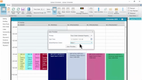
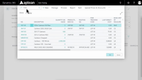
Aptean Food and Beverage offers a strong bidirectional item and lot tracking feature, vital when audit readiness and recall execution are a priority. This traceability is built around ledger entries and source documents. Lot numbers logged at receipt carry through production and distribution. This means you’ll always have access to a full audit trail you can follow forward or backward. This aligns well with HACCP reviews and regulatory inspections for better clarity and documentation.
Recall management in Aptean takes a similar approach, providing structured tracing paths through receipts, production orders, and shipments. If a contamination event occurs, you can quickly identify any impacted customers, place affected lots on quality hold, and then present those findings to your retail partners or auditors. You can follow the whole trail through Dynamics-style drill-downs.
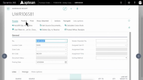
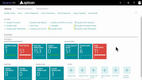
Built on Microsoft Dynamics Business Central, Aptean’s interface relies heavily on lists and forms. If you’re already using Microsoft products, this familiarity can help your team adopt the system faster. The trade-off is that, if Microsoft changes underlying platform components, you change with them. That could include infrastructure choices and release cadence. Pricing is by custom quote.
Learn more about Aptean Food and Beverage’s features.
iNECTA Food ERP - Best for Meat and Poultry
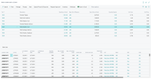
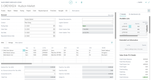
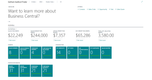
iNECTA Food ERP offers native modules specific to the meat and poultry industry, instead of bolting on features to a generic ERP. Specifically, its catch-weight management helps you get accurate stock levels throughout your processes. Meat rarely comes in fixed units, and iNECTA captures actual weights at receiving, production, and shipping. From there, it keeps those variable weights through inventory, costing, and pricing automatically, so everything stays accurate.
It also supports primal and sub-primal cut management, which reflects how protein plants actually produce and sell their products. Through every fabrication step, iNECTA lets you track yield so you can see exactly how much you actually produce. The real-time yield visibility helps you spot yield variances, reduce giveaway, see underperforming lines, and protect profit margins across the plant.
iNECTA Food ERP is the natural upgrade path if you’re already using Microsoft Business Central, and it fits well for teams that work in Office 365. Because iNECTA is built directly on top of Business Central, it extends the ERP’s native capabilities. That way, you can stay on the familiar interface while capturing the HACCP, sanitation, and labeling records USDA inspectors review.
iNECTA requires a consultation call for pricing, though subscriptions start at roughly $150/user/month with a 10-user minimum, and first-year budgets including implementation can reach around $150,000. This food ERP is best suited for mid- to large-sized food manufacturers. That said, iNECTA also supports other industries, such as seafood and produce.
Learn more about iNECTA Food ERP.
What is Food Manufacturing Software?
Food manufacturing software is an ERP system supporting production, processing, and distribution operations in the agrifood value chain, where perishable goods move from the plant floor to the plate. These platforms include quality control, inventory management, and compliance tools to adhere to food safety regulations. Federal agencies establish these regulations, and state agencies enforce many of them:
- U.S. Food and Drug Administration (FDA)
- United States Department of Agriculture (USDA)
- Environmental Protection Agency (EPA)
These regulations can include:
- Food Safety Modernization Act (FSMA): The FDA Food Safety Modernization Act (FSMA) was signed into law to shift focus to preventing foodborne illnesses instead of just responding to incidents. The FSMA addresses food safety at different points along the global supply chain. For more information on compliance dates, visit fda.gov.
- FSMA 204: Also known as the Food Traceability Rule, it applies to companies that manufacture, process, pack, or hold foods on the FDA’s Food Traceability List. Key compliance requirements include having a traceability plan, tracking key data elements (KDEs) like lot codes, and being able to provide all traceability information within 24 hours of a request. The deadline for compliance was pushed back 30 months from January 20, 2026, to July 20, 2028. Learn more on our FSMA 204 Compliance Guide.
- Hazard Analysis Critical Control Points (HACCP): Track and monitor food storage, handling, and preparation processes to reduce hazard risks and take corrective action as needed.
- 2002 Bioterrorism Act: Requires food facilities to register with the FDA and keep records of the immediate previous source and immediate subsequent recipient of food (one step back, one step forward).
- Current Good Manufacturing Practice (cGMP): Keep thorough records of sanitation, staff qualifications, and equipment verification to minimize contamination or errors in the manufacturing process.
- FDA 21 CFR Part 11: Ensure electronic records are authentic and secure with digital electronic signatures, system validation, audit trails, and additional security features.
What is Food Traceability Software?
Food traceability software lets you track products or ingredients throughout the production cycle. It typically assigns barcodes or QR codes to each ingredient batch, recording its origin, handling stages, and destination as it moves through processing to distribution. This allows you to respond quickly to safety incidents and manage recalls for affected inventory.
If you only want to track and trace, check out our list of the top food traceability software.
Challenges
Food and beverage processors face a number of challenges related to labor, consumer demand, and compliance.
Labor Shortages
According to PMMI’s 2025 Inside the Workforce Gap report, 95% of consumer packaged goods manufacturers struggle to hire skilled operators and technicians, and nearly 60% expect hiring to get harder. More baby boomers are retiring, and hiring qualified workers can become more difficult as plants add automation that requires technical skills.
Fluctuating Consumer Demand
Seasonal trends, health and wellness movements, and economic factors cause consumer purchasing patterns to fluctuate. This results in unpredictable demand cycles affecting your production planning and stock management. For example, health-conscious consumers who want to know where their food comes from may prefer organic produce and alternatives like using spices to color food instead of dyes.
This unpredictability makes it difficult to manage optimal inventory levels, which can cause stockouts or overproduction that hurts your bottom line. To keep up, you’ll need demand forecasting capabilities to stay agile and respond to rapid changes in consumer tastes.
Regulatory Compliance
Ensuring food safety is a top priority since violations can lead to costly recalls and loss of trust in your brand. Many companies pursue advanced food safety certification to help meet strict regulatory compliance standards and reassure consumers about product quality. These certifications require thorough record-keeping and quality and compliance monitoring to meet requirements set by agencies like the FDA and USDA.
Those requirements also vary by product type and market, and they change as new rules take effect. The FDA’s plan to phase out petroleum-based synthetic dyes is pushing many manufacturers to reformulate products and manage new ingredient suppliers.
Increasingly, manufacturers are turning to software to address these challenges. In a 2023 survey of 200 North American food companies, ERP vendor Aptean found that for those choosing to automate, the average rate of growth was 20% higher than those relying on manual processes.
Key Features & Benefits
Food processing software can help across these core areas:
| Feature | Description | Benefits |
|---|---|---|
| CRM System | Manages interactions with retailers, distributors, and brokers for feedback on product quality and preferences. | Enhances distributor relationships and helps identify consumer trends. |
| Accounting and Financials | Tracks ingredient costs, reports batch profitability, and manages financial aspects of food manufacturing. | Supports financial planning and accurate profitability analysis on profit margins per batch; informs pricing strategies. |
| Purchasing | Organizes ingredient procurement from certified vendors, adjusting based on demand. | Streamlines procurement to improve efficiency, ensure quality, and reduce delays. |
| Distribution | Manages store and distributor replenishments, inbound/outbound activities, and inter-warehouse transfers. | Optimizes distribution channels to keep products fresh and reduce spoilage with quicker delivery times. |
| Product Development Tools | Models new formulas against nutritional, allergen, and cost targets before production. | Speeds up product development to meet consumer demand and market trends. |
| Quality and Compliance | Supports compliance with industry standards on labeling, allergen declarations, lot traceability, and recalls. | Simplifies compliance tracking and supports effective recall management if needed. |
| Sales | Manages distributor quotes, tracks campaigns, oversees discounts and promotions for high-demand or seasonal periods. | Improves sales effectiveness and optimizes promotional impact. |
| Inventory Control | Tracks stock levels, lot codes, and expiration dates across locations, with first-expired, first-out (FEFO) picking. | Reduces overstocking and spoilage of perishable ingredients. |
How to Choose Software
By identifying your needs based on your industry, you can choose an ERP system that aligns with your production goals:
| Sector | Example Products | Recommended Software Platforms |
|---|---|---|
| Meat & Poultry Processing | Beef, Chicken, Pork Products | iNECTA Food ERP |
| Dairy Processing | Milk, Cheese, Yogurt | BatchMaster ERP |
| Beverage Manufacturing | Soft Drinks, Alcohol, Juices | Sage X3 |
| Bakery Product Manufacturing | Bread, Pastries, Cakes | Deacom |
| Fruit & Vegetable Processing | Fresh-Cut Produce, Packed Vegetables | iNECTA Food ERP |
| Seafood Processing | Shrimp, Crab, Fish Products | Food Connex |
| Suppliers to Major Retailers (Any Sector) | Private-Label and Grocery-Chain Products | Aptean Food and Beverage |
| Small Food Manufacturers (Any Sector) | Sauces, Baked Goods, Packaged Snacks | Wherefour |
You should also base your ERP decision around your company size:
Small to Mid-Size Businesses
Small to mid-size businesses should look for the following features in an ERP system:
- Compliance Management: Without extensive compliance teams found in larger companies, small businesses often rely on software to help adhere to local and federal regulations.
- Accounting Integration: Small companies should look for platforms that integrate with their current accounting systems, like QuickBooks Online, to simplify their financial reporting. Wherefour, for example, runs production and traceability while syncing with your existing books.
- Recipe Management: Build a strong brand reputation in an increasingly competitive market through tight recipe management, ensuring standardized production and consistent food quality.
- Cost-Effective Options: Consider a cloud-based, SaaS solution with low upfront costs and predictable monthly fees to fit your smaller budget.
Enterprises
On the other hand, large companies should look for more advanced functionalities:
- Demand Forecasting: Project product demand to minimize waste and better manage your inventory for optimized production.
- QC Testing: Implement quality control tools to help maintain food safety and meet industry standards, building consumer trust.
- Ingredient Control: Manage bulk ingredients and track their usage to help balance stock levels, avoiding overstock and shortages.
- Advanced Compliance Management: Go for more sophisticated compliance functionality to adhere to multi-level regulatory requirements across regions.
- Traceability Tools: Track ingredients from origin to the finished product in case of recalls and to increase transparency with consumers.
Pricing
Food processing ERP can cost anywhere from $15,000 to over $150,000 per year, depending on your company’s size and operational needs.
Basic ERP Systems ($15,000 - $40,000 per year)
These systems provide core functionalities for smaller food manufacturing businesses. They include basic inventory management, production planning, and order tracking without the extensive customization options found in higher tiers. Although these systems may lack industry-specific tools, they’re affordable for businesses in the early stages of growth or those with simpler workflows.
Mid-Tier ERP Systems ($40,000 - $150,000 per year)
Mid-tier ERPs support a broader range of functionalities, such as demand forecasting and a higher degree of flexibility and customization. This means you can tailor the ERP software to meet your food processing, distribution, and quality workflows.
Enterprise-Level ERP Systems ($150,000+ per year)
These platforms cater to large, multi-facility food manufacturing companies with complex operational demands and regulatory requirements. Enterprise-level ERP includes real-time production monitoring, multi-site planning, multi-entity financials, and detailed reporting to meet food safety standards.
For each of the tiers above, implementation often involves a substantial upfront cost, commonly one to three times the first-year license or subscription fee. This cost includes setup, customization, and training to integrate the ERP into your manufacturing operations.
Frequently Asked Questions
What is food ERP software?
Food ERP software is an enterprise resource planning system built for food and beverage manufacturers. Along with standard ERP functions like inventory, purchasing, and order management, it typically handles recipe and formula management, batch production, lot traceability, expiration dates, and the food safety records you need for audits and recalls.
The main difference from a general manufacturing ERP is how it tracks lots. A food ERP should link every ingredient lot to the batches it went into and the customers who received them, so you can trace a recall in either direction.
How much does food ERP software cost?
Most vendors on this page quote on request, but published estimates give a sense of range. Sage X3 subscriptions start at roughly $25,000/year before implementation, iNECTA subscriptions start at roughly $150/user/month, and first-year budgets with implementation can reach around $150,000.
Implementation is often the bigger upfront cost. One small food manufacturer was quoted $25,000 to $50,000 to implement NetSuite or SAP, before annual licensing. Ask every vendor for a first-year total that includes setup, data migration, and training.
Do small food manufacturers need a full ERP, or can they keep QuickBooks?
Many small food manufacturers keep QuickBooks or Xero for accounting and add a production and traceability system alongside it. It handles lot tracking, batch records, and recall reports, then syncs inventory and invoices back to the books.
A full ERP tends to make sense once you run multiple plants or legal entities, or when keeping accounting and production in sync creates more work than it saves. If an audit is coming up soon, don’t make the switch right before it. Tighten your lot records first and plan the move for after.
How do I test a food ERP's traceability before buying?
Ask for a live mock recall during the demo, using your own products. Pick a raw ingredient lot and have the vendor show every finished batch it went into and every customer shipment it reached, then trace a finished lot back to its suppliers. If it takes more than a few minutes or needs a spreadsheet export, expect the same during a real recall.
Also check whether the system enforces lots or just records them. A food ERP should direct first-expired, first-out (FEFO) picking and block expired or quarantined lots from going into production. Watch how many screens it takes a floor worker to record a lot, since slow entry is where traceability records often break down.
What does FSMA 204 mean for food ERP software?
FSMA 204, the FDA’s Food Traceability Rule, requires companies that manufacture, process, pack, or hold foods on the Food Traceability List to keep lot-level records at key steps like receiving, transformation, and shipping, starting July 20, 2028.
A food ERP can capture these records during normal receiving, production, and shipping, so you aren’t rebuilding them from paper logs when the FDA requests them. When you evaluate vendors, ask to see the electronic sortable spreadsheet export, since that’s the format the FDA can require during an outbreak investigation.