The Best Freight Forwarding Software
Freight forwarding software helps forwarders manage international shipments by air, sea, and land. We’ve reviewed the leading platforms for freight forwarders of all sizes, from small customs brokers to large forwarding companies operating globally.

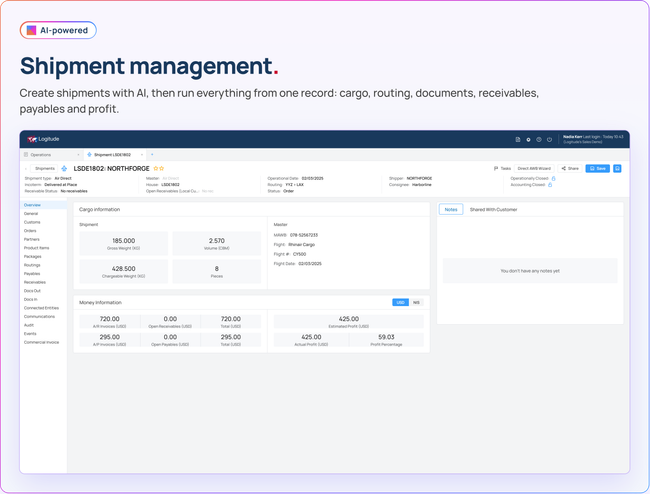
- AI handles emails, documents, and routine shipment tasks
- Custom AI agents and no-code workflows built for freight forwarding
- Transparent per-user pricing with no setup fees
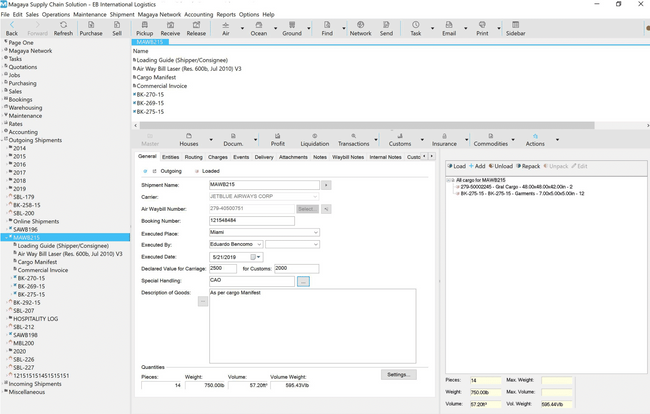
- Predictable pricing
- Fast implementation
- Built-in WMS
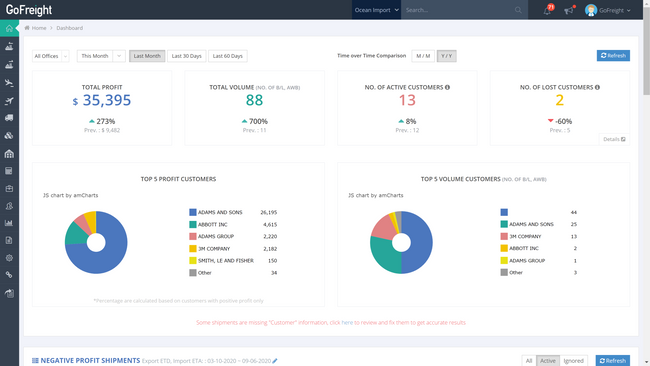
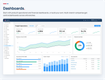
- Dashboard provides quick overview of daily reports
- Integrated container tracking
- Excellent customer support
Freight forwarding software streamlines and automates various processes, including shipment tracking, documentation management, rate procurement, and carrier selection. We used our review methodology to review and rank our favorites.
- Logitude World: Best Overall
- Magaya: Best for Customs Compliance
- GoFreight: Strong Carrier Integration
- CargoWise: Best for Multi-Entity Companies
- Scope: Best for Air Freight Forwarders
- Linbis: Best for Cargo Management
- GoComet: Best for Container and Shipment Tracking
- Freightview: Best for Domestic Freight Forwarding
- Descartes Aljex: Best for Order Management
Logitude World - Best Overall
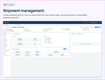
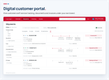
Logitude World is built for mid-sized to enterprise freight forwarders who want to get off spreadsheets and basic forwarding tools and move to a complete platform. The software manages air, ocean, and land shipments, including imports, exports, and consolidations. It covers everything from the initial quote to the final invoice, with built-in container tracking and a customer portal.
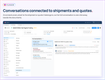
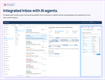
Freight forwarders who live out of their email will appreciate the built in AI-powered Inbox. Just connect the system to your email once, and every message shows up inside Logitude, linked to the shipment it’s about. The AI reads each thread and suggests the next step, like turning a customer’s rate request into a quote, a booking email into a new shipment, or a carrier’s bill into a supplier invoice. It also flags urgent messages and unhappy customers, so you can reply and update the shipment without ever leaving the platform.
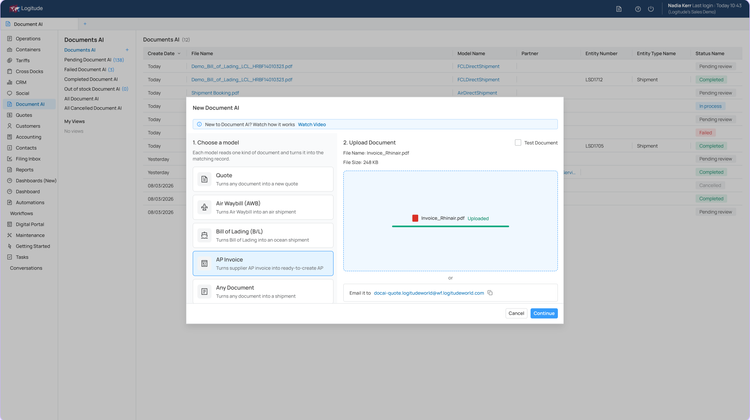
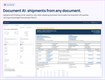
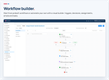
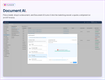
Logitude’s AI is not limited to just emails either. Document AI can read your shipment paperwork, from quotes and supplier invoices to bills of lading and rate requests, and prepare the records for you. Then, to make work more efficient, prebuilt AI agents can take care of routine tasks like ETA updates and booking confirmations on your behalf. And if your team has a unique way of doing things, its no-code workflow builder lets you shape the system quickly without waiting on a developer.
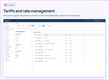
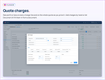
Logitude charges per user, starting at just $75/user/month on its Smart plan, with custom quotes for teams over 30. The base plan covers quoting, shipments, invoicing, and profit-and-loss tracking, plus the customer portal. However, it’s important to note that Document AI is an add-on to your software subscription.
Magaya - Best for Customs Compliance
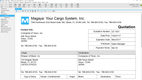
Magaya Supply Chain is one of the most established names in freight-forwarding software, used by more than 2,300 logistics companies worldwide. It’s built for freight forwarders seeking a single solution to manage compliance, shipments, and accounting, and even includes a warehouse management module for forwarders who consolidate cargo from multiple suppliers before it ships.
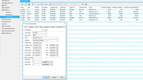
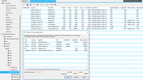
While most platforms hand off customs compliance to third-party filing software or leave it to an outside broker, Magaya Customs Compliance files directly with U.S. Customs and Border Protection (CBP). This means you can file entries, ISF, in-bond, FTZ, and AES filings without leaving the system. You can also see the duties, fees, and CBP’s response for each filing, so it’s easy to tell when a shipment has been accepted or needs a fix.
Magaya has also added AI to support its customs compliance. Its Broker AI Assistant recommends HTS (Harmonized Tariff Schedule) codes but keeps you in control by explaining why it made the recommendation and the source documents it used. Additionally, Magaya introduced an AI compliance agent called ACEbridge that answers customs questions with citations to official CBP sources.
Because Magaya is a feature-packed system, many new users report a steep learning curve when first learning the platform. Pricing for Magaya is quote-based, but we estimate costs start around $200/user/month depending on the modules you need and your user count. Keep in mind that Customs Compliance is an add-on, so budget for it on top of the core platform.

GoFreight - Strong Carrier Integration
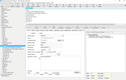
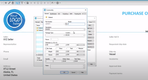
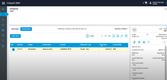
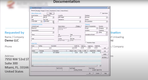
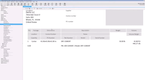
GoFreight offers effective carrier integration capabilities. It features native integration with more than 125 ocean lines, airlines, and trucking companies, as well as 35+ North American terminals and 5 Class I railroads. This provides real-time visibility into your shipments, as container status can be automatically updated wherever it is.
GoFreight supports EDI with ocean and air carriers, enabling freight forwarders to automate container tracking and eliminate manual monitoring. We also like that the platform integrates with large carrier portals, enabling users to access and manage shipments across multiple carriers in a single system.
Additionally, GoFreight’s feature set is comprehensive. While many freight forwarding solutions require third-party accounting software, GoFreight has built-in accounting capabilities. This means that revenue, expenses, and profitability can be tracked directly within the platform without purchasing additional expensive systems. However, GoFreight’s design can be a bit complex and confusing for new users, especially for forwarders who currently use manual, paper-based methods.
CargoWise - Best for Multi-Entity Companies
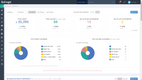
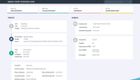
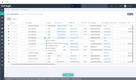
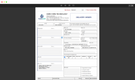
CargoWise is designed for freight forwarders operating across multiple legal entities and countries. It offers a single global database for managing air, ocean, and customs, along with the back-office accounting for your business.
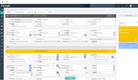
Its job billing exchange-rate rules let forwarders set which exchange rates apply by currency, and assign them to the whole company, specific customer or supplier groups, or individual customers. Those then carry through to job charges, invoices, and credit adjustments for every shipment. For multi-entity businesses that bill in several currencies, this keeps exchange rates consistent across every job instead of leaving each office to manage them individually.
The ComplianceWise module also provides visibility across large operations. It screens parties against more than 2,300 restricted-party lists, checks commodities and destinations, and can block flagged shipments. That way, your compliance team can apply consistent rules across regions without manual checks.
However, this depth comes with trade-offs. CargoWise is a complex system that requires a structured implementation and carries enterprise-level costs. It also now charges for every shipment, with many forwarders reporting higher costs since the change. While that model makes sense when you’re running high volumes across multiple entities, it’s generally more than single-entity forwarders need.
Scope - Best for Air Freight Forwarders
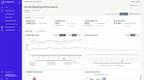
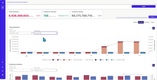
Scope by Riege is a software platform for freight forwarders offering strong integrations, process automation, and digital collaboration tools. It handles quoting, documentation, communication, and invoicing, along with cost and revenue tracking for each shipment. While the software offers a single place to manage air freight, ocean freight, and customs, its real strength is in air freight.
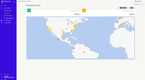
Scope connects to airlines through Riege’s own messaging network, so bookings and shipment data reach the airline electronically instead of being entered by hand. Once a shipment is complete, the e-AWB is automatically created, and you can search flight schedules without leaving the system. Additionally, the Airline Messaging Premium feature can pull tracking events from more than 200 airlines just by using the air waybill number, even if you’re not an airline agent.
That said, Riege doesn’t publish pricing for Scope, so you’ll need a custom quote, and airline tracking is billed per air waybill. Scope does not include its own accounting or bookkeeping features, so expect to integrate the platform with third-party finance software.
Linbis - Best for Cargo Management
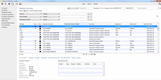
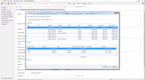
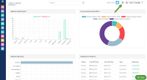
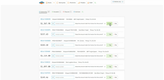
Linbis offers a comprehensive cargo management tool with a customizable KPI dashboard to track and monitor important data metrics for your business. These include:
- Freight cost per unit: Calculate the cost of each unit to optimize pricing strategies and ensure cost-efficiency.
- On-time delivery rate: See how often your cargo gets delivered on time. Drill down into specific orders to identify late causes.
- Inventory turnover: Track inventory replenishment rates to identify demand. This helps you align stock levels with shipping schedules to avoid stockouts or excess inventory.
Linbis’ pricing starts at $150/month for one user. Its most popular plan is the $299/month premium package, though it only includes three users, which can limit larger companies.
GoComet - Best for Container and Shipment Tracking
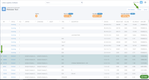
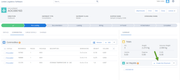
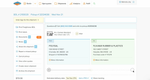
GoComet supports international freight forwarders by offering extensive real-time visibility. You can track shipments by ocean, air, road, and rail in a single dashboard, so you don’t have to switch between methods. Just enter a container number or MBL to see status updates and key milestones, such as flight takeoff or port arrivals. And if you want to compare actual vs. planned dates, it auto-captures that data for you for every carrier. This creates faster responses to delays and fewer manual follow-ups.
In terms of multimodal visibility, GoComet goes beyond just tracking individual containers. The system consolidates data across modes and hand-offs, like road to rail, so you can see the entire shipment journey without gaps. And with predictive analytics, it can alert you to when a shipment deviates from plan or hits a geofenced zone. This helps global operators manage complex shipment routes and processes.
GoComet includes several other features, like procurement, rate negotiation, and invoice audits, to enhance transparency. However, keep in mind that GoComet is a platform built primarily for shippers, not a full forwarding system. It doesn’t handle bookings, bill of lading, or customer invoicing, so it’s run alongside your forwarding software rather than replacing it.
Freightview - Best for Domestic Freight Forwarding
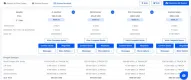
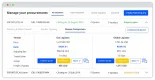
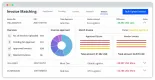
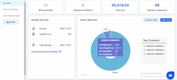
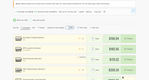
Freightview earns the spot for best domestic system because of its streamlined rate management and ease of use for domestic LTL, FTL, and parcel shippers. It has been designed to centralize shipping across multiple carriers and allows users to instantly compare contracted and spot rates side by side. This helps companies choose the most cost-effective shipping options without the complexity of enterprise-level TMS systems.
The system has a clean interface and intuitive workflows that make it simple to book shipments, print BOLs, track deliveries, and manage documents from a single dashboard. What really sets Freightview apart is pairing that simplicity with powerful cost-control analytics like real-time insights into shipping spend, carrier performance, and operational trends. These help businesses make smarter logistics decisions.
With no setup fees, long-term contracts, or per-user charges, Freightview an affordable solution for domestic shippers looking to modernize their freight process. However, the main drawback of Freightview is that it has limited support for international freight operations and really only excels in the U.S. and Canada markets.
Descartes Aljex - Best for Order Management
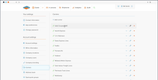
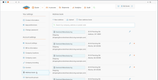
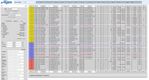
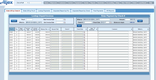
Descartes Aljex’s order management module helps you automate the entire lifecycle. The tool instantly processes customer transaction requests and auto-populates details like freight specifications and destination. This creates efficient order processing by reducing manual data entry.
The order management tool integrates with the system’s built-in EDI messaging. This lets you exchange crucial documents for all orders with your customers. From bills of lading to invoices, this ensures every trading partner receives your documents easily. This makes the ordering process more efficient, and you don’t have to chase down invoices by email or even physical letters.
While Descartes Aljex’s pricing is quote-based, we estimate the starting price to be around $500/month for up to five users. This makes it a strong option for small to mid-sized freight brokers and carriers.
What is Freight Forwarding Software?
Freight forwarding software is a system that freight forwarders use to manage international shipments by air, sea, and land. It centralizes a forwarder’s core operations on a single platform that covers quoting, shipment tracking, customs compliance, and invoicing. Many systems also handle a forwarder’s financials or integrate with popular accounting systems. With freight forwarding software, forwarders, NVOCCs, and customs brokers can replace spreadsheets and manual tracking with software built for the way they actually work.
Key Features
- Quoting and Rate Management: Stores your carrier rates, surcharges, and validity dates so your team can build quotes from current pricing instead of searching through emails and rate sheets. Quotes can be sent to customers and turned into shipments once they’re accepted.
- Order Management: Captures customer shipping requests and bookings as they come in, so every order is logged with its cargo details, routing, and due dates. This gives your team one place to see what’s been booked and what still needs attention.
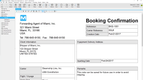
- Air, Ocean, and Land Shipment Management: Manages direct and consolidated shipments across every mode, including house and master bills of lading. Shipping documents like air waybills, cargo manifests, booking confirmations, and loading plans are generated from the shipment record.
- Document Control: Stores and organizes critical freight documents, including bills of lading (B/Ls), air waybills, commercial invoices, packing lists, and certificates of origin. Some systems can also read incoming carrier documents and supplier invoices automatically, which saves your team from typing in the details by hand.
- Customs Filing: Prepares customs entries, Importer Security Filings (ISF), and export filings from the shipment data you’ve already entered. Some platforms file directly with customs authorities, while others send filings through a partner’s software.
- Shipment Tracking and Customer Portal: Pulls status updates from carriers so your team can see where every shipment is and which ones are running late. A customer portal lets shippers check status and download documents themselves.
- Accounting and Invoicing: Generates customer invoices from the charges on each shipment and tracks carrier and agent bills against them. Many systems also handle multiple currencies and show profit and loss for each shipment.
- CRM: Keeps a central record of customers, prospects, and partners, including contact details, communication history, and past quotes. This makes it easier for your sales team to follow up and see which accounts are growing.
- Carrier Management: Stores carrier contracts, rate agreements, and contact details in one place. It also tracks performance metrics like on-time delivery, so you know which carriers to rely on.
- Warehouse Management: Tracks inventory and inbound and outbound cargo for forwarders that run their own warehouses or consolidation facilities. This shows what’s on hand and what’s ready to ship.
Freight Broker vs. Freight Forwarding Software
Freight brokers and freight forwarders both move goods for shippers, but they do different jobs, and their software reflects that. A freight broker connects shippers with carriers, usually for domestic truckload or LTL freight, and earns the margin between what the shipper pays and what the carrier charges. Broker software is built around finding a truck for each load, so it focuses on load boards, carrier vetting, and paying carriers once the freight is delivered.
If your business mostly arranges domestic truck freight, freight broker software is likely the better fit.
Freight forwarders take on more of the logistics work, especially when shipments cross borders. They book shipments with ocean lines, airlines, and trucking companies, consolidate cargo from several shippers into a single container or air shipment, and prepare the documents required to clear customs. Freight forwarding software is built to support that kind of work. It helps keep track of customers, manage your bills of lading and consolidations, streamline customs filings, and automate invoicing and billing for completed work.
If you manage international shipments across air, ocean, and land, freight forwarding software is built for the way you work.
5 Reasons to Buy Freight Forwarding Software
Most freight forwarders start looking for software when spreadsheets and email can’t keep up with their shipment volume. Once quoting, operations, and accounting run in one system, here’s how forwarders benefit from software:
Less Double Entry
Freight forwarding software acts kind of like an ERP built specifically for forwarders, sitting alongside broader logistics and transportation management tools. Because quoting, operations, and accounting share the same data, an accepted quote becomes a shipment, and that shipment becomes an invoice without anyone re-entering the details. That cuts down on typos, missed charges, and time spent copying information between spreadsheets and email.
Faster, More Accurate Quotes
Shippers often request prices from several forwarders at once, and the first credible quote frequently wins the booking. When carrier rates are already loaded into the system, your team can build a quote in minutes instead of digging through emails and rate sheets. Quotes pull from your current rates and surcharges, so you’re less likely to underprice a shipment and lose margin on it.
Fewer Document and Customs Errors
International shipments come with a lot of paperwork, from bills of lading and air waybills to commercial invoices and customs filings. Freight forwarding software generates these documents from the shipment details you’ve already entered, so the information remains consistent across all forms. Some systems also file customs entries directly, which reduces the risk of delays or penalties due to errors.
Better Visibility for Your Team and Customers
Tracking every shipment across air, ocean, and land in one place makes it easier to see what’s on schedule and what isn’t. Many systems also include a customer portal, so shippers can check status and download documents themselves. That means fewer “where’s my container?” emails and more time spent on work that keeps shipments moving.
Clearer Profit on Every Shipment
Profit margins in freight forwarding are very thin, so it’s critical to understand which shipments actually make money and which ones are run at a loss. Freight forwarding software tracks costs and revenue for each shipment, giving you a profit-and-loss view down to the individual job. Over time, that shows you which customers, lanes, and services are worth growing and which ones are costing you.
Pricing Guide
The cost of freight forwarding software depends mostly on how many people need access and how many shipments you run through it. Most vendors charge per user each month, though some, like CargoWise, charge per shipment instead. Only a few vendors publish their pricing, so the ranges below should help you understand what your total cost will be:
Entry-Level Tier
- Number of Users: 1–10 users
- Estimated Yearly Cost: $1,800–$10,000 per year
- Examples: Linbis, Logitude World Smart plan
Mid-Tier
- Number of Users: 10–50 users
- Estimated Yearly Cost: $10,000–$60,000 per year
- Examples: Logitude World, GoFreight, Scope
High-Tier
- Number of Users: 50–200 users
- Estimated Yearly Cost: $60,000–$250,000 per year
- Examples: Magaya, CargoWise, Descartes
Enterprise Tier
- Number of Users: 200+ users / global operations
- Estimated Yearly Cost: $250,000+ per year
- Examples: CargoWise, Magaya, Descartes