

Steelhead Software
A manufacturing ERP software for metal finishing job shops that run powder coating, plating, anodizing, and heat treating lines.
Product Overview
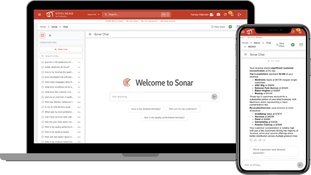
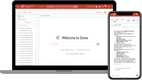
Steelhead is a manufacturing management and ERP software built for job shops, metal fabricators, and finishing departments. It’s an AI-powered platform built for the production floor, featuring a modern, intuitive interface and a mobile app that enables real-time tracking of every process.
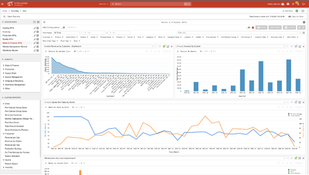
Steelhead covers everything from quoting, production scheduling, and tracking to job costing, quality management, accounting, and invoicing. It helps job shops get ahead by replacing paper travelers, spreadsheets, and disparate systems, giving management teams the data they need to make better decisions, faster.
Steelhead software is modular with add-ons for scheduling, spec management, quality control, and maintenance, so job shops can grow at the pace they need. The system runs on any web browser and has a native iOS app for quick implementation and training.
Pros
- Visual work instructions and Spanish language support
- Highly rated North American support
- Fast deployment, with most shops live in two to four weeks
- Shop floor data connected to the back office.
Cons
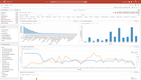
- Reporting is less intuitive than the rest of the system
- Native mobile app is iOS only
Target Market
Metal job shops and finishing operations typically with 10 to 100 employees. Great for powder coating, plating, anodizing, heat treating, galvanizing, thermal spray, and metal fabrication shops.Not Recommended For
Large manufacturing operations with over 500 employees.Video Overview
Key Features
Quoting
- Build quotes quickly using real-time and historical pricing data from previous jobs.
- Track quote status and win rates by team member, so you can see which quotes convert.
- Approved quotes convert straight into sales orders and then production orders, without manual re-entry.
- Customers can submit RFQs and retrieve finished quotes through a customer portal.
Digital Job Travelers
- Production workboards replace paper travelers. Shop floor employees can view work instructions, upcoming jobs, and move parts to the next station.
- Attach pictures, videos, and notes to work instructions to avoid confusion.
- Labor time is captured automatically as operators complete tasks and move them to the next process.
- Operator instructions and interfaces can be translated into Spanish and are role-based.
Production Scheduling and Planning
- Build production schedules by dragging and dropping jobs across your active lines and equipment. View work capacity for each individual machine or workstation.
- Reroute or reschedule work as priorities change without rebuilding schedules from scratch. Push updated schedules to every device on the shop floor with one click.
- Group jobs based on setup requirements like paint color or coating mix, to cut changeovers between runs.
- View production line backlogs in real-time to see what each line or workstation is already committed to.
Production Tracking
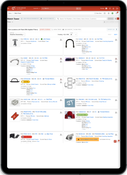
- Track every active part in your plant from Watch Tower. Filter by customer, treatment, date, or process step to find where a job sits without walking the floor.
- See the dollar value of work in progress at any station, line, or location.
- Search past work orders to view equipment settings and who ran the part from any device.
- Review photos tied to each part and process step, with a record of who touched the job, when, and where.
Job Costing
- Break down job costs by part number or by operator to see which work is actually profitable.
- Flag jobs running at a negative margin, then adjust quoted pricing or set a minimum order quantity before the next run.
- Pull material and consumable usage into job costs automatically. Tie those figures to the job and employee who use it.
- Compare quoted time against actual time on masking, blasting, and packing to correct the estimates you quote from.
Quality Management
- Log inspections, nonconformances, and corrective actions against the specific job and part they came from.
- Place parts on hold and release them once the issue is resolved, with status visible across the floor.
- Pull audit trails showing who did what, when, and at which station for any job to comply with NADCAP.
- Track the cost of rework so quality problems show up in job margin.
Accounting and Invoicing
- Run accounts receivable and payable with income mapped to your chart of accounts.
- Produce aging, journals, financial statements, and sales tax reports without exporting to a 3rd-party system.
- Sort and filter to the jobs ready to bill, then send invoices directly from Steelhead. Invoice partial shipments while the rest of the job is still running.
- Sync invoice data to QuickBooks or Sage products if you choose to keep your existing ledger.
Pricing
Steelhead does not publish pricing. Quotes are custom and billed as an annual subscription, structured as a core platform plus optional add-ons.
Included in every subscription:
- Full deployment support
- Data migration
- USA-based customer service
- Hosting on AWS GovCloud
Implementation is handled by Steelhead’s own deployment engineers rather than outside consultants, so there’s no separate integrator fee on top of the subscription.

Product Overview
Developer Overview
Related Products


User Reviews of Steelhead Software
No reviews have been submitted. Do you use Steelhead Software? Have you considered it as part of your software evaluation process? Share your perspective by writing a review, and help other organizations like yours make smarter, more informed software selection decisions!
