

The Best Calibration Management Software
Calibration management software automates scheduling and ensures equipment quality standards are met. This guide will help manufacturers optimize processes, from small job shops to large life science operations.

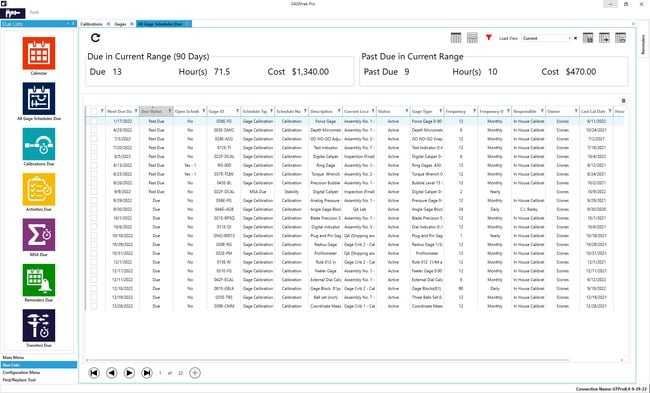
- Customizable reports and dashboards to monitor calibration due dates and other key metrics
- Strong compliance capabilities, including FDA 21 CFR Part 11 and various ISO standards
- High ease of use, customer support, and value for money ratings
- Built onto the Salesforce platform
- Compliance covers a wide variety of regulations, including ISO 9001
- Integrated AI capabilities
- Commercial lab edition (CLM)
- Highly configurable workflows
- Offers read-only seats
After researching and comparing the best calibration software through our own independent review process, here are our top picks for gage tracking, calibration labs, and regulated manufacturers.
- GAGEtrak: Best Overall
- Qualityze: Best for Life Sciences
- IndySoft: Best for Calibration Labs
- Calibration Control: Best for Asset Management
- GageList: Best Free Calibration Software
GAGEtrak - Best Overall
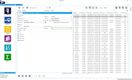
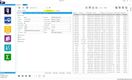
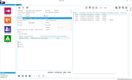
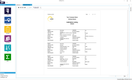
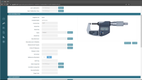
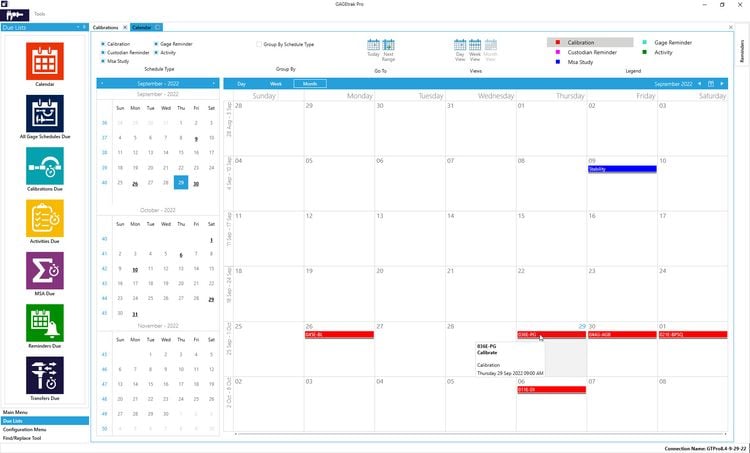
GAGEtrak is gage calibration software built around the way manufacturers actually run a tool crib. Each gauge record stores test points, tolerances, calibration procedures, and full event history, and you can associate gauges with the parts and products they measure. That link matters when a gauge fails calibration, because you can see which jobs it touched since its last good calibration.
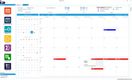
You can set multiple calibration schedules per gauge with a drag-and-drop calendar to avoid double-booking, and set schedules to pause during events like transfers or returns to the crib. Every calibration is logged with as-found and as-left results, giving auditors an unbroken history for ISO 9001, AS9100, and IATF 16949 reviews. The Pro edition adds gage R&R and MSA studies (MSA 4th Edition), which automotive suppliers need for IATF 16949.
GAGEtrak is sold as a perpetual or subscription license with node-locked or concurrent seats. The Lite edition starts at $29/user/month and Pro at $79/user/month Users describe the interface as dated, so plan for some training time.
Qualityze - Best for Life Sciences
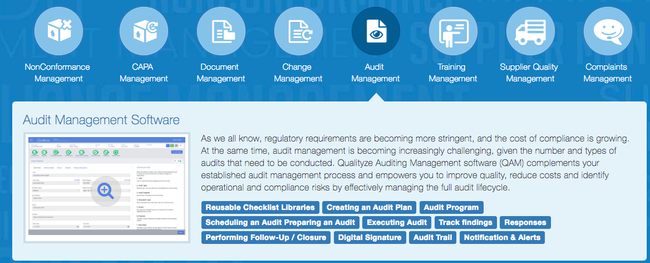
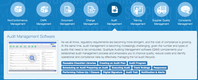
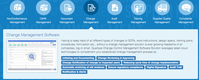
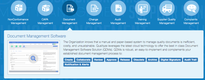
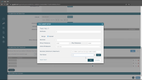
Qualityze’s calibration management module includes built-in compliance support for FDA regulations for life science companies. Within the closure activity, you specify details like time to complete, date of return to use, and calibration result. From there, you can print the calibration certificate to show auditors the equipment was within tolerance.
Qualityze includes a detailed audit trail and electronic signatures to comply with FDA 21 CFR Part 11, and calibration records sit in the same system as your CAPA, deviation, and change control workflows. When an instrument comes back out of tolerance, you can open a CAPA directly from the calibration record instead of re-entering it in a separate QMS. For pharma teams under 21 CFR 211.68, and device makers now inspected against ISO 13485 under FDA’s QMSR, that linkage is what inspectors trace.
Qualityze is best for large life science companies that want calibration inside a full enterprise quality management system (EQMS). That scope can be too much for smaller operations. Those looking for standalone calibration tracking software may find GAGEtrak or GageList a better fit.
IndySoft - Best for Calibration Labs
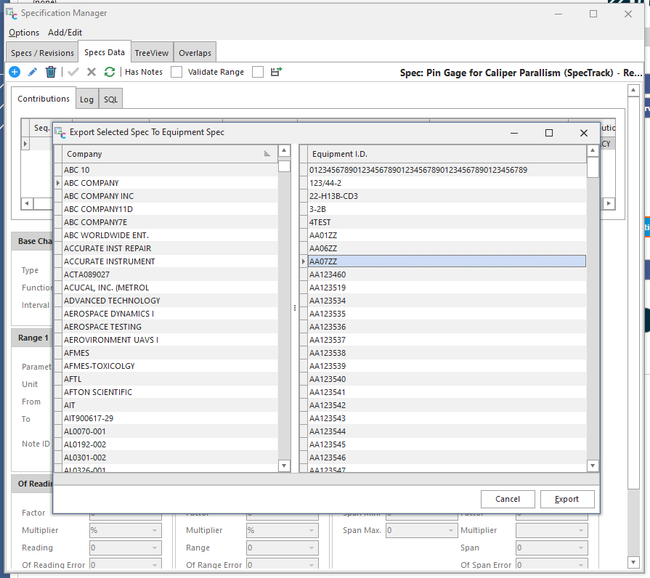
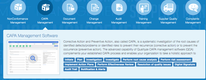
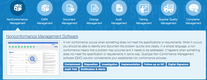
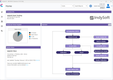
IndySoft is calibration lab software used by in-house metrology departments and third-party calibration labs in aerospace, energy, life sciences, and manufacturing. The base IndySoft Client handles instrument records, recall scheduling, and certificates. You can run it on out-of-the-box defaults or configure fields, workflows, certificate templates, and automated alarms to match your lab’s procedures.
For commercial labs, IndySoft for Commercial Labs (CLM) adds the business side of running a cal lab: tracking customer-specific requirements on incoming equipment, managing work in the lab and in the field, and giving managers KPI dashboards on throughput and turnaround. That combination suits ISO/IEC 17025 accredited labs that need traceable certificates on every job and customers who expect self-service access to records.
IndySoft costs more than gauge-focused tools. Cloud pricing starts at $199/user/month for IndySoft Client and $249/user/month for Commercial Lab Services, with $49/month read-only seats for staff who only need to look up due dates. On-premise perpetual licenses are also available. Reviewers mention a learning curve on advanced reporting. If you’re a manufacturer tracking a few hundred gauges in a tool crib, GAGEtrak or GageList will cost less.

Calibration Control - Best for Asset Management
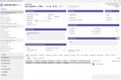
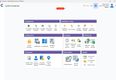
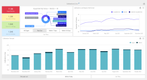
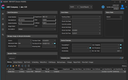
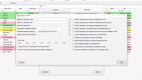
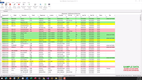
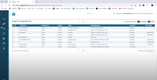
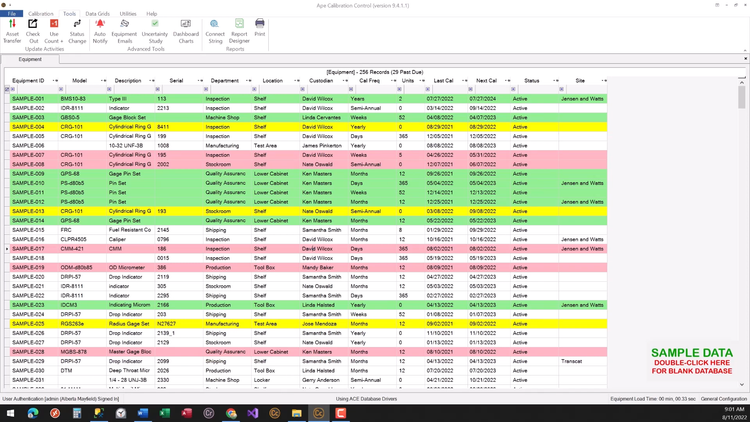
Calibration Control by Ape Software is calibration asset management software that maintains an accurate inventory of all measurement instruments, including temperature, electrical, and pressure. From the list view, you can check tools in and out, with details such as department and current site, so you always know where an instrument is when it comes due.
Asset tracking extends to high-value equipment beyond gauges, maintaining a complete calibration and maintenance record for each asset. You can print barcodes and labels for quick record lookup and transfer equipment between departments or locations. For teams spread across several sites, that location history shows which instruments are overdue at which facility.
Calibration Control uses a straightforward pricing model. A single-seat base license starts at $768 one-time plus $200 per extra user, with a 30-day free trial.
GageList - Best Free Calibration Software
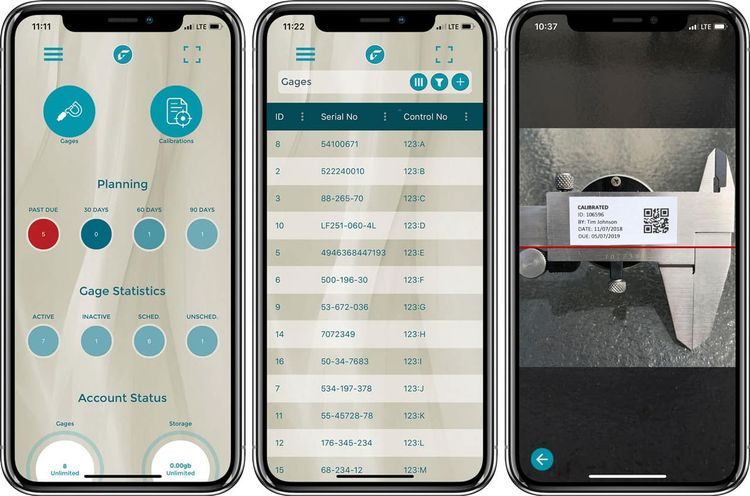
GageList is cloud-based calibration tracking software with a free plan for up to 25 gages and 5 users, which is enough to replace a small spreadsheet and test the workflow before you pay. Paid plans include unlimited users and charge only by the number of gages you manage, so adding inspectors, operators, or auditors doesn’t raise your bill.
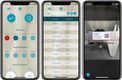
From a single dashboard, you can manage everything from calipers and micrometers to torque wrenches and pressure gauges, sort by due date, and check equipment in and out by department across multiple facilities. The mobile app lets technicians scan gauge labels and pull up records on the shop floor. GageList supports compliance with ISO 9001, IATF 16949, and 21 CFR Parts 11 and 820, among others.
The interface is plainer than some newer tools, but it’s quick to learn. Paid pricing starts at $79/month for up to 500 gages (billed annually). The FDA validation kit and eSignature support start on the Plus plan at $159/month for up to 1,000 gages, also billed annually.
Calibration Software Comparison
| Software | Best For | Starting Price | Free Option | Pricing Model |
|---|---|---|---|---|
| GAGEtrak | Manufacturers with a gauge crib | $29/user/month | Free trial | Per seat, subscription or perpetual |
| Qualityze | FDA-regulated life sciences | Custom quote | No | Part of EQMS suite |
| GageList | Teams leaving spreadsheets | $79/month | Free plan (25 gages) | Per gage, unlimited users |
| IndySoft | Commercial and in-house calibration labs | $199/user/month | Free trial | Per user, cloud or perpetual |
| Calibration Control | Equipment and asset tracking | $768 one-time | 30-day trial | Perpetual per seat |
What is Calibration Management Software?
Calibration management software, sometimes called a calibration management system, tracks every measuring instrument your company owns and ensures each is calibrated on schedule. It stores calibration procedures, as-found and as-left readings, certificates, and the traceability chain back to national standards such as NIST, so you can prove that any instrument was within tolerance on the day it was used.
Calibration tracking is sometimes included in maintenance management software. Dedicated equipment calibration software goes further, with out-of-tolerance investigations, measurement uncertainty, gage R&R studies, and the audit trails required by ISO/IEC 17025 and FDA 21 CFR Part 11. Most buyers are quality and metrology teams replacing spreadsheets, paper certificates, or a calibration supplier’s portal.
Key Features
- Calibration scheduling and recall: Set intervals by instrument and send automated reminders before calibrations come due
- Instrument and gauge management: Track every gauge’s ID, location, owner, status, and check-in/check-out history so nobody uses an overdue tool
- Calibration procedures: Store step-by-step instructions, test points, and tolerances for each instrument type
- As-found and as-left data: Record measurement readings digitally at every calibration instead of transcribing them by hand
- Out-of-tolerance (OOT) workflows: Flag failed calibrations and trace which products or jobs the instrument measured since its last good calibration
- Certificates and labels: Generate calibration certificates and print barcoded due-date labels
- Audit trails and e-signatures: Log who changed what and when, with the electronic signatures required for 21 CFR Part 11
- Gage R&R and MSA: Run measurement system analysis studies required by IATF 16949 and AS9100
- Calibrator integration: Pull results directly from documenting calibrators in the field, removing manual data entry
- Preventive maintenance: Schedule servicing for instruments and equipment before breakdowns affect accuracy
Main Benefits
There are many potential benefits to automating your calibration management system. Learn more about the advantages this type of software has to offer:
Gain Precise Measurements
One of the primary benefits of calibration management software is the increase in precise measurements from accurately calibrated instruments. Correct calibration compares the values taken by a measurement device against a known standard in order to ensure accuracy. There are seven base units as defined by the SI system:
- Second (s)
- Meter (m)
- Kilogram (kg)
- Ampere (A)
- Kelvin (K)
- Mole (mol)
- Candela (cd)
Of course, there are additional units that may be used in measurements depending on your needs. These are simply the main units that are the most frequently used, have derived units, and have defining constants with exact values. For example, these units may help you to find general properties, including:
- Weight
- Mass
- Height
- Voltage
- Sound
- Time
- Temperature
- Chemical composition
The known standard for each unit needs to be carefully considered before any measurements take place. For instance, measuring the height of an object may require a simple comparison against a physical ruler. Measuring luminosity (cd) will require far more specific instrumentation. As such, calibration management software assists with the comparison of these accurate standards against the results taken from instrumentation.
Prevent Duplicate or Inaccurate Data Recordings
Manually writing down measurements can lead to human error. And the wrong notations can lead to problems down the road from data being based on inaccurate measurements. Calibration management software provides automation to the measurement process, greatly reducing the likelihood of error.
Existing data can be imported manually or automatically, depending on prior calibration arrangement systems used by your facility. This information can then be shared amongst users on the platform, preventing the need for printed documents or lengthy email attachments.
Remain Compliant
Calibration is one of the most common areas auditors check. The question is always the same: was this instrument in calibration when it was used, and can you prove it? Calibration management software answers it with a paperless record of every calibration, certificate, and out-of-tolerance event, plus audit trails showing who made each change.
Common standards and regulations that require calibration control include:
- ISO 9001:2015 (clause 7.1.5): Requires measuring equipment to be calibrated, identified, and protected from adjustments that would invalidate results
- ISO/IEC 17025: The accreditation standard for testing and calibration labs, with strict requirements for metrological traceability and measurement uncertainty
- FDA 21 CFR Part 11: Governs electronic records and signatures for FDA-regulated companies, including audit trails and access controls
- FDA 21 CFR 211.68: Requires routine calibration of equipment used in drug manufacturing
- FDA QMSR / ISO 13485 (clause 7.6): Since February 2, 2026, FDA inspects medical device makers against ISO 13485, including control of monitoring and measuring equipment
- AS9100 and IATF 16949: Aerospace and automotive quality standards that require calibration records and measurement system analysis
If you’re working toward one of these certifications, look for software with validation documentation and e-signatures built in, not added later.
Reduced Downtime for Maintenance and Repairs
When an instrument fails calibration, the software logs the as-found reading and the date of the failure. Instead of guessing how long the instrument has been drifting, you get a list of every job, batch, or product it measured since its last good calibration, so you can recheck only what’s at risk. In regulated industries, that impact assessment is often the first thing an auditor asks for after an out-of-tolerance finding.
Calibration Software by Industry
Calibration requirements vary by industry, and so does the right software. Here’s where each type of buyer usually starts:
| Industry | Main Driver | What to Look For |
|---|---|---|
| Pharmaceutical and biotech | FDA 21 CFR 211.68 and Part 11 | E-signatures, audit trails, validation package |
| Medical devices | FDA QMSR and ISO 13485 | OOT impact assessment linked to CAPA |
| Aerospace and defense | AS9100 audits | Unbroken calibration history, gauge-to-job traceability |
| Automotive | IATF 16949 | Gage R&R and MSA studies |
| Oil, gas, and chemical plants | Thousands of field instruments | Mobile access, documenting calibrator integration |
| Commercial calibration labs | ISO/IEC 17025 accreditation | Customer records, certificates, uncertainty calculations |
Calibration Software Pricing
Calibration management software pricing depends on how vendors charge (per user, per gage, or one-time license) and whether you need a standalone tool or a module in a larger quality suite. GageList offers a free plan for up to 25 gages, and paid plans start at $79/month for up to 500 gages with unlimited users.
- Free ($0): Free plans and trials cap the number of gages or users. Good for testing a workflow or replacing a very small spreadsheet.
- Low-Cost ($50-$300/month): Cloud-based tools focused on gauge tracking, scheduling, and basic compliance. Best for smaller manufacturers moving off spreadsheets that need to get audit-ready without a heavy implementation. Examples: GageList, GAGEtrak.
- Mid-Range ($300-$1,000/month): Fuller feature sets, including MSA studies, digital signatures, FDA validation kits, and multi-site management. A good fit for mid-sized manufacturers and in-house metrology teams with several users. Example: IndySoft at $199/user/month for a small team.
- Enterprise ($15,000+/year): Quality suites and lab-focused platforms for regulated operations that need deep customization, on-premise deployment, or integration with ERP and QMS systems. Pricing usually requires a custom quote. Example: Qualityze.
On-premise software is also available for regulated industries. These systems are often sold as one-time perpetual licenses with annual maintenance fees, like Calibration Control’s $768 base license.
CMMS platforms with calibration scheduling, like MaintainX, are priced per user ($20-$65/user/month) and make sense when the same team handles maintenance and calibration.
Frequently Asked Questions
Should I use Excel or dedicated calibration software?
Excel works for a small, single-site list of instruments with one person maintaining it. It breaks down as the list grows: nothing stops someone from using an overdue gauge. Shared copies drift out of sync, and you can’t easily show who changed a due date or reading. Finding certificates during an audit means digging through folders and email.
Switch to dedicated calibration software when you:
- Add a second site
- Face a customer or regulatory audit
- Need electronic signatures for 21 CFR Part 11
- Spend more time maintaining the spreadsheet than calibrating.
What's the difference between CMMS and dedicated calibration software?
A CMMS schedules calibration as a recurring work order, alongside the rest of your preventive maintenance. That’s enough if you only need due dates, checklists, and completion records.
Dedicated calibration management software tracks what a CMMS doesn’t:
- As-found and as-left readings
- Tolerances
- Measurement uncertainty
- Traceability to reference standards
- Out-of-tolerance impact assessments
- Gage R&R studies
- Calibration certificates

