

The Best Government Accounting Software
Government accounting software connects fund accounting, budgeting, and financial reporting into a single system. These platforms support cities, counties, and special districts in tracking every dollar to its source and staying audit-ready.

- GASB-compliant annual comprehensive financial reporting (ACFR)
- GIS-integrated property and asset management
- Multi-level budget entry system
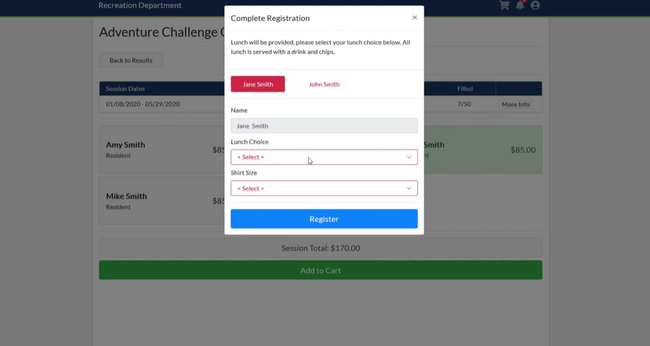
- Web portals and mobile apps for employees, residents, and vendors
- Can customize the system by only selecting specific modules that you need
- Streamlines finance, payroll, clerical work, and utilities operations
- Cloud accounting solution
- Comprehensive training resources
- Modules for accounts payable, receivable, etc
We tested the top government accounting platforms using our independent review process. Here are the best government accounting software systems for managing public funds, budgets, and GASB-compliant reporting:
- Tyler Enterprise ERP: Best for Mid-Sized Agencies
- Edmunds GovTech: Best for Local Governments
- Blackbaud: Best for Public Works
- Caselle Connect: Strong Accounting Tools
- Workday: Best for State Governments
- VADAR Cloud: Best for Municipalities
- CenterPoint: Best for Fund Accounting
Tyler Enterprise ERP - Best for Mid-Sized Agencies
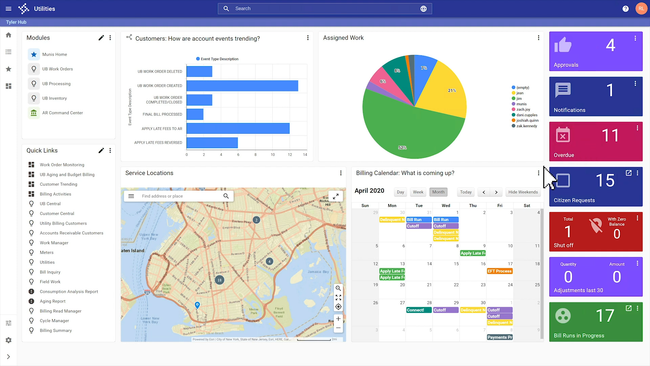
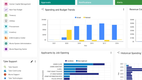
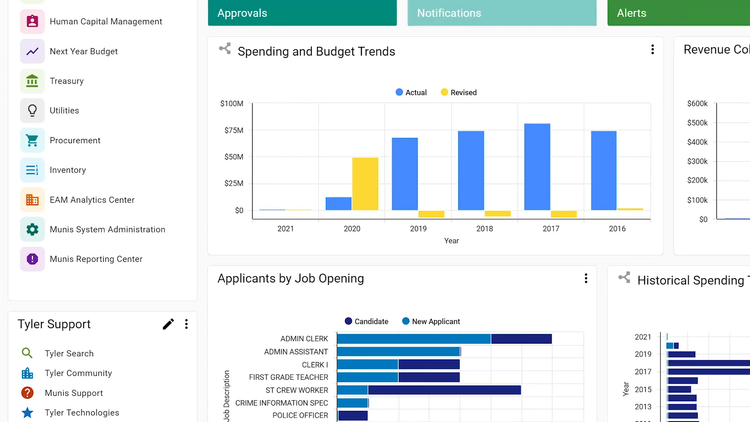
Tyler Enterprise ERP, formerly Munis by Tyler Technologies, makes it easier to coordinate budgets across several departments, from transportation and environmental services to health and public safety. Its multi-level budget entry system lets mid-sized agencies drill down into specific categories.
For example, you can track budget line-item allocations for operational supplies or contracted services, helping you identify trends and respond to seasonal needs. This insight also aids in GASB-compliant annual reporting, essential for presenting accurate financial statements. In addition, this ERP can help project year-end impacts more accurately and minimize budget shortfalls.
Tyler’s tools also let you itemize expenses and add vendors to each individual budget line. Built-in justification fields and audit trails help track and explain adjustments. This approach supports transparent reporting and more consistent data across departments. The system’s categorization features also help separate recurring and one-time expenses so you can prioritize essential allocations without affecting other services.
The platform’s approval workflows allow upper management to review and approve proposed budgets with confidence. With real-time encumbrance tracking, you can monitor spending commitments versus actuals for compliance with state standards. Plus, next-year projections pull from past data, so you can review proposed, adopted, and amended budgets year over year for better financial planning.
Get more details on Tyler Enterprise ERP on our product page.
Edmunds GovTech - Best for Local Governments
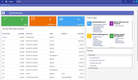
Edmunds GovTech offers a strong permitting and inspection module to help better manage building permits, inspections, and code enforcement. The interface is fairly easy to navigate, letting you quickly add contractor details and use codes to new permits. With automatic data fill for license numbers and addresses, GovTech also cuts down on redundant data entry.
Once you activate a permit, you can schedule inspections and assign any violations. The system tracks each inspection, creating a digital audit trail for historical reference. This setup reduces project delays and helps maintain compliance with local ordinances and safety standards. Plus, staff can upload inspection results and compliance certificates to each permit record, helping you better understand community needs and assess performance metrics.
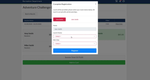
This module automates fee calculations based on work descriptions, like structural changes and subcode requirements. You can either enter custom details or use pre-filled amounts for standardized charges. With the “calculate fees” option, it’s easy to review all fees for different subcodes before finalizing. This makes municipal fee scheduling more streamlined and keeps everything compliant.
Finally, the system includes built-in payment collection for contractors and residents. After calculating the fee, users can generate an invoice and auto-assign a unique permit number. This helps your municipal staff keep financial records organized and streamlines the whole process from permit request to payment completion.
Learn more about Edmunds GovTech and its capabilities.
Blackbaud - Best for Public Works
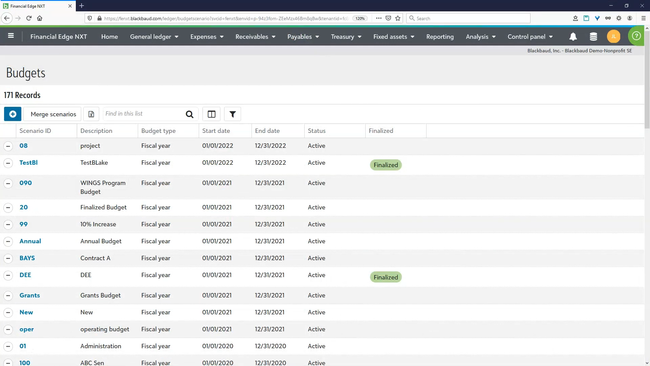
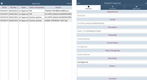
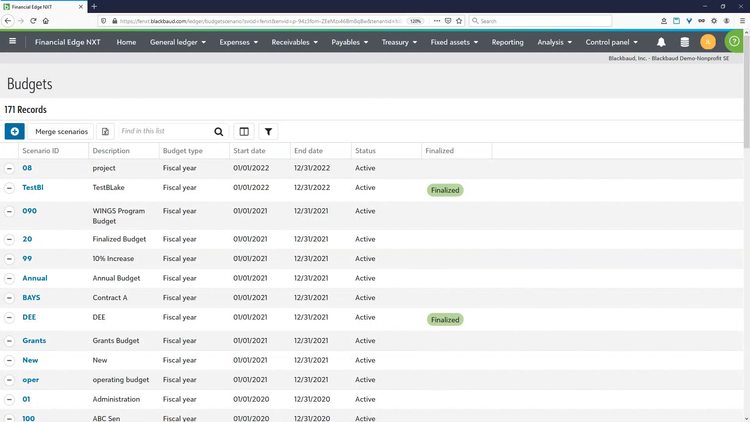
Blackbaud Financial Edge NXT is ideal for managing multi-phase projects like facility upgrades and road maintenance. Its project tracking tools capture all key details, from initial budgets to expenses, contractor invoices, and regulatory permits, so you always have a clear picture of your project’s financials.
With real-time budget-to-actual dashboards, you can easily spot spending patterns across large projects, so you’re less likely to overspend. You can tailor reports for different stakeholders, including infrastructure planning boards and government oversight bodies. Additionally, the software includes budget compliance business rules that alert you if expenses risk exceeding the budget.
For long-term project planning, Financial Edge NXT supports multi-year budgeting to better plan for future needs. You can track diverse revenue sources like municipal funds, grants, and bonds for compliance with funding requirements. Additionally, Blackbaud includes project forecasting and scenario planning so you can adjust your funding strategies based on changing project timelines or resource costs, ensuring your projects always stay on track.
Find out more about BlackBaud Financial Edge NXT and its key features.
Caselle Connect - Strong Accounting Tools
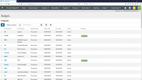
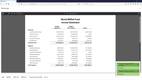
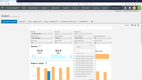
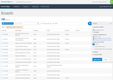
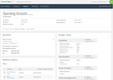
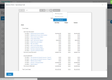
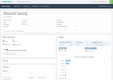
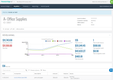
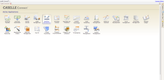
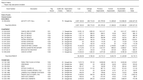
Caselle Connect offers a suite of tools that’s well-suited for local municipalities. One of its standout applications is accounting, which supports fund and financial management. The general ledger allows you to manage real-time budgets, journal entries, and custom financial statements efficiently. For all fund accounting, it centralizes the tracking of assets, liabilities, revenues, and expenses across different functions onto dashboards. This helps you better manage your city’s or town’s finances without jumping around spreadsheets or different systems.
Additionally, Caselle Connect offers strong accounts receivable and payable tools. In the AR module, you can set up recurring billing, customer tracking, and invoicing. For AP, it lets you manage vendors and easily update and post transactions right to the general ledger. All of these seamlessly integrate with each other, eliminating duplicate data entry. This is key for municipalities with multiple departments and restricted funds.
Other Caselle Connect modules include utility management, payroll, and property tax collection. All of these tools integrate together, creating an all-in-one system for every process. Because of this, it’s not suitable for very small organizations that don’t need extensive financial management capabilities.

Workday - Best for State Governments
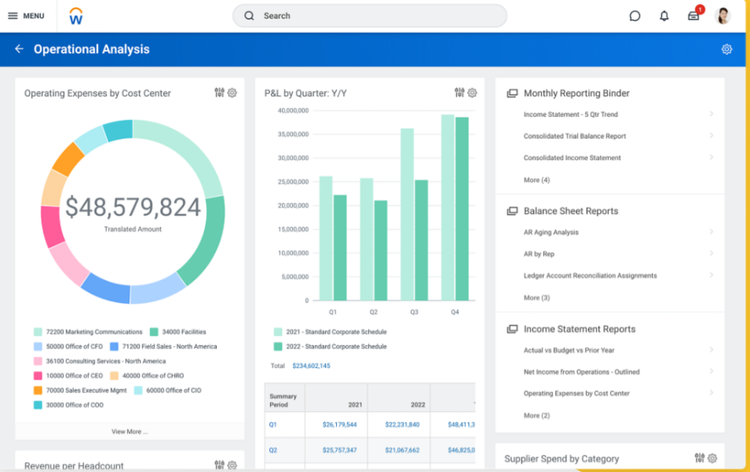
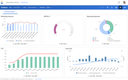
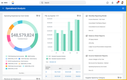
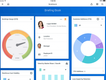
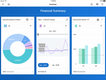
Workday for the public sector’s spend management module allows state governments to streamline procurement processes across all departments. It comes pre-built with a full supplier portal to simplify sourcing and make the RFx process more efficient. The portal also has shared access, so you can choose which departments can use it and which employees can see order and inventory data. It’s great for keeping data secure while allowing for faster supplier ordering.
Additionally, you can improve the expense management across all departments. The system tracks every expense automatically, leaving a full audit trail to ensure transparency. You can configure rules for your state’s spending policy, allowing you to see all out-of-policy purchases. The tool gives your agency more insight into where the state allocates taxpayer money and private funds, providing more accountability.
Because of Workday’s ERP capabilities, it has a pretty high cost. State government agencies should expect to pay over $100,000/year on average. The price is based on the size of your agency, how many users you need, and the specific modules you require.
See our Workday overview for more info.
VADAR Cloud - Best for Municipalities
VADAR Cloud is designed for small townships and municipalities that need modern fund accounting, tax, and utility billing tools without juggling multiple platforms. This cloud-based platform consolidates both financial and operational tasks into one system, making it easier for smaller agencies to manage their population with limited staff and resources.
One of its standout modules is Utility Billing, which is great for municipalities that need straightforward, accurate invoicing and payment management for water, sewer, and trash removal services. Users can generate bills directly from meter readings and handle adjustments like penalties or service charges with just a few clicks. And payments post right back into the accounting module automatically, so staff don’t have to reconcile accounts by hand. This is critical for organizations that only have one administrator across several departments.
VADAR Cloud works best for municipalities with fewer than 50,000 residents, where a full ERP suite like Workday or Tyler Enterprise ERP would exceed their needs. That said, pricing is typically subscription-based and scales with the number of modules and users required.
CenterPoint - Best for Fund Accounting
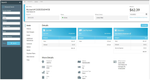
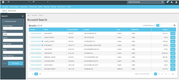
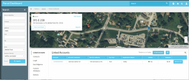
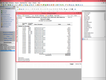
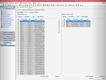
CenterPoint for Municipals, from Red Wing Software, is built for towns, villages, and smaller local districts that need true fund accounting without a large finance team to manage it. At its center is a customizable chart of accounts that lets you organize incoming revenue into individual funds and code each transaction to the appropriate fund. This way, you can track assets, liabilities, revenues, and expenditures separately for each fund and always know where every dollar came from and what it can be used for.
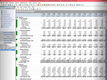
One of its standout tools is the Report Writer, which lets you build custom financial statements and combine or separate departments within a single report. You can also compare actual figures against the percentage of the annual budget already spent, giving you a real-time read on where each fund stands. All of this reporting aligns with GASB recommendations, so the statements you hand to auditors and oversight boards already meet the standards they’re looking for.
CenterPoint also offers grant tracking, procurement, and integration with CenterPoint Payroll and RVS utility billing for organizations looking to manage all aspects of accounting. It can be deployed on-premise or in the cloud, which works well for smaller governments that prefer to keep their data local. That said, CenterPoint’s interface is older and takes longer to learn when compared to modern cloud systems. Pricing is not public and requires a custom quote based on features desired, user count, and fund complexity.
Learn more about CenterPoint Fund Accounting.
What is Government Accounting Software?
Government accounting software is a financial management system designed around fund accounting. Rather than combining all revenue and funding in a general account, it tracks every dollar to its source and manages the restrictions on how that money can be spent. It gives cities, counties, school districts, and special districts one place to manage budgets, record transactions against the right funds, and produce the GASB-compliant statements auditors expect.
That focus is what separates government accounting from a full public service ERP system, which layers operational modules like procurement, HR, and asset management on top of the financials. If you run a tribal nation, tribal government software adds member and per-capita tracking, and if you need broader operational tools like permitting or utility billing, municipal software covers those.
Most systems organize money into separate funds, each with its own self-balancing set of accounts. Common fund types include:
- General: A fund for day-to-day operations paid for by taxes and general revenue, such as salaries and supplies.
- Special Revenue: A fund that manages money earmarked for a specific purpose, like a grant or a dedicated tax requirement.
- Capital Projects: A pool to manage funds set aside for building and infrastructure work, like roads or facilities.
- Debt Service: Reserves money held to repay long-term debt and bonds.
- Internal Service: Charges between departments for shared services like fleet or IT.
- Enterprise/Utilities: Self-supporting services billed to residents, such as water, sewer, and trash.
Tracking each fund separately is what allows a finance team to prove that restricted dollars went only to their intended purpose, which is required for most local municipal and government agency audits.
Department heads will want to organize their expected revenues and estimated expenditures for the current and next fiscal year. Higher-ups in the organization can further analyze these budgets for approval and identify potential budgetary waste.
Key Features
While government organizations aren’t typically engaged in the standard commercial enterprise of generating profits, there is still a need to make financial management as efficient and accurate as possible. The pressure to lower operating expenses and maintain error-free books is just as real for public sector organizations as for any business.
Fund Accounting
Government entities use fund accounting practices to track the allocation of funds for specific purposes. Funds are essentially accounting entities with self-balancing accounts designed to record cash and other assets, as well as related balances and liabilities. A fund accounting approach allows government entities to track all expenditures back to specific fund sources.
Budgeting & Planning
Governments rely on precise budgeting to maintain fiscal discipline and stay compliant with approved spending limits. Modern government systems support everything from building multi-year budgets to tracking commitments as funds are encumbered, giving administrators, town clerks, and secretaries a clear view of how allocations compare with the agencies’ actual spending.
Financial Management
At the core of any government accounting system is the ability to manage the day-to-day finances of the organization. Typical modules include a general ledger, accounts payable, receivable, and cash management tools. As every government agency is unique, systems must support the unique requirements of municipalities, fire and police departments, health care and social services, tax-related groups, public works departments, and courts. Often, government organizations with many departments adopt a centralized ERP system.
GASB Compliance
Government and public administration organizations also need software that is compliant with GASB (Government Accounting Standards Board) regulations. While the GASB is not actually a government-run program—it’s a non-profit standards board—many states require compliance with it. It is generally considered to be the gold standard for defining government accounting practices. One of the standards that GASB sets is actually a requirement for a fund accounting approach to managing financial data.
Payroll
Payroll software for governments should support the complexities of unions, pensions, overtime, and part-time employees. Often, these systems support direct deposits, self-service time clocks, and accounting software integrations to reduce the amount of manual data entry.
Procurement
Unlike private organizations, governments have heavily regulated procurement processes that must remain transparent. Software supports this by helping agencies issue bids, evaluate vendors, and manage purchase orders in full compliance with local laws. Many platforms also streamline the process with automated approval workflows and secure digital signatures.
Who Needs Government Accounting Software?
Any public entity or government organization that manages restricted funds, receives tax dollars, or answers to auditors’, requires government accounting software. Here are a few types of organizations that require it:
- Cities and municipalities: A city has employees, departments, and runs a tax-funded general fund as well as funds for utilities like water and sewer. Government accounting software keeps those funds separate and can handle utility billing in the same system.
- Counties: County spending is spread across large departments such as public health, courts, public safety, and roads. Software should tie each department’s transactions to its own fund and budget so the money stays traceable.
- School districts: A district’s money arrives as state allocations, grants, and bond measures, and each source carries its own reporting rules. A software keeps every funding source on its own books and produces the separate reports each one requires.
- Special districts: A water, fire, library, or transit authority exists for a single service and usually operates with a small staff. Accounting software typically covers fund accounting and service billing, and is typically simple enough that a single administrator can manage the books.
- Townships: Townships often operate with part-time or seasonal staff, often with no full-time accountant. The software should manage both fund accounting and payroll at once, and be cost-effective for smaller township budgets.
Not every public entity needs a dedicated system. Very small organizations with simple books may be served by standalone fund accounting software, while large government agencies or counties that need procurement, HR, and asset management alongside the financials should consider a government ERP system.
Pricing Guide
Government accounting software typically runs from around $3,000 per year for a small municipality to over $1 million or more for a full statewide agency. Where you land will depend on your headcount, the modules your finance team needs, and whether you host in the cloud or on-premises.
| Tier | Entity Size | Average Cost (Annual) | Example Products |
|---|---|---|---|
| Small Towns & Districts | 1–20 employees | $3,000–$10,000 | VADAR Cloud, MIP Fund Accounting |
| Mid-Sized Municipalities | 20–100 employees | $10,000–$50,000 | Caselle Connect, Edmunds GovTech, Springbrook |
| Large Cities & Counties | 100–500 employees | $50,000–$200,000 | Blackbaud Financial Edge NXT, Sage Intacct for Government |
| State & Enterprise Agencies | 500+ employees | $200,000–$1 million+ | Tyler Enterprise ERP, Workday for Government |
Most vendors don’t publish pricing and quote you based on your financial complexity or required modules, so treat these ranges as rough estimates rather than firm quotes. A few factors to consider beyond the base license cost:
- Implementation and data migration: Converting years of general ledger and fund history into a new system takes time and often comes at additional costs. So build implementation into the budget up front.
- Modules: Vendors price by module, so running just core accounting and utility billing costs far less than a full ERP suite. Understand the core modules your team needs prior to getting quotes.
- Deployment: Cloud subscriptions spread cost into a predictable annual fee, while on-premise perpetual licenses front-load costs. The right model comes down to whether you’d rather spend capital or operating dollars.
- Training: Fund accounting, payroll, and utility billing each carry their own learning curve, and most systems have training available at an additional fee. Understand your team’s technical expertise to properly budget for training.
- Support and hosting: Annual maintenance, updates, and hosting recur every year, so less technical teams should budget more for ongoing support and maintenance.
Taking the Next Steps
Most government agencies require three bids when purchasing. Locating three software solutions that can meet your needs can be time-consuming. Save some time, and let us do the legwork of identifying three or more appropriate solutions for you to include in the bid process.
Whether you are looking for a complete ERP system or specific functionality to augment existing software, our software specialists can, through a brief phone call, better understand your business and software needs to help you locate the most relevant solutions for your requirements. Get started today!

