
The Best Retail Inventory Software
We’ve reviewed the top retail inventory software on the market and selected our favorites for consignment retailers, multichannel sellers, and hardware stores.

- Multi-store functionality
- User-friendly with streamlined checkout
- Has real-time data and cloud based reporting
- Automated purchase order creation
- Built-in SEO tools for online stores
- Fully integrated inventory management
- Industry-specific POS software made for LBM business needs.
- Features mobile connectivity and special-order handling.
- Offers barcode support
In this guide, we’ve ranked some of the top retail inventory software based on different industries and functionalities, like consignment retailers, multichannel sellers, and hardware stores.
- SimpleConsign: Best for Consignment Retail
- Lightspeed Retail: Best for Multichannel Sellers
- RockSolid MAX: Best for Hardware Stores
- Cin7: Best for Omnichannel Retailers
SimpleConsign - Best for Consignment Retail
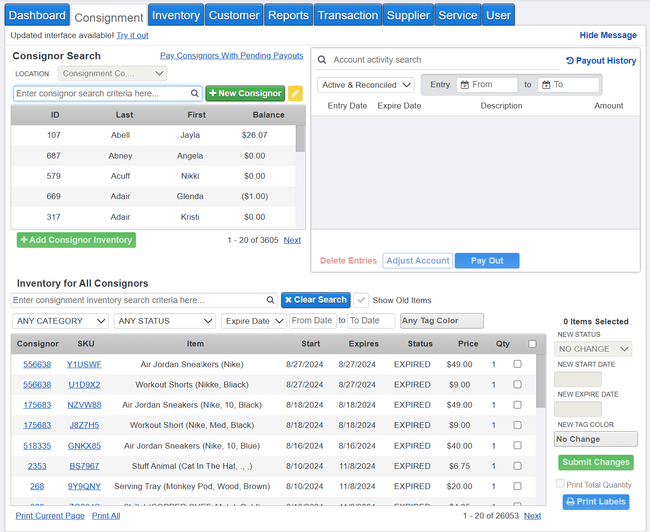
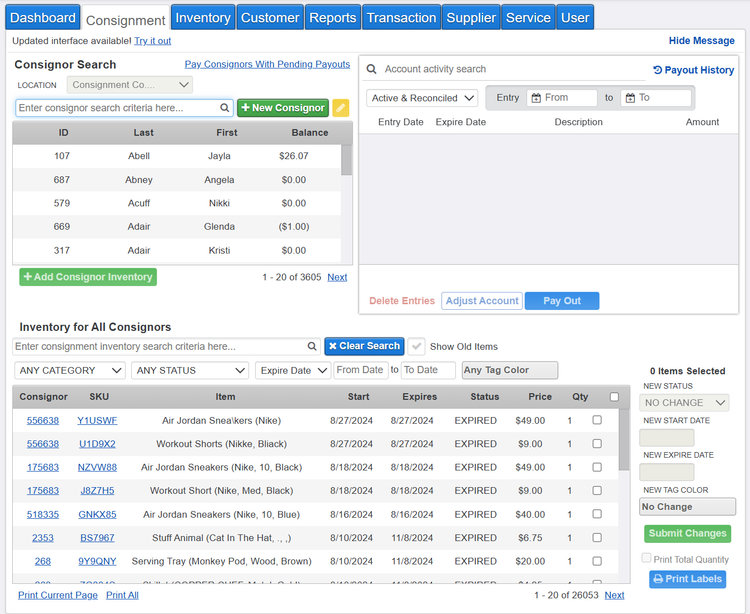
SimpleConsign offers an effective inventory management system for consignment and resale vendors. It features a price comparison tool that lets you see what other industry resale sites are selling stock at. This makes it easier to price more unique items and ensures profit margins while accounting for consigner splits and flexible payouts.
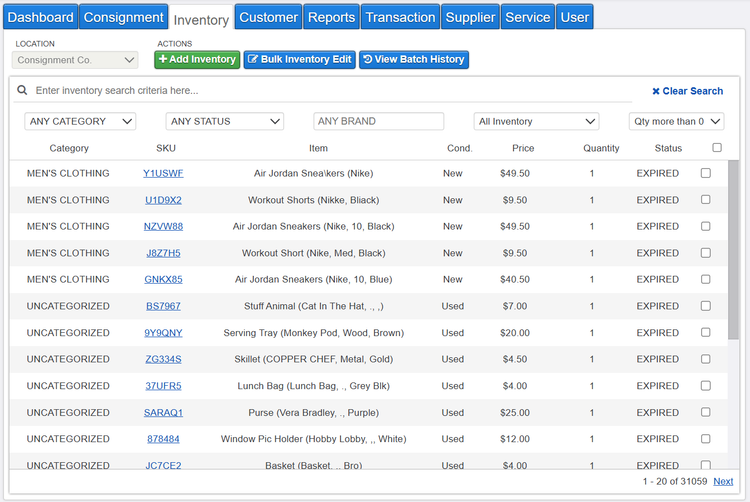
Additionally, you can create customized tags and labels for your entire inventory. The system comes with pre-built templates, so you can design them in a way that makes sense for your items. Adding labels not only keeps stock more organized, but it also speeds up checkout. Instead of manually looking up items, cashiers can just scan the barcode on the built-in POS system, and the counts automatically adjust.
SimpleConsign is best for consignment vendors that need a combined POS and inventory system and multi-store support. The Basic plan starts at $159/month, and includes unlimited consigners, inventory items, and support. That said, to connect systems like QuickBooks and Shopify, you’ll need the Professional plan at $359/month.


Lightspeed Retail - Best for Multichannel Sellers
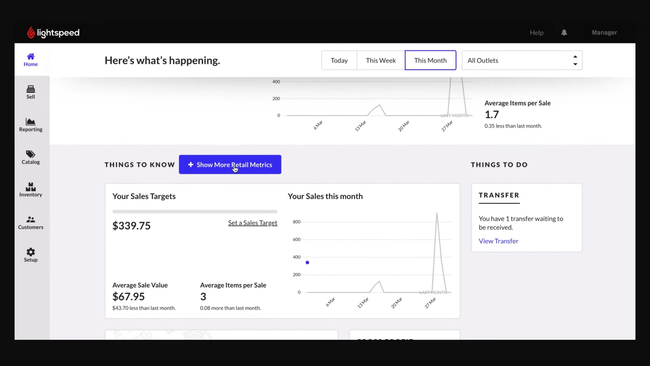
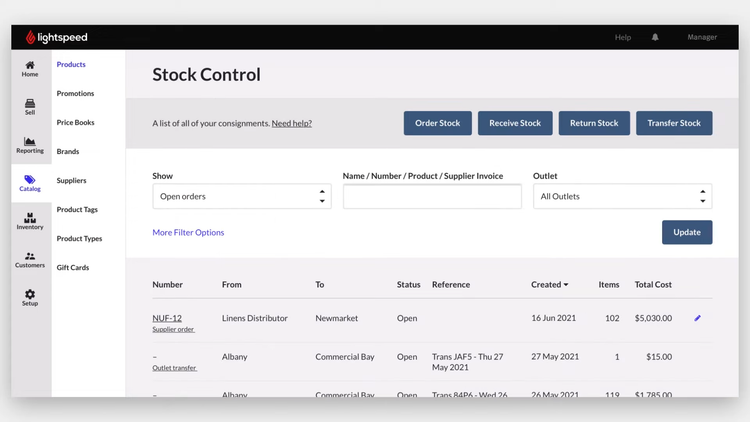
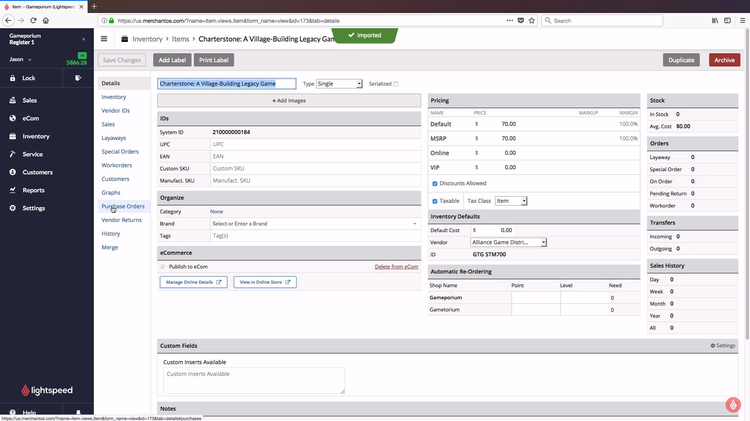
Lightspeed Retail is a POS system with built-in inventory management for your physical stores and eCommerce platforms. It supports integrations with several leading channels, including Shopify, Amazon, and WooCommerce. And no matter how many you have, it automatically syncs your catalog to display proper levels to avoid stockouts.
Within your catalog, you can configure item details. This includes product variants, which is great for organizing lines with different sizes or colors. So for things like apparel, you don’t have to make six unique items for various sizes. This also applies to price changes; edit the price of an item from your POS, and it’s updated in real time across every channel.
Lighspeed Retail has many great inventory features, but it does come with a higher cost than simpler options like Square. The Core plan starts at $149/month, with prices increasing with additional locations and registers. You also have to use Lightspeed Payments for your payment processor to avoid heavy monthly fees, which can be restrictive for some businesses.
RockSolid MAX - Best for Hardware Stores
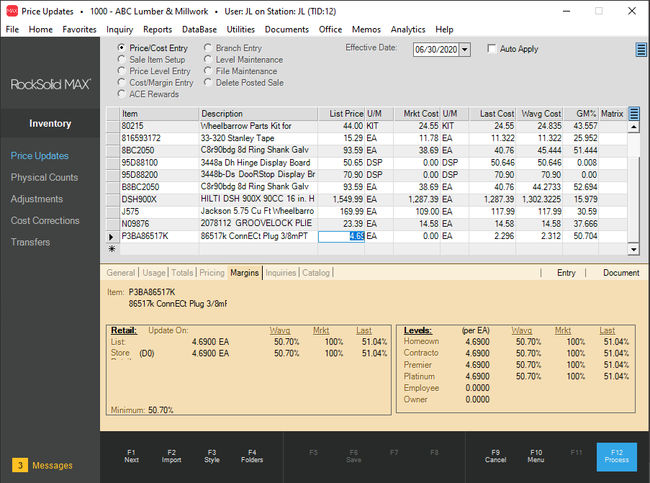
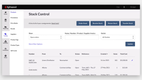
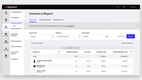
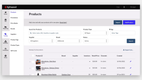
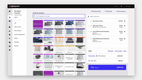
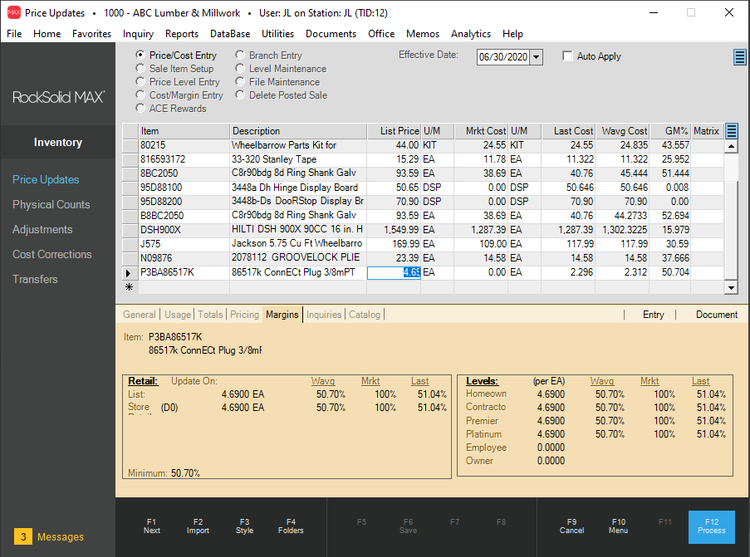
RockSolid MAX is a POS and inventory system built specifically for hardware stores. It provides built-in conversion logic to calculate the cost of dimensional materials like lumber automatically. If your team is still doing conversions by hand, this can help save them a lot of time and reduce errors.
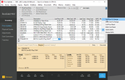
The system also supports over 20 vendor EDI connections and catalogs. This makes it easy to import parts lists and pricing updates from hardware distributors. So if you’re dependent on high-volume, multi-vendor purchasing, this can really help you manage fluctuating prices and improve margins.
Rocksolid MAX starts at $5000/year, but you’ll need a custom quote for exact figures. Final pricing will depend on the number of locations and registers you have. It’s best for small to midsize independent lumber and hardware stores needing a combined POS and inventory management system.
Cin7 - Best for Omnichannel Retailers
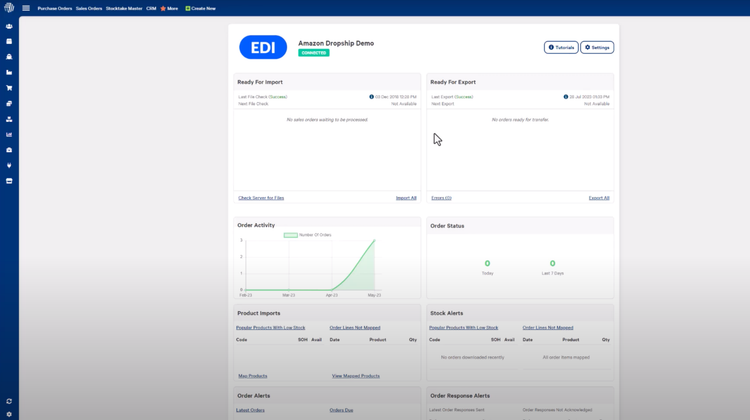
Cin7 Core syncs every sales channel for accurate real-time stock counts. It has built-in integrations with over 20 leading eCommerce platforms and online marketplaces, including Shopify, Amazon, and Walmart. This allows you to consolidate your sales orders into a single location without manual data entry. For smaller brands scaling into wholesale or B2B, it also supports EDI, enabling them to transact with larger retail partners without a separate system.
In addition to the eCommerce connections, you can also sync your physical store with its built-in POS. While this is an add-on feature, it’s generally worth the extra cost for omnichannel sellers. The system automatically records cash sales and updates inventory levels, ensuring counts are accurate whether they’re sold online or in store. It even integrates with supplier catalogs to automate purchase orders, improving supplier management.
Cin7 works best for small to midsize companies looking to upgrade from siloed platforms to streamline order fulfillment. Pricing starts at $349/month for the Standard plan, though you’ll need a custom quote to figure out your exact costs. There are several add-ons, such as the POS system and B2B portal, that will increase your monthly rate.
What is Retail Inventory Software?
Retail inventory software manages stock and merchandise across multiple stores, eCommerce platforms, catalog orders, and marketplaces. Since today’s retailers often sell across many channels — including Amazon or their own web store — inventory must reflect real-time on-hand quantities across all of them.
Retail-specific inventory management software helps your business allocate merchandise to stores, plan assortments, manage purchase and sales orders, transfer items between locations, process returns, and handle multiple styles and brands. Beyond these core needs, it also provides location analytics, inventory forecasting, procurement, and stock replenishment. Combined with point-of-sale software, these features increase efficiency, reduce overhead, expedite fulfillment, and help forecast inventory to better visualize profits.
Retail inventory systems can be purchased as a standalone solution alongside accounting software or ERP, or as part of a larger retail management system. Regardless, you’ll want the ability to track critical product information — item titles, SKU numbers, descriptions, supplier SKUs, stock counts, locations, and pricing. Product configuration, barcoding, and lot tracking are also common needs for most retailers.
Key Features
- Inventory Costing: Establish the cost value of inventory for profitability tracking and tax accounting. Includes FIFO, LIFO, average costing, and others.
- Traceability: Includes barcoding, serial number tracking, lot number tracking, or RFID (radio frequency identification) tracking.
- Product Transfers: Check inventory levels at multiple stores and transfer products from one location to another to avoid stockouts and excess inventory.
- Repricing: Set minimum and maximum prices for your goods, create custom rules for these values, and be notified when competitors change their prices. When prices are updated across your sales channels, ensure your inventory costing figures are updated as well.
- Multi-channel inventory: Order and sell products across multiple channels online. Connect to eCommerce apps such as Shopify, WooCommerce, and BigCommerce. Automatically adjust inventory levels based on online sales, marketplace sales, social media sales, or in-person sales.
- Centralized Vendor Catalog: Allow suppliers access to your inventory to let them see what is available and influence their order quantities.
- Inventory Counts: Conduct stocktakes to determine what is in stock and at what location. Track, record, and reconcile inventory.
Primary Benefits
The top benefits of retail inventory software include:
Keep Better Track Of Inventory Costs and Quantities
One of the reasons inventory tracking software was created in the first place was to not only keep a record of all purchases and goods on hand but to store info on both the purchase price and the retail price (the price the product is eventually sold at). Retail inventory software is no different, as it will deduct the sales of products from the initial value plus the retail value of the purchases–creating a cost-to-retail-price ratio. This figure will change dramatically depending on price fluctuations, which can happen frequently in the retail industry.
Once your inventory costs are under control, you’ll have more confidence in your inventory control records. Linking your inventory records to your sales will provide each store with the units on hand against the number purchased–providing stores with data about how many units they’ve sold, and how many they can still sell based on availability.
Moving forward with a retail inventory management system will greatly improve your accuracy over manual methods such as Excel. In manual methods, the painstaking task of combing data from purchase orders and sales reports means your staff spends valuable time on labor-intensive tasks that are prone to errors. The consequences can be dire, as incorrect counts can result in running out of stock and lead to lost sales. The level of automation provided by a retail inventory solution will provide greater insight into what should be on hand.
Better Forecast Your Retail Inventory Levels
A commonly undervalued feature of most inventory software, let alone retail inventory software, is the ability to forecast. A retail inventory system will let you generate reports based on past sales–letting you anticipate when customer demand will rise for specific items. This will help your business make more timely and informed purchasing decisions, allowing you to maximize your inventory space and always avoid having “too much” (preventing other products from being in stock) or “too little” (preventing timely sales from being made without a reorder).
Proper forecasting also allows you to create precise stock reports to compare stock volumes and time the best reorder points. Along with real-time report generation, retail inventory software can keep track of stock levels to avoid theft. As recently as 2022, retailers in the US reported losing $112 billion a year to shrinkage.
Select Suppliers Effectively For Optimized Order Sizes
When choosing suppliers, you’ll need to consider price, product quality, reputation, and efficiency. Your vendor’s relationship with you is key, as their effectiveness will also affect your company’s reputation based on how quickly you can get new inventory in stock and meet the demands of your customers.
A retail inventory management software will have the ability to sort through and review data from your specific vendors. This view will let you navigate through their price, product quality, reputation, and how efficient and timely they have been with their orders. You may also use a vendor management tool within the retail inventory software to store data on vendor prospects, and contact particular vendors if your current ones are falling short. Better yet, you may be able to keep their price details on file and order from them if your current vendor increases their rates.
What Type of Buyer Are You?
The type of retail inventory software your business needs will depend on the size of your business, the scope of your operations, and the level of functionality required.
Small Businesses
Small retail businesses (usually with less than 5 stores) will usually struggle to answer the question of when items will sell out and when is the best point to restock products (establish reorder points). Small businesses likely have no idea about the true costs of storing products that are not selling.
Retail inventory management software for small businesses usually replaces a manual method, such as the use of spreadsheets (Excel or Google Sheets). These manual methods are very time-consuming, so automation and organization are the biggest driving factors in the decision-making process for a small business. Small businesses will also care about costs–preferring software that is affordable and provides value. Otherwise, the small business may find the time investment in spreadsheets is worth the cost savings over the software.
Small businesses will likely prefer a cloud-based option that offers a subscription-based pricing model. These have low costs of entry and let the business pay on a monthly basis–putting them in more control of their use of the software and giving them the freedom to opt out at any time.
Most basic accounting software will have a simple inventory tool, primarily used for inventory costing and simple stock count tracking. If your retail management system or POS software includes accounting, it may also include this functionality. For most small businesses, this satisfies their inventory requirement. Businesses looking for something standalone may want to look for a solution that can integrate with other popular accounting solutions.
Retail Businesses With Multiple Locations
A growing retail business or a retail business that has a handful of locations will usually have more complex inventory needs. These locations may share inventory and require items to be sent back and forth to different locations, depending on availability and current demand. Likewise, these stores may share a centralized warehouse location and will need to know how many specific products are in stock at the warehouse so that two locations do not accidentally sell the same item.
Retailers of this size may also require different items for different departments. Classifying inventory into various subcategories can help expedite the products getting to the correct location when they are required at an individual store. These types of systems may be able to include a matrix that tracks items by color, style, size, and more–something that is commonly needed in the apparel industry.
Larger Retailers With Multi-Channel Sales
A large retail operation may have started small and grown to where it is today. In this scenario, they likely have a framework in place and have already made a substantial investment in their point of sale or accounting systems. This type of business should focus on finding a standalone solution that can integrate into their existing software environment. The features included in a standalone solution include inventory optimization, stock control, and demand planning–letting your business not be held back by the limits of your ERP system.
Alternatively, a large retail operation can consider a fully-integrated suite, which includes everything your retail business needs to survive–including retail inventory. These solutions will typically integrate accounting, point of sale, purchase orders, inventory, and more.
Larger retailers may also benefit through the use of Multi-channel ecommerce software, which allows them to advertise their products and services on their online stores across a variety of websites, such as Amazon, eBay, and more. This type of software works best for a retail business that works in both brick-and-mortar and online sales. The use of an eCommerce software, or a retail management system with eCommerce functionality, will allow your business to streamline online advertising, target different demographics by channel, reach new audiences through social sharing, and sell products on multiple platforms.
When it comes to retail inventory, a multichannel eCommerce software will automatically update item quantities on your marketplace postings. If your items are advertised on a number of websites, the system will automatically sync with them to ensure stockouts or overselling.
Pricing Guide
The cost of retail inventory software starts at $19/month to $300/month for cloud-based options on a subscription-based pricing model. Locally hosted (on-premise) options can be bought outright–starting from $695/one-time to $2,500/one-time. The cost of the software will be dependent on the number of required users, the number of included features, and whether or not it is a standalone retail inventory solution or a part of a larger retail management software or ERP system.
Common cost factors with retail inventory management software include:
- Number of users
- Deployment method
- Number of warehouses
- Level of inventory being tracked (total SKUs)
- Any needed implementation or training