

The Best Earthwork Estimating and Takeoff Software
In this guide, we reviewed the top earthworks takeoff software to find the best options for estimating projects like underground utilities installation, road construction, and site development.

- Integrates with project management tools, such as Microsoft Project
- Easy data transfer into and out of DOT electronic bidding systems
- Free trial available
- Escalation feature saves time especially during final bid scheduling
- Efficient in managing similar projects with its recording system
- Exceptional customer support with immediate assistance
- Frequent updates for fuel prices and other fluctuating costs.
- Responsive to software change requests.
- Allows elevation of estimator risk and aggressiveness.
Our top picks cover earthwork takeoff and construction estimating software for contractors bidding on grading, excavation, heavy civil, and utility work. Using our advanced review methodology we evaluated these systems for takeoff accuracy, ease of use, value, and integration with other tools.
- Estimating Link: Best for Trench Calculations
- HeavyBid: Best DOT Bidding Integration
- B2W Estimate: Best Template-Based Estimating
- InSite Elevation Pro: Best for Earthwork Takeoff and GPS Modeling
- MudShark: Best for 3D Visualization
- AGTEK: Best for Large Complex Sitework
Estimating Link - Best for Trench Calculations
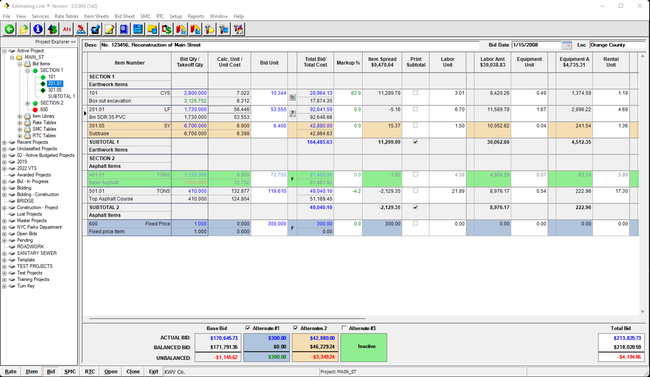
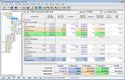
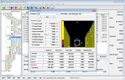
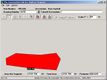
Estimating Link’s trench calculator simplifies estimating earthwork volumes and material needs. By providing a graphical display of the trench, the software helps evaluate backfilling, bedding layers, and pipe installation requirements, helping you create more accurate takeoffs.
The calculator takes dimensional inputs like length, width, and depth and generates a visual model of the trench. From there, it calculates figures like cubic yards of earth to move, the amount of gravel or sand needed for bedding, or the length of pipe required for installation. It even accounts for factors like pipe zone depth and slope ratio for more precise calculations for every project.
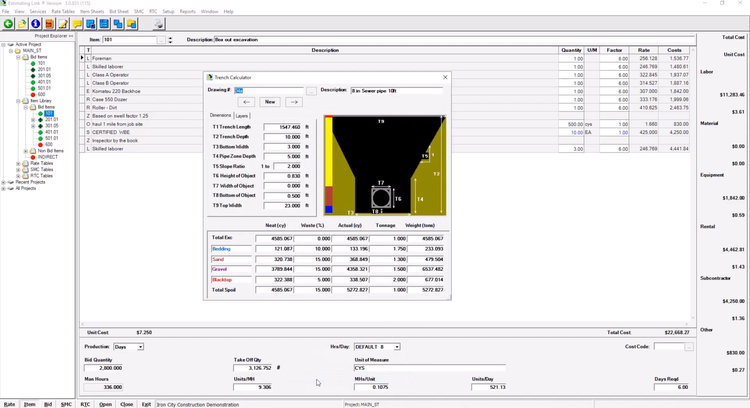
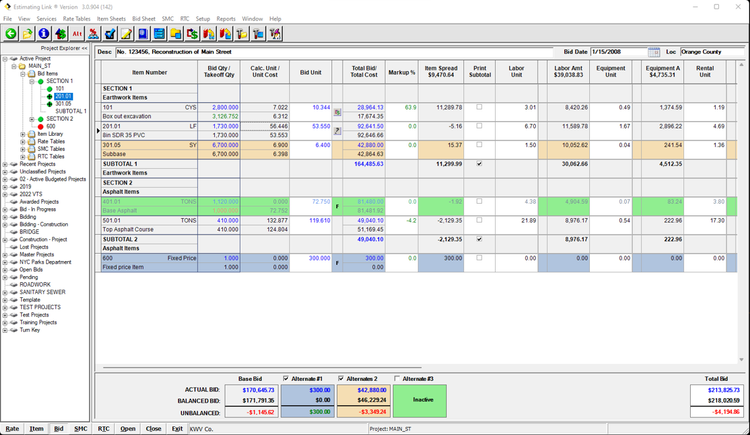
Estimating Link calculates trench volumes and material tonnage, which estimators can then paste directly into the item sheet to price the job. You can further refine cost breakdowns, adjust schedules, and coordinate labor and equipment needs. The software then provides estimates in days or hours, allowing for more precise scheduling and timeline management.
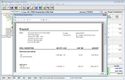
Once you’ve determined costs and quantities, the system’s rate tables compare vendor quotes for various resources, including subcontractors and equipment. When you return to the bid sheet, you can add overhead costs, bonds, and indirect items using the markup summary tool. This lets you apply markups to different categories, including labor and profit, finalizing your project’s total cost.
HeavyBid - Best DOT Bidding Integration
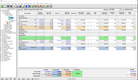
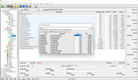
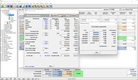
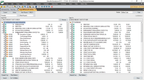
The import and export feature in HeavyBid simplifies DOT bidding by working with the electronic bid files that state Departments of Transportation provide. You can import bid items from DOT systems like AASHTOWare and Bid Express, then export your completed bid back for submission. These are then automatically populated into the estimate, reducing manual entry and saving you time.
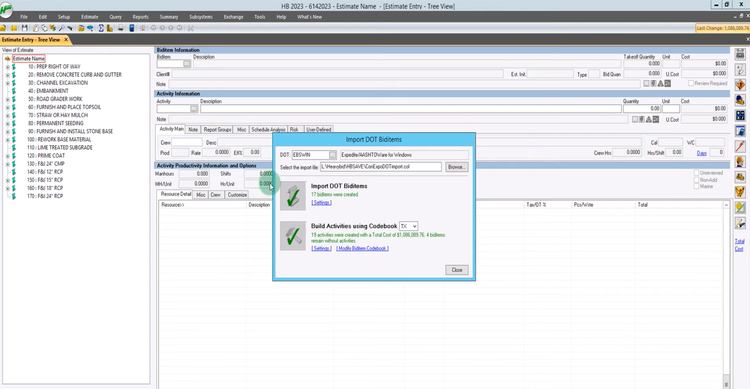
To ensure precise cost calculations from the start, HeavyBid integrates with takeoff tools like PlanSwift. This feeds accurate item quantities and details directly into your project.
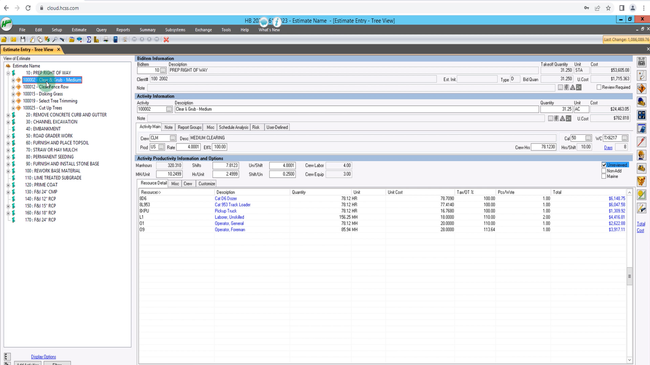
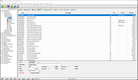
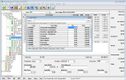
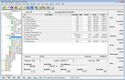
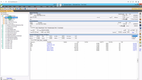
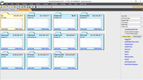
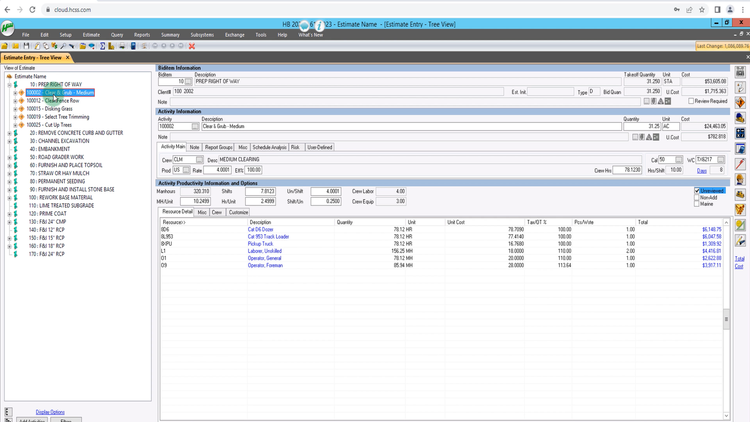
Further customize your bid by selecting or creating activities or by pulling items from past estimates and standardized lists. These could include tasks like clearing, grubbing, and disking grass to prepare the “right of way” for construction. HeavyBid links each activity to a productivity table listing resources, including dozers, track loaders, operators, and foremen. If the task doesn’t fit existing categories, you can define custom activities, assign resources, and set unit rates for labor, materials, and equipment.
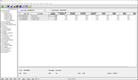
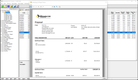
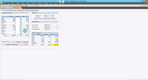
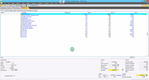
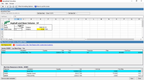
Finally, the bid summary screen lets you review all items, costs, and markups so you can make adjustments and apply desired pricing strategies before finalizing the estimate. Once complete, simply export the data back into the DOT’s system. This reduces the risk of disqualified bids and helps you comply with DOT standards.
Read more about HeavyBid on our product page.
B2W Estimate - Best Template-Based Estimating
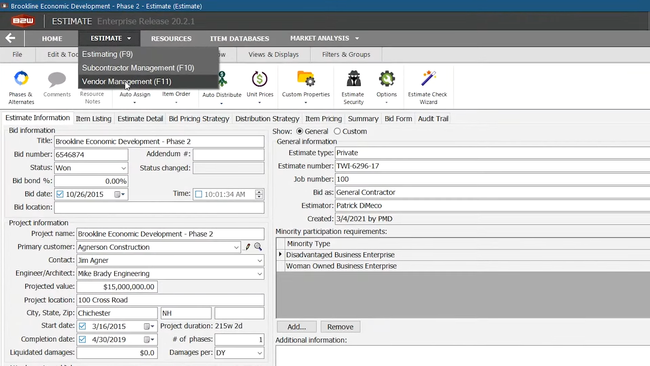
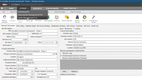
B2W Estimate includes a resources database for creating customized crew and task templates, including labor, equipment, and materials. It stores up-to-date cost details for each resource, making it easier to tailor estimates for site preparation tasks like clearing, utilities installation, and paving.
Estimators can build templates for recurring activities—such as excavation and trenching—by combining the right labor and equipment. For example, an estimator can create a template for grading and allocate resources like bulldozers and laborers, which can then be reused for future projects. Every bid includes the same labor, equipment, and materials, reducing the risk of oversight.
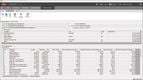
Pre-populating each template with detailed cost data provides a breakdown of expenses for every operation. This process supports the dynamic nature of site development projects, where costs can vary widely based on task complexity and resource availability. Additionally, B2W Estimate includes a bid pricing tool where you can add markup for overhead, profit, or indirect costs.
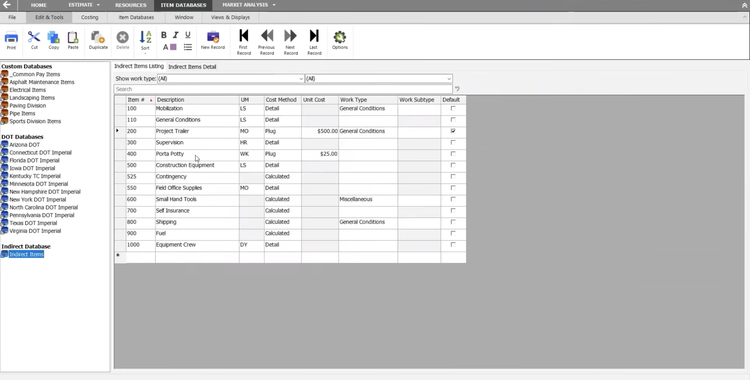
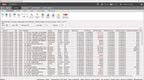
The system auto-distributes costs across pay items as you build the bid, so it reflects realistic project costs without manual intervention. Finally, once you finalize your proposal, the error check wizard can flag issues like zero costs or quantities, so your bids are always accurate before you submit them.
B2W Estimate starts at $5,500/user for a perpetual license. It’s part of a broader operational suite, so you can pick and choose modules that align with your operational needs. However, this will also add to your total cost of ownership. For example, if you need resource scheduling and dispatching, you must purchase B2W Schedule as well.


Get more pricing details and key features on our B2W Estimate product page.
InSite Elevation Pro - Best for Earthwork Takeoff and GPS Modeling
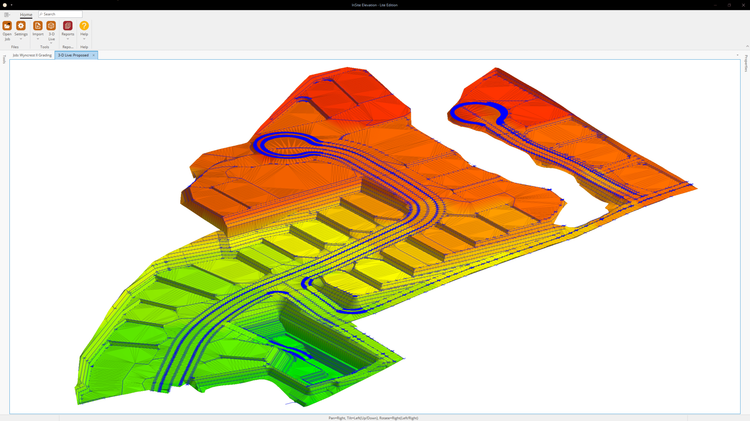
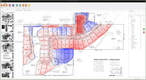
InSite Elevation Pro is an earthwork takeoff and GPS modeling platform for contractors who bid earthwork and utility work and want their estimates to carry straight into the field. It lets estimators model existing and proposed surfaces, calculate cut and fill, and build machine-ready models in a single takeoff, using an intuitive interface.
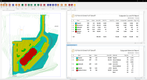
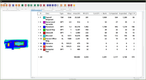
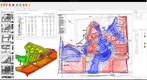
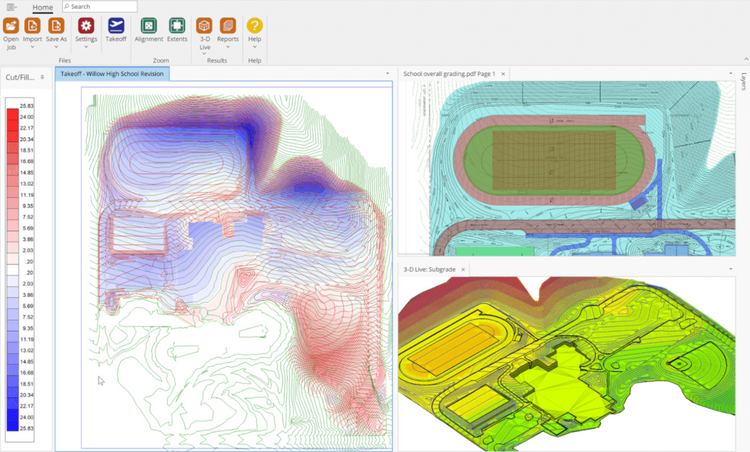
Elevation Pro handles the grading side of the job. Estimators can calculate cut and fill by soil strata and quantify stripping, demolition, paving, building pads, and topsoil without leaving the same takeoff. Users can check their surfaces in 3D Live and create cut-and-fill contour maps to confirm their quantities before bidding. Site balancing tools then help estimators reduce haul distance and equipment costs by showing where material can move on site.
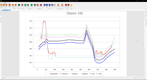
For utility work, Elevation Pro’s utility takeoff calculates excavation and backfill quantities for sanitary and storm sewer, water, electrical, and gas lines. It uses the earthwork contours from the site takeoff, so trench quantities match the grading model. Takeoffs can be exported to layered PDFs, CAD files, and Google Earth KMZ so everyone on the team works from the same data. Models also export to GPS machine control systems like Trimble, Topcon, CAT, and Leica, so the model that supports the bid can also guide the equipment.
Pricing starts at $3,900 per year, and training and 7-day support are included to help teams get up and running quickly. For contractors who bid earthwork and utility work and use machine control or plan to adopt it, Elevation Pro is a strong fit.
MudShark - Best for 3D Visualization
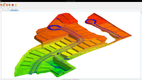
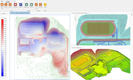
MudShark is an earthworks estimating software built for sitework contractors. It handles standard cut-and-fill calculations and estimates well, but its real appeal lies in turning site plans into fully interactive 3D models, making jobs easier to visualize.
With MudShark, you can create a digital terrain model from CAD, PDF drawings, and DXF files. It lets you rotate the surface, slice cross sections to compare different versions, and walk the site virtually as if you were on the job.
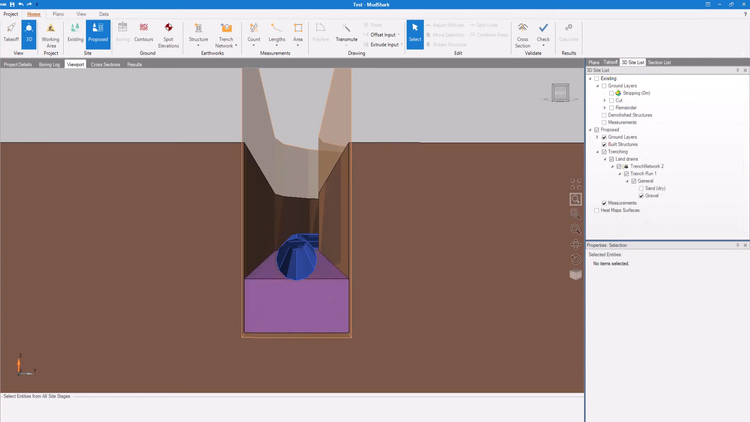
The system also offers a trench and pipe network module as an add-on for contractors who need it. This adds 3D trench modeling with automatic clash detection. This way, you can see if underground utilities overlap and account for bedding and backfill layers before any ground is broken.
MudShark is best for projects that require a walkthrough to clearly communicate design changes to your clients and crew. For smaller firms that only need simple cut and fill calculations, MudShark’s 3D features may be more than necessary. However, with pricing starting at $225 per month, it’s an affordable option for contractors who want to show clients and crews exactly how a site will change.
AGTEK - Best for Large Complex Sitework
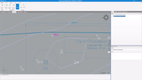
AGTEK is an earthwork takeoff platform for large civil and sitework contractors offering a suite of applications for complex grading, utility, and civil work. AGTEK has been a leader in the space for years and is often considered the gold standard for large multi-phase earthwork jobs where estimators need fast, detailed cut-fill maps, cross sections, and 3D visualizations that clients can trust.
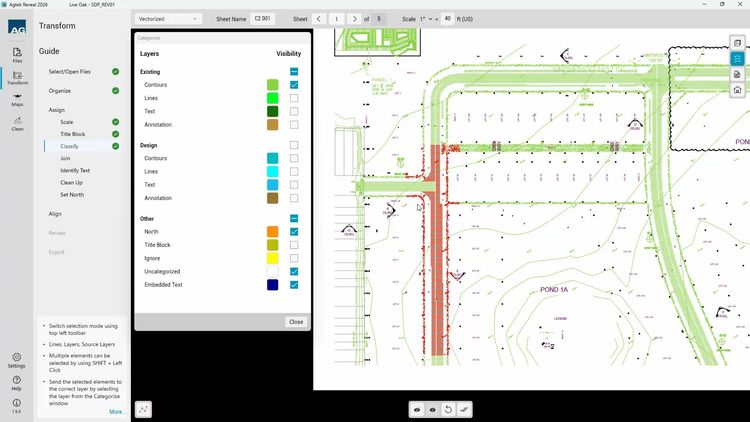
Gradework, AGTEK’s earthworks takeoff product, handles the grading side of the job. Estimators can build takeoffs from PDF or CAD drawings, then break quantities down by phase and structure, so each stage of work stays organized with its own cut-and-fill numbers. Gradework also accounts for soil strata and calculates over-excavation and stockpile volumes, helping estimators plan where material moves on site or between phases.
For utilities and heavy civil projects, contractors can use AGTEK’s Underground and Highway applications. Underground handles pipe and trench takeoffs, showing how much material each trench needs at different depths, from bedding around the pipe to backfill on top, even when rock or changing soil conditions are involved. Highway is built for road and corridor jobs, using mass haul analysis to show where cut material can be reused as fill and how the work should be phased. It also supports DOT electronic CAD data.
However, for smaller earthworks contractors, AGTEK is likely overkill. The system is built to support some of the most complex sitework and is priced accordingly. Users often point to its steep learning curve for new earthwork estimators and the high cost of purchasing the full suite. That said, for large jobs and experienced estimators, AGTEK is one of the best earthwork takeoff applications available.
What is Earthworks Estimating Software?
Earthworks estimating software helps excavation, heavy civil, and other earthwork contractors calculate the volumes and costs involved in grading and excavation projects so they can bid with confidence. Like general construction estimating software, it replaces manual paper-based calculations with digital tools that reduce human error and speed up the bidding process. Earthwork estimators use it to measure cut-and-fill volumes from site plans, account for stripping, subgrade, and soil conditions, and turn takeoffs into competitive bids.
Earthwork estimating software typically falls into two categories:
- Earthwork takeoff software builds 3D models of the job site from PDF or CAD drawings and calculates cut, fill, and trench volumes.
- Estimating software then applies labor, equipment, and material costs to those quantities to calculate an accurate job price.
Some systems handle both sides of the estimate, while others handle only one or the other.
Because earthwork is usually one of the first phases of a project, small errors in cut, fill, or import quantities can significantly affect a bid and carry through the rest of the project. Accurate takeoffs and estimates help contractors bid competitively without leaving money on the table or taking on work at a loss.
Key Features
-
Digital takeoff: Calculate earthwork quantities like cut, fill, and trench volumes directly from PDF or CAD site plans.
-
3D modeling: Build 3D views of existing and proposed site conditions to see elevation changes and catch problem areas before bidding.
-
Cut and fill balancing: See where a site has excess or missing material and whether it can balance on site, helping estimators plan haul, import, and export before pricing the job.
-
Trench and utility takeoff: Quantify pipe runs and trench excavation, including bedding, cover, and backfill, for storm, sewer, and water work.
-
Labor cost estimating: Estimate crew hours and labor costs for each scope of work using job-specific rates and production data.
-
Material and equipment estimating: Price materials like aggregates and fill alongside owned or rented equipment costs.
-
Estimate to bid conversion: Turn internal cost estimates into customer-facing bids and proposals using custom templates.
-
Historical estimating data: Reuse past job costs, production rates, and unit prices to speed up future estimates and keep pricing consistent.
-
Plan and estimate management: Store plans, revisions, estimates, and supporting documents like soil reports in one place instead of paper files and spreadsheets.
Benefits
Earthworks takeoff software provides many useful advantages to estimating. Some benefits include:
Accurate Job Planning
The first benefit of earthworks estimating is being able to plan out projects from start to finish with greater accuracy. Earthwork services are necessary before starting a wide range of construction jobs, such as:
- Roads and railways
- Highways
- Bridges and tunnels
- Building foundations and basements
- Land grading
- Drainage and dredge excavation
Before any site work on these civil engineering projects can begin, the takeoff process is necessary to calculate all possible measurements. From drawing sheets to detailed cross-sections, these detailed documents can indicate just how much earthmoving is required, the volume of materials necessary, and other important variables regarding the work.
For example, earthworks excavation software has tools to digitize takeoff into a 3D model to reveal possible complications with existing elevations so solutions can be identified in advance. And site drawings can be converted into CAD files with real GPS data to reflect actual locations on the entire worksite.
Improved Bidding Process
Previously, earthworks estimates had to be calculated by hand. Then, basic programs such as Excel allowed for streamlined estimations to be made with formulas. Those numbers were then used in bids to predict job costs. However, human error still causes mistakes to happen. As a result, the actual cost for the project could wind up significantly higher than the initial estimate indicated. Use earthworks estimating software to determine the details and costs of a specific project in order to perfect bids and proposals.
User-friendly digital takeoff tools can ease area and perimeter calculations by showing exactly where various property lines end or intersect. Now, estimates can be completed in minutes instead of hours or days while accounting for labor and equipment costs. And with more accurate estimates, more projects can be completed on or under budget.
Increase Worksite Safety Compliance
Accidents happen in earthworks, though they don’t always have to. Incidents from over-excavation or unstable slopes at high elevations can be avoided with proper planning and adherence to local or federal laws.
Earthwork projects require precision. Quantity estimation is necessary to ensure soil removed matches available fills. A single error during this step can endanger the project and risk the stability of the soil.
There are also safety regulations to consider when performing site work to prepare a bid. The Occupational Safety and Health Administration (OSHA) has very strict rules regarding how to safely operate earthworks projects based on soil classification. During the bidding process, you need to be aware of these different regulations when encountering:
- Stable rock
- Type A soil
- Type B soil
- Type C soil
Failing to thoroughly investigate and take these different soils into account could delay excavation to prevent collapse when sloping, shoring, or shielding. By utilizing earthworks estimating software, these factors can be addressed early on, reducing the possibility of accidental collapse, worker injuries, and project delays alike. In addition to addressing OSHA regulations, software can adjust for international soil classification systems as well.
Lower Labor and Materials Costs
Finally, earthworks estimating software can lead to lower overall project costs and higher ROI. With precise estimates and bids, earthwork engineers can lower overall project costs. By anticipating every aspect of the project in advance, civil engineers and contractors can avoid unexpected expenses.
For instance, working a site which covers a wide area may result in working amongst different soil classifications. Geotechnical engineers know the tools used for moving coarse-grained soils can’t be used for handling peat. Since certain soil classifications need to be worked by specific equipment, that means adjusting the estimate to include more equipment for each classification at the location. This can further influence the total costs based on worker experience with that equipment and availability of rentals if necessary.
Additionally, in-depth crew analysis can reveal who should be assigned to each earthworks project for the best results. Historical data from past jobs can show who has experience with specific equipment, elevations, or soil classifications. This information can let you know from the start whether you need additional labor or specialty contractors to complete work.
Earthworks Estimating Software Pricing
Pricing for earthworks estimating software depends mostly on the type of tool, the number of users, and how the vendor sells it. Standalone takeoff tools generally cost the least, ranging from a few hundred dollars per year for basic cut-and-fill software to several thousand dollars per year for more advanced 3D modeling tools.
Most vendors now sell annual subscriptions, though some still offer one-time perpetual licenses with optional yearly support, and cloud-hosted versions can cost more than desktop versions of the same product. Larger platforms are often quote-based and price users and add-on modules separately, so costs rise quickly as teams grow or add features.
Beyond the license itself, budget for training, implementation, and ongoing support. Some systems can be self-installed and learned through free tutorials, while larger platforms may require paid onboarding or professional setup before estimators can start bidding. Several options also integrate with all-in-one general contracting software for invoicing and accounting.

