The Best Lease Management Software
Lease management software keeps every lease, critical date, and obligation in one place, so renewals and rent changes never catch you off guard. We reviewed the top platforms for real estate and equipment lessees, including options that handle lease accounting too.

- Compliant with ASC 842, GASB 87, and IFRS 16
- Modules for additional portfolio compliance
- Intuitive and easy to use dashboards
- Can manage 50 or more leases
- Integrates with any ERP
- Multi-currency support for global operations
- Tracks rent, CAM, and operating expenses by property
- Lease management module available without accounting
- Custom real estate reporting across your entire portfolio
Using our software review methodology, we’ve evaluated the most popular providers to find the best solutions on the market.
If you’re a lessor or property manager, you can explore options tailored to your needs on our property management software roundup.
- Visual Lease: Best for Enterprise Lease Portfolios
- LeaseQuery: Best for Multi-Asset Lessees
- Spacebase: Best All-in-One Lease Platform
- Leasecake: Best AI-Driven Tools
- EZLease: Best for Equipment Lessees
- Crunchafi: Best for Guided Lease Setup
- MRI ProLease: Best for Real Estate Lessees
- iLeasePro: Great for Small Lease Portfolios
Visual Lease - Best for Enterprise Lease Portfolios
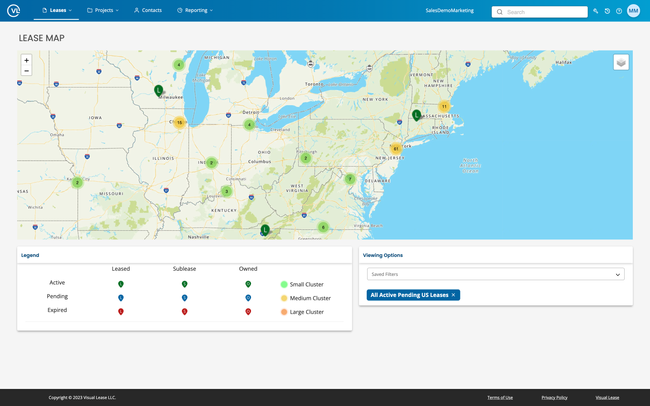
Visual Lease is built for enterprises managing large real estate and equipment portfolios. Its dashboard shows every upcoming critical date in one view, and layered alerts warn you ahead of renewals, expirations, rent increases, and insurance deadlines. You can store lease and transaction documents in one place or link to your existing shared drive, while AI lease abstraction pulls key terms from new leases so your team isn’t keying them in by hand.
For portfolio reporting, choose from over 100 standard reports or build ad-hoc reports to monitor KPIs by location, asset type, or department. Its Audit Manager also tests landlord and vendor bills against your lease terms to flag charges that don’t match. When finance needs it, Visual Lease covers FASB ASC 842, GASB 87 and 96, and IFRS 16 from the same lease data.
Additionally, Visual Lease auto-generates clear audit trails. Every change, from modifications and terminations to impairment and abandonment, is recorded and put through approval workflows, so you can see who made each edit and trace errors back to the source.
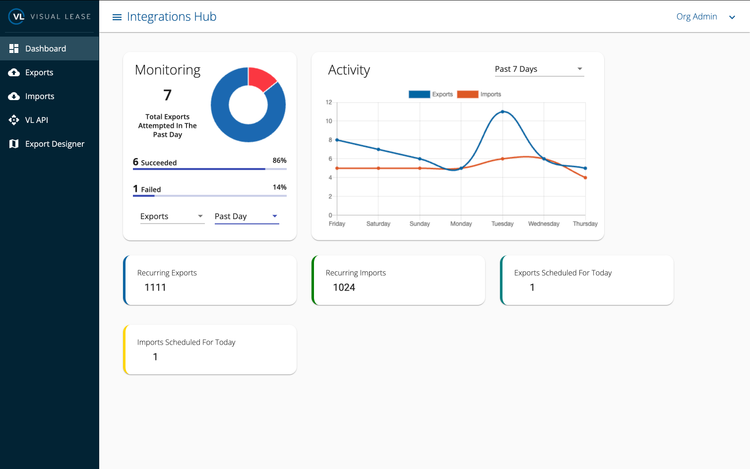
Visual Lease is best for large enterprises with mixed portfolios, like real estate and equipment leases. It integrates with all major ERP and accounting systems, so lease data flows to finance without manual exports. Unfortunately, you’ll need a custom quote for exact prices based on your size, lease amount, and required features.
LeaseQuery - Best for Multi-Asset Lessees
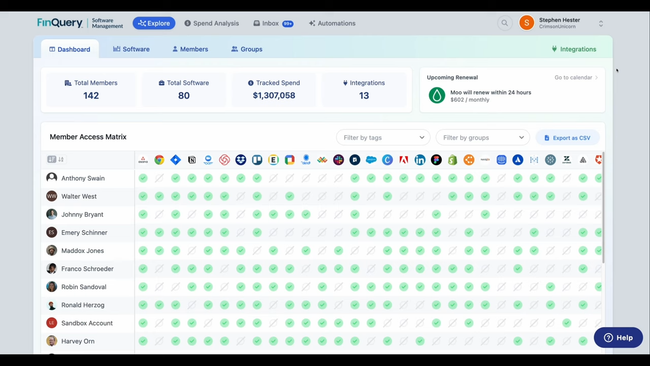
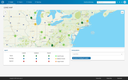
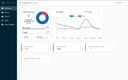
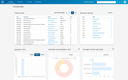
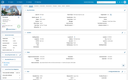
LeaseQuery, powered by FinQuery, can manage a diverse range of buildings, equipment, or other assets through its lease administration tools. Its AI-powered lease abstraction and data entry automatically extracts dates, payment streams, and clauses from your documents. While you can still review and confirm this data, you’re no longer building everything from scratch.
From there, the system monitors dates, tasks, and payments and sends automated notifications so renewal and rent-abatement deadlines don’t creep up on you. Plus, every lease is stored in a single cloud-based system with a standardized reporting structure. You can pull over 100 standard reports, and executive reporting on location, square footage, storage details, and other aspects becomes way easier for budgeting and forecasting.
When finance needs it, LeaseQuery also generates amortization schedules and journal entries under ASC 842, IFRS 16, FRS 102, GASB 87, GASB 96, and SFFAS 54. Pricing isn’t public, so you’ll need to request a quote from FinQuery based on your portfolio size and required features.


Spacebase - Best All-in-One Lease Platform
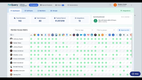
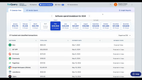
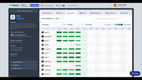
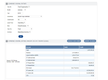
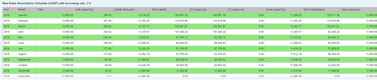
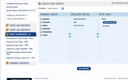
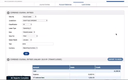
Spacebase is a lease administration and accounting platform for corporate real estate and finance teams. It centralizes lease documents, amendments, critical dates, and obligations, while finance teams generate ASC 842, IFRS 16, and GASB 87 schedules, journal entries, and disclosures from the same lease data. You can use the lease management module, the lease accounting module, or both.
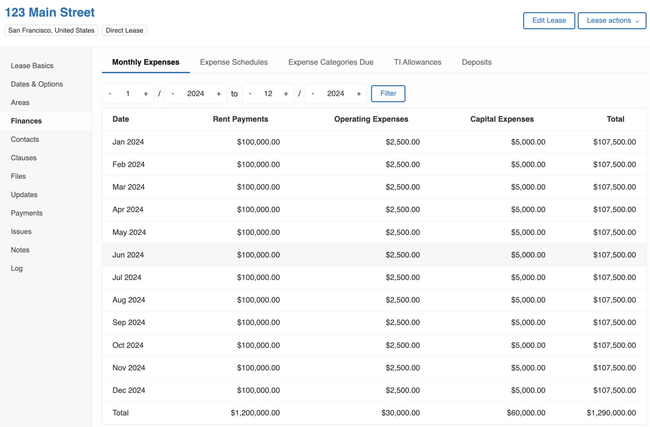
Beyond rent, Spacebase also tracks every cost tied to a lease, including:
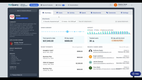
- Operating Expenses: This includes any extra costs the lease will have, including common area maintenance, insurance, repairs, and utilities. Spacebase supports both planned and unplanned expenses, and lets you compare properties across your portfolio.
- Capital Expenditures: You can categorize and budget all capital expenditures, including physical goods, services, or upgrades to the space. It compiles all of these in one place, making it easy to track depreciation and overall project costs.
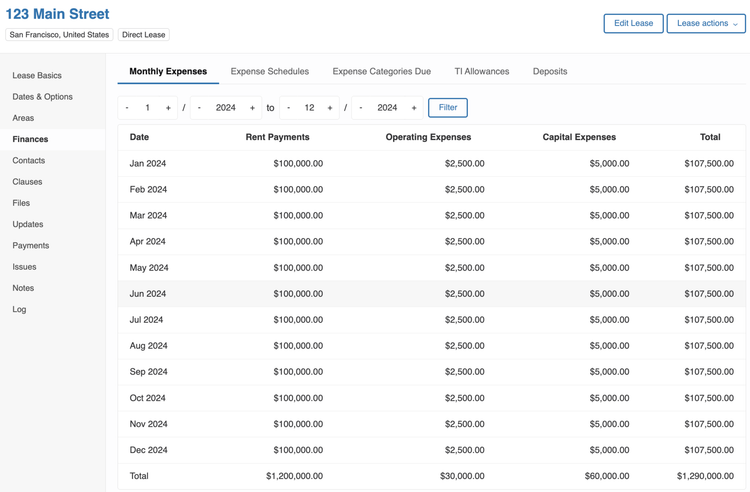
The expense tracking module works with your core accounting module, which Spacebase ensures is GAAP-compliant. You can view data in regular or GAAP format, so you and your accounting team can see it the way you want. This makes it easy to ensure that expenses align with payment and invoicing dates, keeping the books accurate.
Spacebase is best for mid to large-sized companies where real estate and finance teams work from one shared lease record. You’ll need a custom quote, since pricing depends on portfolio size and the modules you choose.

Leasecake - Best AI-Driven Tools
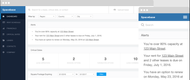
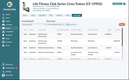
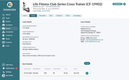
Leasecake includes an AI-powered assistant called Cakebot that simplifies lease abstraction. It pulls key details from lease agreements and amendments, giving you an accessible view of your obligations and terms.
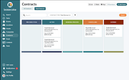
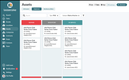
Leasecake also tracks critical dates like renewals and rent adjustments, so deadlines don’t slip past you. Reminders keep your team proactive across every lease, whether you check in from the web or the mobile app.
Plus, you can analyze lease data across different locations with custom reporting and occupancy cost analysis. With easy access to data for each site, you’ll have what you need going into lease contract negotiations.
You can also use Cakebot to search across multiple leases at once for specific clauses, like exclusivity agreements. This means you’ll find the answers you need without rifling through paperwork. Leasecake is built for multi-unit operators, especially retail, food and beverage, fitness, and franchise businesses.
Learn more about Leasecake in our full review.
EZLease - Best for Equipment Lessees
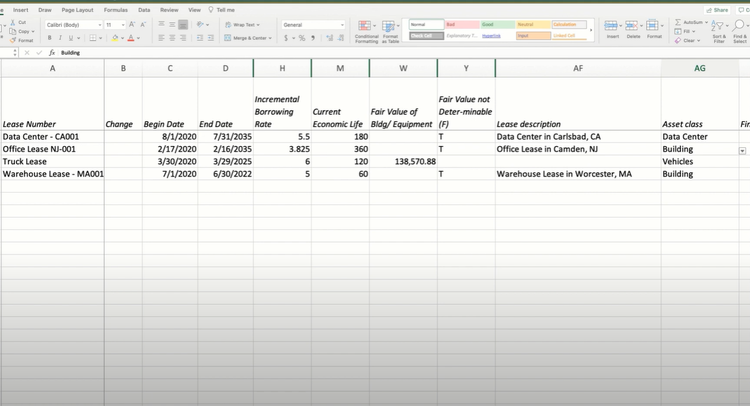
EZLease is great at managing equipment leases and provides a platform for managing short-term leases and smaller lease portfolios. It keeps equipment and real estate leases in a single portfolio, along with a landlord database and sublease tracking, and its import and export tools enable mass updates across many leases faster. It’s custom fields let you track the details that matter for each asset, like asset type, payment amounts, and lease terms.
EZLease also offers 15+ customizable reports, including lease summary reports. You can filter by lease type, start and end dates, monetary values, or custom-defined categories, then export to Excel, PDF, or CSV. When finance needs it, the same lease data can produce amortization schedules and classification reports automatically for ASC 842, GASB 87, GASB 96, and IFRS 16. Pricing starts at $4,000 per year, and a free version is available for up to five leases.
Crunchafi - Best for Guided Lease Setup
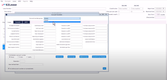
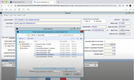
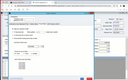
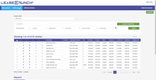
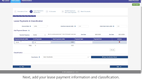
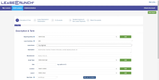
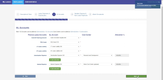
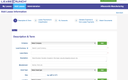
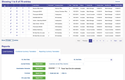
Crunchafi, formerly LeaseCrunch, lets you attach original lease documents and any supporting files directly into the lease record. You can either enter the term in months or just the end date if you know the start date. Crunchafi then adjusts the calculations, like payment schedules, based on the information you provide.
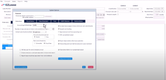
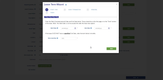
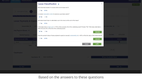
The lease term wizard walks you through setting the lease term based on the standard you report to. It asks whether you’re reasonably certain to exercise a renewal option or to bypass an early termination option, then extends or shortens the term accordingly. For GASB leases, it also factors in economic incentives and cancellation clauses.
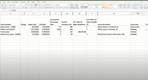
Once you’ve entered your details, Crunchafi can instantly generate journal entries, amortization schedules, and footnotes. This helps you maintain precise financial records for each lease and keep them up to date. Crunchafi prices its lease accounting software per lease, per year, and training and support are included in every plan.
Read our full Crunchafi product overview.
MRI ProLease - Best for Real Estate Lessees
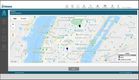
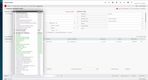
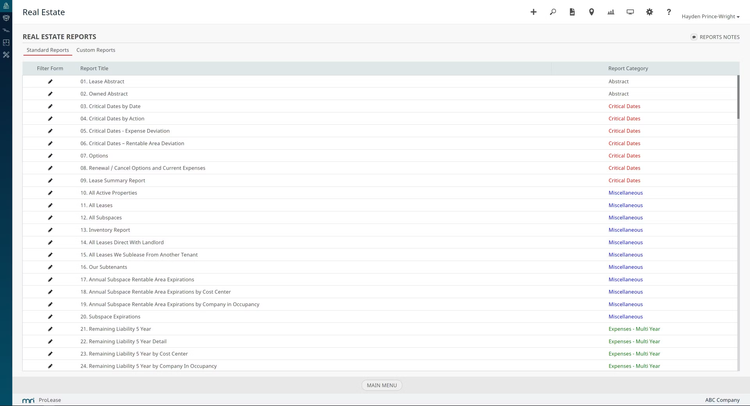
MRI ProLease is designed to help manage various lease types like retail locations, office space, and industrial properties across multiple locations. It stores lease agreements for centralized tracking, making it easier for you to stay on top of key dates, obligations, and terms.
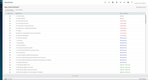
ProLease offers customizable reports to monitor financial performance, lease renewals, and rent escalations. This gives you a clear view of your lease portfolio’s financial health. Additionally, the software offers lease abstraction, summarizing key terms and clauses from full lease agreements into concise, easy-to-read documents. This helps you quickly refer to specific terms, like allowable usage, subleasing options, or maintenance obligations.
iLeasePro - Great for Small Lease Portfolios
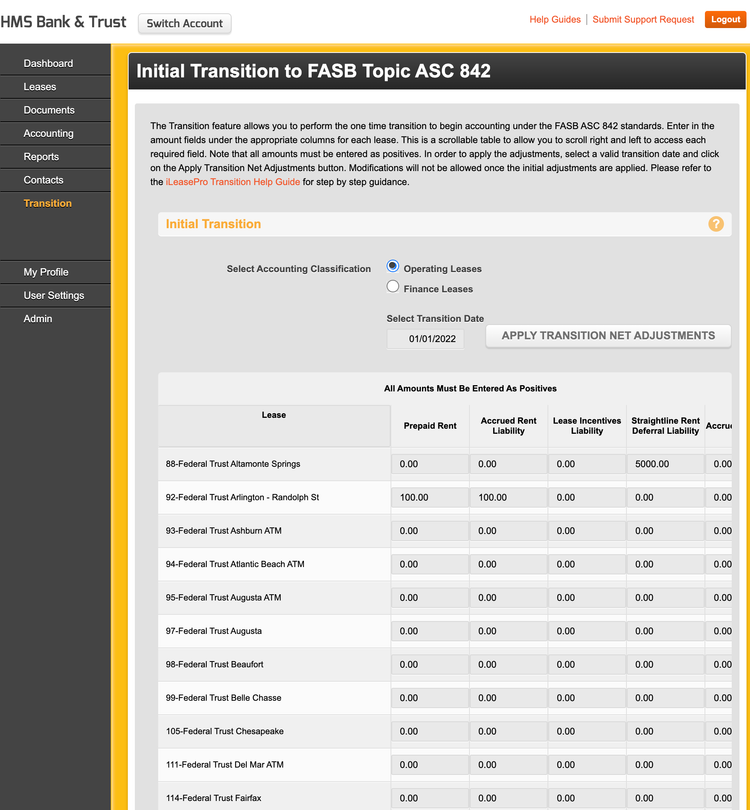
iLeasePro is best for small to mid-sized businesses with straightforward lease portfolios across real estate, equipment, and vehicles. It tracks critical dates and rent escalations for every lease, and built-in lease abstracting turns your agreements into structured records you can search and report on. That covers the day-to-day tracking a small team needs without a dedicated lease administrator.
When finance needs it, the portfolio accounting module generates summarized journal entries you can export to CSV and group by general ledger account. It also handles variable lease payments, walks you through short-term and finance lease classifications, and integrates tightly with Sage Intacct.
iLeasePro is one of the lower-priced options on the market. Its iLeaseXpress plan is free for up to five leases and starts at $99/month as your portfolio grows. The full iLeasePro platform, with unlimited leases, starts at $3,142/year, with discounts of up to 15% for longer contract terms.


What is Lease Management Software?
Lease management software (also known as lease administration software) centralizes your lease agreements and tracks the dates, obligations, and costs associated with each lease. It also stores documents such as lease contracts and amendments, abstracts key terms such as renewal options and CAM clauses, and sends alerts before critical dates so that renewals and rent changes don’t catch you off guard. For lessees with real estate or equipment across multiple locations, it replaces the spreadsheets and shared drives where those details are easy to lose.
Most platforms also support the three lease accounting standards listed below, either directly or through a connected accounting module.
- FASB ASC 842: A US accounting standard requiring lessees to recognize most leases on the balance sheet as assets and liabilities to provide a clearer picture of lease obligations.
- GASB 87: A US governmental accounting standard that requires state and local government entities to recognize leases as liabilities and right-of-use assets for more accurate financial reporting.
- IFRS 16: An international accounting standard that requires lessees to report nearly all leases on their balance sheets as right-of-use assets and lease liabilities, with exemptions for short-term and low-value leases.
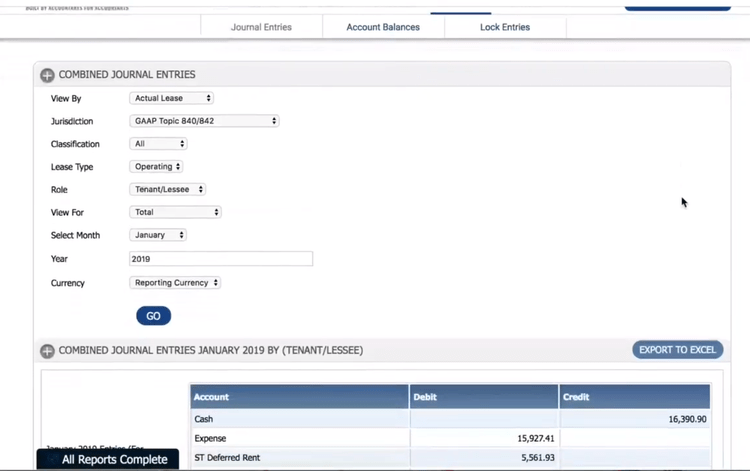
Lease management and lease accounting software often overlap, but they serve two different teams. Lease management keeps the operational side of your portfolio on track, from renewals and terminations to buyouts and CAM. Lease accounting calculates right-of-use assets and lease liabilities and produces the journal entries and disclosures required under FASB, GASB, and IASB standards.
Lease Management vs. Lease Accounting Software
These two get used interchangeably, but they solve different problems. Lease management software runs the operational side of your portfolio. Lease accounting software produces the journal entries and disclosures your auditors need.
Most modern platforms do some of both. The question is which side they were built for, and which side you actually need.
What Each Does
| Capability | Lease Management | Lease Accounting |
|---|---|---|
| Primary job | Track what you owe, when, and to whom | Produce ASC 842, IFRS 16, and GASB 87 outputs |
| Core outputs | Renewal alerts, payment schedules, portfolio reports | ROU asset and liability calcs, amortization schedules, journal entries, disclosures |
| Lease abstraction | Pulls operational terms (dates, clauses, CAM) | Pulls financial terms (payments, term, renewal and purchase options) |
| Who uses it | Real estate, operations, franchise, lease admin teams | Controllers, accounting managers, auditors |
| What it prevents | Missed renewals and overpaying on CAM | Audit findings and blown close deadlines |
Why the Distinction Matters
A real estate ops team can run perfectly well on management-first software and never need an accounting module. A controller at a private company adopting ASC 842 may only care about journal entries and won’t use the renewal alerts at all. Buying the wrong side wastes money on features no one touches and leaves gaps where it actually counts.
The split also shapes who owns the software internally. Management-led tools usually sit with real estate, operations, or franchise teams. Accounting-led tools sit with finance and report up through the CFO. When both teams need the same data, you want a platform that handles both well or two that integrate cleanly.
If your priority is closing the books, start with the accounting-led options. If your priority is never missing a renewal window across 200 retail locations, start with the management-led ones.
Key Features
| Feature | Functionality |
|---|---|
| Document Management | Log and maintain all signed lease agreements, amendments, tax forms, maintenance contracts, and compliance records. |
| Lease Abstraction | Extract key dates, clauses, and payment terms from lease documents into structured records, often with AI assistance. |
| Date Tracking | Track lease start dates and expiration dates, payment due dates, and renewals. Receive automatic notifications for important deadlines to avoid late fees and missed renewals. |
| Lease Renewal Automation | Automate renewal by tracking approaching end dates and receiving early alerts for renegotiations or terminations. |
| Lease Payment Management | Monitor payment schedules, rent escalations, and abatements so you pay the right amount on time across every lease. |
| CAM and Expense Tracking | Track common area maintenance, operating expenses, and other costs beyond base rent to catch overcharges. |
| Multi-Currency Support | Track rent and lease payments in local currencies for leases across multiple countries. |
| Lease Accounting | Some platforms add ASC 842, IFRS 16, and GASB 87 calculations, journal entries, and disclosures, which matters if finance will work from the same lease data. |
Types of Lease Management Software
Lease management software is used by a variety of businesses as a comprehensive way to centralize and manage their lease data, contracts, and critical dates, including:
Equipment Lease Management Software
Lease management software for equipment leases stores lease information and data about all types of leased assets, such as tools, vehicles, and machinery. The system logs details like the current condition of your equipment. You can also track buyout options, return dates, and end-of-term conditions to avoid penalties at lease end.
Real Estate Lease Management for Lessees
Lease management software for real estate helps lessees of office spaces, warehouses, and retail properties better track payment obligations, renewal dates, and key lease clauses. It streamlines the management of complex portfolios of leased real estate and provides the data you need to negotiate renewal terms. These systems also keep CAM charges, rent escalations, and option deadlines visible across every location.
Benefits
Automated Lease Management
Lease management software helps organizations track renewal windows, rent escalations, and notice deadlines weeks or months in advance, so nothing depends on someone remembering to check a spreadsheet. This gives your team time to decide whether to renew, renegotiate, or exit before an option expires. Missing a single renewal window can lock you into another multi-year term at terms you didn’t negotiate.
Centralized Data
Use dedicated software to store every lease agreement, amendment, and payment record in one searchable system instead of scattered across shared drives, inboxes, and filing cabinets. When someone needs a clause or a date, they can find it in seconds rather than tracking down the original document. A central record also keeps lease knowledge from walking out the door when a lease administrator or regional manager leaves.
Lease Obligation Compliance
Every lease comes with requirements beyond rent, including insurance certificates, maintenance responsibilities, use restrictions, and notice periods. Lease management software tracks these obligations and can sort them by building, location, or asset type, helping you meet them on time and avoid defaults or penalties. A complete history of every change and approval also makes landlord disputes and internal reviews easier to resolve.
Financial Transparency
See total rent, upcoming escalations, and remaining commitments across your entire portfolio in one view. This makes budgeting and forecasting more accurate, especially when you’re planning store openings, closures, or office consolidations. You can also compare occupancy costs by location to see which sites are worth keeping.
Lower Occupancy Costs
Tracking CAM charges and operating expenses against what each lease allows makes it easier to catch overbilling and dispute it during reconciliation. Portfolio-wide data on rents and terms also gives you leverage when it’s time to renegotiate.
Less Manual Data Entry
AI-assisted abstraction automatically pulls key dates, clauses, and payment terms from lease documents, so your team reviews data instead of typing it in. This speeds up onboarding new leases and cuts the errors that come with copying terms by hand.
Integration Options
Lease management solutions can be paired with other software to provide even more ways to manage your workflow:
Leased Asset Management
This software keeps records of your leased assets, including who is using them, their condition before and after use, and important preventative maintenance deadlines. For lessees, tracking an asset’s condition before and after renting is important for avoiding damage-related penalties and complying with the agreement terms. It’s especially helpful for tracking equipment, vehicles, and other assets that require careful oversight throughout their usage.
How to Choose Software
Evaluate Pain Points
Identify the problems and pain points in your current process that need to improve. These could be missed renewal windows, lease documents scattered across locations, CAM overcharges, or an upcoming ASC 842 audit. An operational problem often points to the need for a management-focused tool, while issues with month-end close and audits point to accounting-led tools.
Consider Lease Portfolio Size
The size of the lease portfolio is crucial for finding the right-fit platform. The more complex your portfolio is, the more you should look into enterprise-grade platforms. Smaller, less complex portfolios will get by using simpler tools. For example, iLeasePro has a free version for up to 5 leases.
Identify Must-Have Features
Determine the critical features you need from a new platform. Ask yourself: what will make or break your process if the platform does not include these features? Common features of the businesses we talk to include lease abstraction, critical date alerts, document storage, CAM and operating expense tracking, portfolio reporting, lease classification, and automated calculations, if finance needs them.
Compliance and Regulatory Requirements
Some platforms will help you stay in compliance with regulatory requirements better than others. Ask these simple questions when evaluating options:
- If finance will use the platform, confirm it supports the accounting standards you report under, like ASC 842, IFRS 16, or GASB 87.
- If you only need lease administration, focus on how well it tracks lease clauses and obligations instead, such as insurance requirements and CAM audit rights.
Integration Capabilities
- Evaluate how well the software integrates with existing systems, such as ERP or accounting software.
- Check if it supports data import/export in formats your organization uses.
Vendor Evaluation
Take into account aspects like the vendor’s market standing, the quality of customer service, the software’s user-friendliness, and the breadth of functionalities provided by the software.
User Support Training
- Ensure your vendor includes onboarding programs to guide new users through the initial setup.
- Check for resources like training sessions, video tutorials, and online knowledge bases with articles and troubleshooting guides.
- Evaluate which support channels are available and what ongoing support looks like after go-live.
Pricing Guide
Pricing typically factors in your lease portfolio size, user count, and the complexity of your business needs.
Low-Tier
- Company Size: 1-25 employees; managing up to 10 leases
- Average Yearly Cost: $1,000 to $5,000 per year
- Examples: iLeasePro, EZLease
- Included Features: Basic lease tracking, reminders, and simple reporting tools.
Mid-Tier
- Company Size: 25-150 employees; managing 10 to 50 leases
- Average Yearly Cost: $5,000 to $30,000 per year
- Examples: Spacebase, LeaseQuery
- Included Features: Includes advanced reporting and integration with accounting systems.
High-Tier
- Company Size: 150-500 employees; managing 50 to 200 leases
- Average Yearly Cost: $30,000 to $150,000 per year
- Examples: MRI ProLease, Leasecake
- Included Features: Multi-currency support, advanced customization, and compliance tools for managing leases across multiple jurisdictions.
Enterprise
- Company Size: 500+ employees; managing over 200 leases
- Average Yearly Cost: $150,000+ per year
- Examples: Visual Lease, CoStar Real Estate Manager
- Included Features: The highest level of customization and dedicated support for global organizations.