
The Best Utility Billing Software
Utility billing software can help providers and municipalities of all sizes streamline their payment processes. We’ve evaluated top options for core functionalities like meter reading collection and customer management.

- Native mobile app
- Meter reading system
- Geo-mapping for meter locations
- Configurable reporting options
- Offers operational management with asset mapping and maintenance
- Integrated payroll, time and attendance and HR functionality
- Supports several meter types
- Includes 50 standard reports
- Create user-defined reports
These systems will give you everything you need to monitor and manage your entire billing process, from meter reading to invoice compilation and payment processing.
- El Dorado Utility Billing Software: Best for Municipalities
- gWorks: Best Account Management
- Banyon Utility Billing: Most Flexible
- Visual Utility Billing: Best Customer Portal
- Tyler Technologies: Utilities Pro: Best for Independent Utility Services
- UtilAbility: Best for Multi-Entity Utility Providers
- OpenGov: Best Integrated Government Suite
El Dorado Utility Billing Software - Best for Municipalities
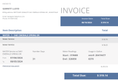
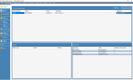
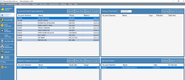
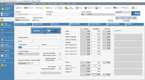
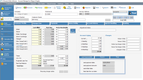
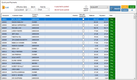
El Dorado Utility Billing Software offers a streamlined meter reading system for local governments. Each one will be displayed on an easy-to-read dashboard, so all data is in one place. You can also configure variance thresholds and be alerted when readings exceed limits. This allows you to stay ahead of unexpected faults that could result in high bills for customers, especially for governments managing hundreds of systems.
This functionality also extends to its native mobile app. Threshold alerts can be sent to your phone, so you’ll always know when errors occur. It also includes geo-mapping, so you can locate meters on a map interface. This is useful for dispatching technicians, as you can send them the exact locations of the devices.
El Dorado has a one-time cost of $495/user. Its price point and breadth of features make it an effective option for midsized municipalities that manage between 200 and 3,000 meters.


gWorks - Best Account Management
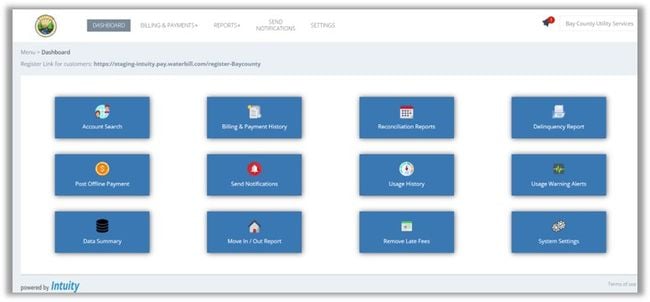
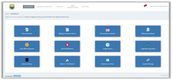
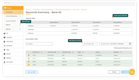
The gWorks Utility Billing Hub centralizes all customer accounts in one place, giving municipalities a complete view of their utility data. Local municipalities and special utility districts can quickly search and view accounts to access complete billing history, service details, and payment balances, allowing staff to answer any account-related questions promptly. gWorks Utility Billing can be purchased as a standalone module or connected with its Finance and HR suite for a complete local government solution.
Its integrated account management tools streamline everyday administrative tasks. Processes like creating new accounts, processing move-ins and move-outs, and updating customer information are simplified through a modern cloud-based interface. Staff can set special considerations for accounts with energy and tax assistance, or create shut-off exemptions, ensuring each customer is handled according to local policies. And for communities handling rental properties, the landlord management feature allows users to track multiple under one owner while maintaining separate tenant billing.
That said, gWorks is best for small to mid-sized municipalities that need precise control over customer accounts and their billing relationships. Pricing is quote-based and scales with the modules desired. gWorks can be implemented as a bundled package that includes accounting, HR, permitting, and online forms, or purchased as a standalone utility billing module.
Banyon Utility Billing - Most Flexible
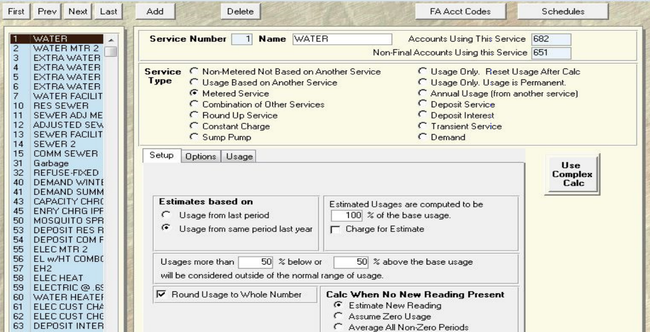
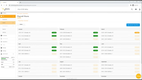
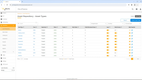
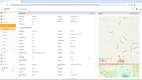
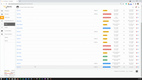
Banyon’s utility billing module supports several service types for each customer. These include metered or unmetered, water, sewer, and combo meters. Because of this, you can manage complex billing cycles for customers with multiple services. It supports different surcharges, penalties, and adjustments, ensuring your bills are accurate.
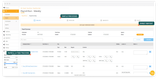
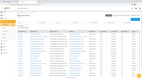
Further, Banyon’s flexibility extends to its integrated report writer. You can choose from over 50 standard templates and customize them to fit your needs. The system consolidates all customer billing data and lets you create user-defined reports that support detailed billing summaries and multi-meter usage. Once completed, easily export them to Microsoft Word, Excel, or as a PDF.
Visual Utility Billing - Best Customer Portal
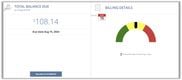
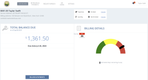
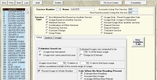
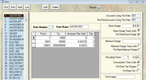
Visual Utility Billing’s Citizen Action Center helps customers interact with their local governments. Users can add their bank account and credit or debit cards to pay utility bills. The portal also includes auto-pay, which helps ensure they never miss a cycle and lets you get paid more consistently.
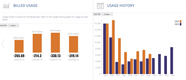
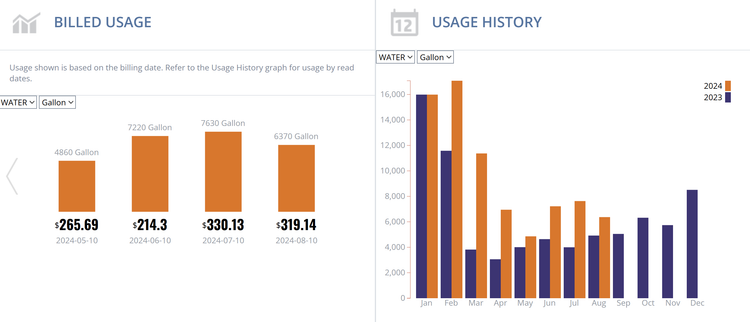
Citizens can also view their billing and payment history for previous utility cycles. This information is presented in easy-to-read charts or graphs, allowing users to compare usage month by month. The portal even lets you communicate with your customers for better client management and dispute resolution.
Visual Utility Billing starts at $1/user/month, making it an affordable solution for municipalities.

Tyler Technologies: Utilities Pro - Best for Independent Utility Services
Utilities Pro by Tyler Technologies allows small companies to streamline their processes. Its billing module supports several billing methods, including assessment, consumption-based, flat-rate, and installation agreements. Also, you can use the flexible rate engine to manage more complex rates easily. This allows you to automate rate calculations and create customer invoices more efficiently.
Additionally, you can integrate third-party meter reading systems to import data. These can be for water, sewer, electric, or gas billing, eliminating tedious information transfers between systems. Once a bill is created, you can enable auto-billing, so each account is notified on time so you can get paid faster.
Utilities Pro starts at $25/user/month. It integrates with Tyler Technologies’ ERP Pro software, which includes full accounting and payroll modules for a fully automated system.


UtilAbility - Best for Multi-Entity Utility Providers
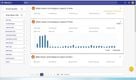
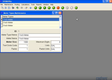
UtilAbility helps municipalities manage multiple services under a single billing system, including water, sewer, trash, electric, and gas. This software lets your team define each entity and set its rates, services, and policies when managing several jurisdictions or departments.
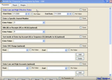
Rather than jumping between siloed modules or separate databases, UtilAbility lets you filter by customer, account, or service to see how different utilities relate to individual households or businesses. Your staff can even click straight into the maintenance form they need to tweak a service code or post a payment without restarting the search process all over again.
This utility billing software also keeps customer interactions consistent across services. If a resident disputes a water bill while paying their trash bill, your team can view both accounts. From there, your team can verify the water reading, apply payment rules, and issue a shut-off warning if necessary, all in one session.
This platform can scale from a single small entity to multiple companies with thousands of customers and various rate structures and utility types. While UtilAbility requires a price quote, it starts at $1,850 as a one-time purchase.
OpenGov - Best Integrated Government Suite
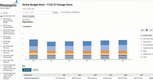
OpenGov is government software designed to help municipal, state, and special district agencies manage their operations in a single system. Its utility billing tools support metered and non-metered services like water, sewer, electric, and waste billing. Its features include online payment processing, consumption tracking, and automated payment notifications for modern municipalities. That said, its biggest strength lies in its ability to connect every department’s workflows into a single software solution.
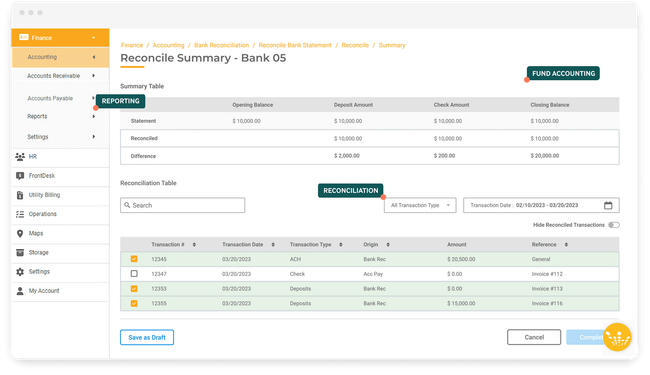
The OpenGov platform ties core administrative tasks like fund accounting, payroll, and procurement with operational departments like permitting and licensing, tax and revenue collection, and enterprise asset management. Each of these suites is connected, so every department works off the same data, instead of multiple siloed systems. That way, when a city processes a utility payment, those transactions automatically feed into the general ledger. And when the maintenance department services a piece of equipment, those costs are reflected in the annual budget.
Because of its feature depth, OpenGov is best suited for mid-sized to larger municipalities seeking a unified platform rather than multiple separate systems for utility billing, finance, and permitting. Pricing is quote-based and scales based on the desired features, government size, and implementation and training complexity. Smaller municipalities seeking lightweight packages may find the enterprise pricing and setup costs too steep for their requirements.
What is Utility Billing Software?
Utility Billing software aids in invoicing customers of utility services, such as gas, water, electricity, and more. Utility companies use this type of software to record usage data from meters and pair them with a billing rate in order to determine the appropriate charge for a customer each billing period.
Utility Billing software can come as a stand-alone solution to provide core needs such as reading meters and calculating billing amounts. It can also come as a fully integrated option with back-end accounting to manage every aspect of your utility operation.
Key Features
| Feature | Details |
|---|---|
| Customer management | Store information on all customers being provided utilities. Record information such as their service address, contact details, and more. |
| Meter management | Automatically import meter data into the system and pair it with a customer account. Keeps track of historical usage and can alert technicians if meter readings appear out of the norm. |
| Multi-company management | Keep separate records of different utility collections by organizing them as separate companies. An end user may own or manage multiple utility companies, sites, HOAs, and more, and will ensure records and data files can be kept separate. |
| Payments & invoices | Handles billing and invoicing customers for their utility usage. Record check payments, process recurring credit card or ACH payments. Billing can be handled via mailings or through online portals. Integrated Utility Billing options are also available, which include accounting functionalities such as tracking expenses and creating reports in a general ledger. |
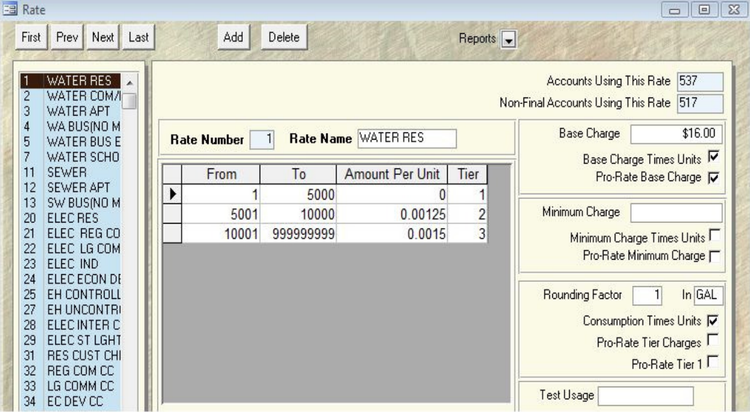
| Rate management | Determines appropriate rates for customers and assigns rates to accounts to be used in conjunction with any meter data. Rates can vary by energy type, and include varying rate structures such as flat rates, single-step rates, multiple-step rates, percentages, and more. |
Primary Benefits
While there are many on-the-surface benefits of using software to handle your utility billing, sometimes it’s best to look at everyday scenarios where automation may benefit you.
Gathering Usage Data and Preparing Utility Bills
A common theme across any utility is the need to track usage and bill based on this usage. Many utility billing systems have integrated automatic meter reading solutions, while others will integrate with a third-party meter reading system. Whatever the setup, the end result is the same. Utility usage information will be gathered efficiently and will be ready for use in the creation of invoices. Since the gathering of usage data is automated, you can ensure that all usage information is 100% accurate. AMR systems will help remove the risk of human error.
Automatic meter reading systems can vary greatly in their methods of tracking and complexity. Some will consist of a fully integrated network that continuously monitors and logs utility usage. This type of AMR system will give you the greatest depth of information and the highest level of control. If this level of control is not needed, there are additional options available to you.
Some automatic meter reading systems will use mobile devices that connect to meters to gather usage data. This will allow you to ensure that your data is 100% accurate, eliminating any human error. If you are, however, looking to improve the productivity of the meter reading process, a wireless AMR system offers just the solution. Wireless automatic meter reading systems send data to a device within a certain proximity of the meter. This means that staff can just drive down the street while data is gathered automatically.
Once usage information is gathered, a utility billing system will automatically create invoices. These systems will give you a number of options for invoice delivery and payment acceptance.
Utility Invoice Creation
Utility billing software will give you a plethora of features, all designed to save you time. Batch invoicing will allow you to print or email invoices with one push of a button. This will ensure you don’t have to print/email each invoice individually. Utility billing systems will also allow you to set up different pricing structures for different customer types, so you don’t need to manually adjust billable amounts. If you bill on a subscription or flat-fee basis, recurring invoicing features will automatically create your invoices on a set schedule. All of these features are designed to automate the process of invoice creation and delivery.
After invoices are delivered to the customer, a strong utility billing system will manage the process of collecting payments from your customers.
Managing Collections and Customer Payments
Once invoices are issued, utility billing software will give you a number of options for managing collections and receiving payments. Utility billing systems will track outstanding payments due. Additionally, many of them will have the ability to automatically print or email late notices when a customer is past due. These systems will also apply late fees to these customers automatically.
A strong utility billing system will give you the tools needed to manage customers with multiple locations. You will be able to set up multiple locations for a single customer. Their invoices will then detail amounts being charged for each location. This will ensure that one customer is not receiving multiple invoices in a billing period.
A number of utility billing systems will give your customers an online payment portal. This portal will allow your customers to log on using a password and pay their bills instantly. This level of convenience ensures that payments are received as soon as possible.
Whether you are a small utility with just a few dozen customers or a large utility with thousands of customers, there is a utility billing solution available for you. These systems are designed with your needs in mind and hence will provide the maximum level of automation for you.
How to Choose
Different sectors of utility billing require different features and have unique use cases. Here’s a breakdown of the most common users of utility billing software and what they typically need:
| Industry | Examples | Primary Use Cases | Key Buying Criteria |
|---|---|---|---|
| Municipal & Local Government Utilities | Cities, towns, counties (water, sewer, stormwater, refuse) | Meter-to-cash billing, consolidated utility bills, delinquency management | Ordinance-based rate flexibility, fund accounting/GL integration, meter reading workflows, shutoff/reconnect rules |
| Special Districts & Public Authorities | Water districts, utility districts, sanitation districts | Utility billing across jurisdictions, audit-ready reporting | Multi-jurisdiction support, granular rate books, board/audit reporting, deposit & connection fee handling |
| Investor-Owned / Regulated Utilities | Electric, gas, water utilities | High-volume customer billing, regulatory compliance | Advanced CIS functionality, complex rate/tariff engines, scalability, integrations with AMI/MDM systems |
| Private Utility Service Providers | Third-party billing companies, utility management firms | Billing on behalf of multiple utilities or communities | Multi-entity configuration, client-level branding, batch billing, APIs, role-based access controls |
| Multifamily Property Management | Apartments, mixed-use buildings, campuses | Submetered or allocated resident billing | Submeter & RUBS support, move-in/move-out proration, resident statements, online payments & portals |
| Commercial & Industrial Campuses | Business parks, factories, hospitals | Internal utility chargebacks and usage monitoring | Support for multiple meter types, departmental chargebacks, usage analytics, anomaly detection |
Is QuickBooks a Utility Billing Software?
QuickBooks solutions (such as QuickBooks Online) have billing capabilities built right into the solution, but since QuickBooks is an industry-neutral program, it does not have a utility billing feature built in.
Many districts have gotten by using QuickBooks as a utility billing program. However, QuickBooks is not developed with utilities in mind, and will not have the ability to generate charges based on energy usage. Users will likely need an advanced knowledge of the QuickBooks program in order to manage multiple accounts for one billing address (for example, if a customer pays a utility company for water, sewer, and gas). Collecting payments for these utilities separately and assigning them to this specific account under one customer may prove to be difficult without add-ons.
Solutions such as AaaTeX Meter Billing are available as add-ons to QuickBooks desktop versions. The software works best for water, electric, and gas utilities. It can generate invoices from Excel spreadsheets (or other CSV files) that hold the meter readers. It can also calculate usage from the previous meter reading to the current and keep these previous readings stored in QuickBooks.
Common Pain Points
- Customer dissatisfaction. Like most organizations, if you provide the service to the customer at peak quality and in a timely fashion, you’ll likely have little to no complaints from customers. However, the utility industry is prone to more customer disputes about their bills. Customers may have poor insulation in their house, which can lead to a higher heat bill, and have to deal with regulations on when it is and isn’t acceptable to shut services off.
- Customers having difficulty paying bills. A utility company that does not offer online bill pay can seriously fall behind the times and disappoint its customers. In fact, there may be a portion of the customer base that wants to pay in cash and avoid any fees assessed from paying online (using a credit card) or wants to avoid the headache of paying with a check or money order (which can take a few days to arrive at its destination as well as be processed to their account). Customers in rural areas may have difficulty paying their utilities in person. Luckily, some companies have been creating kiosks that allow customers to pay all of their utilities (even from separate companies) in a convenient 24/7 location, meaning they don’t have to adhere to any office hours and can accept any form of payment.
Software Trends
- Grants and Loans for funding. The USDA routinely gives out grants and low-cost loans to improve rural water infrastructure. This means smaller governments and private businesses that handle utilities for municipalities can help improve drinking water systems, sewage/solid waste disposal, and stormwater drainage. A lot of these grants and loans will be made available to state and local government entities in towns with a sub 10,000 population, who are generally in charge of utility management. This type of funding could be readily used on utility billing software solutions if awarded.
- The emergence of the Smart Grid. The energy industry hopes to provide more reliability and availability for more and more customers. The Smart Grid should be able to provide more efficient transmission of electricity and quicker restoration of electricity after power disturbances. Minimizing downtime as a utility company helps the billing process as it reduces or eliminates entirely the need to provide prorated charges to customers who may have been without power for an amount of time.
- Cloud computing. Traditionally, utility companies have been slow to adapt, but that has begun to change. Along with the emergence of digital transformation and the Internet of Things (IoT), utility companies have tried to become smarter. This includes things like instrumentation and telemetry across transmission and distribution networks, which help provide smarter sensors and faster communication networks.
Utility Billing Software Pricing
Pricing for utility billing systems depends on utilities covered, customer volume, and the level of functionality—particularly whether the software is standalone or part of a larger municipal management suite.
-
Small towns and utility districts using entry-level or perpetual-licensed systems can expect on-time costs between $1,500 and $10,000. Annual subscriptions will range from $2,000 to $10,000/year.
-
Mid-sized municipalities adopting modern, cloud-based platforms typically pay around $7,500 to $30,000 per year depending on team size and required modules. These systems add features like automated billing, customer portals, accounting integrations, and custom reporting capabilities.
-
Large municipalities or governments needing integrated suites that bundle utility billing with accounting, permitting, and operations are usually priced by quote. These deployments cover several departments and can range from $30,000 to $100,000 or more annually, depending on the organization’s size, project scope, and complexity.