The Best Accounts Payable (AP) Automation Software
We’ve reviewed the best AP automation software to help simplify invoice processing, approvals, and vendor payments. Our top picks cover features like ERP integration, global payment processing, and AI-driven invoice management.

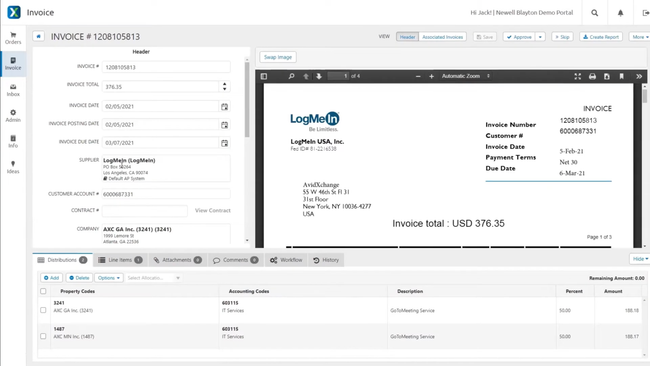
- Integrates with NetSuite, Blackbaud, Microsoft Dynamics, Intacct, MRI, and QuickBooks
- Serves real estate, HOA, construction and financial industries
- Subscription and transaction-based pricing
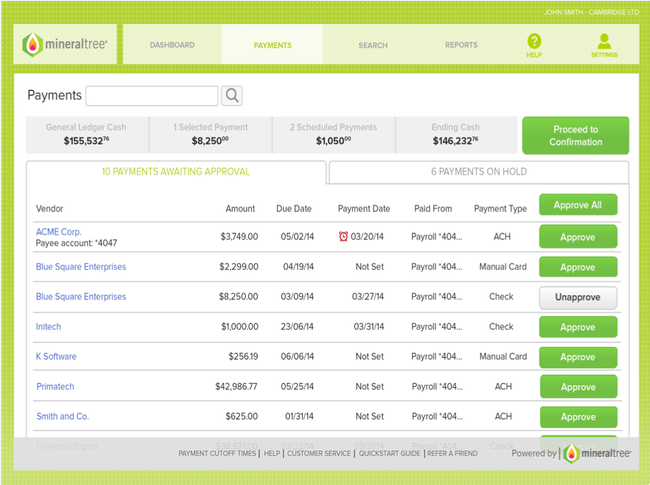
- HIPAA and SOC 2 compliant
- Automated purchase order matching
- Integration with NetSuite, QuickBooks, Microsoft Dynamics GP, Sage, and Xero
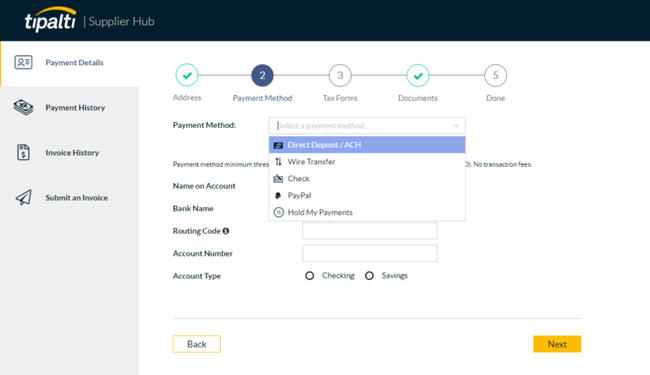
- Handles multi-entity and multi-location payables
- Integrations with nearly all leading accounting software
- Invoice-based and performance-based workflows
We’ve ranked the best accounts payable automation software based on integration options, ease of use, and key features like electronic invoice processing and reporting capabilities. Here’s a rundown of our top accounts payable software picks based on our internal review process and user reviews.
| Product | Starting Price | PO Matching | Vendor Payments |
|---|---|---|---|
| AvidXchange | Custom quote | Included | Included |
| MineralTree | Custom quote | Included | Included |
| Tipalti | $99/month | Included | Included |
| Ramp | Free | Add-on | Included |
| Medius | Custom quote | Included | Included |
| Stampli | Custom quote | Included | Add-on |
| Bottomline AP | Custom quote | Included | Included |
| DOKKA | $400/month | Add-on | Not offered |
| BILL | $49/user/month | Add-on | Included |
| Yooz | $215/month | Included | Add-on |
| Procurify | Custom quote | Included | Included |
| Precoro | $499/month | Included | Included |
| Coupa | Custom quote | Included | Included |
- AvidXchange: Best Overall
- MineralTree: Best for Healthcare
- Tipalti: Best for Global Payments
- Ramp: Best for Spend Management
- Medius: Best for Enterprises
- Stampli: Best Invoice Management
- Bottomline AP Automation: Best for Vendor Payments
- DOKKA: Best for Document Management
- BILL: Best for Small Businesses
- Yooz: Best AI-Powered Option
- Procurify: Best Procurement Integration
- Precoro: Best for Three-Way Matching
- Coupa AP Automation: Best for Complex Expense Management
AvidXchange - Best Overall
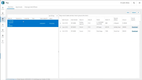
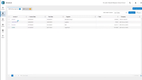
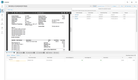
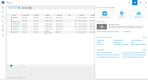
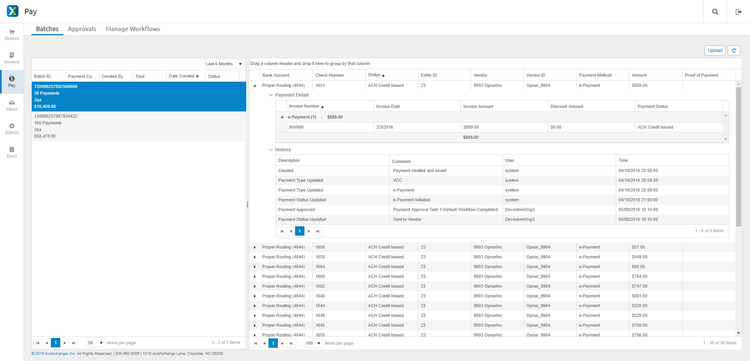
AvidPay in AvidXchange helps automate time-consuming tasks like cutting checks, reconciling transactions, and managing supplier relationships. Once invoices are approved, you can initiate payments directly within the AvidPay interface, giving you multiple methods to choose from, including:
- Virtual Card Payments: Secure, rebate-generating transactions for greater financial control.
- Paper Checks: Mailed on your behalf with full tracking for vendors requiring traditional methods.
- eCheck/ACH: Direct deposit for faster processing and lower transaction fees.
You can monitor payment statuses from initiation to vendor receipt at any time for total visibility. AvidPay’s automated reconciliation ensures accuracy by integrating with over 200 ERP and accounting platforms. After processing the payment, this module logs the transaction in your accounting software and auto-matches it to the correct invoice. From there, it flags any discrepancies like overages, shortfalls, or missing invoices. Plus, you can generate detailed payment reports to streamline financial audits down the line.
Unlike self-service e-payment platforms, AvidXchange actively manages your supplier preferences so vendors always receive funds through their requested method. It also automatically updates supplier payment details, reducing the need for manual maintenance and preventing errors in the future. Overall, it’s a solid pick if you’re in real estate, construction, or media with 10 to 500 employees.
MineralTree - Best for Healthcare
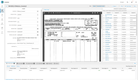
MineralTree TotalAP can help healthcare organizations remain compliant with industry regulations. The system is one of the few AP providers that is HIPAA-compliant and SOC 2 audited, giving you confidence that it meets the industry’s strict security standards. MineralTree ensures all patient refunds, rebates, and checks issued on the platform are secure and approved. It’s a great way of reducing lengthy manual approval workflows for invoices and payments.
Additionally, the system keeps full audit trails of your accounts payable. Every step of an invoice’s journey is documented, from the initial draft to the final approval and send-off. It’s great for hospitals and clinics that process thousands of invoices per year, where miscommunications can cause huge problems for you and your patients. With the audit trail, you can pull up any past invoice in one central location to confirm amounts and easily resolve any issue.
MineralTree is ideal for mid to large-sized healthcare organizations managing multiple locations. It connects with hundreds of ERP systems, so you don’t have to disrupt established processes when integrating MineralTree into your tech stack. These include NetSuite, Sage Intacct, and many more. Pricing requires a custom quote based on your transaction volume and organization size, though the most basic plans start around $5,000/year.
Tipalti - Best for Global Payments
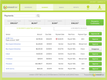
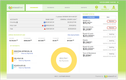
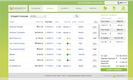
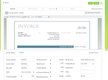
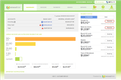
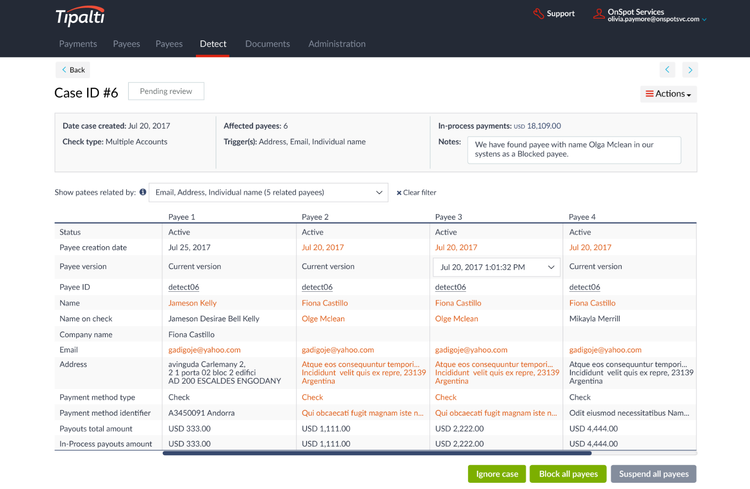
Tipalti supports over 200 countries and territories, 120 currencies, and more than 50 payment methods. This makes it a solid choice for businesses with international suppliers and partners, as it simplifies cross-border transactions and reduces payment-related errors. It can also support a high transaction volume, which is crucial for companies paying large supplier networks across the globe.
Tipalti’s advanced tax compliance features, including automated W-9 and W-8 collection, tax ID validation, and 1099 and 1042-S report preparation, help organizations comply with global financial regulations. Its supplier management portal further streamlines the payment process by allowing vendors to manage their own payment details and preferences.
Tipalti is best for mid to large-sized companies that need a comprehensive AP automation system. That said, Tipalti is still affordable, with plans starting at $99/month and custom quotes for midmarket and enterprise organizations. If you’re a small business with a lower transaction volume, a system like BILL will be a better fit.



Ramp - Best for Spend Management
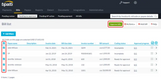
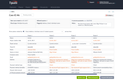
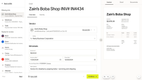
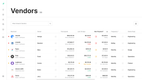
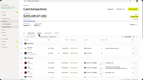
Ramp is a finance platform that combines corporate cards, expense management, and accounts payable automation for small and mid-market businesses. Ramp is one of the newer and more modern systems available, and we often see users praise its ease of use. It centralizes how companies manage employee spending, approve invoices, and process vendor payments.
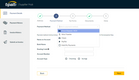
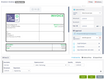
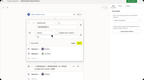
Ramp’s card-first spend controls help make spend management simple by letting teams issue virtual and physical cards. Finance departments can set spending limits and merchant restrictions to prevent unauthorized purchases and deny out-of-policy spending. For accounts payable, Ramp also has one of the best supplier onboarding portals we have used. It provides step-by-step instructions for your vendors to complete without any confusing dashboards or workflows, unlike other enterprise systems we have tested. And when it’s time to pay an invoice, Ramp follows your approval workflows and uses OCR to extract the required information without any manual work.
Ramp is best suited for growing small businesses and mid-market organizations. We see it most commonly used by SaaS firms, service companies, agencies, and eCommerce businesses that need a central place to manage employee and vendor spending. Ramp offers a free plan that includes bill pay, OCR invoice capture, and approval workflows. The Plus plan starts at $15/user/month, plus a platform fee based on team size, and includes multi-entity support and ERP integrations.
Medius - Best for Enterprises
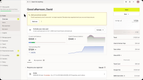
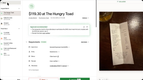
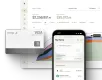
Medius is an AP automation platform for mid-market and enterprise companies with accounts payable across multiple entities and locations. Medius reads each invoice, codes it, and sends it to the appropriate approver on its own, claiming it processes up to 99% of invoices automatically. This helps keep AP teams efficient while managing a growing number of payables each month.
Much of that automation stems from how Medius handles invoices tied to a purchase order. It matches every line on the invoice to the PO and goods receipt, so all errors get caught before you pay. If everything lines up, the invoice goes straight to the approver, flagging only issues such as mismatched quantities or incorrect pricing.
Larger finance teams also get more control over who can approve and pay invoices. You can set custom approval rules and user permissions and require two approvers before a payment is released. For extra protection, the fraud detection add-on flags duplicate invoices, changes to supplier details, and attempts to redirect payments.
Medius supports multiple currencies and connects with the finance systems you already use, including SAP, Microsoft Dynamics, Oracle, and Infor. But like most platforms built for multiple entities and complex organizations, it isn’t a quick setup and requires a custom quote.

Stampli - Best Invoice Management
Stampli delivers an AI-driven platform that automates invoice capture, coding, and approval workflows. Its AI assistant system, Billy, reduces manual tasks by learning from user actions to automate repetitive processes and decision-making.
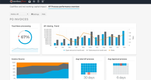
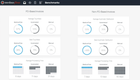
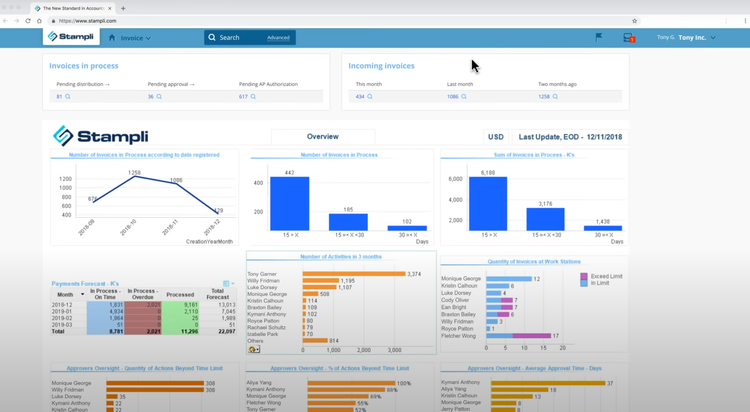
Stampli’s interactive invoice dashboard provides live insights into invoice statuses, approvals, and exceptions, enabling businesses to maintain control over their accounts payable process. The platform’s collaboration tools help team members and even vendors communicate directly within the invoice, simplifying the resolution of discrepancies and questions.
Stampli works alongside your existing software, with support for more than 70 ERP systems, including NetSuite, Sage Intacct, Microsoft Dynamics, SAP, and QuickBooks. Stampli doesn’t publish pricing, so you’ll need to request a custom quote, but be aware that payments, corporate cards, and vendor management are sold as add-ons.
Bottomline AP Automation - Best for Vendor Payments
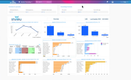
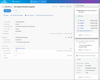
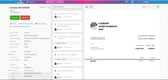
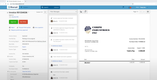
Bottomline is an AP automation platform for growing and large companies that pay a high volume of vendors every month. It’s especially useful for businesses looking to move away from mailing vendor checks and want one AP system to manage invoice capture and matching, approvals, and payments.
Instead of reaching out to your vendors yourself, Bottomline handles payment enrollment for you. It will contact each vendor by letter, email, and phone to sign them up for electronic payments through its Paymode network. Once enrolled, Bottomline sends each payment by the method that vendor accepts, including Premium ACH, virtual card, and check. And with a network of over half a million businesses, some of your vendors may already be enrolled.
Another unique thing about Bottomline is that you can earn rebates on Premium ACH payments, not just virtual cards. This gives you money back on payments you were already making, helping improve your bottom line.
The platform doesn’t publish pricing, so you’ll need to request a custom quote. We find Bottomline best for mid-market and enterprise companies with a growing number of vendor payments. It supports payments to 53 countries out of the box, so confirm its coverage with your international vendors before purchasing.
DOKKA - Best for Document Management
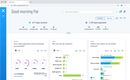
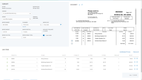
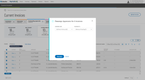
DOKKA stores all your AP documents, like invoices, POs, and receipts, in one central cloud-based archive. The repository has an interface similar to Google Docs, so your team can quickly get up to speed and find any file. From there, you can attach notes and comments and collaborate with your team without leaving the hub. This gives you and your employees better communication and a clear audit trail of changes and approvals.
Additionally, the system integrates with several leading ERPs and accounting platforms, including NetSuite, Acumatica, QuickBooks, Sage, and SAP Business One. Once you process and approve documents in DOKKA, it codes each invoice using AI and syncs it to your ERP once your team approves it. This helps save a ton of time on manually recording and reconciling payments to suppliers across both systems, making your team more efficient.
The system also includes several AI automation tools, such as invoice management, approvals, PO matching, and line-item extraction. DOKKA is best for small- to midsize companies with 10-200 employees that need AP integrated with back-office accounting or ERP software. Pricing starts at $400/month for QuickBooks Online or Xero users, and $800/month for ERPs, though multi-entity organizations will need a custom quote.
BILL - Best for Small Businesses
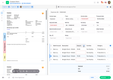
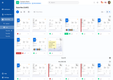
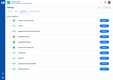
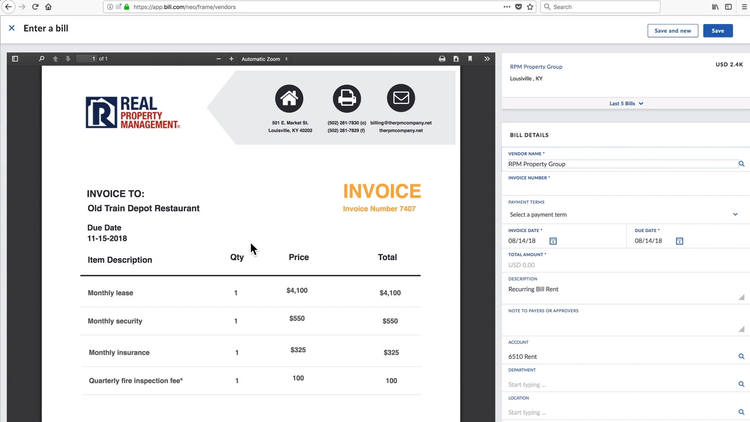
BILL Accounts Payable & Receivable, formerly Bill.com, is built for small businesses that want to stop entering bills by hand. Its inbox and AI-powered bill creation module capture invoices from mobile uploads, email, or direct vendor submissions. From there, it instantly extracts key details like supplier names, invoice amounts, and due dates. Its AI engine even remembers recurring preferences, like which departments approve which vendors, so the system grows more efficient over time without any manual input.
As BILL pulls invoices into the platform, it automatically flags duplicates and splits bundled PDFs into individual records. It also pre-fills fields based on historical data; so if you receive regular invoices from an advertising agency, BILL learns to associate that vendor with the marketing department and auto-fills the GL account for professional services.
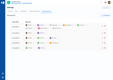
Once the bill is created, it’s routed through a customizable approval workflow built around your company’s policies. You can tailor these workflows to vendor, department, or dollar thresholds that run autonomously once you’ve set them. BILL provides a timestamped audit trail for every invoice and payment. And once payments are processed, it auto-syncs them with your accounting platform, including QuickBooks, Xero, NetSuite, Sage Intacct, and Microsoft Dynamics 365.
BILL starts at $49/user/month on the Essentials plan, which keeps it affordable for small teams looking for a simple system. For more advanced features like AI invoice coding, pricing starts at $65/user/month. While the AI streamlines data entry, some users report it occasionally misses fields or fails to auto-populate invoice details. These issues are more likely with image-based or poorly formatted documents, so using clean, structured PDFs can help improve accuracy.
Yooz - Best AI-Powered Option
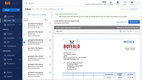
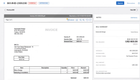
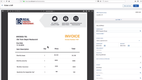
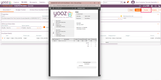
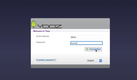
Yooz leverages advanced technologies like AI, machine learning, and optical character recognition to offer a highly automated and intelligent accounts payable solution. It also includes smart data capture technology, which ensures accurate invoice processing and reduces manual data entry.
Yooz’s dynamic workflow automation adapts to organizations’ unique processes, providing customized approval routes and automated matching of invoices, purchase orders, and delivery receipts. The platform’s intuitive interface and ease of use make it accessible to users of all technical levels, enhancing adoption and efficiency.
Yooz offers one plan with unlimited users, starting at $215/month, based on the number of documents you process each month. This makes it a good fit if you have many people approving invoices and don’t want to pay per seat. It connects with over 250 ERP and accounting systems, including QuickBooks, Sage Intacct, NetSuite, and Microsoft Dynamics 365. Just know that payments are a paid add-on through YoozPay.
Procurify - Best Procurement Integration
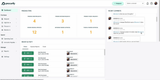
Procurify provides a centralized platform for managing the procurement and accounts payable processes. This is great for finance teams looking for a single system to control the entire procure-to-pay process.
For the purchasing process, Procurify handles everything from request creation and management to real-time status updates and notifications. It can also request items from a product catalog or via online shopping through PunchOuts. This keeps all employee purchases within your approval process, even when they shop on vendor sites such as Amazon Business or Staples.
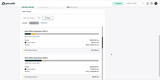
On the accounts payable side, Procurify automatically captures vendor invoices and matches them to the purchase order and receipt. Since the PO was already created and approved in the system, it knows what was ordered and what it should cost. Any invoice that doesn’t match gets flagged for your team to fix before it’s paid. From there, you can pay vendors by ACH, wire, or check and sync the approved bills to your accounting or ERP system.
Procurify doesn’t publish pricing and builds a custom quote based on the products and users you need. Just know that every plan starts with the Purchasing package, with accounts payable offered as an add-on. So it’s a better fit if you want to manage purchasing and AP in one system, rather than running AP on its own.

Precoro - Best for Three-Way Matching
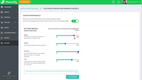
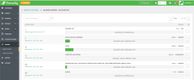
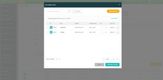
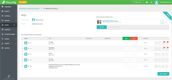
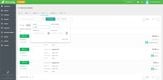
Precoro is an accounts payable and procurement platform; it includes an AP inbox with AI invoice capture and automatic three-way matching. Submitted invoices route to a centralized inbox, where Precoro pulls the data using OCR and maps it into a structured record.
The system can then identify the corresponding purchase order and receipt, validating the invoice against pre-approved spend. From there, the platform flags any discrepancies for your review. This shifts your accounts payable from manual processing to system-driven control.
This all connects back to the broader procure-to-pay workflow: the invoice acts as the final checkpoint on a chain that already includes approved requisitions, supplier selection, and purchase orders. This context enables Precoro to automate matching with even higher accuracy. Plus, it helps you enforce spend discipline without slowing down your team. Additionally, it ensures that AP data is clean enough to sync directly with other systems, from NetSuite to QuickBooks.
Precoro’s AP Module starts at $499/month billed annually and includes the AP inbox. Just know that purchase orders, receipts, and three-way matching are under Precoro’s procure-to-pay plans. To get those alongside the AP inbox, you’ll likely need the Automation plan, which starts at $999/month.

Coupa AP Automation - Best for Complex Expense Management
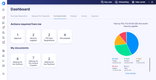
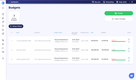
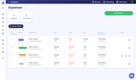
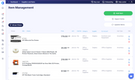
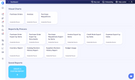
Coupa AP Automation’s expense management module helps enterprises reduce errors and streamline workflows. The system automatically imports expense line items and receipts from multiple sources, helping you consolidate all your data into one repository. This is useful for large companies that require company-wide expense reports without having to manually crunch the numbers.
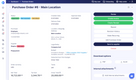
Coupa AP Automation also helps global companies prevent fraud across invoices and payments and employee expenses. Its fraud detection tool, Spend Guard, uses AI to identify suspect or fraudulent patterns based on a vendor’s payment history or an employee’s past expenses and current report details. It also includes multi-currency support, so global offices operating across multiple countries and locations can have their payments and travel expenses audited. This helps ensure proper expense reporting across the entire company.
Additionally, Coupa leverages AI to analyze travel and expense programs. The system generates tailored recommendations for expense-saving opportunities. It integrates travel with all other company expenses for full visibility into spending trends, ensuring that unnecessary costs are minimized. This can greatly impact large companies, as manual processes cannot monitor such large volumes of data simultaneously, leading to expense programs becoming inflated.
What is Accounts Payable Automation Software?
Accounts payable (AP) automation software is designed to help businesses reduce the time spent processing and paying vendor invoices. By automating invoice capture, approvals, and payments, you can cut down on costly accounting errors and fraud. It also helps you avoid common payment delays, like lost invoices or approvals stuck in someone’s inbox.
Additionally, AP automation software makes the process easier for both your organization and your vendors. Your accounts payable team spends less time on manual data entry and chasing approvals, and your vendors or suppliers get paid faster with less back-and-forth. It is also easier to track and report on your business’s spending when every outgoing payment has a clear digital trail.
Key Features
- Invoice capture: Reads incoming invoices from email, uploads, or scans using OCR or AI, so no one has to key in the vendor, amount, and due date by hand.
- Automated coding: Assigns each invoice to the right GL account, department, or entity based on how similar invoices were coded before.
- PO matching: Compares each invoice to the purchase order and goods receipt, then holds anything where the price or quantity doesn’t line up.
- Approval workflows: Routes each invoice to the right approver based on rules you set, like amount or department. Every approval and change is tracked, which gives you a full audit trail.
- Vendor onboarding: Give your vendors a structured process to submit their own payment and tax details. Often, this is handled through a portal, where they can also check an invoice’s status.
- Payments: Pays approved invoices by ACH, virtual card, check, or international transfer from one place.
- Fraud controls: Flags duplicate invoices and changes to a vendor’s bank details. Many systems can also require a second approver before a payment is released.
- ERP and accounting integration: Syncs vendors, bills, and payments with your accounting system, so you aren’t entering the same data twice.
- Reporting: Shows what you owe, what’s overdue, and how long invoices take to get approved.
Benefits
There are many benefits to automating your payable processes including:
Reduce Payment Errors
Traditional accounts payable processes increase the chances of human error. Even the most skilled accountant on your AP team can accidentally move a decimal place when calculating invoices. It’s simply a matter of statistics, as the more manual tasks there are, the more chances there are for small mistakes to add up. Automated AP processes cut down on the potential for mistakes.
By reducing invoice processing mistakes, AP automation helps drive down costs from potential errors. Since the software records the original purchase order, the applications always check the payment price against the agreed-upon costs.
Avoid Late Payments (and Penalties)
Payments always have due dates. Missing a payment or being a few days late can lead to fees. Worse, it can damage your relationship with your suppliers. To protect your vendor relationships, you need to make timely payments. But even if you mail out a physical check on time, there’s always the chance the mail could delay the delivery.
Electronic payments don’t take days to deliver - they’re virtually instantaneous. Automated reminders can notify your billing department whenever a payment is due. You can even set a timeline for how far in advance you get these reminders based on your accounts receivable schedule.
Standardized Payment Forms
Financial data is tricky enough to manage when presented in a standardized format. Yet every business partner you have has their own preferred invoicing method. You can’t modify your payment processes to accommodate every single one. Instead, electronic data interchange (EDI) and OCR applications let you scan invoices from all your vendors and suppliers into one digital format.
By standardizing invoices as they arrive, you can reduce data entry. An accounting system with EDI and OCR tools will automatically import the invoice data you need to optimize the payment process. Then, your AP team can focus on making payments instead of manual data entry.
Mobile Access Anywhere
AP automation solutions generally include mobile apps for extra accessibility during approval. If you are in charge of payment authorizations, you must be accessible even on the go. With mobile apps, you can provide approval to your AP team at your convenience. And this can lower your processing costs as you don’t have to waste time going into the office to give invoice approval.
Keep Accurate Payment Records
Whenever you pay a vendor or supplier, you update your records to show that your account has been paid off. Once the vendor receives your payment, they will update their accounts receivable balance. Unfortunately, your payment is vulnerable once it leaves your hands until it arrives in theirs. Unless you want to pay more for delivery confirmation, you cannot track your payments through traditional shipping methods. If the payment never arrives, it’s your word against theirs.
Paying electronically adds a layer of protection to your vendor interactions: Automated AP software tracks your electronic invoice payments, so you always have a record of when invoices were paid. If there are ever any discrepancies with a vendor, you’re covered by your digital records.
Additionally, these AP reports provide valuable bargaining information when it’s time to negotiate with vendors. Looking at your past payments can help you set up better terms. And in the long run, you can use your AP records to see which vendors have historically offered you the best purchase prices. An integrated ERP system will allow you to track your AP payments and locate potential invoicing bottlenecks.
Fraud Protection
Finally, automated AP helps protect your company from fraud. Since all payments are automatically recorded, it’s easy to generate an audit trail to find any discrepancies from potentially fraudulent actions.
AP Automation Software Trends
AI-Driven Automation and Intelligent Invoice Processing
AI-driven automation combines machine learning, intelligent data extraction, and OCR to capture invoices from PDFs, emails, and e-invoicing networks. Modern AI engines can learn various invoice formats and even automate GL coding, streamlining the entire AP process.
Many platforms are also introducing AI assistants, such as Tipalti AI, that make it easier to query data, trigger workflows, and generate reports in a conversational manner. Research from Ardent Partners’ shows that 75% of AP departments now use some form of AI.
Anomaly Detection and Smart Workflow Automation
Anomaly detection technology can increasingly flag duplicate invoices, unusual vendor activity, and out-of-policy transactions. Smart routing for approvals uses historical data to automatically direct invoices to the right stakeholders. Combined with more flexible three-way match capabilities, AI can reconcile invoices with purchase orders and receipts even when formats or descriptions vary. This reduces exceptions and improves efficiency.
Collaboration and Workflow Management
Modern AP solutions help centralize AP workflow processes across finance, procurement, and operations. Shared approval queues and in-platform communication help organizations centralize procurement and AP. Plus, integration with tools like procurement systems, expense platforms, and corporate cards help better align departments.
Payment Processing and Global Transactions
AP automation platforms are also expanding capabilities around payment processing and global transactions. They support multi-entity management, multi-currency payments, and compliance with international regulations. Features such as global invoicing and automated vendor payment workflows help streamline international payment operations while maintaining strong tax compliance.
Pricing Guide
A full AP automation system typically costs between $8,000 and $150,000+ per year. You’ll see lower starting prices, including free plans, but those usually only cover basic bill pay. Features like PO matching, custom approval rules, and ERP integrations tend to sit on higher plans or cost extra.
| Tier | Typical Annual Cost | What You Get | Examples |
|---|---|---|---|
| Basic Bill Pay | Under $8,000 | Invoice capture, simple approvals, and payments, synced to QuickBooks or Xero | Ramp, BILL |
| Full AP Automation | $8,000–$25,000 | Automated coding, custom approval rules, PO matching, and ERP integration | DOKKA, Precoro |
| Mid-Market | $25,000–$75,000 | Higher invoice volumes and multiple entities, usually priced by volume | Medius AP, Yooz |
| Enterprise | $75,000–$150,000+ | Multi-ERP and global operations, plus implementation services | Bottomline AP, Coupa |
Whatever the tier, budget for transaction fees on top of the subscription. Fees of around $0.59 per ACH payment and $1.99 per mailed check are common across the industry.