

What is QuickBooks?
QuickBooks is an accounting software developed by Intuit, primarily geared toward small to medium-sized businesses. This guide will help you understand who uses QuickBooks, their different product offerings, and a pricing guide.
What is QuickBooks?
QuickBooks is a widely used accounting software that helps businesses manage their income, payroll, and inventory more effectively. First introduced in 1992, this easy-to-use software streamlines business tasks by offering templates for spreadsheets, invoices, and financial reports.
Who Uses QuickBooks?
QuickBooks Online is an ideal solution for small to mid-size businesses in different industries that need a system to help them manage their finances. It’s particularly popular in the construction, healthcare, education, accounting, IT, and non-profit industries.
QuickBooks’ base products primarily focus on accounting only, lacking the industry-specific functionality some businesses require. To discover a few apps to add to your QuickBooks accounting software, explore the 7 Best QuickBooks apps for complete integration.
Benefits and Features
Every company has its accounting processes, and QuickBooks boasts multiple features to help satisfy those specific needs without the higher price of a full accounting or ERP software. Specific modules with additional functionality can be added and removed as your company grows and changes.
- Income, cash flow, and expenses
- Invoicing
- Tax deductions and sales tax
- Receipt capture
- Estimates and budgeting
- General reports
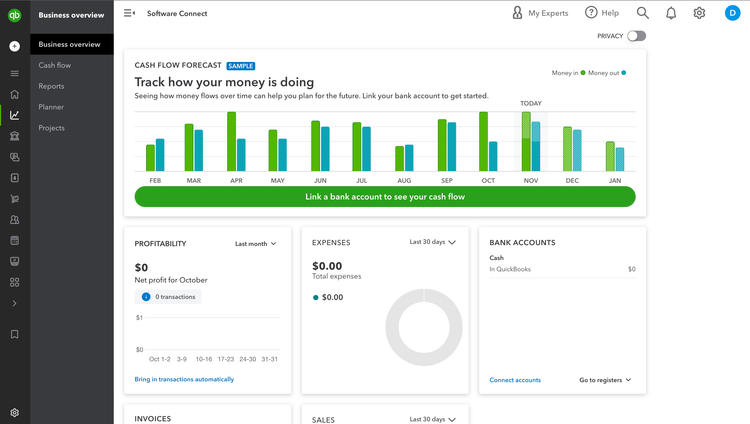
With these features, base-level QuickBooks software allows a single user to manage most business-related income and expenses. All QuickBooks plans include free mobile apps, customer support, and over 750 business apps integrations. Other key benefits include:
General Ledger and Accounts Receivable and Payable
QuickBooks automates cash flow by directly connecting credit card and bank accounts, allowing you to download and categorize your expenses in real-time.
You can create, send, and track your invoices, enter bills into QuickBooks as you receive them, and pay them online via bank transfer or check. With your cash flow and chart of accounts managed through QuickBooks, it is easy to monitor and audit your business performance by printing financial statements such as your Statement of Cash Flows, Balance Sheet Report, and Profit and Loss Report.
Employee Payroll
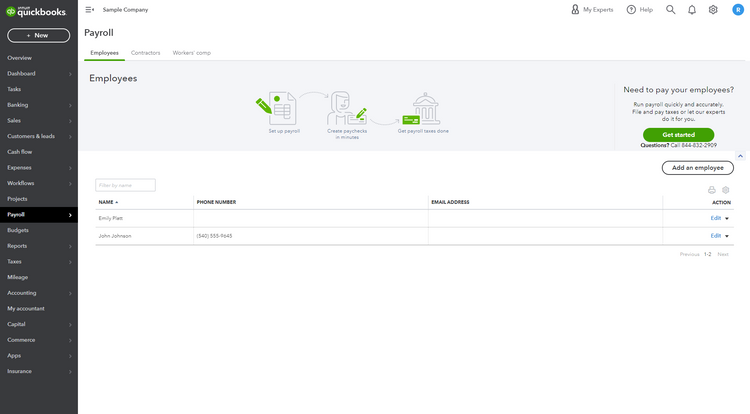
To ensure you pay your employees accurately and on time, QuickBooks Payroll tracks employee time and then calculates and runs payroll automatically with the option for direct deposit. Payroll is available as standalone software or as an add-on module for other products.
Tax Automation and Compliance
With QuickBooks, federal and state payroll taxes are automatically calculated, and you can instantly fill in your payroll tax forms. You can print your company’s financial statements from your account to share with bookkeepers and CPAs. Through QuickBooks Online, professional tax preparers can access your account directly to prepare your tax returns. For additional help with your business’s accounting needs, enlist the services of a certified QuickBooks ProAdvisor.
Popular QuickBooks Software Versions
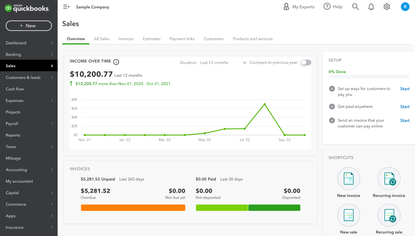
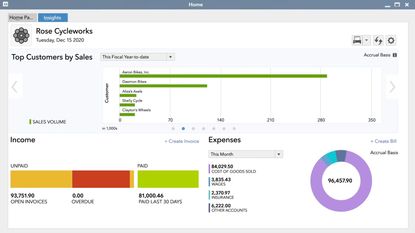
The bulk of QuickBooks products can be divided into two deployment categories: Online and Desktop. A few notable products include:
QuickBooks Point of Sale
QuickBooks Point of Sale was a locally installed solution built for small retail businesses looking for the features of an ERP without the higher price tag. It was discontinued on October 3, 2023. This tablet POS-compatible software processed credit cards and managed customer loyalty programs. It also allowed for inventory management, customer management, merchandise planning, time tracking, bill payment, and more. Users generally paired QuickBooks Point of Sale with QuickBooks Online or QuickBooks Pro to integrate their POS with their accounting system.
Alternatives:
QuickBooks for Mac
In addition to the desktop solutions for Windows, QuickBooks offered a solution for Mac users similar to QuickBooks Desktop Pro. QuickBooks for Mac is no longer sold. This software worked best for non-manufacturing small businesses.
Alternatives:
QuickBooks Solopreneur
QuickBooks Solopreneur replaced QuickBooks Self-Employed in 2024. This cloud-based product is best for freelancers seeking a simplified accounting solution. Self-Employed did not support double-entry accounting; Solopreneur technically offers double-entry accounting, but it doesn’t give you full control over your financial records.
Alternatives:
Check out our page on The Best QuickBooks Alternatives to learn more.
Deployment Options
Intuit QuickBooks now operates as a cloud-first platform, with limited on-premise options still available through Desktop. Most new customers are directed toward QuickBooks Online, while Desktop primarily serves existing users and Enterprise-level deployments.
QuickBooks Online
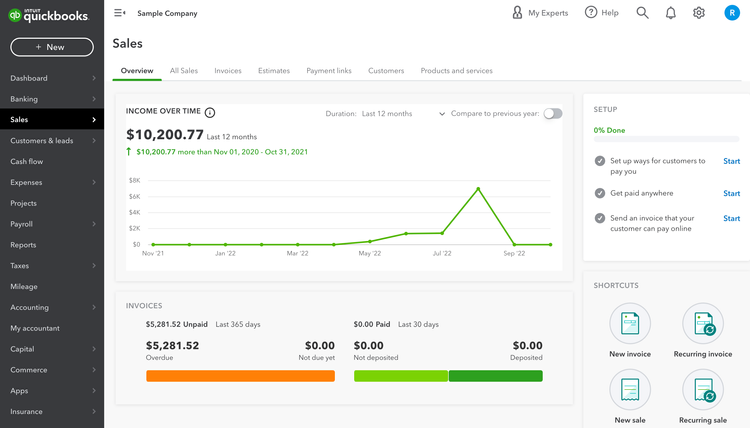
QuickBooks Online is a cloud-based service that does not require a software download and is accessible from any computer or mobile device with an internet connection. Four subscription levels are available: Simple Start, Essentials, Plus, and Advanced. In addition, you can add a wide variety of modules to your base program to customize your QuickBooks experience.
QuickBooks Desktop
QuickBooks Desktop remains a locally installed (on-premise) solution, but its availability has narrowed.
- New subscriptions for Pro, Premier, and Mac have been discontinued
- QuickBooks Desktop Enterprise is now the primary Desktop offering for new customers
- All Desktop versions are subscription-based, not perpetual licenses
Desktop is still used by companies that need:
- Advanced inventory workflows
- Industry-specific reporting
- Local data control or hosted deployments
However, Intuit’s development focus has shifted away from Desktop toward cloud products. However, QuickBooks now recommends that companies move to their cloud-based products.
QuickBooks Online vs. QuickBooks Desktop
QuickBooks Online is the preferred product for most small businesses because of its ability to connect to any device with an internet connection. The Online version also has several features that the Desktop doesn’t offer, including a multicurrency tool for international businesses. In recent years, QuickBooks has been focusing on expanding its cloud-based products. Any business looking for long-term support and growth should consider Online plans over Desktop.
QuickBooks Desktop, by contrast, is better understood as a legacy deployment option. While it still offers strong reporting and inventory capabilities, it has notable constraints:
- Limited availability for new customers
- A rolling three-year support lifecycle per version
- Reduced long-term investment compared to Online
Pricing
QuickBooks is known for being an affordable product that meets the budget requirements of small—to medium-sized businesses. The total price will depend on the number of users you have, the add-ons you want, and the key functionality you need.
Online
QuickBooks Online’s base software is on a monthly subscription and starts as low as $35.
| Online | Starting Price |
|---|---|
| Simple Start | $38/Month |
| Essentials | $75/Month |
| Plus | $115/Month |
| Advanced | $275/Month |
Desktop
QuickBooks for Desktop is offered as a yearly subscription.
| Desktop | Starting Price |
|---|---|
| Gold | $2,210/year |
| Platinum | $2,717/year |
| Diamond | $5,364/year |
Free 30-day Trial
QuickBooks Online offers a free 30-day trial, so you can decide if this software is the best solution for your business. QuickBooks also regularly offers discounts on its products, such as 30% off for the first three months of use. These offers frequently change, so be sure to check its website for the latest information.
QuickBooks Desktop Enterprise offers a commitment-free and interactive online product tour if you aren’t ready to buy the software. Additionally, small business owners can utilize YouTube tutorials on QuickBooks for help with their growing companies.
While QuickBooks is the favorite of many small businesses, it may not have all the tools and industry-specific features you need to grow your business. If you want an accounting solution with stronger features, check out our list of the top accounting software products.