

The Best Professional Services Automation (PSA) Software
We compared the top PSA software for consulting firms, agencies, accounting and engineering firms, and MSPs, with options for growing teams and multi-entity enterprises.

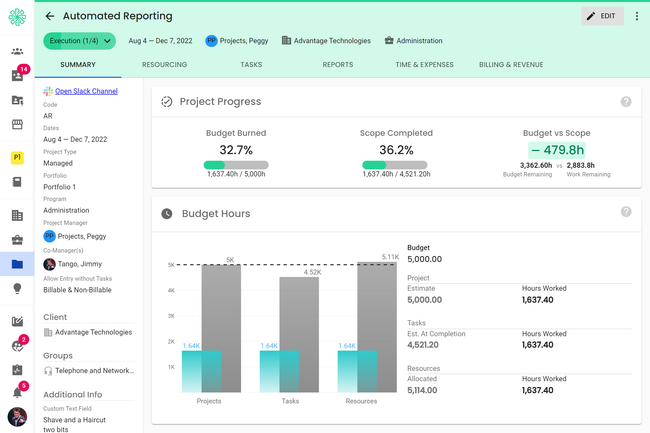
- AI-powered resource allocation optimizations
- Resource management module
- Global workforce support
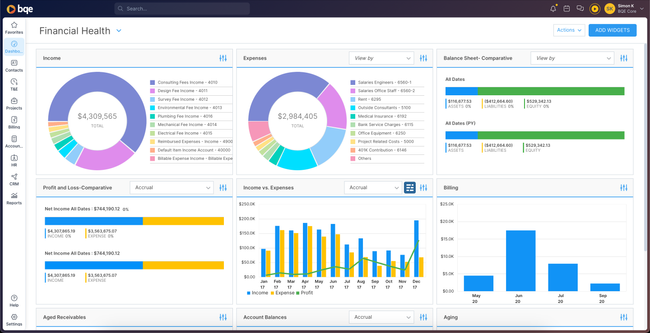
- Billing, time and expenses tracking by project phase
- Employees can input time entry from anywhere
- Great for project management
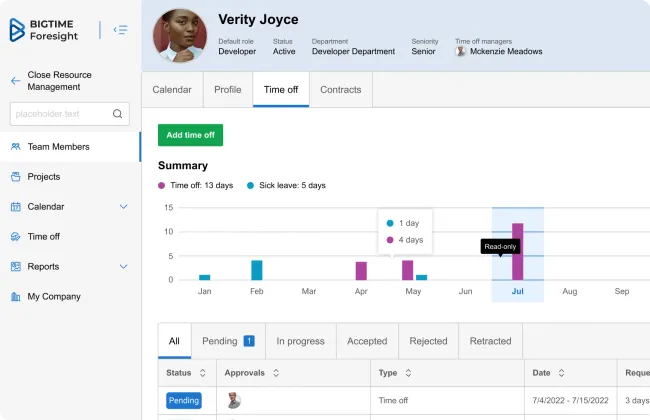
- Customizable invoice templates
- Dynamic billing rates
- Invoice metrics dashboard
In this guide, we’ve compared the top professional service automation software based on their support for various industries from managed service providers to accounting and engineering firms. We considered each system’s specialized feature set and affordability.
- Polaris PSA: Best for Management Consulting Firms
- BQE CORE: Best for Architecture and Engineering Firms
- BigTime: Best for Accounting Firms
- FunctionFox: Best for Marketing and Advertising Agencies
- ConnectWise PSA: Best for Managed Service Providers (MSPs)
- Accelo: Best Integrated CRM
- Rocketlane: Best for Client Management
- Scoro: Best for Service Quoting
- Deltek Vantagepoint: Best for Enterprise Firms
Polaris PSA - Best for Management Consulting Firms
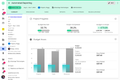
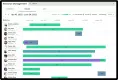
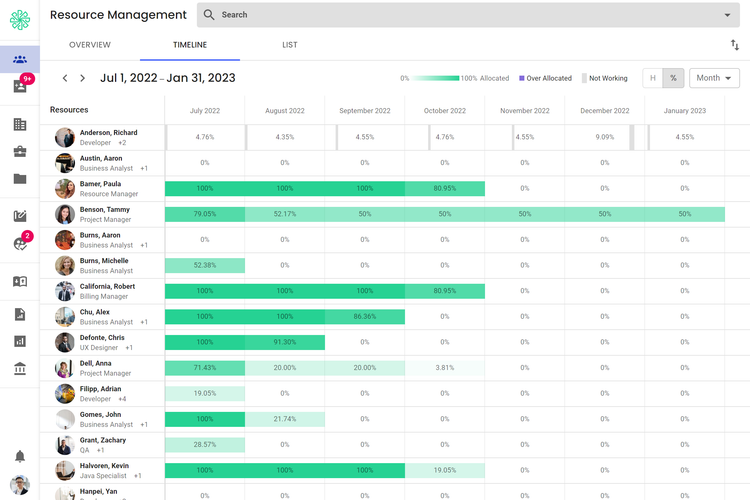
Polaris PSA offers a comprehensive resource management tool that helps you optimize your available talent. Its built-in AI tool powered by Dela recommends the best resources for each project based on current data like skills, availability, and cost rate. For example, if a client requires a market entry strategy in an Asian region, you can use Polaris to find consultants on your team with experience in that field.
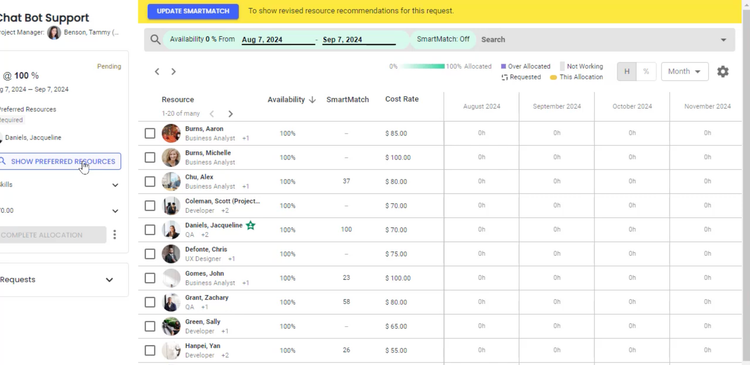
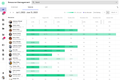
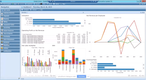
The resource management module also includes utilization graphs and charts to track consultant workloads. You can view the data several different ways, such as a calendar view, month-by-month chart, and even percentage by user. This can help spot team members who have over-allocated project tasks, which could lead to delays in deliverables.
You can also integrate your CRM with resource management to plan incoming projects from the sales department. By viewing potential project details, you can begin assigning tasks and ensuring the right consultants or subject matter experts are available. From there, you can communicate with the sales team to then determine if the client and project are a right fit and if there are enough resources to meet predicted timelines.
Polaris PSA is best for mid to large-sized consulting firms with national or global workforces that manage several complex clients. It offers custom quote-based pricing and costs more than basic systems like BigTime or FunctionFox, but it provides comprehensive resource management functionality.
BQE CORE - Best for Architecture and Engineering Firms
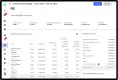
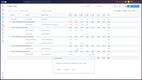
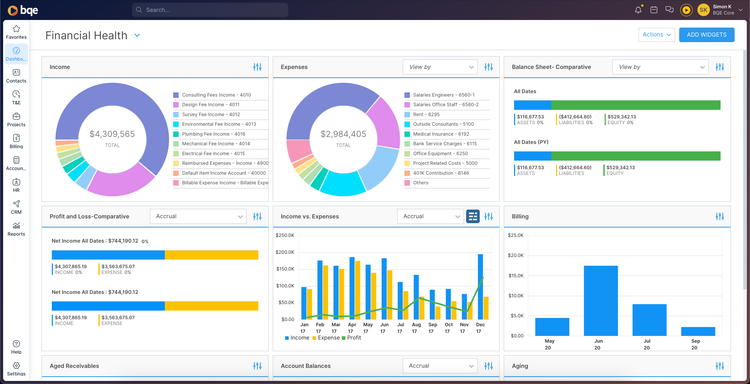
BQE CORE offers an integrated full accounting module, uncommon for PSA systems that often only have project accounting. It includes core accounting modules such as a complete general ledger system and bank reconciliation. This helps A&E firms keep their accounting and project financial data together in one system, reducing the need to integrate with third-party accounting software like QuickBooks.
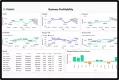
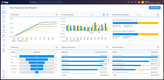
Within the module, you can drill down into different account KPIs, like profitability, percentage billed, and utilization. This is useful for tracking projects through complex phases like schematic design and construction documentation. The metrics can help ensure your client pays invoices on time and your project remains profitable.
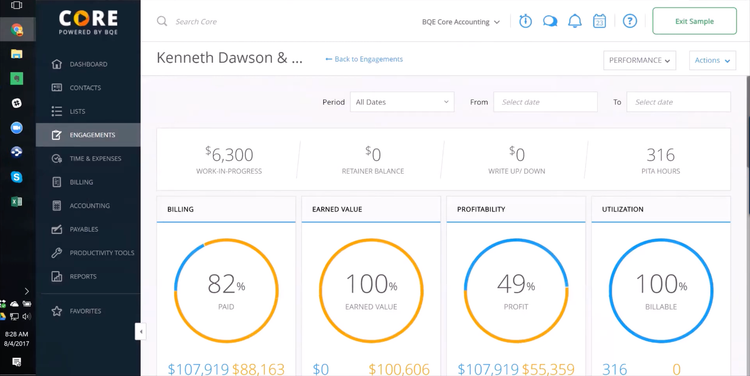
While project accounting is available in the base package of BQE CORE, the full accounting module with a general ledger and bank reconciliation is an add-on. For those only looking for project management, the system integrates with your existing accounting software, including QuickBooks, Xero, and MYOB. Other accounting systems can be integrated with Zapier or connected with a custom API.
Learn more in our full BQE CORE review.
BigTime - Best for Accounting Firms
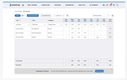
BigTime offers a streamlined invoicing and billing tool that lets you create custom billing models for specific clients. You can assign a base rate and specify different rates for different employees. This helps ensure accurate invoice generation, even for complex scenarios involving specialized CPAs.
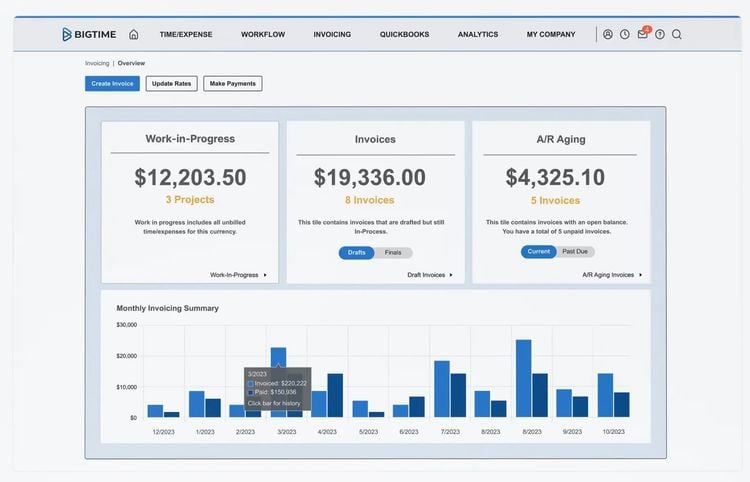
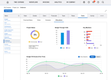
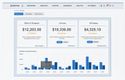
BigTime’s billing and invoicing module offers an overview dashboard of current and past invoices. It includes a work-in-progress tile, which you can drill into to view current time and expenses that have not been billed. This can help your firm track billable hours by CPA and ensure projects remain under budget. You can even see past-due invoices to see which clients are late on their payments.
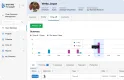
BigTime also lets you create custom templates to help automate recurring invoices, like bookkeeping for regular clients or standard consulting fee billing. The templates make your invoices professional and branded and eliminate manual creation, providing consistency and automation. Editable features include:
- Logo and colors: Insert your company’s logo and brand colors on every invoice for a professional look.
- Client notes: Check a box to add notes from the client profile, like remittance information.
- Edit line items: Edit the line items in the invoice details like item/description, task, and amount. This gives more context to the total amount.
- Budget status: Choose whether to include budget progress or status details, the client’s overall budget, and prior billings.

Read more about BigTime’s key features.
FunctionFox - Best for Marketing and Advertising Agencies
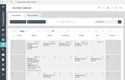
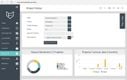
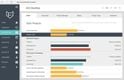
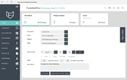
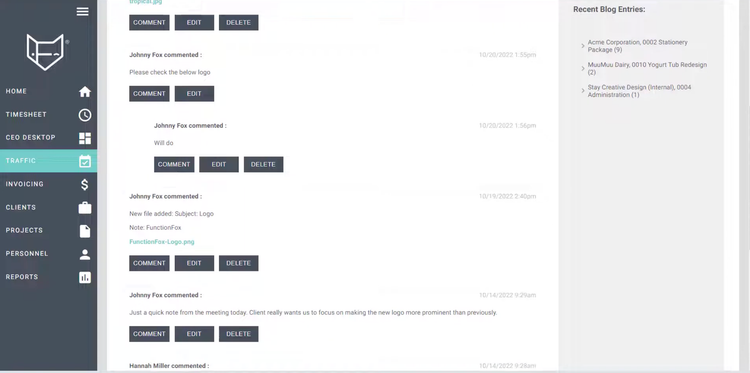
FuntionFox lets you collaborate with team members on projects with its “project blog” tool. Every project and client has its own “blog” page where everyone can discuss it in an open forum-type setting. This helps foster creativity for marketing campaigns and keeps a historical trail of important brainstorms or concepts for future reference.
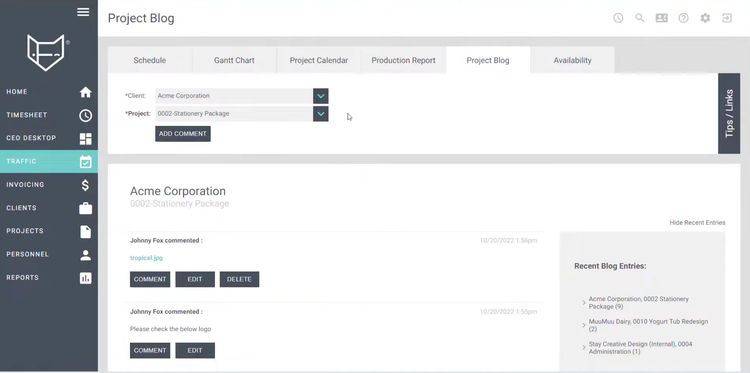
With FunctionFox, you can also attach documents using the project blog tool. For advertisers, directors share creative briefs, media plans, or standard flyers. This way, you can edit the documents and leave feedback in one central location without integrating or using third-party systems. This creates a more streamlined collaboration process within creative teams, which results in better client deliverables.
FunctionFox’s pricing starts at $10.50/user/month when billed annually for the “classic” plan. This makes it an affordable option for small to midsize agencies. That said, those looking for more advanced functionality, like extensive third-party integrations or customizable workflows, can turn to other options on our list.
Learn more about FunctionFox on our product profile page.
ConnectWise PSA - Best for Managed Service Providers (MSPs)
ConnectWise PSA helps you manage ticket support requests and service team availability. The dispatching portal provides a clear view of unassigned tickets or service requests. The system sorts the task board by priority, so you can always schedule the most important tasks first and assign them to your best employees. This is especially crucial for MSPs, where outages or security incidents require immediate action and take priority over general user inquiries or non-critical bugs.
The dispatching portal displays each service member’s daily schedule in an hourly view with their capacity at the top to prevent over-booking. To assign tickets or tasks, simply drag and drop the item into the open time slot to alert the employee automatically. This helps MSPs with a high daily ticket volume efficiently manage labor resources and ensure all requests are accounted for.
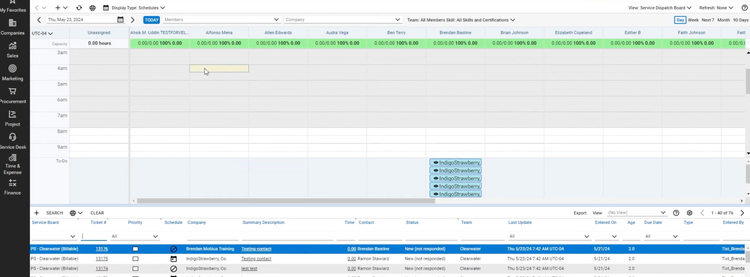
ConnectWise’s dispatching portal also supports multi-channel ticketing. Customers can request service through multiple channels, including phone calls, emails, live chats, or even social media messages. From there, the requests are automatically converted to tickets and consolidated into the dispatching portal, further increasing operational efficiency.
Accelo - Best Integrated CRM
Accelo offers a built-in CRM module for effective client management. The module lets you manage leads through progressions, from initial contact to winning or losing the sale. This level of transparency can help resource managers gain a sense of demand to allocate labor for future projects. If your company is currently in the closing stages of adding two consulting clients, the sales and staffing managers can communicate to plan future staffing to ensure that labor resources meet demand.
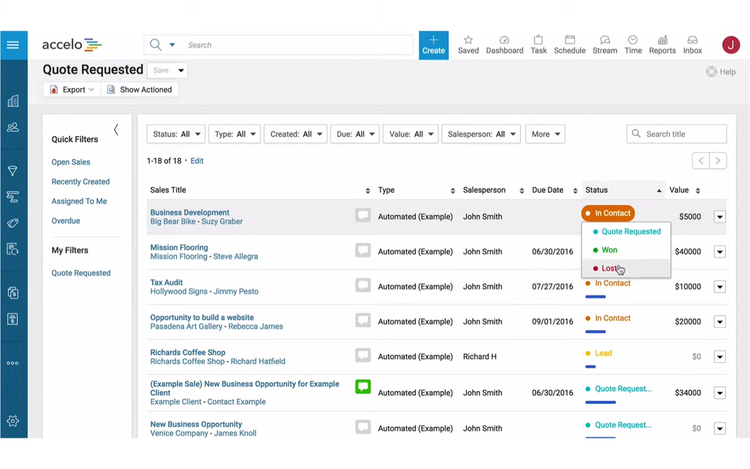
For each progression, Accelo lets you save action templates to ensure best practices are always performed. The system prompts these actions when a salesperson moves from one sales stage to another, from qualifying a lead to generating a quote. You can also customize actions to your specific industry. For example, when a sale reaches the review stage at a marketing agency, an approval request can be sent to the new project manager.
Additionally, Accelo’s CRM module lets you communicate with your clients directly through the system with email and messaging integrations. The platform keeps a log of all client interactions for full transparency and to easily reference past information. Recording past conversations helps better personalize client interactions and increase satisfaction.
Rocketlane - Best for Client Management
Rocketlane lets clients view project statuses in real time with its interactive client portal. The portal is an effective post-sales tool for client onboarding and implementation processes, giving them full transparency into different project stages. In the board view, each phase is laid out with tiles outlining the different tasks, their due dates, and assigned staff members. This way, clients can reach out to the appropriate team member with questions regarding specific tasks instead of being redirected through layers of management.
The client portal is completely customizable, allowing you to show only the tasks, documents, or comments you want the client to see. For SaaS implementation teams, if there’s a delay in fixing an integration issue, you can hide that specific task from view and work on it internally. Tasks not visible to clients are highlighted in yellow, making them easy to identify while updating projects. This functionality helps you manage what information is being shared and work on problems internally to avoid potential conflicts.
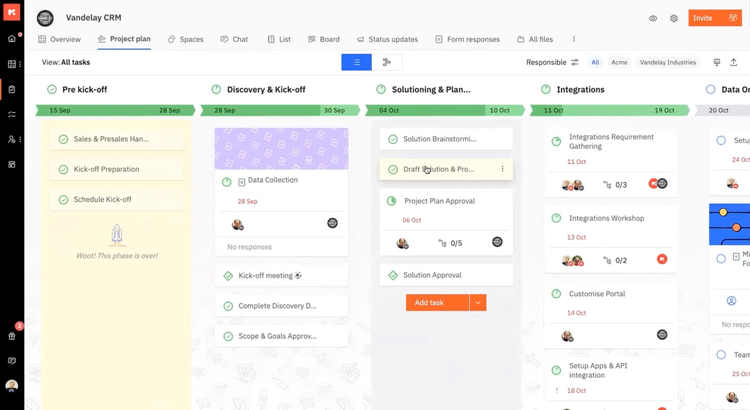
Rocketlane’s client portal also features a project overview. If clients don’t want to analyze phase specifics, this view lets them quickly check statuses at a glance. These include a percentage completed progress bar, hours tracked vs. budgeted, or in-progress phases. It’s great for giving clients options on how they view statuses and progress.
Rocketlane is effective for small to mid-sized companies in the SaaS implementation, consulting, or IT service provider industries. Its plans start at $49/user/month and come with the branded customer portal, unlimited projects, and customer records.
Scoro - Best for Service Quoting
Scoro’s quoting module helps consultants and marketing agencies accurately estimate costs. The system allows you to build predefined service products, like website UI design or event marketing, and set a price. Quickly add them to a new proposal with your employees’ specific rates to really standardize the proposal creation. You can even make templates for standard service packages to make it even easier.
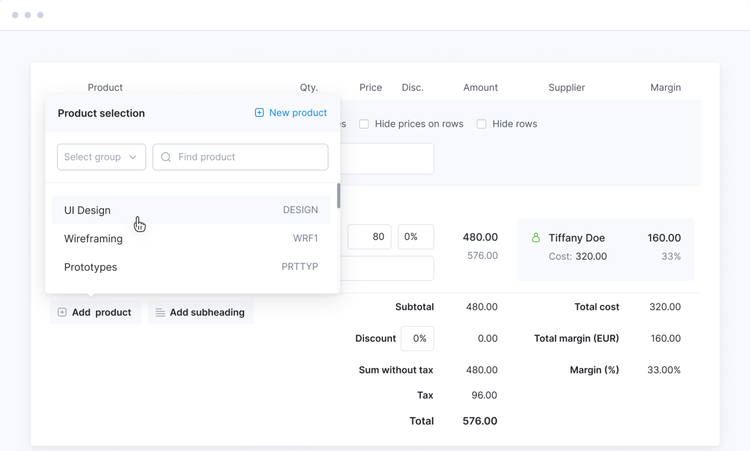
Additionally, you can view results from previous proposals to improve price and budget accuracy. See essential metrics for each project type, like average margin and margin percent. This will help you adjust service prices, know which service makes you the most profit, and even when to charge more. It’s an excellent tool for ensuring you’re always taking the most profitable jobs, especially when choosing between several offers.
Scoro is best for small to midsize firms and agencies that want to add features as they grow. The time billing, project management, and quote-to-cash modules are offered as standalone plans, with the complete platform starting at $57/user/month. That said, Scoro has fewer integrations than systems like Polaris PSA, so you’ll need to ensure your current platforms are compatible.

Deltek Vantagepoint - Best for Enterprise Firms
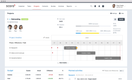
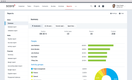
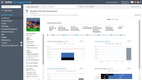
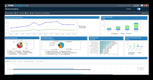
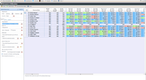
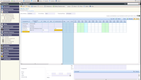
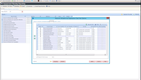
Deltek Vantagepoint is a project-based ERP for architecture, engineering, and consulting firms that combines project accounting, CRM, resource planning, and billing in a single database. For firms that have grown into several offices or operate across multiple entities, Vantagepoint’s multicompany setup lets professional service firms run one platform for finance and operations.
Each company in the enterprise can create and manage its own general ledger, projects, and billing rules. But shared items like the chart of accounts, work breakdown structures, and customer data are rolled up at the enterprise level, so every location works from the same core foundation.
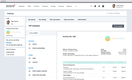
When staff from one company work on another entity’s project, intercompany billing creates the required invoices and vouchers and posts them to both ledgers. The same process posts intercompany receivable and payable entries to each company’s general ledger, keeping every entity’s balance sheet in balance without manual journal entries. You can also create consolidated financial statements for the entire business or create specific groups for more granular reporting. And if you have offices globally, each entity can operate out of its own currency.
That depth comes with a heavier rollout. Like most systems this size, expect a longer and more involved implementation process. Deltek often has meeting-intensive implementations, and VantagePoint’s reporting and project management tools take time to learn properly. If you want a professional service ERP but aren’t running multiple entities just yet, we recommend checking out Deltek Ajera, a lighter ERP for smaller firms.

Other Systems We Like
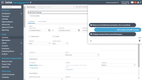
BirdView is a good option for marketing or consulting firms, as it offers strong project and resource management features. The system integrates with over 6,000 business tools and systems, allowing users to continue using their existing workplace tools.
What is PSA Software?
Professional services automation (PSA) software helps businesses manage the business side of client-based work. Consulting firms, marketing agencies, accounting firms, IT providers, and other organizations that bill for their time use PSA software to replace repetitive manual tasks of running service-based work. At its core, a PSA system combines time and expense tracking, resource scheduling, project budgeting, billing, and profit reporting in a single platform. These systems usually sit between where work is sold (CRM) and where invoices get posted (accounting).
While similar to project management software, PSA software is broader in scope. Project management tools track tasks and deadlines while PSA systems connect that work to staffing, billing, and reporting. Some PSA software can even include help desk ticketing, service contract management, and recurring billing support.
Key Features and Benefits
| Feature | Description | Benefit |
|---|---|---|
| Time and expense tracking | Log billable and non-billable hours against clients and projects, and capture expenses with receipts for approval. | Approved hours and expenses flow straight into invoices, so less billable work gets missed. |
| Billing and invoicing | Generate invoices from approved time and expenses. Supports hourly, fixed-fee, and retainer billing with rates set per employee, role, or client. | Clients are billed accurately and on schedule, whatever the contract type. |
| Resource management | View team availability and skills, and assign people to upcoming projects based on capacity. | Keeps workloads balanced and helps you hire ahead of booked demand. |
| Project accounting | Track budgets, costs, and revenue at the project level. Unlike a full accounting system, most PSA tools don’t include a general ledger or AP. | Flags a project going over budget while there’s still time to correct it. |
| Project management | Plan tasks, milestones, and deadlines, with timelines in calendar or Gantt views. | Keeps delivery on schedule and ties task progress to the project budget. |
| Reporting and analytics | Build reports on utilization, billable vs. non-billable hours, project margins, and unbilled time. | Shows where the firm makes and loses money across clients, projects, and people. |
| Accounting and CRM integrations | Sync invoices and payments with accounting software like QuickBooks Online or Xero, and pull closed deals in from your CRM. | Removes double entry at month-end and gives new projects a clean handoff from sales. |
Advanced Features
On top of the core features, some PSA software offers more advanced functionality. These features can include:
- Service CPQ: Builds quotes and proposals from service rates and role costs, often syncing with your CRM, so pricing matches what the project will actually cost to deliver.
- Built-in CRM: Some systems, like Accelo, include a CRM module instead of requiring a third-party integration.
- Built-in accounting: Most PSA tools integrate with separate accounting software. Some, like BQE CORE and Deltek Vantagepoint, include a full general ledger.
- Client portal: Gives clients a view into project status, tasks, and files. Rocketlane lets you control exactly what each client sees.
- Help desk/Ticketing: MSP-focused PSA tools like ConnectWise PSA add ticketing and technician alerts tied to service contracts.
Industry Specific Software
| Industry | Key features | Recommended system |
|---|---|---|
| Consultants | Scheduling that lets you match particular consultants with specific projects based on certifications, preferences, experience, and skills. | Polaris PSA, Accelo, Scoro |
| Architects and engineers | Project accounting with complex phase tracking on intricate designs. | BQE CORE |
| Managed service providers (MSPs) | Centralized client management and billing automation to deliver high-quality service. | ConnectWise |
| Accounting and CPA firms | Automate invoice creation for complex projects with dynamic billing rates and structures. | BigTime, Polaris PSA |
| Marketing and Advertising agencies | Team member collaboration and efficient project management to meet tight deadlines and ensure high-quality deliverables. | FunctionFox, Rocketlane, Scoro |
PSA Software vs. Project Management Software
Project management software is designed to help teams plan, assign, and track the tasks within a project. Professional services automation software goes further by managing the entire lifecycle of client work. In addition to project task management, PSA platforms connect sales and quoting with billing, invoicing, and accounting.
| Aspect | Project Management Software | Professional Services Automation (PSA) |
|---|---|---|
| Primary Focus | Tracking and controlling project tasks | Managing the entire client services lifecycle |
| Scope | Limited to planning, scheduling, execution | Covers sales, projects, resources, billing, reporting |
| Key Features | Task lists, Gantt charts, Kanban boards, milestones | Resource allocation, time/expense tracking, invoicing, project accounting, utilization reporting |
| Users | Teams collaborating on project deliverables | Service-based businesses running projects tied to clients and revenue |
| Financial Management | Minimal—may track budgets or costs at the project level | Full billing, invoicing, and profitability analysis |
PSA Software Trends
-
Utilization Is Under Pressure: Billable utilization across professional services firms fell to 66.4% in 2025, the lowest point in SPI Research’s survey history, according to Certinia’s analysis of the 2026 SPI benchmark. For firms feeling that pressure, resource planning tools that show who is underbooked before it hits margins are a key reason to adopt PSA software.
-
AI Moves Into Project Delivery: SPI found that 27.1% of projects used generative AI in 2025, a 40% increase from the year before, and 40% of firms now sell AI-related services (Kantata). Some PSA vendors are also moving beyond AI assistants for reporting and time entry. Rocketlane, for example, now markets AI agents that complete routine project delivery tasks.
-
PSA and Financials Are Converging: According to the same SPI benchmark, 76% of high-performing organizations use PSA, and over half integrate it with their core financial management system (Kantata). If you’re evaluating PSA software, check how well it syncs billing and project accounting with your accounting system or general ledger.
- Recurring and Subscription Revenue Models: There has been a shift towards professional service firms and MSPs offering subscription-based services or targeting recurring revenue streams. PSA systems are adapting to this by offering tools to manage recurring billing and invoicing more efficiently. An example is ConnectWise PSA which has allowed MSP providers to bundle their services into monthly packages and offer different pricing tiers to customers with its billing and invoicing module.
Pricing Guide
PSA software with published pricing typically costs between $10 and $70 per user per month, while enterprise systems are usually quote-based. Your final cost depends on the number of users, the plan or modules you need, and whether you pay monthly or annually.
Low-Cost ($10 to $25/user/month)
Low-cost plans cover the essentials: time and expense tracking, basic project tracking, and invoicing. They fit small agencies and firms moving off spreadsheets that don’t yet need resource planning.
Mid-Range ($25 to $50/user/month)
Mid-range plans add project budgeting, resource scheduling, quoting, and more detailed reporting. They fit growing firms that need to connect delivery with billing and margins.
High-End ($50 to $100/user/month)
High-end plans include the full platform, with advanced financials, custom workflows, and deeper resource management. They fit established firms running many concurrent client projects.
Enterprise (Custom Pricing)
Enterprise systems are quoted based on firm size, modules, and implementation scope. They fit multi-office or multi-entity firms and MSPs that need ERP-level financials, advanced workflow automation, or service desk tools.
A few factors to check before comparing prices:
- User minimums: Several vendors require a minimum number of paid users, such as 3 users for FunctionFox and 5 for Scoro and Rocketlane.
- Billing term: Annual billing is often cheaper. FunctionFox Classic costs $10.50/user/month billed annually vs. $12.75 billed monthly.
- Modules and add-ons: Some vendors price by module or app combination, so resource management, quoting, or AI features can raise the per-user cost.

