

The Best Production Scheduling Software
Production scheduling software streamlines shop floor operations with real-time progress tracking and automated production planning. Compare the options to find the right one for your business.

- Responsive customer support
- Intuitive scheduling features
- Highly customizable for small and large businesses
- Flexible and customizable work views
- iOS and Android mobile apps
- Visual and configurable interface
- Real-time inventory tracking across locations
- Live inventory management
- Responsive live support
The best production scheduling software will streamline inventory management and optimize capacity planning for manufacturers. After examining more than 20 products across 7 metrics based on our review methodology, we’ve ranked our top picks in production scheduling software.
- PlanetTogether: Best for High-Mix Manufacturing
- Visual Planning: Best for Labor-Based Planning
- Katana: Best for Small Companies
- Opcenter APS: Best for Scenario Modeling
- MRPeasy: Most Affordable
- Eyelit APS: Best for Constraint Scheduling
- Fulcrum: Best for Metal & Steel Manufacturing
- Sutton: Strong User Interface
PlanetTogether - Best for High-Mix Manufacturing
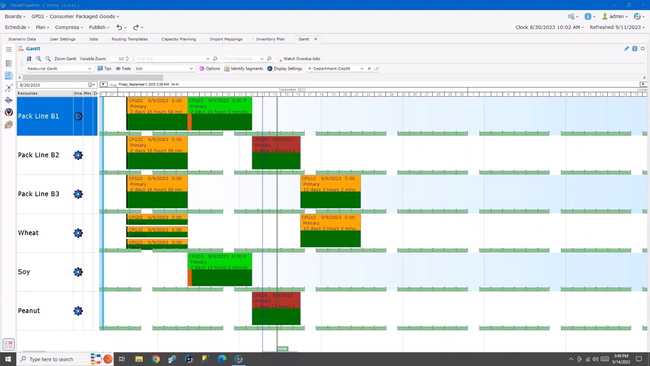
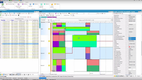
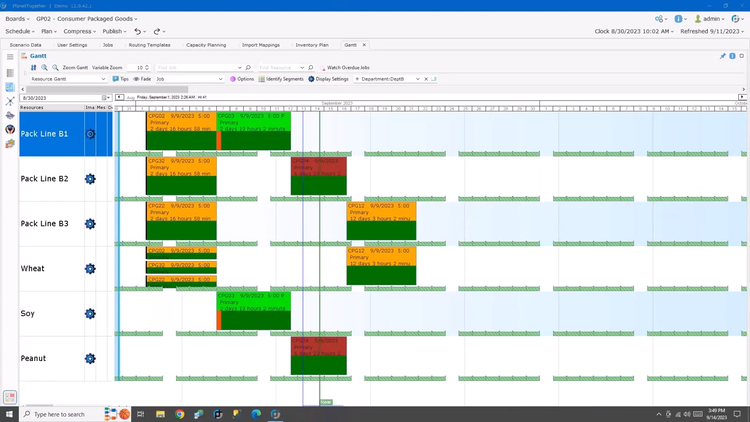
PlanetTogether is best for manufacturers that produce a wide variety of products in batches, often with a high degree of customization. It’s a good choice for food processors and pharmaceutical companies. But it can also handle electronics, automotive, and chemicals, thanks to its strong capacity-constrained scheduling
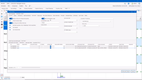
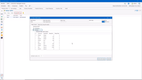
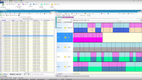
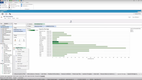
PlanetTogether’s constraint management tool offers drag-and-drop functionality. We found it easy to move jobs, tasks, and resources around in the schedule. If a priority order comes in, it’s simple to adjust and prioritize it in the queue. Overall, the APS does a solid job of integrating labor shifts and material supply into your schedule.
While scheduling is intuitive, we’d like to see more streamlined dashboards in PlanetTogether. The interface can feel cluttered at times and lacks modern design elements. However, this is a common issue among APS systems, many of which still rely on legacy designs.
UI aside, PlanetTogether is a good pick for any high-mix manufacturer looking for an effective solution for finite capacity scheduling.
Visual Planning - Best for Labor-Based Planning
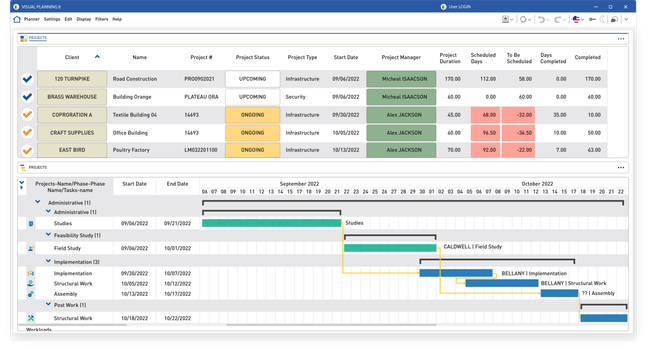
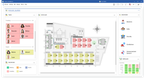
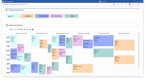
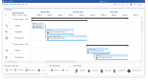
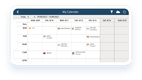
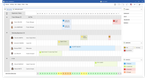
Visual Planning is a resource scheduling software designed to plan jobs, projects, and tasks. Its VPAutomation tool sequences tasks automatically based on employee availability and their specific skill sets.
VPAutomation can pinpoint the most skilled machine operators available for a certain production line. Each operator’s profile includes details like their experience levels and certifications. From there, you can define each production task with the skill requirements necessary for completion. VPAutomation uses an allocation algorithm to cross references these skill sets, then assigns your employees to shifts or scheduled events.
For more tailored workforce management, VPAutomation utilizes your custom HR rules, such as work-hour contracts (like 35-hour or 39-hour weeks) and mandatory breaks between shifts. Visual Planning assesses current capacity, availability, and cost factors to make the best staffing decisions.
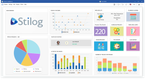
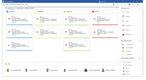
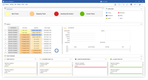
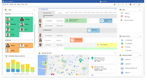
This software can adapt to various uses, including HR, construction project management, manufacturing, and more. The software helps companies track crews, machines, processes, and supplies effectively. Functionalities include:
- Work orders
- Machine scheduling
- Inventory management
- Supplier management
- Delay alerts






Katana - Best for Small Companies
Katana Manufacturing ERP offers user-friendly production scheduling that integrates with purchasing, warehousing, and sales, starting at $179/month for one inventory location. While a system like SAP Cloud ERP might be better suited to enterprise-level operations with multi-stage processes, Katana is a solid option for smaller companies with 10 to 200 employees.
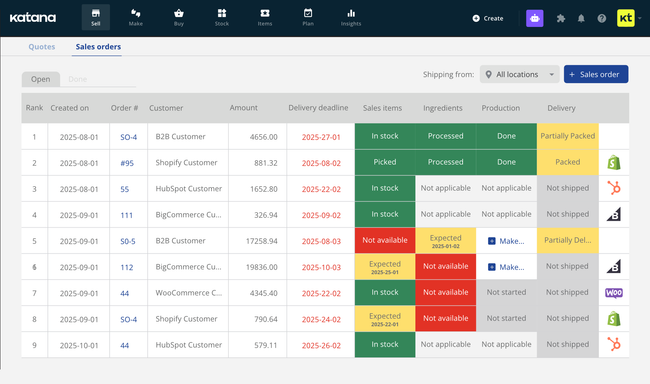
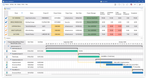
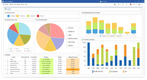
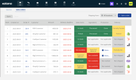
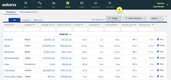
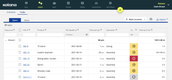
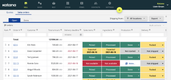
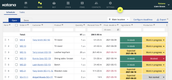
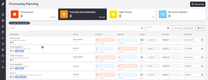
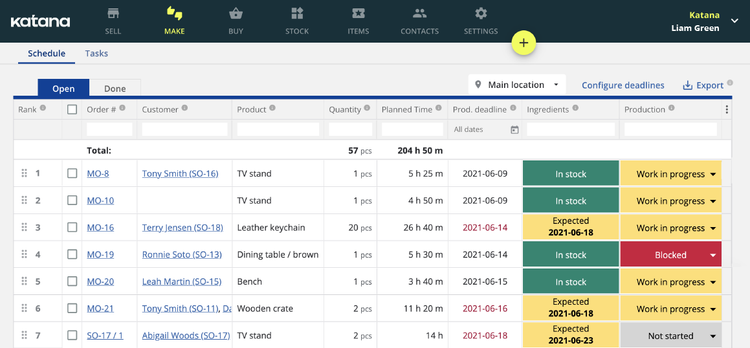
Katana offers a responsive, visual dashboard for intuitive scheduling. This means you’re spending less of your limited resources on employee training. Regardless of your team’s technical skills, they can access an easy-to-read table on the schedule screen.
It includes all essential details like job priority, planned time, production and delivery deadlines, and production status. Plus, it’s easy to rearrange tasks—simply drag and drop them to update the schedule. For example, if an urgent customer request comes in, you can bump up a high-priority order without issue.
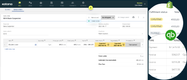
When you move tasks, Katana automatically recalculates resource allocations and timelines. This means your production schedule always reflects the most recent changes, helping you avoid bottlenecks down the line. As your team uses raw materials during production, you can replenish your stock as needed and avoid costly shortages or overstock scenarios.
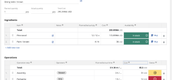
Katana also provides shop floor control via the tasks dashboard, which lets you quickly assign specific tasks for manufacturing orders to different operators. Filter each task by resource or workstation to see at a glance which resources are available and which are in use. This transparency supports real-time planning and performance monitoring so you can keep tabs on the progress of different tasks and orders.
Opcenter APS - Best for Scenario Modeling
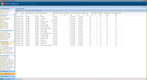
Opcenter APS is a family of advanced planning and scheduling software from Siemens, made up of three products built just for manufacturers. Opcenter Planning covers long and mid-range production planning, Opcenter Scheduling builds detailed shop floor schedules, and Opcenter Scheduling SMT is designed for surface-mount technology lines like circuit board assembly and other electronics manufacturing. Each connects with your existing ERP and production software, so your schedules are built with live inventory and order data.
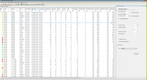
Once a master production schedule is set, production planners can build scenarios and compare multiple versions of the schedule without disrupting the MPS. The published version stays in place until you replace it, so none of the scenarios you’re testing accidentally reach the shop floor or a quote from sales. Opcenter APS connects to Teamcenter Share a collaborative shared workspace that planners can get feedback and share what-if scenarios with the shop floor, plant managers, finance, and even sales.
Say a customer asks to rush an order two weeks before it was originally scheduled. You build a what-if scenario to see where the job fits, and Opcenters’ impact analysis tells you which jobs delivery dates would be delayed and by how much before giving the customer an answer. Planners can then collaborate with sales and finance to understand the real-life impact beyond the schedule. The Material Explorer takes that same idea and applies it to the material and inventory side of the same question. It flags when a part or raw material will run short and gives you the option to hold the job or keep it on the schedule.
Opcenter APS is built for mid-market and growing manufacturers rather than small job shops. It requires substantial setup that is tailored to each business, which takes time and can be expensive for complex implementations. Siemens does not publish pricing and requires a custom consultation. Opcenter is a great planning and scheduling software for manufacturers with high production volumes and complex supply chains, especially electronics manufacturers.
MRPeasy - Most Affordable
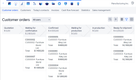
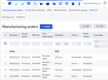
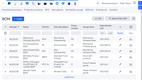
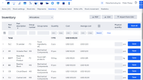
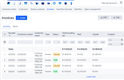
MRPeasy is a cloud-based material requirements planning (MRP) software. It starts at just $49/user/month for all of its main functions, including production planning and reporting, drag-and-drop rescheduling, and workforce management. It’s one of the most affordable systems on the market, providing strong features at a great value for small businesses.
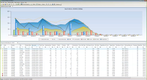
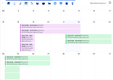
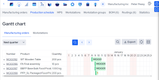
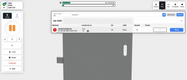
Beyond its low price, MRPeasy offers an easy-to-use production planning module for a wide variety of manufacturers, including food and beverage, automotive, and industrial, among others. What really makes it stand out is its drag-and-drop scheduler that makes rescheduling easy. Orders are displayed on a Gantt chart, and you can just move them to another date if you’re running behind. The system accounts for workstation availability and only lets you move it to an open spot, preventing accidental double-bookings.
When you change an order’s production date, the update is instantly reflected in the system’s other charts and calendars. This allows you to be flexible without worrying about making multiple changes throughout the system. It’s great for industries like automotive, where market shifts, supply chain constraints, and consumer demands are highly volatile. With MRPeasy, you can adapt to these changes in real time without causing overruns or shortages.


Eyelit APS - Best for Constraint Scheduling
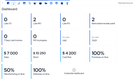
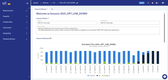
Eyelit Advanced Planning and Scheduling (formerly Optessa) is best for manufacturers that need to schedule around multiple, interdependent constraints. It’s especially useful for manufacturers in the automotive, industrial equipment, and electronic industries, where task sequences, machine limits, labor availability, and material timing are all critical factors in production.
At its core is Optessa’s optimization engine, which builds accurate and efficient schedules based on your real-world rules and constraints. It can prioritize tasks, minimize changeovers, and reduce idle times, all while accounting for the constant shifting availability of people, machines, and materials. Unlike drag-and-drop schedulers that surface conflicts after the fact, Optessa prevents them outright. Its algorithms generate production plans that are not just optimized but are fully executable.
However, with pricing starting at $5,000/month, Optessa is best for mid-sized and large organizations that can invest in a solution. Smaller manufacturers should consider other options like Katana MRP or MRPeasy.

Fulcrum - Best for Metal & Steel Manufacturing
Fulcrum Pro’s Auto Scheduler analyzes each job’s dependency chain for better task sequencing, factoring in aspects like job runtime, due dates, and priority levels. This approach helps reduce bottlenecks, especially when your production processes involve ordered steps like cutting, welding, and heat treatment.
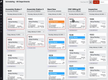
The Auto Scheduler then factors in each machine’s current capacity and redistributes tasks based on their availability and job priority. You easily view this on Fulcrum’s visual interface, where each column represents a machine and each card shows a job’s details.
Just drag and drop the job card within a defined timeframe, typically 48 hours, for short-term adjustments that won’t derail future operations. This flexibility is useful in high-volume metal production, where preventing idle time is key to maximizing output.
Additionally, the Auto Scheduler stays current as new jobs come in or priorities shift. For urgent customer requests, operators can adjust the due date in the job’s settings. The scheduler then reprioritizes and reschedules operations to accommodate this change. This keeps custom order production moving efficiently and helps you avoid missing deadlines.
Sutton - Strong User Interface
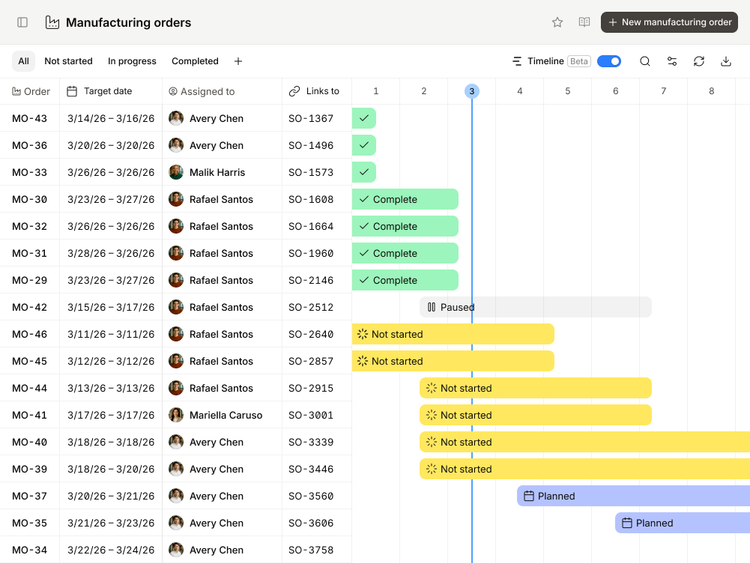
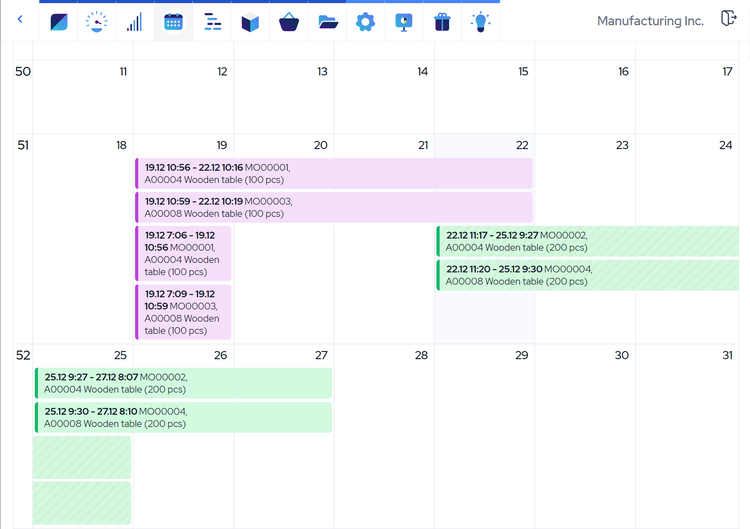
Sutton offers a lightweight production scheduling software for small to midsize manufacturers. One of the system’s biggest strengths is its modern UI, and this is really apparent in the master production scheduler. It color codes each stage of the process, from planned to complete, along a logical Gantt timeline that makes it easy to spot bottlenecks and check statuses.
Additionally, Sutton includes a strong capacity planning and resource allocation module. It consolidates your work orders and lets you filter them by status, work center, or team member. This helps you maintain stock levels, set priorities, and track performance. It’s a great way to keep jobs on track from one central location, instead of sifting through a spreadsheet.
While Sutton is a newer system compared to more established vendors, the modern interface and ease of use make it a great option for small to midsize manufacturers. Pricing starts at $400/month for the Starter plan, making it more affordable than a larger APS system.


What is Production Scheduling Software?
Production scheduling software converts customer orders into executable shop floor plans. It sequences jobs across machines and workstations, accounts for material availability, labor capacity, and lead times, and gives you a live view of what’s being built, when, and by whom.
Where MRP software tells you what materials to order and when, production scheduling software tells you how to sequence and execute the work once those materials are on hand. Most MRPs have some form of scheduling, like Katana or MRPeasy. Some systems, particularly advanced planning and scheduling (APS) tools, go further by optimizing around constraints like machine capacity limits, operator skill sets, and competing job priorities simultaneously.
How We Selected the Top Products
We personally review software to help you find the best software on the market. Here is our review methodology for production scheduling:
1 Features
We tested features such as real-time progress tracking and automated production planning to better determine the top options on the market today. The top commonalities we found amongst the best products included capacity planning and the ability to prioritize different jobs. In particular, Gantt charts are very popular for easily visualizing different tasks.
2 Price
Second on our list was pricing options for this type of software. During our review, we found prices range from $50 per user per month up to $5,000 per month. There are also forever-free options to consider.
3 Performance
Last, we tested the software ourselves to judge performance first-hand. We tried our best to see how intuitive the user interface was, how easy it was to reach support, and what the ideal conditions for operating the software were.
Key Features
- Gantt charts: View your production schedule as horizontal bars across a timeline, with one row per machine, work center, or operator. Dependencies between operations stay visible, so you can trace what has to finish before the next job starts.
- Capacity planning: Compare the load your current orders put on each work center against the hours that work center actually has available. Overloaded resources surface before you commit to delivery dates instead of after.
- Priority scheduling: Rank jobs by the criteria that matter most to you, whether that’s due date, customer, or job margin. The system sequences the highest-priority work first and pushes everything else back accordingly.
- Drag-and-drop capabilities: Move an order to a different time slot or resource by hand when you need to override what the system generated. The schedule recalculates around your change and flags any conflict it creates.
- "What-if" analysis: Build alternate versions of your schedule to test a change before it goes live, like adding a shift, taking a machine down for maintenance, or accepting a rush order. Compare each version against your current plan to see which jobs slip and by how much.
- Changeover and setup optimization: Account for setup time that depends on what ran on the machine before, then group similar jobs to reduce it. On paint, filling, and print lines, changeover can take longer than the production run itself.
- Dispatch lists: Give each work center its own ordered list of what to run next, pulled straight from the live schedule. Since this is what operators actually work from, look for systems that update automatically rather than go stale when a schedule shifts.
- Real-time progress tracking: See job status as operators report it, so your schedule reflects what has actually finished rather than what was supposed to. Dedicated production tracking software goes deeper if that’s your primary concern.
Benefits
- Delivery dates you can commit to: Most quoted dates come from a standard lead time rather than a look at what your plant is actually running. Which is where late orders start. Production scheduling software checks estimated lead times against your current load, material availability, and open orders, so you know whether the date holds before you give it to the customer.
- Setup time recovered: On most machines, setup time is a real constraint that manual schedules and simpler systems tend to ignore. On painting, filling, and printing jobs especially, this can take longer than running production itself. Production scheduling software sequences similar jobs back to back to cut how many changeovers you pay for across a shift.
- Lower work in progress: Releasing jobs as early as there is room for them keeps machines busy, but it pushes parts to stations that aren’t ready for them. They sit in a queue, and your cash sits with them. Scheduling against real capacity releases work closer to when it’s actually needed, which shortens how long jobs wait between operations and cuts the half-finished inventory on your floor.
- Less time spent scheduling: Rebuilding a schedule by hand can take hours, even for experienced planners. If a machine breaks or an order is rushed, that means rebuilding it again and again. A scheduling software lets planners create new plans quickly using drag and drop or rush order tools like Opcenter APS.
Scheduling Methodologies Explained
Most production scheduling software uses some combination of the four approaches below. Knowing which ones a system can support matters because every combination trades something off, whether that’s buffer time, work-in-progress, or machine utilization.
- Forward Scheduling: This starts from today and schedules jobs as early as possible, pushing everything forward in time. It’s good for maximizing throughput and keeping machines busy, but it tends to create work-in-progress (WIP) pileups because jobs arrive at downstream workstations before those stations are ready for them. You’ll see this approach in simpler MRP-based schedulers and some lighter manufacturing ERPs.
- Backward Scheduling This starts from a job’s due date and works backward to determine when each operation needs to start. This keeps WIP lower and ties production more tightly to customer commitments, but it leaves less buffer time if something slips. It’s common in make-to-order environments where meeting a delivery date is the primary constraint.
- Finite Capacity: This is used by most dedicated APS systems. It treats machine and labor capacity as hard limits rather than assumptions. Rather than generating a plan and then flagging overloads after the fact, the system builds the schedule around what’s actually available.
- Constraint-Based Scheduling: This takes finite capacity further by modeling interdependencies between jobs, machines, operators, tooling, and materials simultaneously. It’s the most realistic and the most complex. The optimizer doesn’t just find an available slot — it finds the sequence that minimizes total production time, changeover costs, or whatever objective you define. Eyelit APS is the strongest example of this on our list.
One thing worth knowing: most software vendors describe their product as “finite capacity” regardless of what’s actually happening under the hood. When evaluating a system, ask specifically how it handles a scenario where a machine is overloaded. Does it alert you and let you resolve it manually, or does the engine prevent the conflict from being scheduled in the first place? The answer tells you a lot about how the system actually works.
Pricing
Production scheduling software ranges from $2,000/year for basic setups to over $100,000/year for enterprise manufacturers. Costs scale based on the type of software you go with, the users, and the complexity of your scheduling process. The table below covers typical annual spend for production scheduling software.
| Tier / Company Size | Annual Cost | Expected Features |
|---|---|---|
| Low-Tier (1–25 employees) | $2,000 – $25,000/year | Drag-and-drop scheduling, single-site capacity checks, scheduling bundled into an MRP or a light standalone scheduler |
| Mid-Tier (25–150 employees) | $25,000 – $100,000/year | Finite capacity scheduling, what-if scenarios, sequence-dependent changeovers, ERP integrations |
| High-Tier (150–500 employees) | $100,000 – $250,000/year | Constraint-based optimization, multi-site scheduling, custom rule engines, dedicated implementation |
| Enterprise (500+ employees) | $250,000+/year | Supply chain wide planning, sales and operations planning, demand forecasting, multi-plant orchestration |
Beyond the License Fee
-
Implementation and Setup: Most systems require setup and configuration to tailor the scheduling to your production floor. Budget for both the time and cost it takes to train staff and build models based on your complexity.
-
User types and Seats: Understand how many seats and the types of users that are required to access the system before getting quotes. Some vendors charge differently based on the level of access and control they have over the system.
-
Integrations: Audit your existing production scheduling process. Do you pull in data from a manufacturing ERP or financial system? Do you rely on data from a separate order management or CRM software? This can affect which system you go with.
-
Free Options: In reality, if you are looking for production scheduling software for a business, there is no free option that will do what you need. To try out software before you purchase, utilize the wide array of free trials available in systems like MRPeasy, Sutton, and Katana.
Frequently Asked Questions
Do I need production scheduling software if my ERP already has a scheduling module?
What is the difference between production scheduling and APS software?
Both are software systems that sequences work across resources, and vendors use the terms interchangeably. APS tools add longer planning horizons, multi-site scheduling, and optimization engines that weigh competing objectives instead of just filling the next open slot.
Our APS roundup covers more systems that support this.

