The Best Fund Accounting Software
Maintaining accurate records becomes difficult as your funding sources become more complex. We reviewed the best software for nonprofits, government entities, and educational institutions, focusing on budgeting, grant management, and reporting.

- All-in-one financial solution
- Customize and export timely financial reports
- All-in-one financial solution
- Cloud accounting solution
- Intuitive, reliable, and secure
- Cloud accounting solution
- Very clean and intuitive layout
- Software is scalable
- Reports are incredibly detailed
Fund accounting software helps you better manage and report on multiple funding sources like grants and donations while ensuring compliance with specific restrictions or purposes. We’ve compiled a list of popular systems for various organizations to help you find the best solution.
- Aplos: Best Overall
- Blackbaud Financial Edge NXT: Most Comprehensive Reporting
- CenterPoint Fund Accounting: Best In-Depth Fund Accounting
- MIP Accounting: Most Customizable
- FastFund Accounting: Best for Multi-Funded Allocations
- AccuFund: Most Economical
- Fund EZ: Best for Detailed Fund and Departmental Accounting
- Sage Intacct: Best for Multi-Entity Nonprofits
- VADAR Cloud: Best Tax Collection System
Aplos - Best Overall
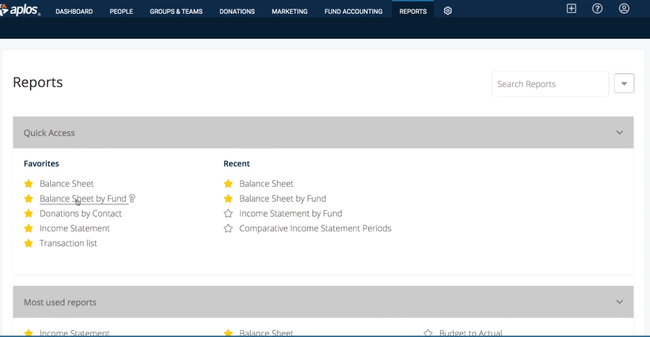
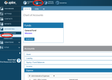
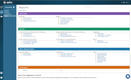
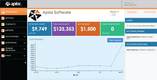
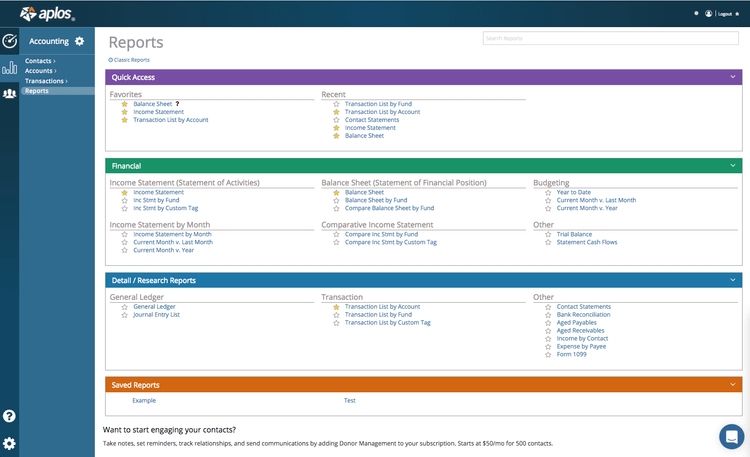
Aplos’s fund accounting module makes it easy for your organization to track incoming money. You can set donor restrictions, ensuring your team properly allocates and uses every donation. For example, if one of your donors gives for a specific project, you can restrict that amount and use it only as directed. Or, label unrestricted funds accordingly so your team knows that the donation is flexible. It’s crucial for proper spending practices and complying with FASB guidelines.
When you spend donor funds, you can provide them with detailed reports outlining where you used their money. If a person provided specific instructions for use, you can prove to them that your organization stayed true to their request. It’s a great way to build trust with new givers and retain strong relationships with regulars.
Aplos is also affordable for small to midsize nonprofit organizations. The Lite plan starts at just $79/month, which is cheap compared to other products on the list like Sage Intacct. That said, if you want features like budgeting, pledge tracking, and recurring transactions, you’ll need to upgrade to the Core package at $99/month, which is still a good value.
Blackbaud Financial Edge NXT - Most Comprehensive Reporting
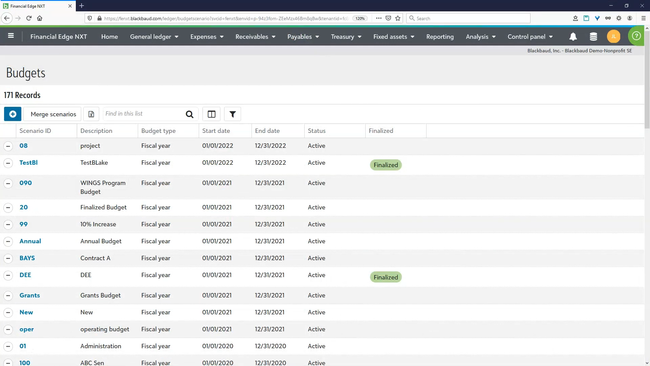
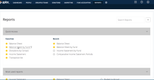
Blackbaud Financial Edge NXT stores records for every grant, fund, or program for easy access. This allows you to create detailed reports on every financial metric, like invoices by payment status or aged accounts payable. It’s great for nonprofits and government entities to ensure overall integrity and track program success.
The system is also highly customizable, letting you configure report dashboards to view important high-level KPIs. Filter data by department, grant, or project to analyze different segments individually. Further, you can export them to systems like Excel in view-only access for stakeholders for better visibility. These can be bank reconciliation reports, budget vs. actuals, or even cash disbursement journals.
Blackbaud Financial Edge NXT is best for mid to large nonprofit organizations or governments looking to streamline fund accounting and manage projects. Unfortunately, pricing is not disclosed publicly, so you’ll need a custom quote to find the exact cost for your business.
CenterPoint Fund Accounting - Best In-Depth Fund Accounting
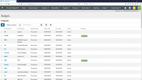
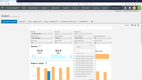
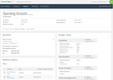
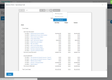
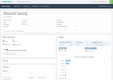
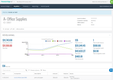
CenterPoint Fund Accounting’s in-depth fund accounting is designed to manage financial activity for government entities, nonprofits, and educational institutions. You can create and track budgets for each fund, whether the money came from a grant or a donation, ensuring it’s spent according to legal requirements and donor intent.
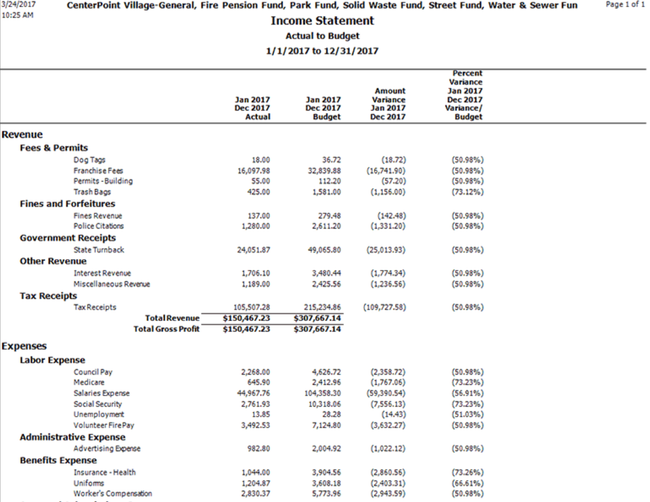
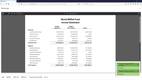
Reporting tracks income and expenses separately for each fund, so you can see whether a restricted grant is running ahead of or behind its budget without untangling it from the rest of the ledger. Departmental reporting layers on top of that fund structure, so a grant spent across two programs reports against the award and against each department without a second journal entry.
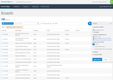
Every figure in those statements stays linked to the transaction that produced it, which means a grantor question is answered by opening the entry rather than rebuilding the trail in Excel. The Report Writer lets you modify default statements, then export to Excel or Word for board members who won’t log in.
Red Wing doesn’t publish pricing, so a quote requires a consultation. There’s little public API documentation, so confirm integration options during a demo if you need them. Nonprofits with roughly 50 to 500 employees and $1M to $50M in revenue are the best fit. Cities and townships should look at CenterPoint Fund Accounting for Municipals, a separate product built around GASB reporting.
MIP Accounting - Most Customizable
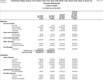
MIP Accounting is built on a multi-dimensional chart of accounts that tracks transactions by fund, program, grant, and department. The user-defined dimensions ensure that you are properly monitoring and reporting restricted funds across your entire organization. By coding transactions at the dimension level, the system automatically aligns every dollar with its funding source and purpose for full transparency and compliance.
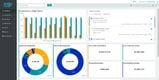
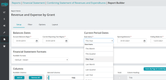
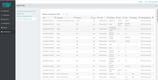
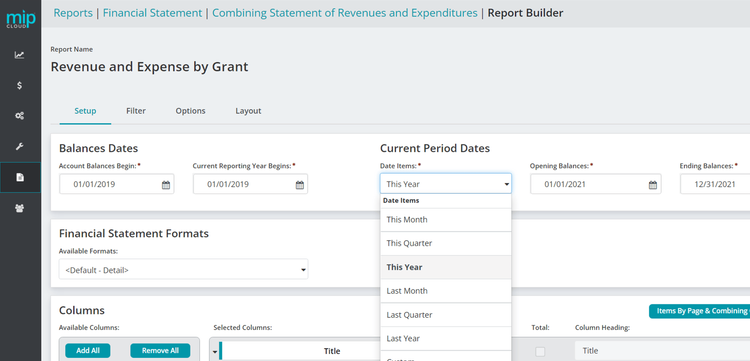
Additionally, MIP Accounting’s reporting is customizable and designed to meet the needs of fund-based nonprofits. It includes a custom report builder and editor, allowing you to start with default templates and modify them to fit your needs. You can edit columns, fields, totals, and layout elements across financial statements, such as budget vs. actual and revenues vs. expenses. You can even build dashboards for KPI analysis.
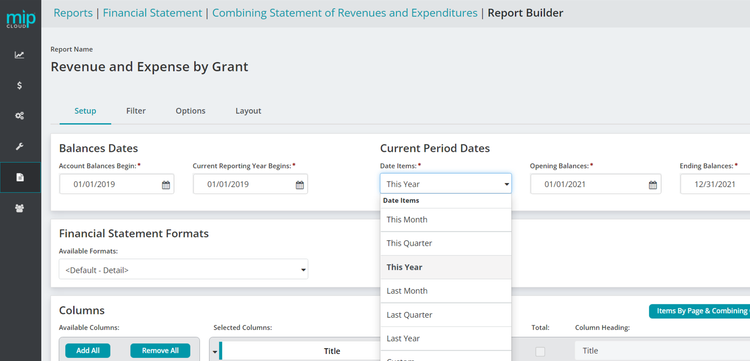
MIP is a fully integrated system with comprehensive functionality, including fund accounting, procurement, budgeting, payroll, human resources, and grant management. This flexible structure enables you to manage and report on multiple cost centers at the general ledger level, including several organizations, funds, projects, grants, programs, departments, and locations.
FastFund Accounting - Best for Multi-Funded Allocations
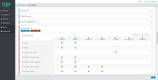
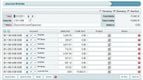
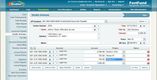
FastFund Accounting offers a strong cost allocations module that allows you to sort expenses and revenue more efficiently, even if you’re multi-funded. You can define your methodology for direct allocations by:
- Percentages
- Account Distributions
- Expenses & Revenue
- Project Code
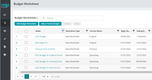
This allows you to stay flexible and create a method suited to your organization. You can also create detailed worksheets for indirect allocations that include all transactions for each cost center. It’s a great way to split revenues and expenses across accounts to keep your books accurate.
FastFund Accounting handles the complex reporting requirements of multi-funded organizations. It maintains separate financial records for each program and includes a user-definable chart of accounts. This will help you set up funds, cost centers, and accounts for total flexibility.
Other modules include project tracking, general ledger, and fundraising. FastFund is affordable for small to midsize businesses, with pricing starting at $50/user/month for the Standard plan. That said, modules like accounts payable, accounts receivable, and direct cost allocations are only available on the $110/month Premium plan, or as an add-on to the Standard plan.
AccuFund - Most Economical
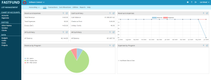
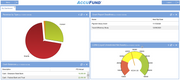
AccuFund Accounting Suite is built for nonprofits, municipalities, and other government agencies, and it carries separate modules for each side of that split. It sells on a perpetual license rather than an annual subscription, so you buy the system outright instead of renewing a seat count every year.
On the government side, municipal revenue modules are inside the accounting system: utility billing, property tax billing, business licenses, and permits and inspections. A township running these through AccuFund bills water and sewer, takes a tax payment, and posts both to the fund ledger without buying a second package and maintaining an integration between them. Nonprofits get the parallel through grants management and labor distribution, which spreads staff time across funding sources instead of reallocating it by hand at the end of the month.
That economy comes with tradeoffs. Reviewers consistently flag reporting: the Standard Reporting module is capable but takes real effort to learn, some reports won’t export to Excel cleanly, and the budgeting module draws complaints about bugs. Modules are sold individually, so the configuration you actually need runs higher than the entry setup, and sizing it takes a consultation.
Fund EZ - Best for Detailed Fund and Departmental Accounting
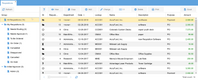
Fund EZ splits its chart of accounts into three segments you code independently: a financial account, a fund, and a cost center. A single transaction carries all three, so one expense reports as a line on the statement of functional expenses, against the grant that funded it, and against the department that spent it, without duplicate entries or a reclassification at month’s end.
Segment lengths are where the editions diverge. Basic gives you six characters for the account, four for the fund, and four for the cost center, which covers an organization running a dozen programs off a handful of funding sources. Pro widens each segment to ten characters and adds indirect allocations on top of the direct allocations Basic already supports by fixed percentage, dollar amount, or unit of measure. If you spread shared overhead across grants, that difference decides which edition you’re actually buying. Both produce nonprofit financial statements split by donor restriction and Form 990 worksheets with drill-down to the underlying transactions.
However, there’s no dedicated grants management module, so grant tracking runs through the fund and cost center segments rather than a purpose-built workspace, which is a real gap if you administer many multi-year awards. Reviewers also state that report customization is labor-intensive, the budgeting module is inflexible, and version upgrades have broken saved data-entry workflows. Support runs Eastern time, which is worth knowing if your office is on the West Coast. The fit is small to mid-sized nonprofits, roughly 11 to 500 employees.
Sage Intacct - Best for Multi-Entity Nonprofits
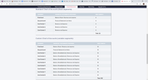
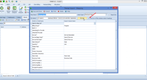
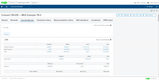
Sage Intacct has native multi-entity consolidation. So if you’re managing five program locations, each with its own grants, budgets, and reporting requirements, Intacct can handle it in a single system. The engine behind this is the dimensional chart of accounts, letting you tag transactions across up to eight standard dimensions. That way, you can get a high-level consolidated view of overall spending and drill down into a single program without rebuilding reports from scratch.
Additionally, Sage Intacct offers a solid grant management module. You can track multi-year grants across entities, automating expense allocations by funding source. You can also generate donor and board reports directly from the same data. So when it comes time to audit prep, it doesn’t require assembling data from multiple systems.
The tradeoff is cost and complexity. Sage Intacct is not a fit for small nonprofits, as pricing starts at over $8,000/year, and will be higher with multiple entities. That said, it includes both FASB and GASB compliance, so both governments and private nonprofits can use it.
VADAR Cloud - Best Tax Collection System
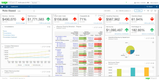
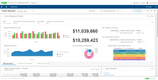
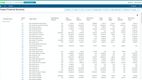
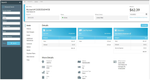
VADAR Systems is designed for small to mid-sized municipalities where billing and accounting run out of the same small finance office. The software handles property tax billing, utility billing, and collections against the same ledger as its fund accounting application. A collector posts a real estate payment, and it lands in the receivable and the general fund in one step, with no nightly export between the tax package and the accounting package.
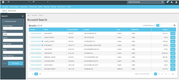
The billing side covers what a small town actually bills: real estate and personal property tax, plus utility accounts for water, sewer, stormwater, and trash. You import assessed values from the assessor’s database, generate bills, and follow them through to delinquency without rekeying. Online payments post back to the receivable automatically, which tends to be the first thing a collector’s office asks for and the last thing a legacy system offers.
That integration cuts both ways. Buying only the tax application strips out the shared ledger, leaving you to compare VADAR against dedicated collection systems on features alone. In practice, it’s a replace-the-stack decision rather than a module you bolt onto the accounting system you already run. Budget time for training. VADAR takes a while to learn, and the reports aren’t built for department heads outside finance, so expect to walk them through it.
What is Fund Accounting Software?
Fund accounting software is designed to enable improved allocation and management of resources designated for specific uses. A common application found within nonprofit accounting software, funds are a special type of accounting entity that provides a self-balancing set of accounts allowing the reservation of cash and non-cash assets for specific purposes or activities.
Nonprofits and government entities commonly use fund accounting because these organizations need to track expenditures and balances across multiple funds. Software automates these processes so these organizations can focus on other work instead of getting bogged down by bookkeeping.
Key Features
- Fund management: Gain a complete overview of your organization’s financial data, from cash flow to incoming donations and grants
- Donation tracking and management: Keep tabs on donations and manage how those funds are allocated
- Financial reporting: Create comprehensive reports on all company spending and analyze patterns on a quarterly or annual basis
- Accounts payable: Accounts payable software provides the ledger and related functionality for managing money owed by an organization
- Accounts receivable: Accounts receivable software provides the ledger and related functionality for managing money owed to an organization
- General ledger: General ledger software functionality provides the ledger and related functionality for providing a complete record of the financial activity of an organization, including transactional records and account structures
GASB vs. FASB Explained
Before choosing software, you need to know which accounting standard governs your organization, because not every platform supports both.
-
FASB (Financial Accounting Standards Board): This sets the rules for nonprofits, churches, and foundations in the U.S. The key standard is ASC 958, which requires organizations to classify net assets as either donor-restricted or without restrictions, and to report changes in each category separately. If your auditors talk about a Statement of Activities or a Statement of Financial Position, you’re operating under FASB.
-
GASB (Governmental Accounting Standards Board): This applies to state and local government entities — municipalities, school districts, public utilities, and similar organizations. GASB uses fund types that don’t exist in FASB: governmental funds, proprietary funds, and fiduciary funds. Reporting under GASB also requires government-wide financial statements alongside fund-level statements, which adds a layer of complexity most nonprofit software can’t handle.
A system built primarily for nonprofits will handle FASB reporting well, but may lack the modified accrual accounting, encumbrance tracking, and budget appropriation controls that GASB requires. On the flip side, government-focused platforms are built around GASB fund types and may not produce the donor-restriction reporting a nonprofit needs. A few platforms, including MIP Accounting and Sage Intacct, support both standards in a single system.
Benefits
A few of the most common benefits companies experience when utilizing fund accounting software include:
Track Expenditures to Fund Sources
A fund is a unit of a financial organization with a self-balancing set of accounts designed to record cash and other assets together with related balances and liabilities. Fund accounting software provides the automated ability to create financial statements and balance sheets for each fund.
Organizations providing funds often require clear reports detailing how the money has been spent. Fund accounting software can create detailed reports designed for this purpose. By improving your ability to document the impact of previous expenditures, you can help promote your ability to receive future funding.
Industry-Specific Applications for NPO Operations
Just as there are accounting packages designed with manufacturers or retailers in mind, software developers have created fund accounting software to meet the specific accounting requirements of nonprofit and government organizations. Using software geared for commercial, for-profit operations can lead to several issues for nonprofits and government entities.
While the profit motive may not be behind it for nonprofits and government entities, every organization seeks to maximize efficiency. Fund accounting software provides an accounting approach to eliminate time-intensive workarounds necessary to make standard commercial packages work.
Tighten Your Financial Management
Fund accounting software modules provide several inherent benefits. Donations, grants, and endowments are frequently provided to the non-profit organization with specific instructions on using the funding. Tracking these financial assets in funds allows the non-profit organization to see how each dollar was spent easily. The results of failing to meet specific spending restrictions can have negative consequences, including discontinued funding.
The first step to meeting spending restrictions is knowing where every penny is allocated. For any government entity, GASB standards actually require that accounts be kept on a fund basis. Fund accounting software allows governments to track various funds, including general/operations, special revenues, capital projects, debt services, permanent, fiduciary, and proprietary funds.
Pricing Guide
Prices for fund accounting software will vary based on factors like your user count, the size of your company, and the features you need. Here’s a breakdown:
Low-Tier
- Average Cost: $1,000-$10,000/year
- Company Size: 1-25 employees or less than $500k annual budget
- Examples: Fund EZ, Aplos, QuickBooks NonProfit
Mid-Tier
- Average Cost: $10,000-$60,000/year
- Company Size: 25-250 employees, or $500k-$5M annual budget
- Examples: Blackbaud Financial Edge NXT, AccuFund, Albia MIP
High-Tier
- Average Cost: $60,000-$200,000/year
- Company Size: 150-500 employees or $5M-$50M annual budget
- Examples: Sage Intacct for Nonprofits, NetSuite Social Impact
Enterprise
- Average Cost: $250,000+ per year
- Company Size: 500+ employees, or $50M annual budget
- Examples: Workday for Nonprofits, Unit4 ERP
Market Trends
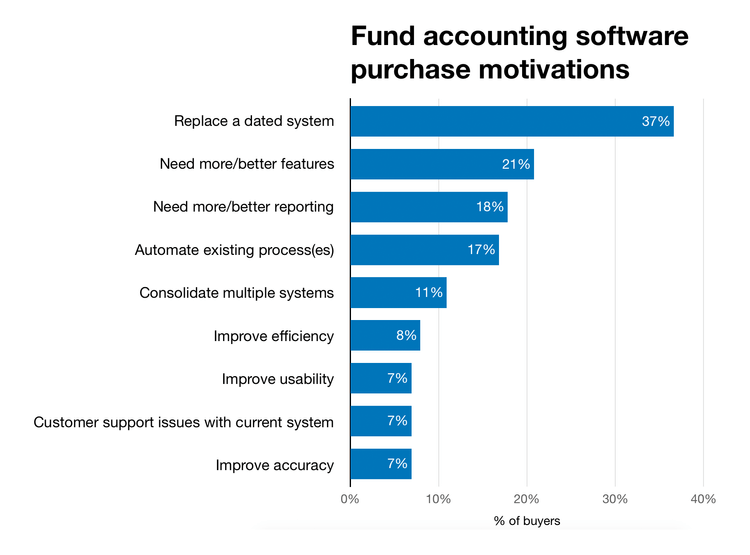
- Adopt cloud-based systems. Many government and nonprofit organizations operate with strict budgets and adopt “make do with what you have” ideologies, resulting in aged/dated systems. Yet 37% of potential buyers wanted to “replace a dated” system with new web-based fund accounting software.
- Separate fund and grant management. Most for-profit businesses may use the terms “fund” and “grant” interchangeably, but it’s not as simple for nonprofits. A grant is money a business would receive from the government, while a fund is money that has been set aside for a specific expenditure. Fund accounting software can keep the two types of funding separate.
- Provide transparency. Most millennial donors want complete transparency of where their charitable funds are going and how they address an organization’s specific needs. A nonprofit with software can effectively show where donated funds have been allocated to attract and retain more contributors.
- Make decision-making easier. An Aberdeen study found that 28% of business managers need data to make decisions in under an hour, and 42% of managers need data to decide within a day. To provide visibility among the vast amount of reports separate employees may be dealing with, dashboards become the way to shift ad hoc reporting to real-time reporting.