

Procore
5 Reviews 4/5 ★ ★ ★ ★ ★A popular construction management software that optimizes project planning, coordination, and financial tracking.
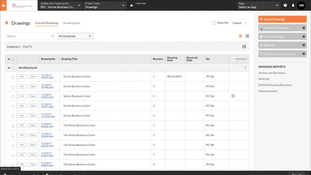
Product Overview
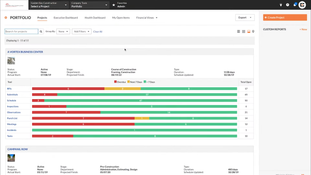
Procore is one of the most well-known construction project management software solutions on the market, known for its extensive features and clean interface. Core functions include project scheduling, budgeting, expense tracking, inspection oversight, bid creation tools, and subcontractor coordination.
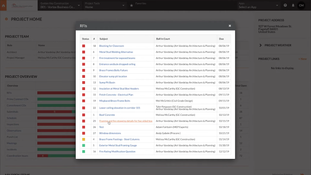
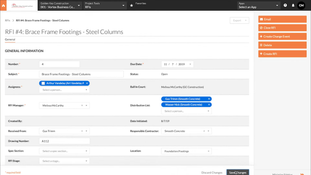
The software can integrate with various tools, such as document and task organization, reporting, and RFI and submittal handling. Additionally, Procore’s timecard app integrates with the platform, allowing for effective labor cost tracking.
Pros
- Automates emails, document sharing, and photo archiving
- Customizable reporting
- Integration with AutoCAD and Revit
- Unlimited users, documents, photos, and data
Cons
- Custom pricing model means limited price data available.
- Learning curve for new users means training is required
Target Market
General contractors and owners with roughly $20M+ in annual construction volume who need subs and owners in one system.Not Recommended For
Small residential builders and remodeler, who are better served by Buildertrend or JobTread.
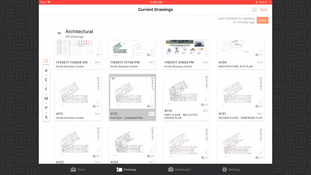
Procore is cloud-based construction project management software, most often compared with Autodesk Construction Cloud by mid-sized and large contractors. Its iOS and Android apps let field teams manage tasks, timecards, progress photos, project documents, and RFIs from the jobsite.
Modules include:
- Procore Project Management
- Procore Quality and Safety
- Procore Construction Financials
Key Features
The software’s features support construction professionals in bid management, estimating, project management, and financials. Core functions include:
Bid Management
- Control and expand bid coverage.
- Ensure better scope definition with uniform bid comparisons.
- Track bidders on multiple jobs.
- Reduce document loss with centralized bid management.
Estimating
- Improve bid-to-hit ratio and build accurate cost estimates.
- Extract quantities from models with 3D and AI takeoff tools.
- Convert estimates to budgets.
- Adjust labor and material costs as prices change.
Project Management
- Connect teams and project information in one place.
- Manage daily tasks and prevent rework with mobile collaboration tools.
- Spot potential issues early with updated logs and project overviews.
Quality and Safety
- Run on-site inspections and safety checks from mobile devices.
- Track inspections and corrective actions in real time.
- Improve compliance with field data and root cause analysis.
Financial Management
- Track budgets and forecast costs as projects change.
- Manage change orders collaboratively and resolve disputes.
- Update labor costs automatically from timesheet data.
Pay
- Simplify subcontractor payments and make them more transparent.
- Speed up payments by handling invoicing and payment in one place.
- Automate lien waiver exchange with customizable templates.
Workforce Planning
- Streamline labor requests with digital scheduling and communication.
- Share real-time project data and manage crews across jobs.
- Use forecasting tools to plan labor against upcoming projects.
Construction Analytics
- Turn project data into insights with historical analysis and machine learning.
- Customize reports with over 100 out-of-the-box options and data visualization.
- Connect financial workflows for more accurate cost forecasting.
Accounting Integrations
- QuickBooks Pro
- QuickBooks Premier
- Sage 100 Contractor
- Sage 300 Construction and Real Estate
- Viewpoint Spectrum
- Viewpoint Vista
Procore AI
Procore launched Procore AI in November 2024 and rebuilt it in 2026 after acquiring Datagrid, a construction-focused AI agent platform.
Procore AI is now sold as a Digital Coworker package. Every AI question and agent task uses credits from your plan:
- Starter: up to three projects with five agents: Deep Search, Submittal Review, RFI, Daily Log, and Contract Review.
- Pro: unlimited projects, 20 ready-to-use agents, and a shared credit pool, including automation agents for RFIs and submittals.
- Enterprise: everything in Pro, plus Agent Studio for building and customizing your own agents.
Procore also announced a submittal agent that can update up to 500 submittals at once, a procurement log agent in closed beta, and Procore AI Go, a voice-first mobile app in beta with Meta AI Glasses support.
Pricing Details
Procore typically starts at around $10,000 per year.
- Contractors with $10M–$50M in ACV typically pay roughly $15,000–$30,000 per year.
- Those with $50M–$200M in ACV pay roughly $30,000–$80,000.
Implementation and training can add to first-year cost. Treat them as ballparks; your quote depends on volume and product mix.
Video Overview
Product Overview
Developer Overview


User Reviews of Procore
Write a Review
Great system for general contractors but challenging for niche services
Procore seems like a great system for general contractors but with us being a niche, specialty service, we have struggled to make the system work for us. The majority of our Project Managers still utilize manual processes outside of the system. My biggest pain point is the document control within the system. We may have 100 pages of drawings, plans, etc for one project. The system requires me to upload and label each individual page instead of allowing me to label group files. It has been extremely time-consuming,
Procore Review
The support we received from Procore was wonderful. We have never seen anything like it before. The change it has caused in our company is revolutionary.
Procore Review
This solution is too sophisticated for us. The projects we work are too small and the flow of information doesn’t need to be as sophisticated. We loved the depth of the logs and the 1 time input and having multiple opportunities
- Construction & Engineering
- 1-10 employees
- Annual revenue $1M-$10M
Procore Review
We find the solution too difficult to use. My project managers have issues connecting to it in the field and we need a system that is more simple than this.
- Construction & Engineering
We like the collaboration on the plans
We like the collaboration on the plans and that is primarily how we use it. On the jobs where we are the general contractor we only use it to distribute plans and communication so we aren’t constantly printing plans. Procore has no estimating features or job costing and we have to do that with our own internal programs
