

The Best Equipment Rental Software
We reviewed the best equipment rental software for party rentals, A/V, heavy equipment, oilfield, and construction tools. Our buyer’s guide covers pricing, benefits, and key features, including online booking, equipment tracking, and maintenance.

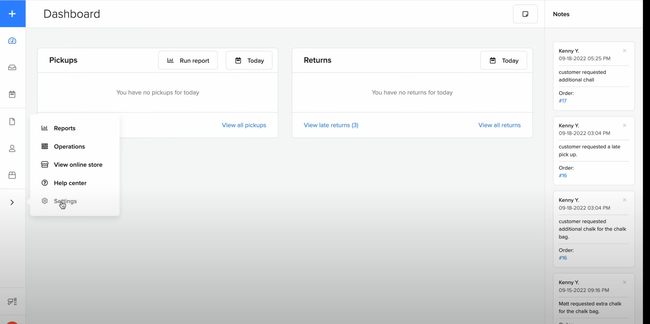
- Intuitive and user-friendly
- Tracks in-stock, reserved, and out for rental items
- Integrates with Stripe and PyaPal
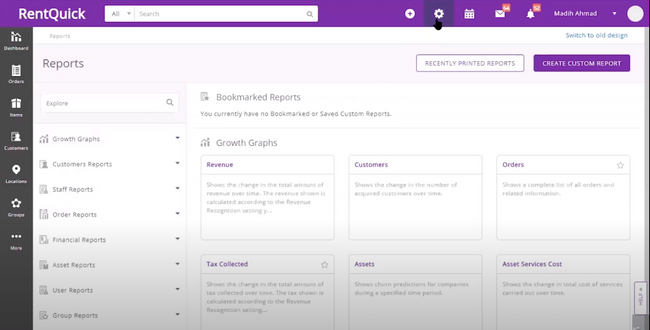
- Highly customizable
- Offers API connections
- Integrates with QuickBooks and Xero
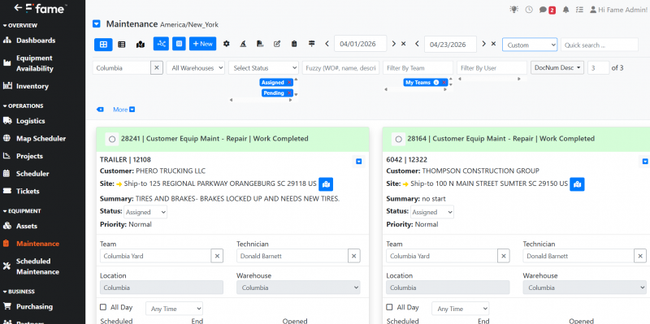
- Unifies material sales, installation, and rental in one ledger
- Built-in work order and ticket management tools for field/install crews
- Supports inter-warehouse inventory transfers
Many businesses looking to simplify online rentals, manage on-premise rental sales activity, or switch from spreadsheet tracking can benefit from all-in-one equipment rental software. Here are some of our top picks we found using our advanced review methodology:
- booqable: Best Overall
- EZRentOut: Best Online Booking
- Fame ERP: Best Equipment Rental ERP
- FocalPoint: Best for Heavy Equipment and Construction Rentals
- Point of Rental: Best Maintenance Tools
- RentMan: Best for Audio and Video Equipment Rentals
- HireHop: Best Equipment Tracking
- RTMS: Best for Oilfield Rentals
- Quipli: Best for General Tool Rentals
- Goodshuffle Pro: Best for Event and Party Rentals
- ADVANTAGE 365: Best for Microsoft Users
booqable - Best Overall
booqable combines a real-time equipment inventory and availability engine with flexible rental pricing rules. This isn’t just a “calendar view”—it auto-calculates:
- What’s available and when, factoring in buffers, returns, prep time
- How much to charge, based on rental length, day of week, and date-specific pricing
- What stock units are assigned (tracked by quantity or barcode)
booqable pulls from live stock counts and displays availability calendars directly on your website, making it easy for customers to see what’s rentable without calling in.
It’s also a strong choice for event rental companies needing to manage fluctuating rental durations. The smart pricing engine supports auto-increment rules (i.e., $10 per extra hour) and custom policies for holidays and weekends (i.e., raise prices 20% on New Year’s Eve). You can also leverage tiered pricing for multi-day events, like $80/day for one day or $70/day for more than three days.
booqable starts at $35/month for one user and one location. However, you’ll need the Medium plan at $87/month for product bundles and buffer time functionality. Although some users have found the maintenance tracking somewhat basic, it works well for outdoor recreational rentals. Otherwise, you can always add a CMMS solution to manage more advanced maintenance tracking.
EZRentOut - Best Online Booking
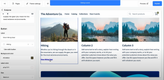
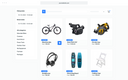
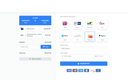
EZRentOut includes a configurable webstore that integrates with your existing website, allowing you to showcase your catalog. With real-time availability tracking and a streamlined reservation system, it simplifies the booking process for customers. Plus, it supports custom branding, product filters, and bundled packages, so the booking flow matches your site’s look and your rental structure.
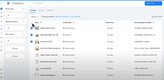
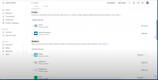
Behind the storefront, orders sync automatically with your inventory for easy tracking. When someone books, it triggers asset reservations and maintenance holds to minimize double-booking. It can also make customer profiles, which carry across bookings with saved preferences, custom rental agreements, and e-signature capture at checkout. From there, payments flow directly into QuickBooks Online or Xero through native integrations, keeping financials accurate without replacing your accounting system.
Most of EZRentOut’s advanced eCommerce and website design features are locked behind its Premium package. However, its online booking and customer portal are included in all plans, making it a great fit for growing rental businesses looking to get digital.
Fame ERP - Best Equipment Rental ERP
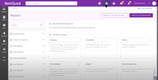
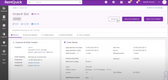
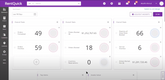
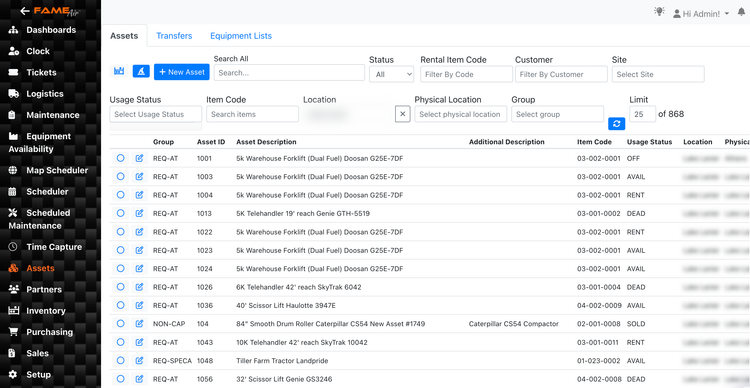
Fame ERP includes a financial management module that helps growing equipment rental companies manage their accounting and front-counter processes under one roof. You can easily create customizable dashboards to track important financial KPIs, such as revenue per unit, utilization rate, and rental yield. Pair this with its strong reporting tools, and you can instantly have more control over your financials to boost profits.
Additionally, Fame has comprehensive depreciation tracking for rentable equipment and fleets. This is extremely useful for heavy industrial and construction equipment, as knowing when to replace high-cost machinery is crucial to avoiding breakdowns. The system includes over twelve costing methods and supports all types of depreciation methods.
It also offers core accounting tools such as a chart of accounts, profit and loss statements, and journal entries, with support for multiple locations and business lines. Fame doesn’t list prices publicly, so you must request a custom quote.
FocalPoint - Best for Heavy Equipment and Construction Rentals
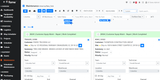
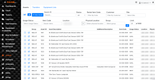
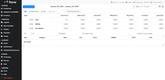
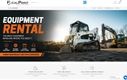
FocalPoint supports construction tools and equipment rentals with its strong inventory management capabilities. The system offers detailed inspection sheets that customers fill out before and after renting equipment. You can log damage types, upload photos, and track usage with an hour meter. From there, FocalPoint automatically prints these details anytime a contract is created or returned.
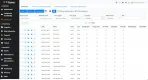
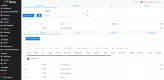
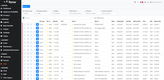
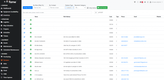
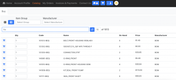
The inventory module provides live tracking of equipment availability and auto-generates purchase orders when merchandise stock runs low. This helps your stores better meet customer demand. Additionally, FocalPoint supports multiple locations and both on-premise and cloud-based deployment options, giving you the flexibility to choose your ideal setup.
Point of Rental - Best Maintenance Tools
Point of Rental’s maintenance center helps you keep your equipment reliable and ready for use. Its capabilities handle both routine care and quick repairs.
In the preventative maintenance module, you can schedule regular checkups for individual units or entire equipment categories. For instance, if a skid steer has been on rent for 200 hours, the system can automatically prompt a service. You’ll also get reports on actual usage so you can plan ahead without over-servicing.
Define pre-assembled kits with parts and supplies so technicians can save time. Additionally, you can attach detailed instructions to each record to ensure your techs perform maintenance consistently and safely.
The remedial maintenance module kicks in when equipment breaks down unexpectedly. Simply flag the defective or damaged item in the system to prevent it from being rented out again. The module tracks repair progress, giving you an estimated timeline for when the equipment will be back in rotation. It also logs all repair details, like replaced parts or labor hours, so you can analyze your total repair costs over time. This can help you decide if it’s worth keeping the unit or replacing it entirely.
RentMan - Best for Audio and Video Equipment Rentals
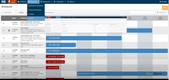
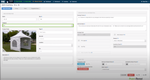
RentMan allows audio and video equipment rental companies to control real-time item availability data. Specifically, you can manage large inventories of equipment like cables, mixers, lighting, and cameras, each with different dependencies and statuses. The real-time inventory tracking prevents double-booking and ensures your team always knows what’s available, where it is, and when it’s due back.
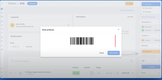
For further control, RentMan also includes barcode and QR code label generation. This can help speed up check-in/out, and enable the renter to easily update any statuses while using it. You can even create bundles for items that people frequently rent together, which further streamlines the process.
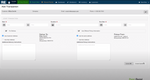
For AV rental businesses offering event or production services, RentMan has specific modules for managing a production crew’s event tasks, such as setting up lighting equipment or running sound checks. It allows businesses to track costs by project and understand equipment, crew, and transport expenses for each job. However, while the base package is an affordable $39/month, there are several features that are considered add-ons, like inventory and crew management, which can significantly raise the total monthly cost.
HireHop - Best Equipment Tracking
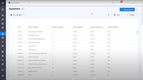
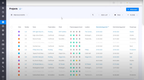
HireHop can help manage rentals across various industries, including construction, events, and AV. Businesses can keep track of equipment availability, manage maintenance schedules, and streamline the booking process for customers.
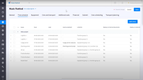
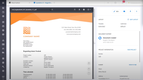
HireHop features up-to-the-minute availability tracking and online booking so customers can view and reserve equipment online. The inventory module lets you monitor equipment status, location, and maintenance schedules. It also includes custom quoting, contract management, and invoice templates to make customer communication much easier.
Rental businesses can use HireHops’ maintenance scheduling tool to track the last time an item was serviced. It also has a CRM tool to manage customer interactions, track rental history, and improve retention. Finally, HireHop integrates with accounting software such as QuickBooks, Xero, and others to enable accurate financial tracking and reporting.
RTMS - Best for Oilfield Rentals
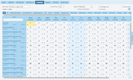
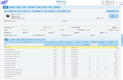
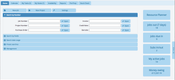
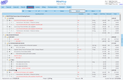
RTMS can track equipment such as drill pipes, wirelines, land drilling rigs, and nearly any other type of oilfield rental. It offers modules like repair and maintenance tracking, purchasing, and fixed asset management to streamline rental operations and upkeep of important equipment.
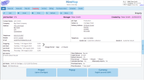
Plus, this software features a highly effective ticket management system, allowing you to create tickets for field operations or equipment returns. This helps coordinate field dispatch, track rented equipment, and streamline the return process. Built-in EDI integration further enhances efficiency by simplifying document exchange.
Quipli - Best for General Tool Rentals
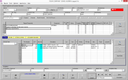
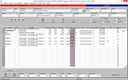
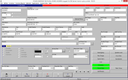
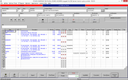
Quipli includes a streamlined website builder with configurable templates to help companies get started and rent equipment online and in-store. Inventory syncs between all channels so customers can see what’s currently available to eliminate double-booking.
Quipli’s contract management module helps you get paid faster with efficient payment processing, supporting ACH, credit card, or check payment methods. QuickBooks Online integration syncs all transaction data, including invoicing, bills, and revenues, for accounting and finance teams. Quipli even offers POS software for full control over all business operations in one system.
Some users have reported that Quipli’s high overhead cost is too steep for small businesses. Because of this, we recommend Quipli for medium to large-sized businesses.



Goodshuffle Pro - Best for Event and Party Rentals
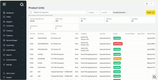
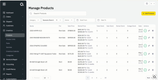
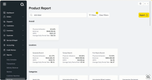
Goodshuffle is a good fit for businesses renting tents, chairs, bouncy houses, table linens, and AV equipment. It delivers real-time stock tracking with automated conflict detection to avoid double-booking. It has customizable quotes and contract capabilities and includes an integrated online payment system to simplify transactions.
You can tailor pricing structures to set custom rates and provide seasonal pricing. Additionally, this equipment rental software provides tools for scheduling deliveries and pickups and helps manage staff to set up or put down the equipment.
Some users found that Goodshuffle has limited integration with third-party solutions. Still, we found that it integrates with popular accounting systems like QuickBooks and operates entirely in the cloud, allowing access from anywhere.
ADVANTAGE 365 - Best for Microsoft Users
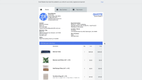
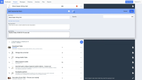
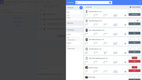
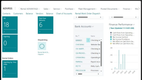
Built on the Dynamics 365 Business Central platform, ADVANTAGE 365 is a solid fit for small to mid-sized businesses already using the Microsoft product ecosystem. The familiar user interface makes it much easier for existing users to access customer management, invoicing, rentals, and reporting tools.
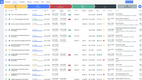
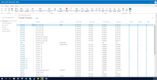
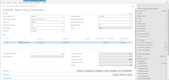
ADVANTAGE 365 tightly integrates rental operations, maintenance, and financials. Anytime equipment goes down for service, the software updates availability instantly. Additionally, accounting reflects billed contracts immediately, giving you long-term control and a system you won’t need to replace as your company grows.
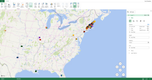
This equipment rental software integrates fully with Microsoft Office, so your team can seamlessly analyze performance and manage service work in tools like Outlook and Excel. Because it’s cloud-based and Microsoft-certified, the ADVANTAGE 365 is available on iOS or Android devices, phones, or desktop computers.


What is Equipment Rental Software?
Equipment rental software is used for managing inventory, reservations, and maintenance of rentable assets. Some rental businesses seek all-in-one software to simplify online rentals, while others want to manage sales activity or electronic invoicing. Yet the needs of a party rental store will be very different from those of a construction equipment rental service. Fortunately, this software offers functionality for all types of operations and also assists with generating quotes and proposals and handling payment processing.
Equipment rental software supports the back-office operations of rental companies, as well as the customer-facing side of the business. While some tools focus on one or the other its important to understand which you need:
- From the customer experience side, you’ll want software that makes it easy for customers to see in-store inventory and reserve the equipment they need online. The customer should be able to schedule a date to pick up and drop off the rental.
- From the operational side, you need to be able to keep records of all the rentable equipment you own in real-time. You can assign SKUs and catalog the equipment in your system to track what you have available and what is being used. You’ll also be able to schedule pickups and preventative maintenance.
Key Features
| Feature | Functionality |
|---|---|
| Asset Tracking | Track the location of your rentable assets and who is using the asset. |
| Maintenance Management | Track maintenance history, upcoming preventative maintenance schedules, and predictive maintenance. |
| Contract Management | Store and access signed rental agreements, damage waivers, and deposit terms. Get alerts before a contract expires and handle extensions without writing a new agreement. |
| GPS Tracking and Equipment Tagging | Use GPS tracking to see the current, real-world location of the asset. Tag equipment with a barcode, QR code, or RFID to find information on the cost of the asset, who is renting it, and when it should be returned. |
| Online Booking and Customer Portal | Let customers check availability and reserve equipment from your website, then log in to view their rental history and open contracts. |
| Order Management | Track the entire order process from receipt of payment to return of the equipment. Send late fees if the asset isn’t returned on time. |
| Delivery and Dispatch | Schedule drop-offs and pickups, assign drivers and vehicles, and plan routes around vehicle capacity. |
| Inspection and Condition Checklists | Run a standard checklist with photos at check-out and check-in so wear and damage are documented before the next rental. |
| Point of Sale | Sell add-ons, parts, and used equipment alongside rentals, with inventory that separates rental stock from items for sale. |
| Invoicing | Create billing documents that detail the customer’s payment obligations. |
| Finances | Measure revenue and expenses with modules including accounts payable, accounts receivable, and a general ledger. |
| Fixed Asset Management | Track the cost, valuation, depreciation, and gain or loss on the assets you rent out. |
| CRM | Keep detailed records on new and returning customers to enhance the customer experience with better service. |
Benefits
Equipment rental software can optimize your rental business in several ways:
Digital Invoice and Contract Management
Without equipment rental software, tracking recurring invoices, late fees, and signed contracts is extremely difficult. Forgetting to invoice a customer or incurring a late fee when necessary will cost you. Equipment rental software will automate invoice payment reminders, send alerts for contract renewals, and assist with invoicing.
Better Scheduling to Reduce Downtime
Software will provide you with maintenance history data and send notifications for predictive and preventative maintenance. When you stay on top of repairs and maintenance, the assets you rent out will have a longer lifespan, allowing you to continue renting them out longer.
More Organized Rental Schedules
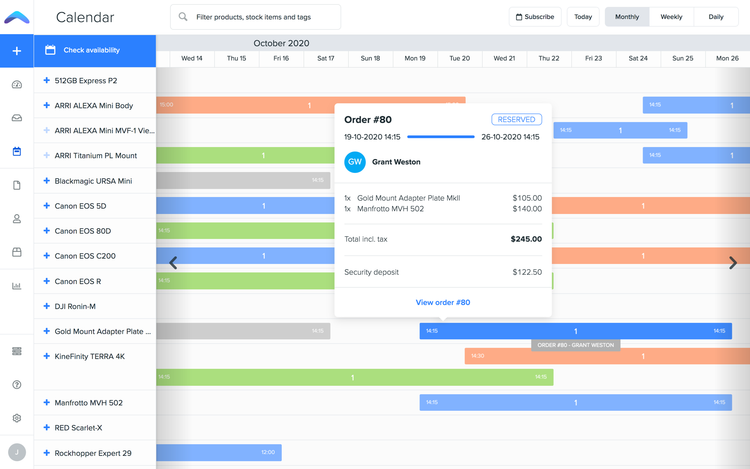
Knowing whether or not your rentable assets are in use is critical for increasing ROI and reducing downtime. Like any inventory management software, an equipment rental solution makes it easy to see which assets are in use and which aren’t. This allows you to use the assets you have on hand and keep them rented out more frequently.
Simplify Inventory Tracking
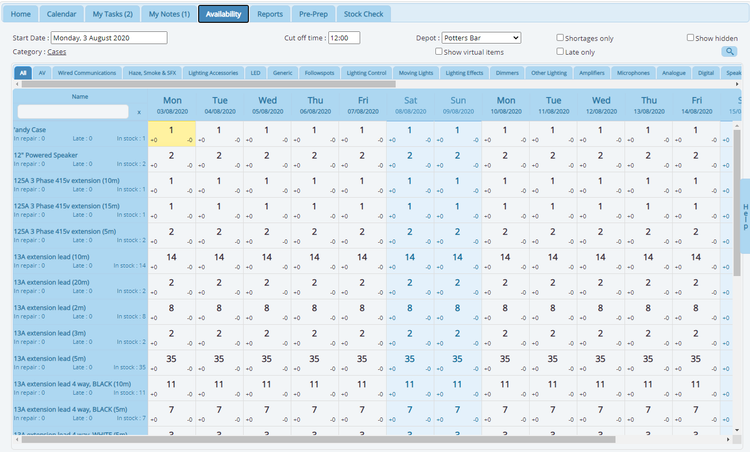
If you don’t have a system for managing inventory or are using pen and paper or Excel, you are likely losing money. Without software, it’s significantly more difficult to manage reservations and inventories. You could have equipment sitting around for long periods of time or accidentally double-book the same piece of equipment, causing you to lose business. This software makes it easy to see what you have available and when the equipment will be used.
Better Customer Management
Every customer gets a single record holding their contact details, full rental history, credit terms, and current balance. When a repeat customer calls to ask for the same equipment they rented last spring, you can pull up exactly what they took and the rate you quoted. You can also see which accounts are past due or have returned equipment damaged, so you know when to require a deposit before anything leaves the yard.
Improved Equipment Health
Equipment condition gets recorded every time a unit comes back, so a worn or damaged item is flagged at check-in rather than discovered by the next customer. Units needing work can be automatically pulled from available inventory, preventing your staff from booking something that is sitting in the shop. Over time, the service history attached to each unit shows you which machines are costing you more than they bring in.
Types of Equipment Rentals
Rental management software is used by many sectors, including, but not limited to:
| Industry/Business Type | Top Features: |
|---|---|
| Construction Equipment and Tools | The point of rental in this industry is sometimes to test out equipment before buying, so warranty tracking is a must. |
| Commercial and Industrial Machinery | Preventive and predictive maintenance scheduling and notifications to reduce downtime. |
| Oilfield Tools | Asset tracking to manage the location and utilization of your equipment. Maintenance and repair scheduling to ensure your oilfield tools are working properly. |
| Automotive | Lease management to store and access signed lease terms and agreements. GPS tracking to track the location of your vehicles and avoid theft. |
| IT and Assistive Technology | Online rental scheduling to keep track of checked-out equipment and avoid double-booking the same piece of equipment. |
| AV | Asset tracking with the ability to easily store and access technical information on your equipment’s specs. |
| Party and Event | Tracking modules keep tabs on the props, decorations, and other rental inventory you have on hand and in use. |
| Sports and Recreational Gear | Maintenance management to track repairs needed and record if there is damage after the equipment is returned. |
What Does Your Business Need?
- Small businesses and rental-only businesses (no sales): A small business or rental-only business will get by with basic features like inventory management, accounting to track accounts payable and accounts receivable, and document management. You’ll want to be able to stay organized and easily view rental schedules, so you know which assets will be available at future dates to schedule more customers in the future.
- Businesses with both equipment rentals and sales: If your business provides both rental and sales, you’ll want additional modules or a system that tracks point-of-sale. Your inventory management system needs to be able to distinguish between items for sale or rent as well.
- Large equipment rental businesses: Businesses that rent out heavy machinery and large equipment need software that provides user-friendly preventative and predictive maintenance scheduling and notifications. And you’ll need large-scale customer management modules to handle the high volume of clients.
How to Choose a Rental System
Rental software ranges from a simple online booking tool to a full ERP that runs your whole operation. Answer these five questions to understand what you need:
-
What You Rent: Are you renting serialized equipment, bulk inventory, or both? Determine whether each unit needs its own identity, hours, and service history, like a skid steer or a generator, or whether the quantities are interchangeable, like 200 folding chairs or 10 outhouses. Some platforms track every unit as its own record while others only count stock, and running individually tracked machinery on quantity-based software means building custom fields and workarounds to do the basics. A system like FocalPoint tracks serialized and non-serialized items separately.
-
How Customers Book: Do most of your bookings come from customers online or from staff at a counter? Determine what share of your revenue comes from walk-ins and phone calls versus setting up an online booking portal. Some platforms offer a built-in online storefront and self-service booking, while others are designed for retail stores, where a staff member writes up the order at the counter.
-
What Kind of System You Need: Do you need software that only handles rentals, or one system that also runs your sales and accounting? Determine whether a standalone rental platform that syncs to your other software covers you, or whether you’d rather manage everything from bookings to accounting in one place. Some vendors like Fame ERP and Advantage365 offer a full suite, while others like booqable focus solely on rental operations. If maintenance scheduling is the only need, consider an equipment maintenance software.
-
User Licensing: How many people need to log in, and how does the vendor charge for them? Determine the number of office staff, yard crew, delivery drivers, and anyone who only needs to check availability. Some vendors charge per user, while others price by location with unlimited users. Rentman includes warehouse and technician access at no cost, while HireHop charges for every user you add.
-
Accounting Integration: What are you running your books on, and do you want to keep it? Determine whether QuickBooks is staying put or you would rather have a single system own the general ledger. Some platforms sync cleanly to QuickBooks, while others want a middleware layer or leave you exporting by hand. If QuickBooks is staying, ask what specifically syncs and how much manual entry is required. If you want to consolidate into one system, understand that ERP pricing can often increase costs significantly.
Rental Software for QuickBooks
For many small businesses, QuickBooks Online is great for handling basic accounting. Some equipment rental software integrates easily with QuickBooks. The QuickBooks Apps store also lets you link various software solutions to your QuickBooks Online account. QuickBooks Apps lists some equipment rental software solutions, including:
- EZRentOut - A cloud-based equipment rental and event/party rental software.
- booqable - Rental equipment software for small to medium-sized businesses that helps track and manage party rentals to medical equipment rentals.
- Goodshuffle Pro - Features inventory management, crew management, and double booking detection. Integrates with QuickBooks Online solutions.
If you plan to keep an existing accounting system like QuickBooks, be sure to check that your new equipment rental solution will integrate.
Pricing
Subscription rates for equipment rental software range from $1,000 per year to over $100,000 per year. Your plan’s cost will depend on the number of users, whether you want a cloud-based or on-premise deployment, and any requested add-ons for extra functionality. Below is a breakdown based on company size and the number of rentable pieces of equipment:
Entry Tier: $1,000–5,000 per year
- Best for: One location, under roughly 75 rentable units, 1–5 users
- Expected features: Availability calendar, online booking or a customer-facing storefront, quantity-based inventory, invoicing and card payments, QuickBooks sync. Maintenance tracking is usually basic or absent, and multi-location support generally isn’t included
- Examples: Booqable, Goodshuffle Pro, HireHop, Rentman, EZRentOut
Growing: $5,000–15,000 per year
- Best for: One to two locations, 100-200 units, 5–20 users
- Expected features: Serialized asset tracking with service history, preventive maintenance scheduling, delivery and dispatch, rental agreements and damage waivers stored against the asset, customer records with credit terms, role-based permissions
- Examples: Quipli, Point of Rental Essentials, Texada (SRM Cloud)
Mid-Market: $15,000–50,000 per year
- Best for: Two + locations, 200 to 500 units, 20–75 users
- Expected features: Inter-branch transfers and shared availability, utilization and revenue-per-asset reporting, GPS or telematics integration, fixed asset and depreciation tracking, and the ability to run rentals and outright sales through one ledger
- Examples: Fame ERP, MCS Rental Software, ADVANTAGE 365, InTempo Core
Enterprise: $50,000–150,000+ per year
- Best for: Regional or national operations, 500+ units, 75+ users
- Expected features: Multi-currency and multi-entity support, custom API integrations, configurable approval workflows, fleet-level demand forecasting, parts and service department management, dedicated implementation
- Examples: Wynne Systems RentalMan, InTempo Enterprise, Sycor.Rental for Microsoft Dynamics, Point of Rental Elite
Another cost factor to consider is whether you want a mobile app for managing rentals on the go. This can increase the total price of software, yet offer valuable flexibility in the long run. A fully customizable app can run on both iOS and Android devices.
Industry Trends
- Online bookings: More and more people and businesses prefer to rent equipment online. Equipment rental management software lets customers see inventory availability in real time so they can make reservations outside of business hours.
- GPS tracking: Rental companies are investing in more advanced security measures like GPS and geofencing. ConstructionBriefing found that the average construction rental theft falls between $35,000 to $45,000 of lost value for a business. By utilizing GPS tracking, rental businesses can improve their recovery of stolen equipment. They also found that with the increase of GPS technology, recovery rates are up to about 22% from just 5% 15 years ago.
- Rental industries see revenue growth: According to Statifacts, the U.S. equipment rental market is projected to grow to $98.29 billion by 2034. And the construction and industrial rental equipment segment is growing by up to 7.5%.
- Increasing the customer experience through eCommerce: Technological advances over the last few years have made it easier for more businesses to manage and support customer relationships. Businesses can improve delivery, pickup, and return processes. According to Statista, over 60% of all business sales are now made through eCommerce. An online platform offering customers a simple booking experience is crucial for capturing more sales.

