

The Best Free CMMS Software
Free CMMS software can help small businesses across every industry streamline maintenance processes at no cost. We’ve reviewed the top platforms for features such as preventive maintenance scheduling, asset tracking, and work order management.

- Simple and intuitive
- Streamlined work order creation
- Unlimited requester users
- Stock level optimization
- Mobile accessibility
- Strong asset management tools
- Instant notifications
- Online request form
- Forever free version is available
We’ve evaluated the top free CMMS platforms for functionalities like asset management and preventive maintenance scheduling.
These are not free trials or demos but full-fledged free software options with no expiration date. Of course, it’s essential to acknowledge that these free versions may offer a partial suite of features compared to their paid counterparts. That said, these software options can be efficient and cost-effective tools for businesses with basic maintenance management needs.
| Free CMMS System | Unlimited Work Orders | Active PMs Allowed | Assets Allowed |
|---|---|---|---|
| MaintainX | ✅ | 2 per month | Unlimited |
| Fiix | ✅ | 25 total | Unlimited |
| Maintenance Care | ✅ | 3 total | 5 |
| Coast | ✅ | 5 total | Unlimited |
| ManWinWin | ✅ | Unlimited | Up to 100 |
We verified every free plan limit in this table as of August 2026.
- MaintainX: Best Overall
- Fiix: Best Parts Inventory Module
- Maintenance Care: Best for Facility Managers
- Coast: Great Free Mobile App
- ManWinWin: Best Offline & On-Premise Option
MaintainX - Best Overall
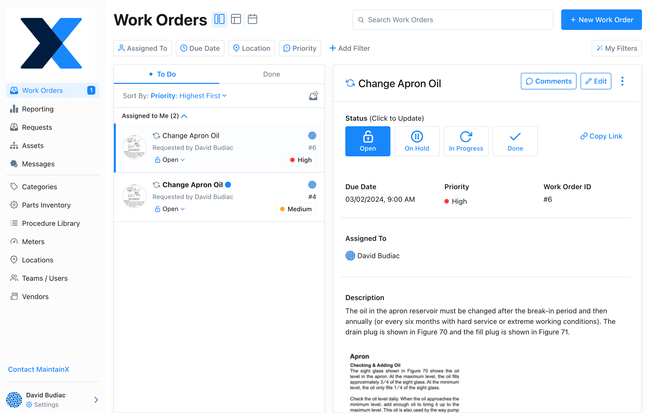
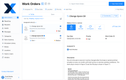
MaintainX’s free plan includes unlimited work orders and requesters on a user-friendly interface. The system walks you through task creation, going step-by-step to provide your technicians with as much information as possible for efficient job completion. You can add:
- Descriptions
- Two attached procedures per month
- Assignees
- Custom fields
- Assets and locations
- Due date
Once complete, the task is automatically set on the calendar, which you can view weekly or monthly. Additionally, the system lets you see all current work orders in a list view, with filter options like priority level, due date, or assignee. This gives you better organization of all open tasks to ensure on-time maintenance performance.
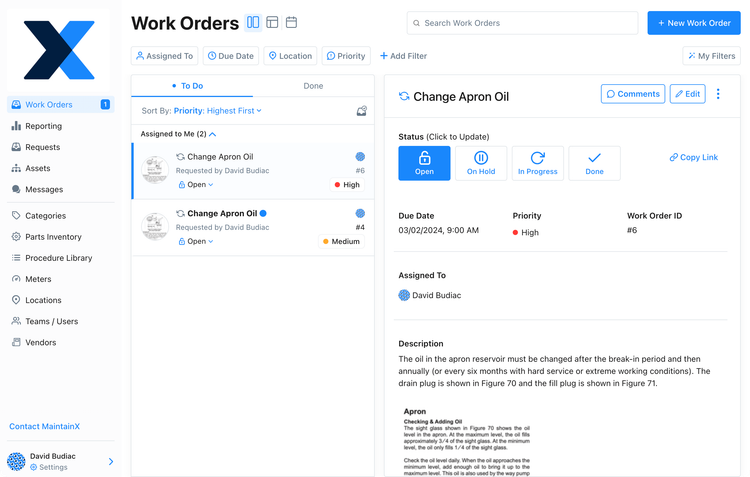
Further, MaintainX offers one of the easiest-to-use mobile apps on the market for completing work orders. You can request maintenance, create WOs, and complete tasks all from your mobile device. The interface is consistent across the desktop and app versions, with simple data entry boxes and dropdowns for assets. For technicians, all the information is on one screen, so they don’t need to jump between different sections.
While MaintainX’s free plan includes several strong functionalities, it still has its limitations. For example, you can only attach images to five work orders per month, and it limits you to two repeating orders per month. If you need to upgrade to a paid plan, MaintainX is one of the more affordable CMMS options. The Essential plan is only $20/user/month, giving you unlimited images and recurring work orders at a low cost.


See our full MaintainX review for more info.
Fiix - Best Parts Inventory Module
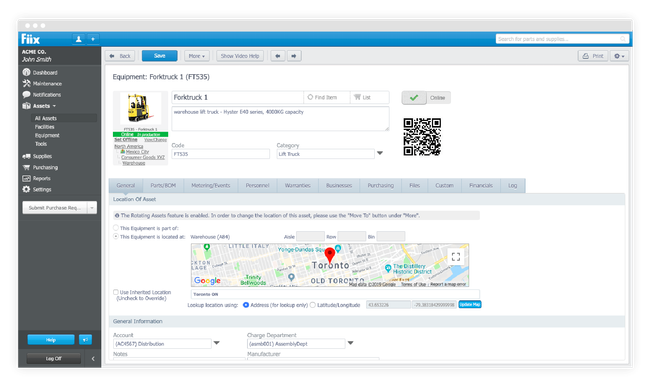
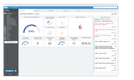
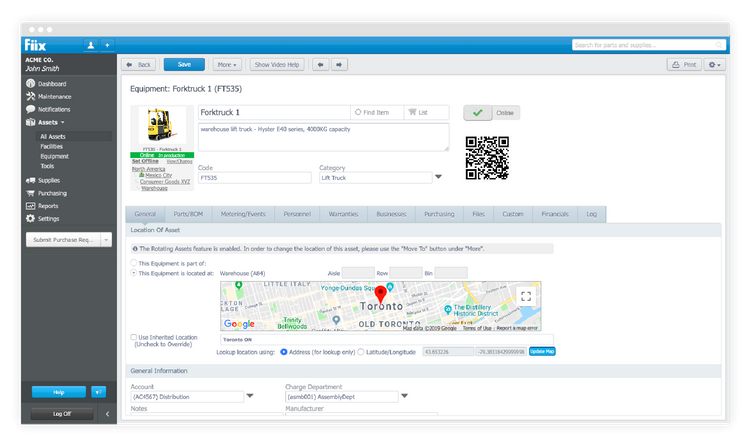
Fiix is one of the only CMMS systems with an unlimited parts inventory module in the free version. Set minimum and maximum stock quantities for each item and receive alerts for exceeding thresholds. However, its purchasing capabilities are only included in its Professional plan, so you must replenish supplies separately or upgrade packages. Still, it’s an effective way to track parts if you only manage a few assets and have a smaller inventory.
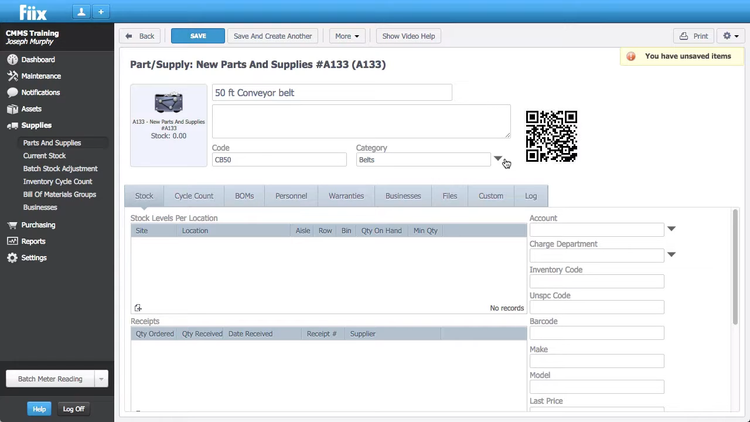
Fiix also allows you to assign inventory items directly to work orders. Track usage against maintenance to calculate the cost of each repair. Also, technicians will be better equipped to perform tasks when they know which parts to bring to the job. For example, maintaining a power generator can require parts like fuel filters or control system circuit boards, which a technician may not always have on hand, so adding it to the WO is crucial to reducing downtime.
While the free version offers strong capabilities, you get only 25 active PMs, so the paid packages are best suited to mid- to large-sized companies. The Basic plan is $45/user/month, and the most popular Professional plan is $75/user/month, which includes AI predictive tools and custom analytics. If you’re looking for more facility maintenance rather than complex asset repairs, Maintenance Care may be a better fit.


Read our Fiix review here.
Maintenance Care - Best for Facility Managers
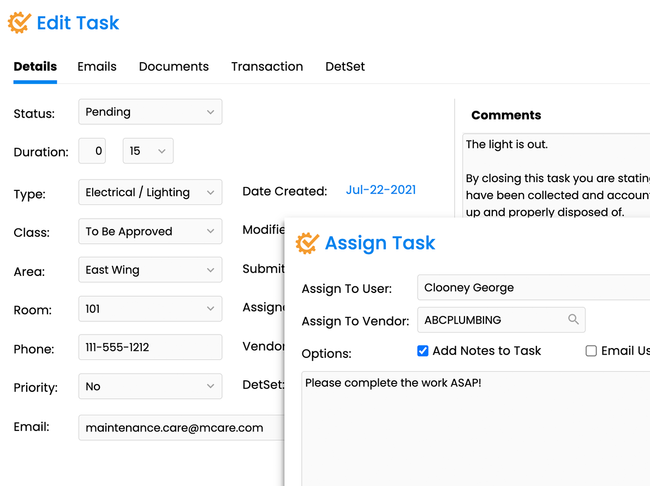
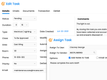
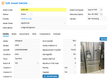
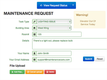
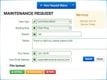
Maintenance Care offers small teams and single-facility managers a free work order management system, great for those upgrading from manual processes. It includes a customizable online request form you can tailor to your needs. For example, in the hospitality industry, you can add a room number and specific task-type fields, like plumbing or heating, for more detailed submissions. This provides all the necessary information right away and helps solve problems faster.
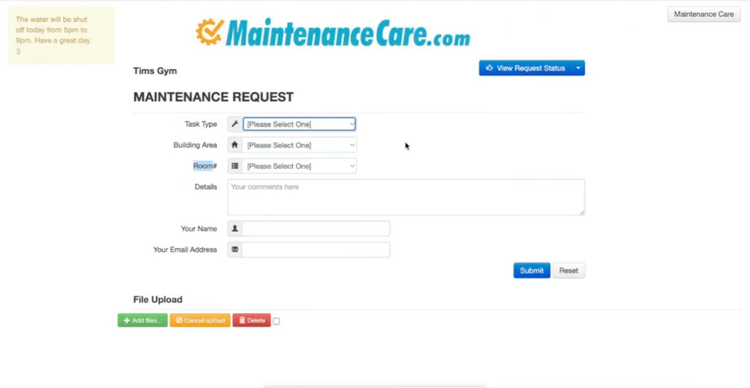
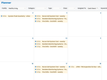
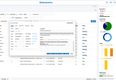
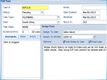
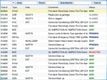
When forms are submitted, they are instantly sent to Maintenance Care’s task list manager. The feature consolidates all active work orders into one centralized view for better organization. This helps eliminate manual processing and filing of open work orders, which can easily get lost. Plus, you can add notes, enable notifications, and change statuses as you complete them, so you always know what happens during delays or other circumstances.
While Maintenance Care’s free version can be useful for simple work order processing, it is one of the more basic options. You only get access to 2 users, 3 preventive maintenance tasks, and 5 assets stored in the system. When upgrading, it’s important to note that paid plans have steep price increases and require a custom quote based on the size of operations and the number of assets, though they do include unlimited users.
See our Maintenance Care review to read more.
Coast - Great Free Mobile App
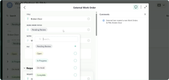
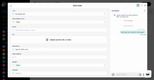
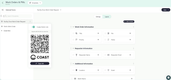
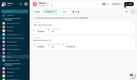
Coast lets you manage maintenance tasks and work orders directly from your phone for free. Its real-time messaging tools let you have conversations about the repair or asset in the app, so your back-and-forth is recorded rather than buried in a text chain.
The free plan also lets you attach images to assets and conversations. For example, if a restaurant manager reports that a walk-in cooler feels warm, your technician can quickly request a photo and ask follow-up questions to understand the severity before creating a work order. For teams who coordinate repairs by text, this captures the conversations already happening without asking anyone to change how they work.
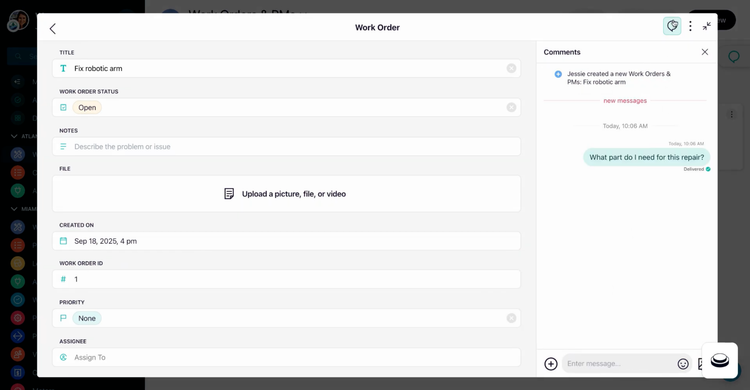
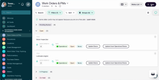
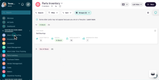
Coast’s free plan also supports up to 5 recurring work orders(2 more than MaintainX). If you have tasks that you cannot afford to miss, like a quarterly HVAC filter change or a monthly generator test, you can generate a schedule to repeat that work order every time.
That said, there are some real limitations for the free plan. You only get access to 5 repeated work orders, conversations are saved for only 7 days, and you have a 3MB limit on image attachments. For most small teams, this is not a huge deal, but for larger, growing maintenance operations, expect to upgrade to the $28/user/month plan sooner rather than later.


Read more on our full Coast Review
ManWinWin - Best Offline & On-Premise Option
ManWinWin’s Express forever free plan can be installed on-premise for single-user access. This is a great option for businesses seeking full control over their information or requiring offline functionality. Examples can include independent healthcare facilities controlling sensitive data or businesses in rural areas with spotty internet access. Typically, on-premises software requires a large initial investment, but ManWinWin is the exception, as it’s one of the few systems that offer installation at no cost for up to 100 assets.
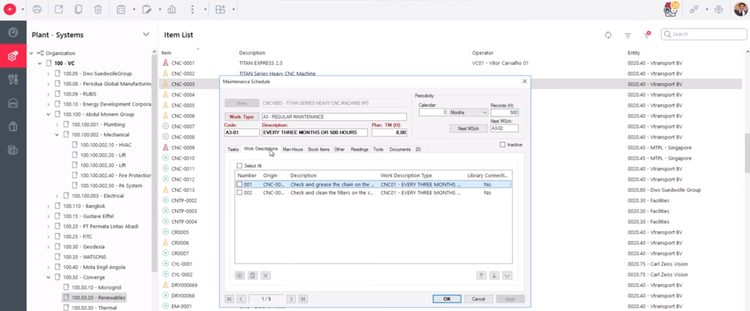
Not only is the platform free, but it also offers robust capabilities, such as its preventive maintenance module. While the interface is slightly less modern than other options like Coast, it’s still effective, especially for manufacturers. Set time or meter runtime-based thresholds to automatically schedule maintenance. The system supports 100 assets, and you can create PM schedules for all of them. This makes it highly useful for job shops or even multi-site manufacturers with several high-value machines.
ManWinWin also has basic reporting functionality, which is rare in most free CMMS software. View key metrics like planned vs. unplanned work orders, total maintenance performed, and average on-time completion rate. Plus, these are customizable, so you can configure the data to show exact insights on easy-to-read charts and graphs. This helps you understand your maintenance processes and identify areas of inefficiency.
What is CMMS Software?
CMMS software helps businesses optimize their maintenance operations. Implementing a CMMS system can benefit any company with regular maintenance needs, whether for high-end machinery or point-of-sale terminals. Free versions are starter systems for small businesses requiring only basic features.
Implementing a CMMS is essential for organizations that heavily invest in equipment assets. It ensures the operational health of equipment and helps lower the overall maintenance cost while improving productivity through equipment availability.
Read more: What is CMMS?
Key Features & Benefits
Free options will have simpler and barebones features than paid plans, but they can still provide strong functionality for small businesses and maintenance teams.
| Key Feature | Description | Benefit |
|---|---|---|
| Work order management | Create and assign work orders for better task management and organization. | Improves task organization and keeps records of asset maintenance. |
| Preventive maintenance scheduling | Plan and schedule maintenance based on time intervals. Free plans often limit the number of schedules allowed. | Increase asset uptime by preventing failures before they occur. |
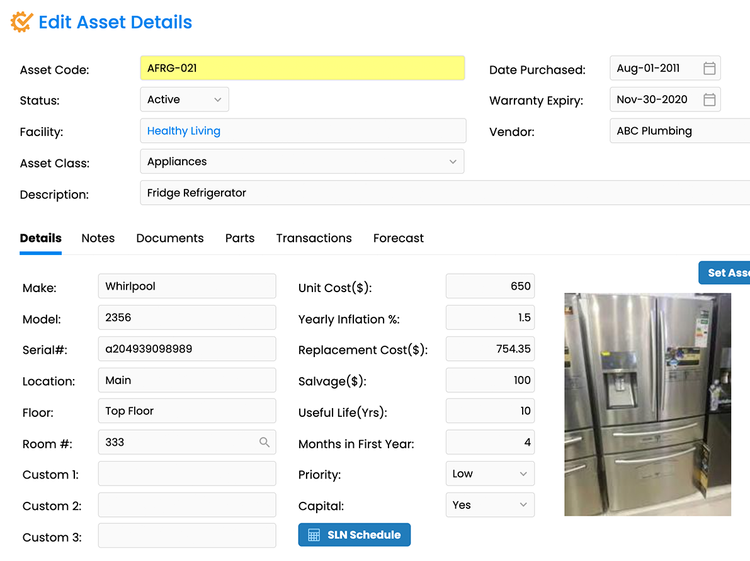
| Asset management | Add your assets to a centralized database to track maintenance history, warranty dates, and uptime. | Increases asset lifespans through maintenance tracking; keeps records more organized. |
| Simple reporting | Free CMMS versions can sometimes include basic reporting capabilities to track maintenance KPIs like asset performance. | Gain insight into maintenance costs and supply usage to monitor cash flow and efficiency. |
| Parts inventory | In rare cases, free CMMS systems can include a basic parts inventory module where you can adjust stock counts of maintenance supplies and assign them to work orders. | Optimize inventory levels to avoid stockouts or overstocking. |
| Asset tagging | Create, print, and apply QR codes or barcodes to your assets for easy scanning and identification. | Keep track of asset locations and easily reference information. |
Free vs. Paid Comparison
Free CMMS software and paid CMMS software both have their pros and cons. In most cases, it’s best to identify your business’s needs and determine if a free version will be enough.
| Category | Free CMMS Benefits | Paid CMMS Benefits |
|---|---|---|
| Cost | - No licensing costs - Reduce high labor costs associated with manual work - Reduce machine downtime through preventive maintenance - Reduce the cost of carrying excess inventory |
- Higher upfront cost but may reduce long-term operational expenses |
| Simplicity | - Fewer features -less complexity - Less training required - Shorter implementation -less business disruption |
- Advanced features may require more training and longer implementation, but offer extensive capabilities |
| Functionality | - Basic features suitable for smaller operations | - More advanced features - Wider selection of modules - Advanced reporting - More scalable |
| Customer Support | - Limited or no dedicated support | - Dedicated support teams - Additional training and consulting available - Ongoing support |
| Customization | - Limited customization options | - Capable of more complex configurations - Custom workflows - Development options for feature requests |
How to Choose
Considering Free CMMS Software
Free CMMS software programs are often better for smaller businesses with fewer employees and stricter budget limitations because:
- They include basic functionality required for maintenance management, which can be sufficient for simpler workflows
- There is little to no time or budget investment into implementation or training
- Smaller businesses tend to have fewer assets and maintenance needs that don’t justify the expense of a paid system
- Customization and advanced features typically found in paid systems are not needed
Considering Paid CMMS Software
Larger businesses or maintenance teams with more extensive maintenance needs should consider paid CMMS software for the following reasons:
- A need for more advanced features that handle complex maintenance management tasks
- Better scalability to accommodate more users, assets, and facilities
- More comprehensive support and training options
- Greater customization capabilities for unique workflows
- Better security features for enterprises that require it
Paid Plan Pricing Guide
If you find these 5 free options unsuitable for your needs, you’ll likely need to upgrade to a paid plan or software. These typically use a per-user pricing model and cost between $20 and $120/user/month for cloud-based systems. Often, products will offer tiered pricing packages, with costs increasing as they add more features.
Learn more about CMMS software pricing here.

