

The Best Enterprise Asset Management (EAM) Software
We’ve reviewed the top EAM systems on the market for industry fit, feature depth, and what they cost to run. Whether you require asset tracking, GIS mapping, space management, or condition monitoring, you’ll find a solution that fits your company’s needs.

- Comprehensive features (spare parts, OEE, depreciation, reporting)
- Unlimited sites, priced per user
- Tailored for manufacturing
- Supports global operations
- Offers proprietary IoT sensors
- Monitors asset conditions in real time
- Picture capture and upload capabilities
- QR code scanning
- User-friendly mobile app
We’ve ranked EAM systems across enterprise industries, including utilities and energy, oil and gas, public services, distribution, and manufacturing, using our advanced review methodology. We also considered their support for key functionalities such as maintenance tracking, geographic information system (GIS) mapping, and capital planning to help you find the best solution for your business needs.
- MicroMain: Best for Facility Maintenance
- eMaint: Best for Condition Monitoring
- UpKeep: Best AI-Powered Tools
- IBM Maximo: Best for Utilities and Energy Monitoring
- SAP Asset Management: Best for Manufacturing Equipment
- Nuvolo EAM: Best for Healthcare Organizations
- Octave Attune EAM: Best for Oil & Gas
- Siemens Asset Essentials (Brightly): Best GIS Mapping
- WebTMA: Best for Government and Education Facilities
- IFS Cloud EAM: Best for Capital Planning
MicroMain - Best for Facility Maintenance
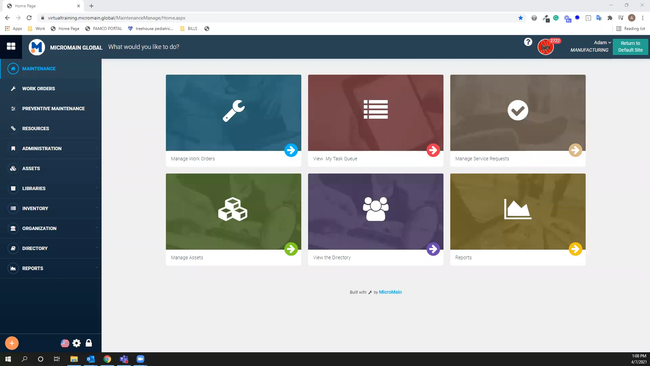
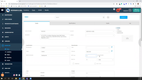
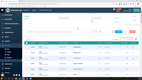
MicroMain CMMS’s key advantage is its focus on hard facility management assets, such as temperature control, ventilation, and air quality systems. Its preventive and preventive maintenance tools let you build a structured program that captures every unit across your facilities and logs its service history.
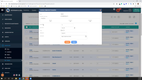
Instead of treating HVAC like just another asset class, it includes built-in inspection tasking and templates designed around standard components. This minimizes upfront setup and handles compliance-driven checks. When paired with barcode and QR code support, this EAM software lets your techs scan a unit, retrieve its complete history, and immediately identify what’s due.
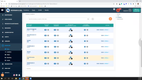
Additionally, the platform pulls data from usage logs, runtime hours, or sensor inputs, and then translates it into actionable schedules. So instead of waiting for a chiller to fail on the hottest day of summer, the system predicts when filters will need replacement or when refrigerant levels should be checked. It then issues the work order accordingly.
Unlike some EAM tools that hide preventive schedules behind complex setups or rely on third-party add-ons to connect work orders, MicroMain integrates these functions out of the box. And while custom integrations for smart devices can add up, the system itself is comprehensive and priced accessibly.


Learn more about MicroMain in our full review.
eMaint - Best for Condition Monitoring
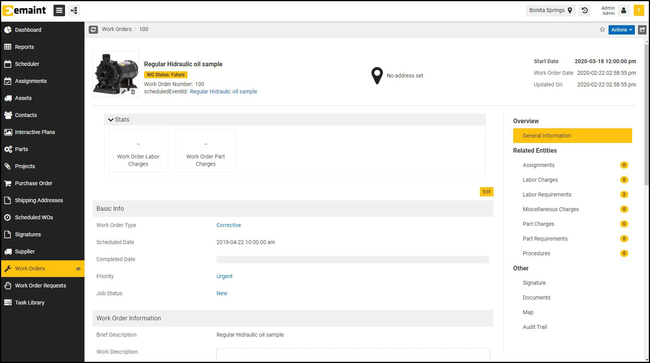
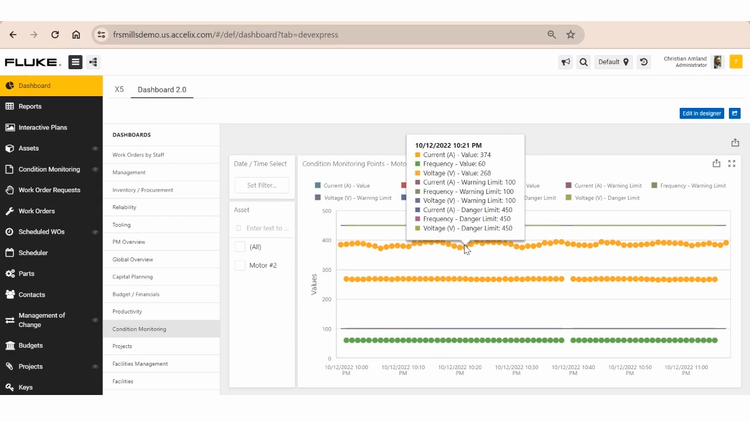
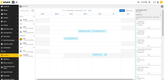
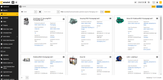
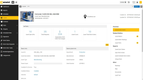
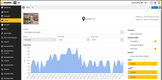
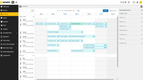
eMaint offers its own Fluke IoT sensors that let enterprise manufacturers monitor the condition of their high-value production assets. The sensors evaluate your machine’s vibration, voltage, temperature, and other metrics to detect any potential failures. When readings pass beyond the configured threshold, the system instantly alerts you so you can respond as soon as possible. That way, you can reduce critical production asset downtime and catch faults before they become costly breakdowns.
Also, the condition monitoring module lets you analyze data using AI. The AI analysis feature recognizes over 1,600 combinations of fault factors, giving you recommendations for each. It’s great for super complex equipment, like multi-axis CNC machines, where you or your technicians won’t always know the exact solution to a problem immediately. The AI can point you in the right direction and give suggestions based on the data it receives, boosting your uptime, OEE, and MTTR.
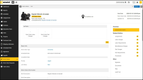
eMaint is well suited for global manufacturing operations, as you can connect additional systems like your SCADA and ERP. eMaint requires a custom quote based on the user count and required features.
Read our full eMaint review for more information.
UpKeep - Best AI-Powered Tools
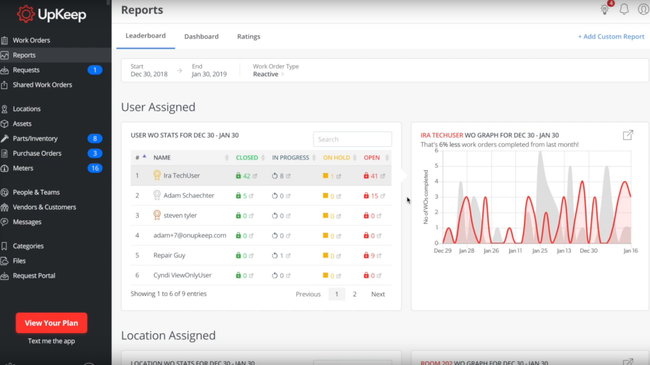
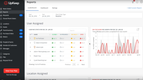
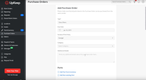
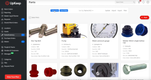
UpKeep’s AI assistant, Nova makes maintenance data conversational, rather than burying your team in spreadsheets or endless alerts. Since it supports both text and voice interaction, managers can ask, “Which work orders are highest priority?” Nova then provides a clean, accurate view of what matters, keeping your team from chasing false alarms or manually sorting tasks.
However, Nova provides more than just insights. Managers can also direct the AI to reorder schedules, adjust due dates, and assign tasks to specific technicians. So instead of long, tedious planning sessions, it’s just a couple of quick exchanges. You’ll know the most critical issues are handled first, while less urgent tasks are pushed back without creating bottlenecks.
Additionally, UpKeep’s AI can analyze historical data and estimate the time required for work. It can then recommend realistic workloads and guide your scheduling decisions. So, if a new hire is unsure how long a job should take or the best approach to take, Nova can provide ballpark guidelines and highlight common steps or pitfalls.
UpKeep starts at $24/user/month. Nova AI is available on every UpKeep plan but is offered at an additional cost under a credit-based pricing model. Typical interactions consume 2-15 credits depending on complexity.

Read our full UpKeep review.
IBM Maximo - Best for Utilities and Energy Monitoring
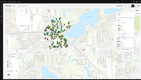
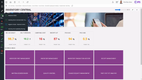
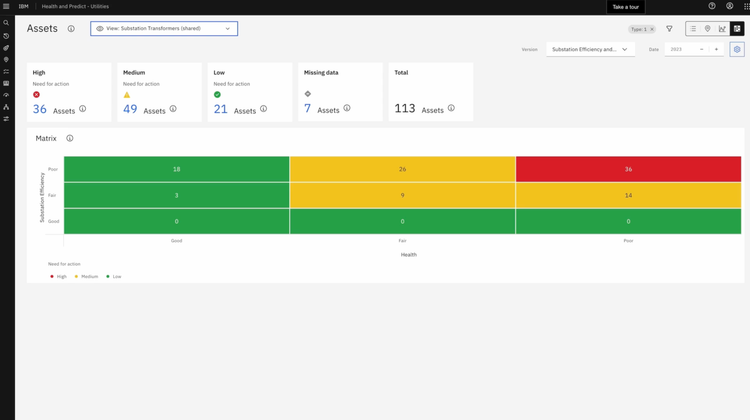
The health and safety for utilities module in IBM Maximo helps you monitor the health and status of assets like power grids, substations, and transformers. It features a map view of assets that shows each asset’s color-coded health scores. This helps identify any possible risks to that asset and those it is connected with.
For example, if a transmission line shows a red health score, you can quickly view nearby transformers and substations to see if cascading failures are likely. The map lets you prioritize maintenance based on criticality and the interconnected nature of your utility network.
Any asset can be singled out and viewed in detail. This view shows essential data such as health score, criticality, and effective age. The system uses the following criteria to determine the asset’s health:
- Historical data: Shows operational history, including downtime, repairs, and maintenance. Utility companies can use this data to decide whether to repair or replace aging infrastructure based on past breakdowns and comparisons to similar assets.
- Environmental influences: Takes into account environmental causes of damage, such as temperature fluctuations, weather conditions, or lightning strikes. Companies operating in severe weather-prone regions can use this to determine future maintenance strategies.
- Inspection reports: Uses information from inspection reports to better determine when failure will occur.
Considering these variables enables you to see a complete overview of the asset’s life and determine appropriate next steps, if necessary, to prevent further damage or failure.
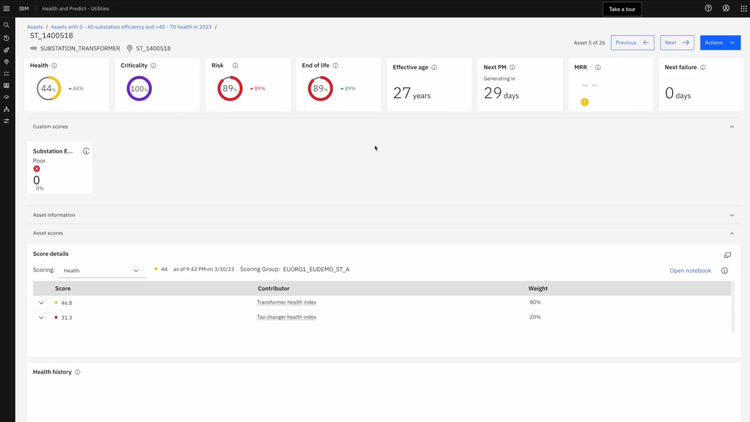
Additionally, the module helps you implement effective asset maintenance strategies. For example, if the health score of a high-value transformer is consistently lower than the other transformers on the power strip, you can use Maximo to analyze contributing factors like extreme environmental conditions, higher operational loads, or infrequent maintenance. By pinpointing these issues, you can tweak your maintenance schedule or reassign operational loads.

SAP Asset Management - Best for Manufacturing Equipment
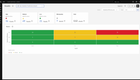
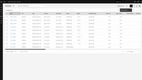
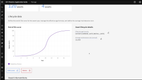
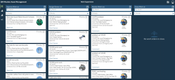
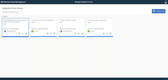
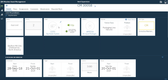
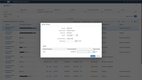
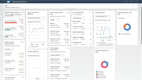
SAP Cloud ERP (formerly SAP S/4HANA) offers an effective EAM suite with an asset performance management tool for manufacturers that helps monitor machine behavior and create maintenance plans. For a reliability engineer, the ability to assign a scale of business impact to each asset is crucial. This allows you to develop the appropriate maintenance strategy—whether it be reactionary, preventive, or predictive—based on how critical the asset is to production. Say a piece of equipment won’t have any impact on production if it fails; you don’t have to create a complex preventive maintenance schedule. Simply mark it as “run to fail” and repair or replace it accordingly when it breaks down.
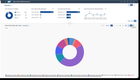
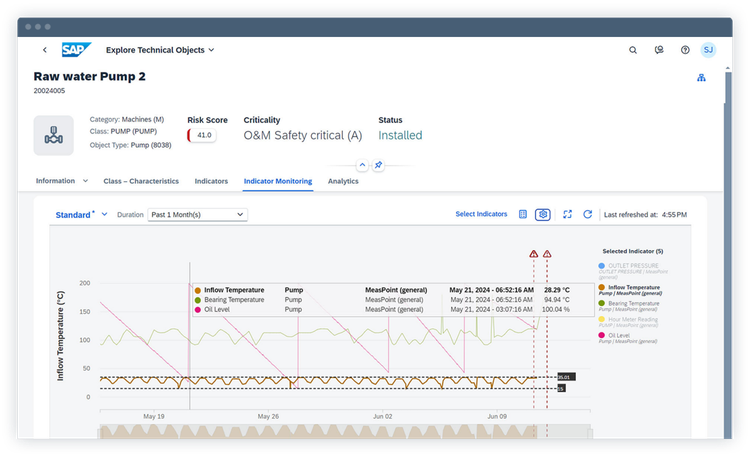
The system integrates with third-party IoT sensors to track real-time machine data for condition and indicator monitoring. You can see indicators such as equipment temperature, machine status, and health score to ensure smooth operation. Customizable rules can be applied to equipment to set optimal indicator ranges, so when levels become unstable, alerts are sent.
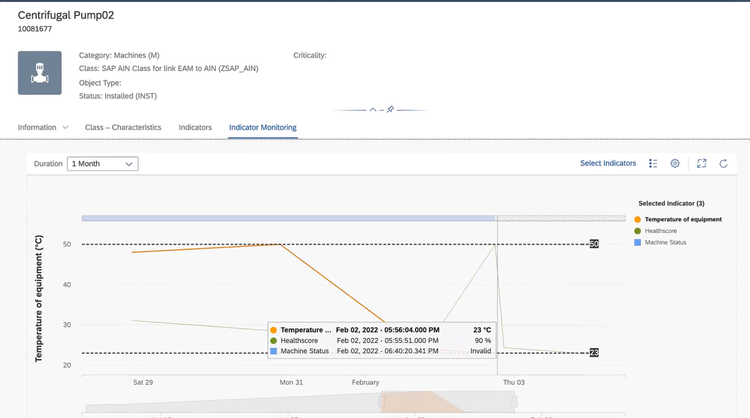
All IoT sensor data is archived and leveraged with machine learning to help predict future maintenance needs and strategies. It analyzes historical failures and other data to determine equipment criticality, allowing you to assess your current approach to reduce machine downtimes.
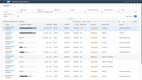
While SAP Cloud ERP offers a strong EAM module, we wouldn’t recommend this system for companies with an existing ERP system that don’t want to switch. It’s a highly complex solution that requires significant time and financial investments. You may find it easier to integrate your ERP with a standalone EAM system, such as IBM Maximo or eMaint.
Read our full SAP Cloud ERP review.
Nuvolo EAM - Best for Healthcare Organizations
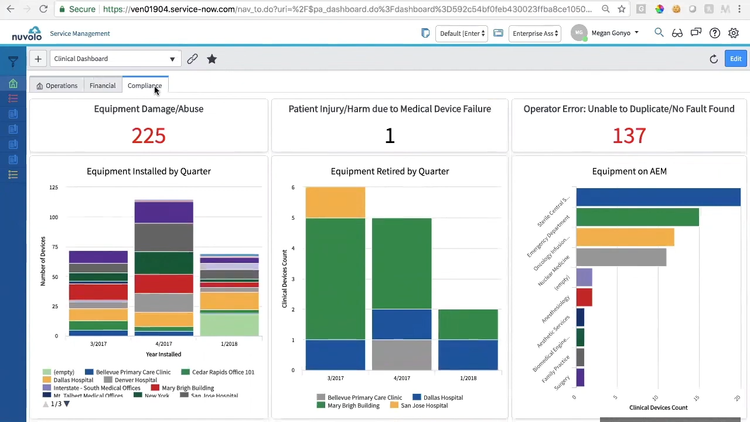
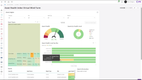
Nuvolo EAM includes a clinical dashboard module that helps healthcare organizations stay compliant and manage asset maintenance operations. Specifically, the compliance tab of the module shows detailed information about medical equipment from every hospital and clinic in your organization. You can see how many patient injuries were caused by medical device failures and other equipment information, which is vital for passing The Joint Commission (TJC) audits.
The operations tab of the dashboard visualizes maintenance KPIs for all medical devices and equipment across your organization. For example, it includes a graph showing trends for root causes, such as error codes, improper training, and configuration issues. This allows you to identify problematic processes and better understand why certain equipment fails, which helps keep equipment safe for patient use in a clinic or hospital setting.
Nuvolo EAM’s clinical dashboard even has a financial tracking section for medical device asset lifecycle tracking. This makes managing hundreds or even thousands of assets across multiple hospitals much easier, as all the financial metrics are consolidated into easy-to-read charts. It’s highlighted by the projected end-of-life chart that shows which assets will need replacing in the next 10 years. This helps you ensure budgets are accurate for every location and devices are replaced before they reach end-of-life to maintain operational safety.
Octave Attune EAM - Best for Oil & Gas
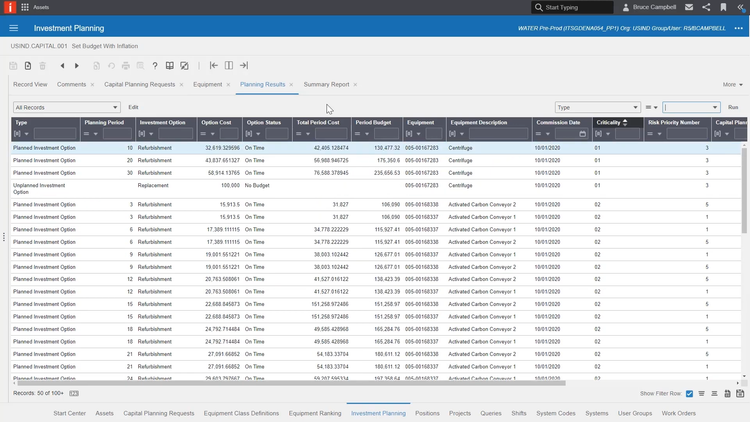
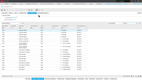
Octave Attune EAM (formerly Infor HxGN EAM) includes an asset lifecycle management tool that helps oil and gas companies track critical infrastructure health for pipelines, rigs, and refineries while developing spending strategies. The investment planning function allows you to outline strategies for future repairs or new equipment purchases. It considers inflation adjustments for multi-year projects, time, risk, and current criticality to determine total costs.
The asset lifecycle management tool combines condition monitoring with investment planning to actively monitor and track current equipment for its health and financial impact. You can choose between different investment options, like total replacement or refurbishment while setting the cost of the option and tracking the status. Criticality and risk can also be viewed on the same dashboard. This helps you assess and prioritize projects more effectively, ensuring high-risk or high-impact assets like pipelines or offshore platforms are managed with appropriate urgency and budget considerations.
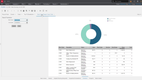
The data from the menu is then compiled into dashboards and reports that provide a broader overview of asset lifecycle data. This includes planning and equipment data and work order reports to help provide a holistic view of asset maintenance across the company. This helps spot trends and lets you see which equipment requires repairs to prevent unplanned downtimes.
Siemens Asset Essentials (Brightly) - Best GIS Mapping
Siemens Asset Essentials (formerly Brightly) offers direct integration with Esri ArcGIS to help enterprises in the energy, education, and government industries map their assets and infrastructure. This is useful for accurate asset plotting, whether for one facility or powerlines spanning miles. It also gives an accurate spatial understanding of asset locations to deploy the correct maintenance team to the exact location of the asset/facility.
The GIS mapping tool features spatial data layering to provide more advanced visuals. You can overlay different datasets on a single map to view multiple types of assets at once. This includes information like underground infrastructure and individual power lines with detailed equipment. Furthermore, you can even include natural features if the equipment is in rough terrain to prepare your technicians or analyze how it affects maintenance needs.
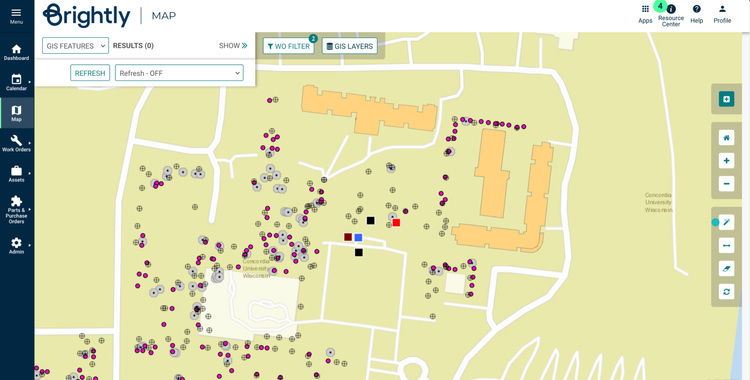
Siemens Asset Essentials also integrates with IoT sensors to monitor asset health. You can view sensor data directly from the GIS map by selecting any individual asset to view performance and overall health. This capability helps you respond promptly to potential issues and ensure the optimal performance of critical infrastructure like pipelines or water treatment systems.
WebTMA - Best for Government and Education Facilities
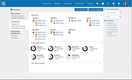
WebTMA is an enterprise CMMS and EAM platform from TMA systems built for growing and large organizations across government, healthcare, education, and corporate sectors. It supports complex multi-location facilities with asset portfolios spread across hundreds of buildings, rooms, and pieces of equipment.
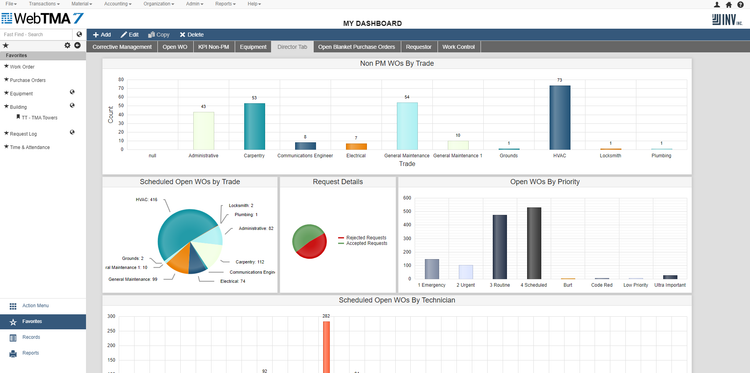
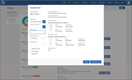
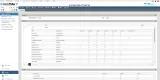
For large organizations, enterprise asset management is as much about accountability as it is about daily operations. WebTMA’s space management module keeps accountability simple by tying every asset to a building, floor, and room for quick reporting. You can also upload floor plans from AutoCAD for an accurate, real-time spatial view of where assets and equipment are located and how the plans change over time. Additionally, with over 30 optional modules, organizations can add tools like capital planning, equipment, and key management as operational needs expand.
For further automation, WebTMA can pair with Virtual Facility, an alarm-monitoring add-on that pulls information across all your IoT sensors and building management systems. This way, when an HVAC unit exceeds a temperature threshold or an unauthorized user gains access to a building, the system automatically generates a work order or alerts the appropriate staff member to investigate.
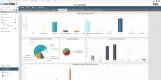
WebTMA integrates with most ERP and building management systems that organizations are already using. Pricing for WebTMA requires a custom quote that scales based on the number of users and locations in the system. That said, for governments, educational institutions, and other organizations with complex asset portfolios, WebTMA is a solid option to consider.
Learn more about WebTMA in our full review.
IFS Cloud EAM - Best for Capital Planning
IFS Cloud EAM offers strong capabilities for overseeing high-value capital assets. It helps organizations create new infrastructure initiatives and manage extensive equipment portfolios for utilities, energy, transportation, manufacturing, and other asset-intensive industries.
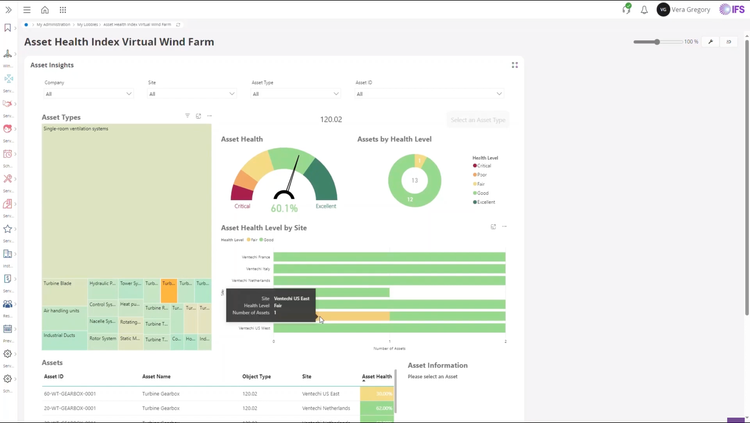
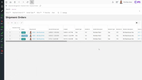
The platform’s capital planning capabilities are driven by its integration with IFS Copperleaf, IFS’s asset investment planning module. Copperleaf helps organizations build defensible capital plans by evaluating whether investments should be maintained, upgraded, or refurbished based on live asset data. Planning teams can model multi-year scenarios to see how different funding levels and maintenance strategies affect asset risk, performance, and long-term business outcomes. Organizations can compare these scenarios side by side, making it easy to prioritize the capital investments that return the best value.
IFS Cloud EAM is best suited for large organizations with complex asset portfolios and established planning processes. Pricing reflects its enterprise-level features and is provided through custom quotes that scale based on the size of operations and the number of assets managed. And while IFS Cloud is a comprehensive ERP system, organizations can also opt for the standalone IFS Ultimo platform, which is an out-of-the-box EAM solution without ERP functionality.
Other Systems We Recommend
Champs EAM is also a good option for manufacturing and utilities industries. It offers strong procurement modules, meter tracking, and equipment monitoring features.
What is EAM Software?
An enterprise asset management (EAM) system is a tool used to manage the entire lifecycle of an organization’s physical assets, from acquisition to replacement. It also helps maintain asset health and generates analytics on data and conditions.
Often considered an extension of CMMS, EAM systems provide more advanced features for higher-value asset management. They’re built to handle large data volumes and manage assets for national and global enterprises.
EAM vs CMMS: Which Do You Need?
EAM and CMMS software overlap significantly in the features they offer, so distinguishing which one you need can be easy to miss. Both handle work orders, preventative maintenance, and asset tracking but a CMMS stops there. An EAM extends this further, supporting the entire asset lifecycle from initial procurement through its eventual replacement and everything in between.
An EAM is built for organizations that need to answer not just “is this asset maintained?” but "should we repair it, replace it, or budget for it next cycle?"
For most single-site operations with straightforward maintenance needs, a CMMS is sufficient. Once you’re managing high-value assets across multiple locations, reporting to regulators, or tying maintenance decisions to capital budgets, an EAM should be considered. For a deeper look at where the line falls, read our CMMS vs. EAM breakdown.
Common Challenges
- Lack of asset visibility: Assets can slip through the cracks within enterprise companies, especially for national and global operations. This can lead to unplanned downtimes and costly repairs for critical equipment.
- Investment management: Creating a plan for each investment on new infrastructure or complex repairs will help ensure your company can afford it and that it’s worthwhile.
- Compliance: Different industries must ensure compliance with various laws and regulations to keep their workers safe and assets operational.
- Maintenance planning: Managing maintenance strategies for hundreds of high-value assets is crucial to keep operations running smoothly.
Key Features and Benefits
| Feature | What It Does | Benefit |
|---|---|---|
| Work order management | Create, assign, and track maintenance requests, with labor time and parts recorded against each job | Avoid missed requests, reduce backlog, and keep a record of all asset repairs |
| Preventive maintenance scheduling | Trigger recurring work automatically by calendar date or by meter readings like run hours and cycle counts | Moves the team from reactive repairs to scheduled work |
| Asset registry and lifecycle tracking | Store every asset with its location, purchase date, warranty, cost, and service history from acquisition through disposal | Maintains an accurate record and shows true cost of ownership for better decision making |
| Parts and inventory management | Track spare parts stock levels, set reorder points, and tie parts consumption back to work orders | Prevents stockouts that extend downtime and tie up cash |
| Condition monitoring and predictive maintenance | Pull readings from IoT sensors and equipment controls, then flag assets trending toward failure | Catches problems before they cause a breakdown rather than waiting on a fixed schedule |
| Capital planning and budgeting | Forecast replacement timing and cost across your asset portfolio against the capital budget | Turns replacement requests into a funded multi-year plan instead of an annual argument |
| Mobile access | Let technicians view, update, and close work orders from a phone or tablet, including offline in areas without signal | Work gets recorded in real-time instead of hours later, which is what keeps the data accurate |
| Reporting and analytics | Report on cost per asset, PM compliance, downtime, and labor hours across every site | Gives you the numbers to justify budget and headcount to finance |
Some features are only beneficial in specific industry sectors. For example, GIS mapping is worth prioritizing if you maintain infrastructure like water, power, or roadways, while software with electronic signatures and audit trails is required in FDA-regulated and healthcare environments.
How to Choose the Right EAM System
Selecting an enterprise asset management software can be daunting. To make sure you choose the right one, answer these six questions before scheduling your demos:
-
Asset Count and Locations: Do you plan on a single-site rollout, or do you want to implement across every department and facility at once? Determine your asset count and the number of locations or departments that will use the system. Some vendors charge based on the number of assets in the system, while others charge based on location or users. Understand the cost variables and how adding more assets or locations will affect your total cost in the future.
-
Compliance Requirements: Are you maintaining assets in a regulated environment, or have general facilities and equipment? If you have compliance requirements, determine which records an auditor will ask you to produce. Some vendors build electronic signatures and audit logging into the core system, while others treat them as add-ons or enterprise-tier features. Understand which features are included in your quote and if add-ons are required.
-
Data Migration: Do you need your entire maintenance history stored in the new system, or are you comfortable starting fresh? Determine how many years of historical records you need and what type of data you want retained. For example, do you need attachments, meter readings, and WO notes? Or can you get by with just a simple asset register? Some vendors will include data migration in the total cost while others will charge extra. Understand what you need to migrate and who is responsible for it before signing.
-
User Count: Is this software used by only maintenance staff or by managers and employees who make requests? Determine how many power users, limited users, and request-only users you need before getting quotes. Some vendors will include unlimited requestor accounts while others require a paid license for anyone who touches the system. Understand how changing this number over time will affect the total cost.
-
Integrations: Do you need your asset and maintenance data flowing into other systems like your ERP or production software? Do you need sensors on your assets to capture data on the floor or in the field? Determine which connections are critical to your operations and which vendors offer those natively or as an added cost. Some vendors have their own sensors and prebuilt 3rd party integrations, while others will require custom development.
-
End-User Adoption: Will your technicians actually use the system or revert back to old manual ways, like word of mouth? Determine how your end-users actually work and operate in the field or on the shop floor. Find a platform that fits how they work so the data you receive is accurate and actionable. Some systems like UpKeep offer mobile-first experiences, while others focus on enterprise-level reporting and have harder-to-use mobile apps.
Pricing
EAM software pricing ranges from $2,500/year to well over $100,000/year for large deployments. What you pay depends on how many users need access, how many assets you maintain, and the functionality you require. Below is a breakdown of the leading vendors based on our research.
Entry-Level
Entry-level plans cover work order management, preventive maintenance scheduling, and a basic asset registry. Expect to pay around $25 to $35 per user per month, or roughly $2,500 to $5,000 per year. Parts inventory, purchase orders, and reporting dashboards usually require moving up a tier.
Growing Teams
Plans for growing teams include the basics but add features for parts and inventory management, purchase orders, meter-based monitoring, time and cost tracking, and basic integrations. Expect to pay around $35 to $70 per user per month, or roughly $7,500 to $15,000 per year. Custom integrations, additional storage, and implementation support are commonly quoted separately at this level.
Mid-Market
Mid-market plans handle multiple locations and departments with shared parts inventory, role-based permissions, and multi-site reporting. Most vendors require a custom quote for this tier, but expect costs to be around $50 to $80 per user per month. Annual costs often range from $15,000 to $50,000+ for multi-site rollouts. Single-site operations can expect a lower range.
Enterprise
Enterprise plans add custom applications and workflows, deep integrations with ERP and MES software, and advanced multi-location reports. These plans require custom quotes with per-user pricing around the same as the other tiers. Often, vendors will offer per-user discounts for large teams across many sites. At this tier, feature complexity, asset count, and locations supported are often drivers of costs rather than users. Expect to pay at least $50,000 a year, with large global implementations exceeding $100,000.
What Else to Budget For
Software licensing is rarely the total cost of ownership. Beyond the cost of software, expect to pay for:
- Hardware and IoT Integrations
- Implementation and Data Migration
- Custom Integrations to ERP or MES
- Support and Training
Frequently Asked Questions
How is an EAM system different from a CMMS?
Both systems are similar, as both help manage assets and improve maintenance strategies. The main difference is that EAM systems manage high-value assets through their entire lifecycles, while CMMS is more maintenance-focused, helping organize work orders and inspections for smaller companies.
Read more: CMMS vs. EAM: What’s the Difference?
Does ERP software work as an EAM?
Enterprise resource planning (ERP) systems are much different than an EAM system. ERP has a broad scope covering financials, manufacturing, human resources, and some basic EAM functionality like financial planning for asset purchases. An EAM is a more focused system with the main goal of organizing and maintaining a company’s assets.
Most often, companies choose to invest in separate ERP and EAM systems and integrate them, as they both have different purposes and functionalities. Only in rare cases do ERPs have full EAM modules, like SAP S4/HANA.

