The Best Metal Fabrication Software
Metal fabrication software helps efficiently design, estimate, and manufacture metal-based products. We evaluated the top systems and reviewed them below.

- 3D model viewer
- Offers material optimization nesting
- Integration with BIM software
- Detailed cost reports with access to historical data
- Enhanced job costing
- Logical database structure

- Fully integrated with no bolt-on modules
- Native shop floor execution layer
- Built-in automotive compliance
Metal fabrication software is a suite of digital tools designed to aid in the planning, design, and production of metal-based products or structures. Using our advanced review methodology, we’ve evaluated the top metal and steel fabrication software based on value for money, integration options, and supported manufacturing environments.
- STRUMIS: Best for Structural Steel Fabricators
- JobBOSS²: Best Cost Reporting Tools
- OnRamp: Best All-in-One Fabrication ERP
- ProShop ERP: Best for Metal Machine Shops
- Global Shop Solutions: Best for Contract Manufacturers
- Fulcrum Pro: Best for Sheet Metal Fabricators
- RealSTEEL: Best for Production Planning
- Tekla PowerFab: Best for Commercial & Industrial Metal Fabricators
- SecturaFAB: Best Estimating and Quoting System
- ConstruSteel: Best Nesting Tools
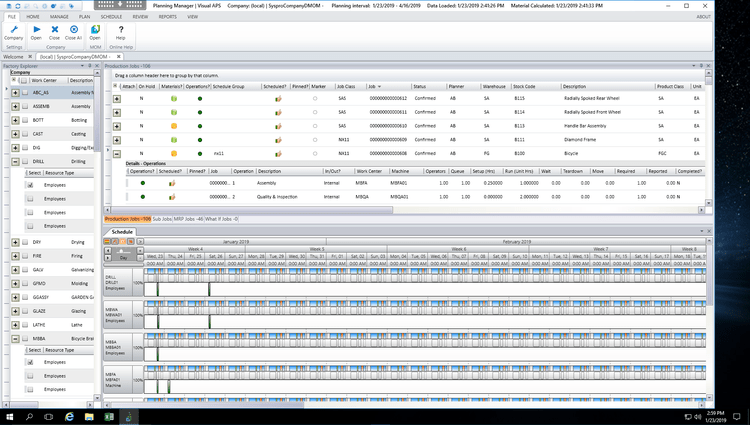
- SYSPRO: Best for Growing Steel Fabricators
STRUMIS - Best for Structural Steel Fabricators
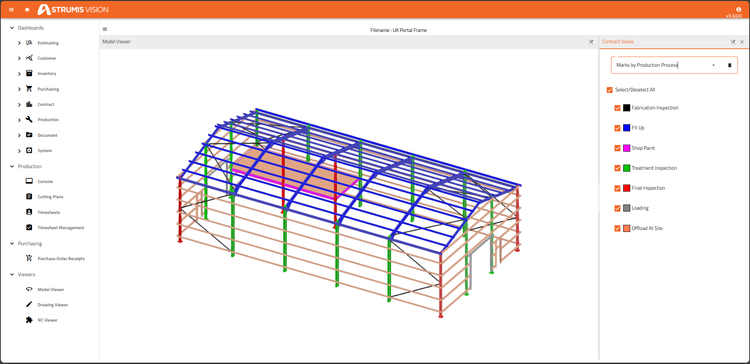
STRUMIS can help streamline business processes from procurement to project completion, but one of its strongest features is its 3D model viewer through its BIMReview module. This allows companies to view the progress of components and structure assembly, define loads, and assign fabrication and delivery dates. This is crucial for structural steel fabricators who need to visualize complex structures, like bridges and industrial buildings, and ensure accuracy during assembly.
STRUMIS also offers strong BOM and nesting features to optimize material usage. It supports linear, plate, and bevel nesting, and users can retrieve saved requests from the central repository. Shops already running dedicated nesting software can also send work orders to tools like ProNest and read the results back into STRUMIS inventory. With better nesting and BOM management, structural steel fabricators can purchase raw materials more effectively and maintain proper inventory, reducing the risk of over- or under-ordering.
Due to the large feature set, we wouldn’t recommend STRUMIS for small businesses, as the cost and complexity may be too high. For 3D model viewing, it integrates with leading steel detailing programs, including Tekla Structures and SDS2, and connects to CNC machinery from brands such as Peddinghaus, Voortman, and Ficep. Pricing isn’t public, so you’ll need to request a custom quote.
JobBOSS² - Best Cost Reporting Tools
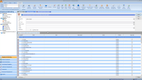
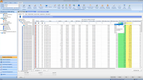
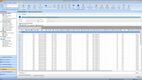
JobBOSS² helps fab shops run profitable jobs with tight margins by tracking scrap, material usage, and labor across every part and process.
Whether it’s repeat production runs or quoting one-off custom parts, the cost reporting tools can give you the financial and operational oversight to stay ahead. For example, if your laser-cutting or press-brake machine starts generating more scrap than expected, the system flags it early. That way, your team can course-correct before it hurts your bottom line.
This metal fabrication software supports material tracking by pounds, feet, square inches, or tag numbers. When you manage coils, sheet metal, and bar stock, you can see exactly what was used and where it went. JobBOSS² can auto-allocate supplies to jobs and reflect this in your cost reporting, grounding quotes and profitability figures in actual usage.
Additionally, the system includes over a dozen cost reports, including performance by job, part, customer, or time period. The job cost summary shows where you’re making or losing money, factoring in everything from labor hours to subcontracted services like powder coating or galvanizing. The margin and performance summary reports can even help you spot underperforming jobs or machines.
JobBOSS² pricing isn’t public, so you’ll need to request a quote. We generally recommend JobBOSS² for small- to mid-sized fabrication shops that are tired of tracking profit with spreadsheets and want to see exactly which jobs make money and which don’t.
OnRamp - Best All-in-One Fabrication ERP
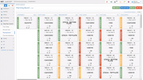
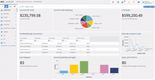
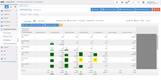
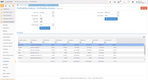
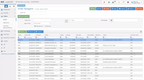
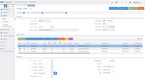
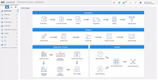
OnRamp bundles ERP, MES, and QMS into one system so planning, shop floor control, and quality are included without any add-on modules to license separately. It was founded by metal manufacturers, so its tools fit the day-to-day work of fabrication and machine shops much better than generic discrete manufacturing software.

Where OnRamp really stands out, though, is customer-supplied material tracking. Plenty of fab shops process raw material and stock they don’t own, like when a customer ships in tube or castings and requests you cut, form, and finish it before sending it back. OnRamp’s CSM module keeps that material separate from your own inventory, follows it through each operation, and holds traceability from receipt to shipment. You can account for what came in, what was consumed or scrapped, and what shipped without mixing in your own counts.
Because the ERP, quality, and shop floor tools share a single database, CSM traceability flows into inspection records and job costing as well. That way, a rejected part or shortage on customer stock shows up in the same place your team already works.
OnRamp is best for small to mid-sized fab shops with 10-500 employees that want one fabrication system for the back office and shop floor. That said, it doesn’t publish pricing publicly, so you’ll need a custom quote for your company. It depends on factors such as employee count, part count, and facility size.


ProShop ERP - Best for Metal Machine Shops
ProShop ERP is best for machine shops involved in metal fabrication due to its lean setup process and digital job travelers. It helps minimize setup downtime by ensuring machinists can access job details, tool lists, and inspection data directly on screen. That way, they don’t have to carry around papers or constantly move around the shop searching for missing information.
Additionally, it integrates with Mastercam and other CAM systems, allowing tool and setup data to flow from programming to production. ProShop can export tool information directly to Mastercam, so programmers aren’t re-entering the same data in two places. This helps keep setups accurate and reduces machining errors caused by mismatched tool data.
Beyond setup efficiency, ProShop ERP offers many other features, including visual scheduling, shop floor and CAD integration, and a built-in QMS for ISO and AS9100 compliance. Its capacity planning and mobile dashboards give metal fabricators real-time visibility into workload and production metrics for every machine on the floor.
ProShop requires a custom quote based on total employee count, with separate seat types for shop, office, and admin users. It’s important to note that it lacks some customization options in areas like part labels, but it’s a good option if you want a more plug-and-play system for growing a metal fabrication and machine shop.
Global Shop Solutions - Best for Contract Manufacturers
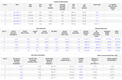
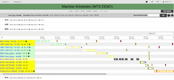
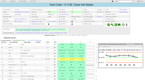
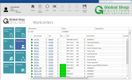
Global Shop Solutions has strong job-based controls that are well-suited for make-to-order and engineer-to-order fabrication. Because it’s an ERP, it includes full job accounting, allowing you to track real-time costs throughout a project’s lifecycle. All labor, material, and overhead costs are captured at the task level for accurate WIP tracking and actual vs. estimated cost analysis. That way, you can have better financial insights and know for sure which jobs are profitable.
Each job carries its own BOMs, routings, and material requirements, making it ideal for shops where no two projects are the same. This structure allows you to manage frequent design changes, variable production paths, and customer-specific requirements without losing control over schedules or costs. And the tight link between production and costs allows you to have full control over your entire shop from one system.
Global Shop Solutions is best for small to mid-sized fabricators and contract manufacturers needing an all-in-one ERP system. It integrates with CAD systems like SOLIDWORKS, Solid Edge, and Autodesk Inventor, so you can transfer BOMs directly from your designs. Global Shop Solutions has a 10-user minimum, and its pricing is not published publicly, so you’ll need to request a quote.
Fulcrum Pro - Best for Sheet Metal Fabricators
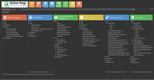
Fulcrum Pro offers strong design-to-production features. Fulcrum integrates with SolidWorks and Autodesk for straightforward CAD design imports and modifications. The system can also handle complex BOMs and designs for sheet metal fabricators with larger projects involving multiple materials, components, and customizations.
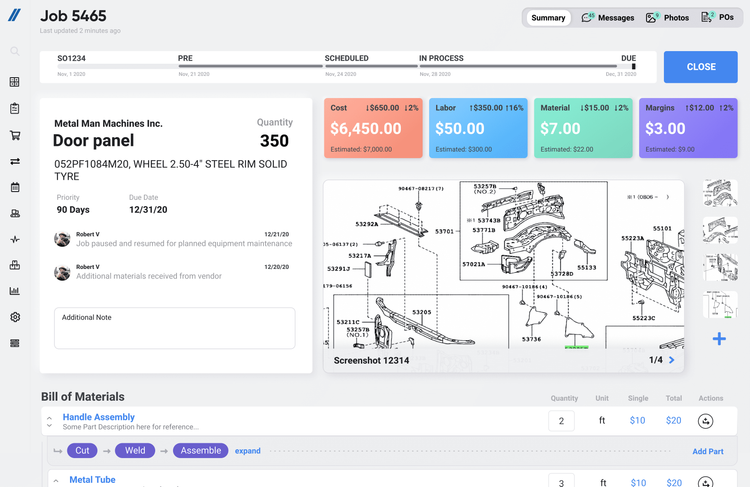
Fulcrum’s integrations and simplified BOM features pair nicely with its live job-tracking module. It’s great for tracking labor, inventory, and machine costs in real time and comparing them with estimated costs. It also displays operational progress so everyone can view job status from any device, helping businesses stay informed about individual lines and site-wide operations. It also connects with QuickBooks Online and Desktop, so shops can keep their accounting where it is.
Despite its effective features, we wouldn’t recommend Fulcrum Pro for businesses with over 200 employees, as large data inputs can cause the system to experience slow load times and lag. Fulcrum comes with unlimited users and is priced based on your shop’s annual revenue.
RealSTEEL - Best for Production Planning
RealSTEEL’s production planning and scheduling module is built specifically for the steel and metals industry. The system uses sales demand to generate production order nestings and BOMs, making plate and sheet burning more efficient. It also helps minimize scrap on cut-to-length materials so steel fabrication shops can stay on top of shifting demand while protecting their margins.
Additionally, the production planning tool helps your shop-floor team improve efficiency. It features factory shop-floor workstations that let workers report time and material usage in real time at each machine center, so you’re always up to date on a job’s status. Plus, you can use the data to identify shop-floor inefficiencies and adjust schedules to remain flexible in the future.
RealSTEEL is built on Microsoft Dynamics 365 Business Central in the cloud, giving you Microsoft’s proven finance and inventory tools, plus production planning and other processes tailored for the metals industry. This depth makes it a great option for mid to large-sized companies. Unfortunately, RealSTEEL doesn’t publish pricing, so you’ll need a custom quote.
Tekla PowerFab - Best for Commercial & Industrial Metal Fabricators
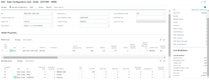
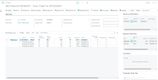
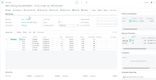
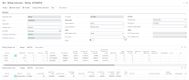
Tekla PowerFab is a strong steel fabrication management option for metal manufacturers working on construction, commercial, and industrial projects. Tekla Structures, its widely used BIM system, integrates directly with PowerFab, connecting a project’s designs and plans to estimating, production, and shipping within a single workflow. The system also integrates with leading ERP and accounting systems, such as Viewpoint, QuickBooks, and Sage, to provide financial management capabilities.
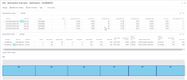
We also like Tekla PowerFab for its estimating and supplier management tools. It offers a model-based estimating module that eliminates manual data entry of complex steel fabrication projects. Estimators and procurement also gain access to a supplier database for up-to-date pricing and delivery information through this module. This allows for accurate and efficient estimates on complex construction, commercial, and industrial projects, helping fabricators avoid over-ordering raw materials.
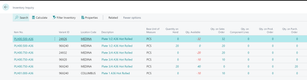
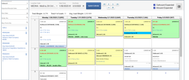
Beyond estimating, PowerFab covers the rest of the fabrication workflow. Its production control tools track job progress with full traceability, while built-in nesting and automated yard tracking help keep material waste and inventory in check. That said, Tekla PowerFab is best suited for larger, established fabricators, as small teams may find its cost and feature depth too advanced for their basic needs.


SecturaFAB - Best Estimating and Quoting System
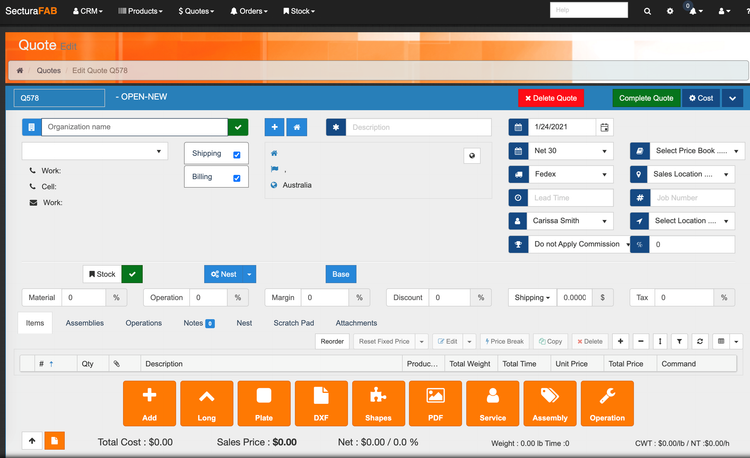
SecturaFAB is ideal for businesses looking for a specialized estimating and quoting system for the metals industry. Its estimating module offers geometry tools, a basic CAD editor, bend recognition, and true-shape nesting algorithms to help better estimate costs. It supports a wide range of CAD file formats, including DXF, DWG, SolidWorks, STEP, IGES, Vector PDF, and NC1, so you can estimate parts in whatever format your customers send.
SecturaFAB’s product and price management tools are also effective for metal fabricators. Businesses can use price books to apply specific labor and materials pricing and account for different locations/customers. This ties into its quoting module, including a CRM for managing clients and vendors in one central location.
For shops buried in simple cutting quotes, SecturaFAB’s instant quoting tool lets customers upload files and get immediate pricing for laser, waterjet, plasma, and saw jobs on their own, any time of day. More complex assemblies will route back to your estimators, with all finished quotes automatically pushed back to your ERP.
We generally recommend SecturaFAB for fabrication shops that quote a high volume of sheet, plate, and linear parts and want estimating that plugs into their existing ERP. SecturaFAB doesn’t publish pricing, so you’ll need to request a quote.
ConstruSteel - Best Nesting Tools
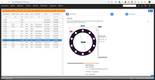
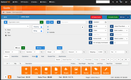
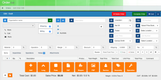
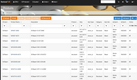
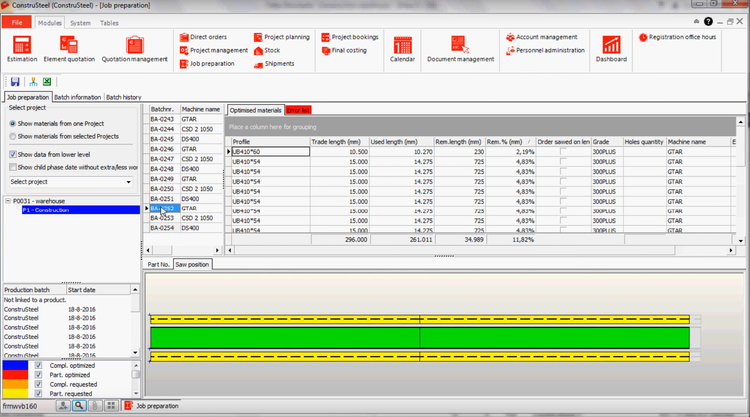
ConstruSteel’s bar nesting tool allows steel and metal fabricators to save money by reducing material waste. It supports skew and angular bar nesting functionality, automatically rotating parts to minimize the number of cuts. Additionally, it features built-in formulas to accurately calculate clamping width.
In addition to nesting, we found ConstruSteel’s production management capabilities effective. It offers customizable CAD import and 3D visualization, helping businesses accept customized job orders and complete them accurately. Using its workshop tablet apps and progress overviews, shop floor managers can monitor live production, identify areas of slow progress, and track overall job timelines.
ConstruSteel is web-based and connects to a number of supported metalworking machines, including equipment from Voortman, Ficep, and Kaltenbach. Because ConstruSteel has a smaller user base than other leading systems, companies may have to invest more time in training new employees who haven’t used the system before. Also its pricing isn’t public, so you’ll need to request a demo and quote.
SYSPRO - Best for Growing Steel Fabricators
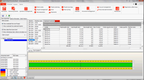
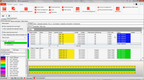
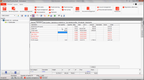
SYSPRO is a solid fit for growing steel fabricators doing a mix of custom jobs, repeat parts, and light project work. The BOM tool includes structures and routings that align well with shops that need to translate drawings into cut lists and fabrication steps. You can define raw materials such as plates, tubing, or structural shapes, then map the work sequence from cutting to finishing directly to work centers.
Since you’re not running the same SKU all day, SYSPRO lets you reuse and adjust existing BOMs and routings while still accounting for job-specific changes. The system’s built-in costing logic helps standardize quoting, and you can import CAD designs to automatically generate material requirements and labor estimates for each quote.
Plus, when customers request revisions or you need to substitute materials, SYSPRO’s engineering change control and revision tracking keeps those updates structured, saving your team from having to chase down which version of a drawing or job packet is correct. Additionally, that structure, when paired with electronic job travelers, helps reduce the cost of running jobs on outdated instructions or cutting the wrong materials.
SYSPRO doesn’t publish pricing, but smaller setups typically run between $1,500 and $2,500/month based on our research. It’s best suited for growing and mid-sized fabricators, as implementations typically take 3 to 9 months, depending on size and complexity.
Other Systems We Like
MIE Trak Pro is a manufacturing ERP designed for small to mid-sized metal fabricators, though it can also scale to larger shops with more complex operations. Because it’s built around the realities of shop floor manufacturing, it includes quoting and costing, drag-and-drop scheduling, work order tracking, and even a kiosk module to monitor live job progress and employee clock-in.
What is Metal Fabrication Software?
Metal fabrication software is a type of manufacturing software designed to streamline the cutting, shaping, and assembling of metal or steel structures and components. This type of solution helps optimize quotation turnaround times, boosts the quality and speed of delivery, reduces waste, optimizes capacity, and improves throughput for your entire metal fabrication processes.
Metal fabricators expect to produce quality products to exact specifications, synchronize production schedules with customer expectations, and deliver products promptly. This is all accomplished via key features offered by metal fabrication systems. These functionalities include quoting and estimating, bill of materials (BOM), and production scheduling.
Most importantly, steel fabrication software will help your business compete effectively in the metal fabrication industry through a layer of consistency throughout your manufacturing processes. A fully integrated metal fabrication ERP software will help you plan, execute, control, streamline, and expand your business by creating a blueprint for your employees during the manufacturing process. This blueprint is a project management tool that helps improve turnaround times, reduce loss, speed up delivery, and lower production costs.
Whether your manufacturing business is engineer-to-order, make-to-order, or a mixed-mode environment, metal fabrication software will help your job shop reach its optimal potential.
Key Features
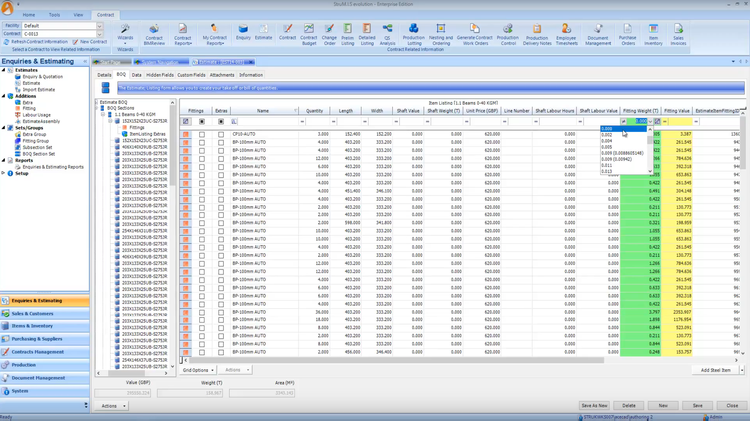
- Quoting and Estimating: Calculate material, labor, machine time, and overhead to build accurate quotes, often directly from imported CAD files.
- Job Costing: Track labor, material, scrap, and outside processing against each job to compare actual costs to your estimate and see which jobs make money.
- Nesting and Material Optimization: Arrange parts on sheet, plate, or bar stock to reduce scrap and purchase only the material you need.
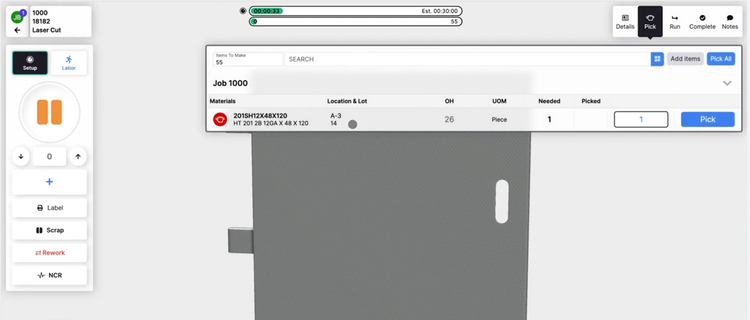
- Shop Floor Data Collection: Let workers clock in and out of jobs and report progress from tablets or workstations, replacing paper travelers with real-time job status.
- Bill of Materials: Specify the raw materials, parts, and sub-assemblies needed for each job, including job-specific changes and revisions.
- MRP: Plan material requirements, coordinate personnel and machine workloads, and time purchasing to meet customer due dates.
- Production Scheduling: Sequence jobs around machine capacity, material availability, and delivery dates, and adjust quickly for rush orders.
- Inventory Management: Track raw materials, remnants, and lots across locations, with traceability from receipt to shipment.
- CAD and CNC Integration: Import part data from design and detailing software and send it directly to cutting, drilling, and punching equipment.
- Quality Management: Record inspections, manage nonconformances, and keep documentation for ISO or customer quality requirements.
- Shipping: Generate packing lists and delivery tickets, and plan shipments to customers or job sites.
- Accounting: Manage invoicing, payables, and receivables, with job costs flowing into your financials or syncing with tools like QuickBooks.
Primary Benefits
The top benefits of using metal fabrication software include:
Faster, More Accurate Quoting
Quoting is often the first place growing metal fabrication shops fall behind. When estimates live in spreadsheets, every RFQ means recalculating material, labor, and machine time by hand, and response times slip as quote volume grows. Metal fabrication software keeps your rates in one place, so estimators can build quotes from actual shop costs and get them out the door faster.
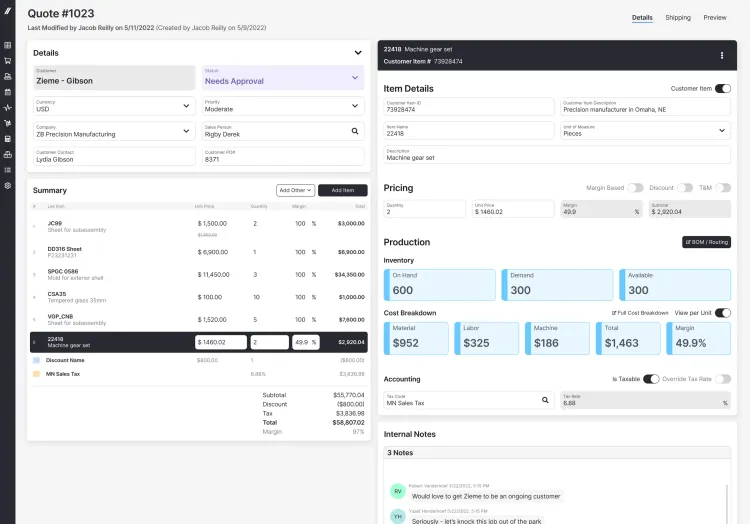
Many systems can also import CAD files like DXF, DWG, STEP, or SolidWorks models and calculate material and labor directly from the part geometry. SecturaFAB recognizes bend lines on import and nests parts to cost the right amount of material, while SYSPRO can generate material requirements and labor estimates from CAD designs. Some tools even let customers upload drawings for instant pricing on simple cutting jobs, freeing your estimators to focus on complex work.
Accurate quotes also carry forward into production. In systems like JobBOSS², estimates convert directly into orders, so the job you track starts from the same numbers you quoted with no retyping.
Better Job Costing
Without job costing, many metal fabrication shops don’t know a job lost money until after it’s manufactured and shipped. Software with job costing features helps capture labor hours, material usage, scrap, and outside processing, such as powder coating or galvanizing, for each job as the work progresses. That way, you can compare actual costs to your estimate while there’s still time to correct course.
Over time, this data shows which jobs, customers, and part types actually make money. Systems like Global Shop Solutions capture labor, material, and overhead costs at the task level for actual vs. estimated analysis, and JobBOSS² includes job cost and margin reports by job, part, customer, or time period. You can use these insights to price future quotes more accurately and spot work that consistently eats into your margins.
Real-Time Shop Floor Visibility
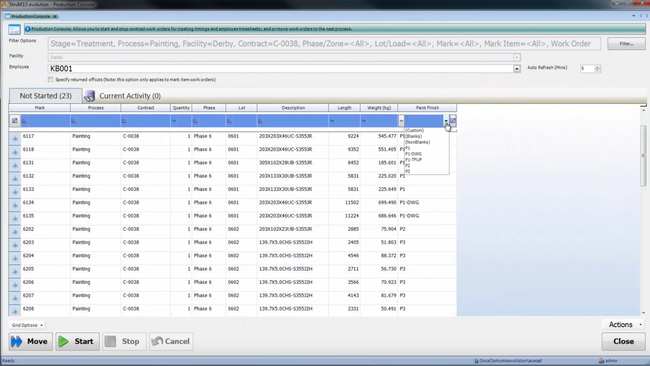
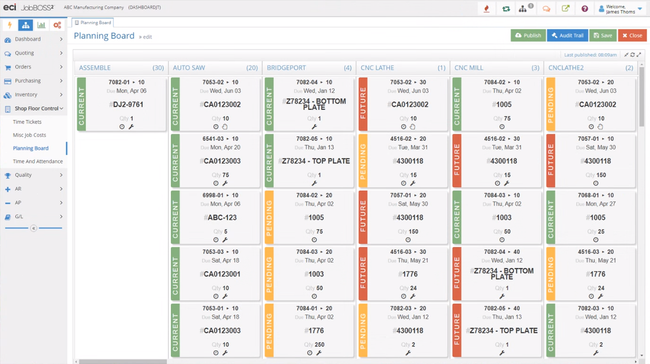
Many machine and metal fabrication shops still run on paper travelers, whiteboards, and the knowledge of one or two key people. That works until the shop grows beyond what anyone can keep track of in their head. Real-time piece tracking shows which items are in production, which are still in planning, and which haven’t arrived at your facility yet, so everyone works from the same picture.
Workers can typically clock in and out of jobs and report progress from tablets or workstations on the shop floor. ProShop ERP puts job details, tool lists, and inspection data on screen at each machine, while Fulcrum Pro shows job status from any device. Managers can spot stalled jobs early and adjust schedules before deliveries slip, without walking the floor to find out.
Improved Inventory Management
Inventory control capabilities within your metal fabrication software can track your raw materials in several ways:
- Stock: The most popular type of inventory tracking found within manufacturing software. Shows how much current stock you have at any one time. Raw materials are received and issued on a perpetual basis.
- Lot Tracking: Groups materials under a shared identification number, such as a heat number, supplier shipment, or production run. This is useful for tracking different aluminum sheets and coils, structural channels, angles, and other types of plates or tubing used at different cuts and weights, and for tying material back to its mill test reports.
- Made-To-Order: Purchase needed parts and materials as needed. Once a sales order is received and a job created, you can order the parts, begin the job upon their arrival, and move on. This limits the number of raw materials stocked in your inventory sitting idle. This is commonly found in a custom environment requiring unique steel, aluminum, and other items not usually kept in stock.
Many systems also include nesting tools that arrange parts on sheet, plate, or bar stock to use as much of each piece as possible. Less scrap means lower material costs and more accurate purchasing.
Material traceability is just as important for shops that need to prove where material came from and where it went. A system like OnRamp keeps customer-supplied material separate from your own stock so you can answer customer questions quickly without digging through paper records.
Streamlined Production Planning
Steel fabrication management software can help improve your production planning process, leading to faster turnaround times and, ultimately, more orders sold. This is a quick way to improve your ROI on the software investment while also keeping customers happy and returning for repeat business.
A powerful metal fabrication management software will optimize part routing based on the type of cut needed, automate repetitive tasks (such as work orders) that reduce cost, time, and errors, and create and edit DSTV files. Scheduling tools can also sequence jobs around machine capacity, material availability, and delivery dates, so rush orders and changes don’t throw off your entire week. Software like SYSPRO offers finite scheduling built on these factors, and RealSTEEL uses sales demand to plan production orders and nests.
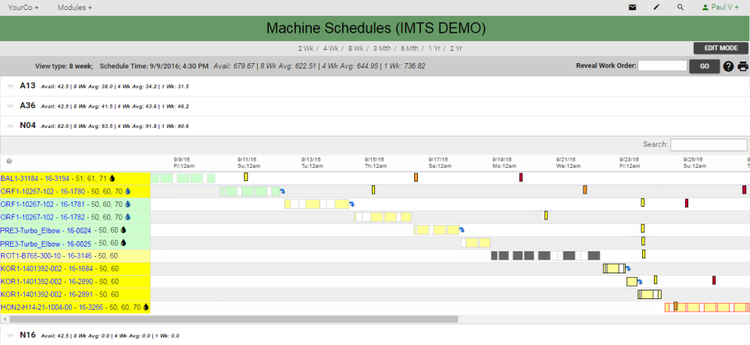
Most systems also integrate with the CNC machines on your shop floor, sending part data directly to equipment from brands like Peddinghaus, Voortman, and Ficep. A metal fabrication system can also help your business implement a lean manufacturing process that minimizes waste without sacrificing productivity.
Pricing Guide
Overall, the costs of metal and steel fabrication software range from $3,000 to over $175,000 per year.
| Tier | Company Size | TCO | Example Software |
|---|---|---|---|
| Low-Tier | 1–25 employees | $3,000 – $12,000 per year | Fulcrum Pro, JobBOSS² |
| Mid-Tier | 25–150 employees | $12,000 – $60,000 per year | SecturaFAB, Global Shop Solutions, OnRamp, ProShop ERP |
| High-Tier | 150–500 employees | $60,000 – $175,000 per year | STRUMIS, Tekla PowerFab, RealSTEEL, SYSPRO |
| Enterprise | 500+ employees | $175,000+ per year | SAP Cloud ERP, Oracle ERP Cloud |
The starting cost of metal fabrication software ranges from $49/user/month to $200/user/month. A subscription-based pricing model is commonly found in web or cloud-based software options. These solutions usually have lower setup/implementation fees in exchange for an ongoing monthly or annual subscription rate.
The cost of purchasing a metal fabrication manufacturing software outright will range between $10,000 to $100,000 depending on the size of your operation, the number of users needed, and the amount of any services needed, such as implementation and training. Usually, the software provider charges ongoing costs for annual updates or support.
Primary Users
Several professionals use metal fabrication software throughout an organization. The primary users include:
- Designers: Engineers and design teams use CAD integrations to create parts, assemblies, and models.
- Shop Floor Staff: These can include the actual welders and fabricators, machine operators, and production managers. They access blueprints and complete orders to cut, weld, and form the metal into the final product.
- Estimators and Sales Teams: They use the software to generate quotes and job estimates based on material and labor costs and total production time. They can also track orders and project timelines to ensure client satisfaction.
What Does My Business Need?
Getting the best metal fabrication software for your business will depend largely on the size of your organization and the software budget you’re willing to invest in. To determine what level of software you need, you can look at what we recommend based on how large your manufacturing operation is:
Small Manufacturing Businesses
Small businesses have a smaller staff, meaning more people must take on multiple job roles to ensure their metal fabrication services can be uninterrupted. One person in the company may be well-versed in welding processes and metals while having a good sense of incoming sales orders or inventory shortages.
When it comes to software preferences, a small business owner will care about becoming more automated at an affordable price. This will allow them to produce a quality product at a fair price and get better control of their shop. These businesses should focus on a metal fabrication solution that can communicate with the shop floor and track time spent on different tasks.
This shop floor control and routing type will be comprehensive enough to show you how productive your operation is and where you can improve. It will also allow your managers to identify bottlenecks and deal with issues before they become problems. Machines can also be used more efficiently, as proper routing means a machine’s downtime is minimal.
Mid-Sized Fabricators
Smaller businesses can usually get by using an off-the-shelf accounting program such as QuickBooks Online in combination with a production tracking and inventory management tool. A mid-sized business should focus more on integrating all business functions under one option.
Once a manufacturing business grows, it may become a specialized shop. Since branching out to different customers and industries is a great way to grow your business, many small businesses take this path once they feel ready. Once your business has been around for a bit, you may have a diverse client base or serve a variety of industries.
Mid-sized manufacturers still need to care about building relationships with their clients. Routine contact management can help ensure uninterrupted payables and receivables schedules. Many mid-sized metal fabrication systems can help determine which customers are paying, how quickly they’re paying, and where your overall cash flow will come from. If payments begin to be held back, it can lead to delays in paying vendors for needed parts and disrupt the flow of your business.
Once a business has integrated its accounting and financial processes into its metal fabrication software, it’s left with a complete solution that is easier to audit, manage its employees, and maintain accurate records.
Large and Enterprise-Level Metal Fabrication Businesses
A large fabrication shop will have very complex needs. They may use unique methods such as additive manufacturing or require integrated CAD tools to create 3D models for custom jobs. They may also use the latest technologies, such as 3D printing, smart tagging, or automated equipment maintenance.
Fabrication shop software for enterprise-level businesses will need to be fully integrated ERP systems ready to accommodate any changes that may come in. This includes a change in due dates and quantities of items received, which can happen when dealing with a larger volume of goods each week.
Larger businesses should look for a solution to review many orders and help you quote more accurately. All detailed routing information and available materials can help determine if a job is appropriate for your business or what is needed to accomplish the job in a decent turnaround time. Order entry capabilities can then handle all release schedules, split deliveries, and complex assemblies.
Frequently Asked Questions
What is the best ERP for metal fabrication?
What is the best project management software for steel fabrication?
What software do metal fabricators use?
Most metal fabricators use a mix of design, estimating, and shop floor management software. Design teams typically work in CAD or BIM tools like SolidWorks or Tekla Structures, while estimators and production teams rely on fabrication-specific ERP and shop floor management systems to quote jobs, schedule work, and track costs.
Smaller shops often start with spreadsheets and QuickBooks and move up to dedicated software once manual tracking can no longer keep up with growth.