

The Best Packaging ERP Software
Specialized ERP software that standardizes how packaging manufacturers quote, schedule, track inventory, and manage production. We compared the top packaging ERP systems built for corrugated, carton, flexible, and plastic packaging operations.

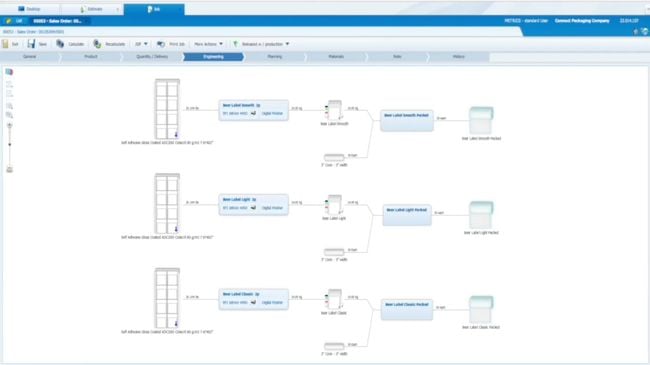
- Multi-layer recipe management
- Batch-level material traceability
- Packaging-specifc estimating workflows
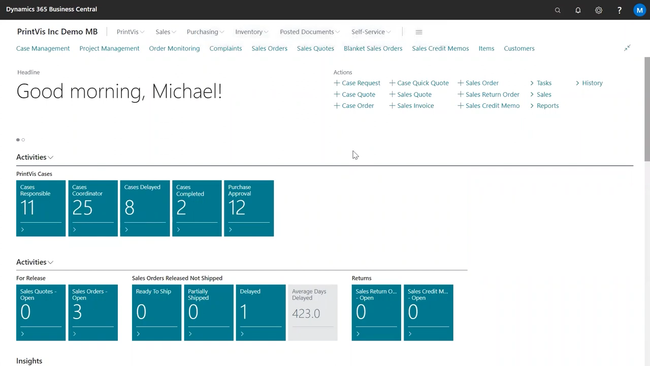
- Advanced press & finishing scheduling
- Detailed specification management
- Production planning accounts for setup and changeovers
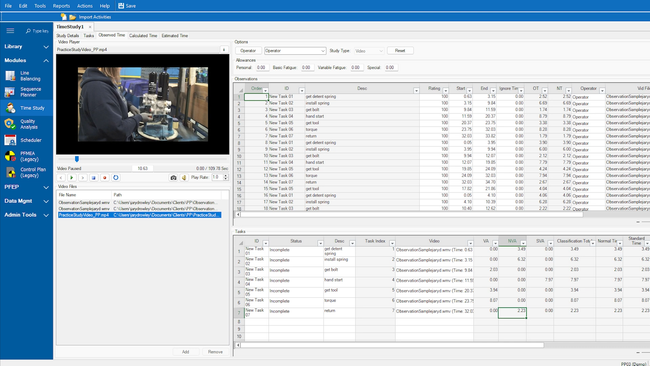
- Corrugated and carton estimating workflows
- Automatic waste, scrap, and cost tracking for each job
- Paperboard and tooling management
Using our advanced review methodology, we reviewed over 50 manufacturing ERPs for features like estimating and quoting, production planning, inventory tracking, job costing, and scrap and wastage tracking. Below are our top picks for packaging software:
- ePS Radius: Best for Flexible Packaging Converters
- PrintVis: Best for Large Packaging Manufacturers
- Advantive Advantzware: Best for Corrugated and Folding Cartons
- Amtech Label Traxx: Best for Label and Tag Manufacturing
- DELMIAWorks: Best for Plastics Packaging Manufacturers
- HiFlow: Best Estimating and Quoting
ePS Radius - Best for Flexible Packaging Converters
The ePS Packaging Suite, powered by Radius is an ERP and MIS platform built for flexible packaging manufacturers. It features a recipe management that supports multi-layer extrusions and lamination structures for substrates, adhesives, and resin mixes.
This makes quoting material substitutions much quicker, as any changes simply mean an edit to a single layer rather than rebuilding the entire product from scratch. And recipes don’t stay static. Auto-Count 4D collects real-time usage data off the line, and Radius adjusts stored recipes based on trial runs and completed jobs, keeping formulations consistent run to run and providing batch-level traceability of the materials used. For flexible packaging manufacturers, that consistency ensures customers receive the same high-quality product every time.
Because Radius is a full ERP covering sales and estimating, production, and finances, its pricing and complex integration are often the biggest critiques we hear from reviewers. Most implementations start at $100,000, so we typically recommend it to larger or growing packaging manufacturers. Beyond flexible packaging, ePS offers software that supports the production of corrugated products, cartons, and labels.
PrintVis - Best for Large Packaging Manufacturers
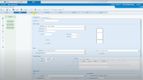
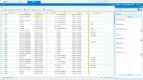
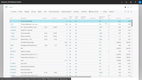
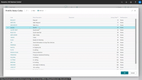
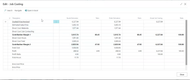
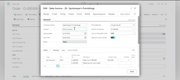
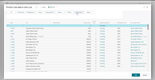
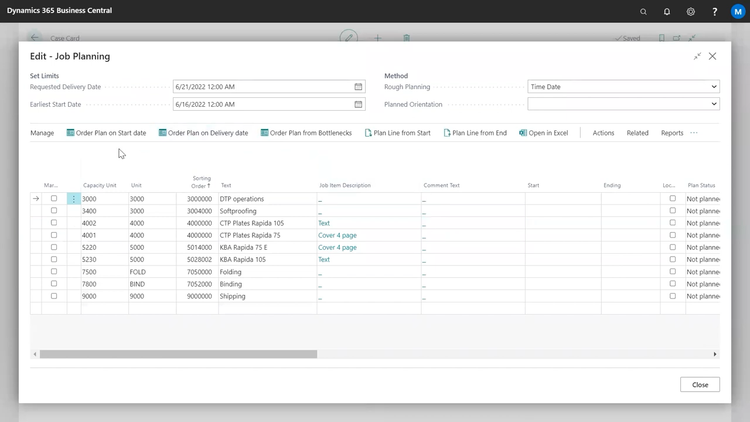
PrintVis can help all types of packaging manufacturers, whether you’re folding cartons or labeling pharmaceuticals. Built on Microsoft Dynamics 365 Business Central, it offers a flexible production operations module that allows you to set multiple grouping levels. This helps optimize your different production stages based on shared characteristics, like material type, ink, or finishing processes. It’s a great way to minimize waste while keeping production efficient.
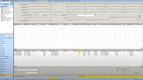
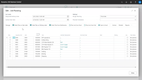
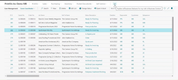
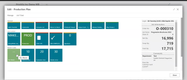
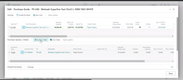
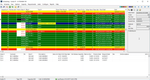
Additionally, PrintVis helps optimize your production scheduling to ensure operations stay smooth with diverse product offerings. If you have constraints on certain equipment, the system lets you bottleneck the schedule to accommodate its threshold. Or you can forward the schedule based on artwork or material availability dates to ensure approval. Either way, the tool lets you view all orders on a Gantt chart or a Histogram of equipment availability, ensuring production is on schedule.
PrintVis’s pricing is not publicly available, but expect per-user costs to exceed $100 per month. Because of its breadth of features and higher cost, we wouldn’t recommend this for smaller companies that need more basic functionality, though it’s still a great fit for growing packaging manufacturers looking to replace disparate third-party systems.
Advantive Advantzware - Best for Corrugated and Folding Cartons
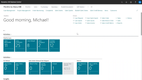
Advantzware by Advantive is an ERP for packaging manufacturers that have outgrown spreadsheets and standalone accounting software. It was built on over 30 years of packaging experience, offering tailored solutions for corrugated and folding cartons, point-of-purchase displays, and foam products.
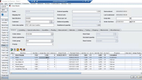
The integrated platform standardizes the way work gets done across the entire organization. Jobs files are created automatically from approved estimates and carry the bill of materials and customer specifications through purchasing and production. Costs are tracked as the job moves through production and are automatically split across the materials, labor, and prep work used on the job.
Advantzware does not publish pricing publicly and provides custom quotes based on the modules the business needs. For large, mult-site operations or global enterprises, Advantive offers a separate product, KiwiPlan, for advanced functionality. That said, Advantzware is a great fit for growing packaging companies looking to replace legacy systems or manual paper-based processes.


Amtech Label Traxx - Best for Label and Tag Manufacturing
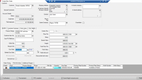
Amtech’s Label Traxx is an ERP with a built-in MIS platform for label and tag manufacturers. It connects estimating and quoting, finance, scheduling, and a customer-facing portal into a central system built to replace manual, repetitive work across production and the front office.
The platform features Batched, a manufacturing execution system and scheduling engine that maximizes equipment utilization and reduces waste during production. It creates optimal production schedules based on the machine capacity, labor availability, and other production constraints and only flags the exceptions it needs planners to make the call on. The scheduling works for both small label shops with short runs and multi-site operations with frequent job changes.
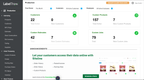
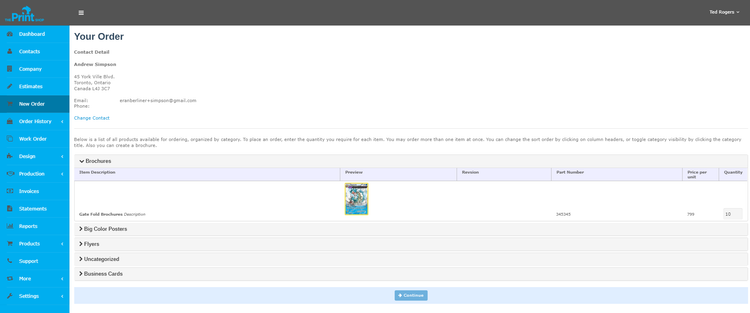
Label Traxx also offers the Siteline Customer Portal, which lets customers place orders, approve proofs, and check production status without needing a customer rep to reach out. This not only saves your sales team time but also provides customers with a modern ordering experience they expect in today’s digital world.
Amtech doesn’t publish pricing for Label Traxx and requires a custom quote based on feature requirements and business size. That said, it offers Starter, Standard, and Premium bundles for smaller label packaging teams to start with the basics and expand as their needs grow.
DELMIAWorks - Best for Plastics Packaging Manufacturers
DELMIAWorks is an ERP designed specifically for discrete manufacturing industries like plastic packaging companies. It covers injection and blow molding, thermoforming, and extrusion, making it a great fit for plastic-based packaging such as bottles, closures, blister packs, and pouches.
DELMIAWorks tracks regrind material as consumable inventory, allowing you to reuse it in production without doing complex inventory workarounds. Instead of writing off flash, runners, and sprue as losses, scrap materials can be tracked as they are reused throughout production. Each job can be set with a unique scrap and consumption rate, so final job costs accurately reflect the materials used or reused.
DELMIAWorks is built to manage both the shop floor and back-office finances, so getting it up and running often requires implementation services and full team buy-in. And while its production and MES modules are highly rated, DELMIAWorks’ accounting modules are often criticized by our reviewers’ finance teams. Pricing is based on a custom quote that depends on the user count and desired features, with most plans starting around $25,000 per year.

HiFlow - Best Estimating and Quoting
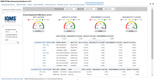
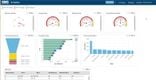
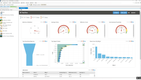
HiFlow is packaging MIS and estimating software for manufacturers of corrugated, folding carton, flexible packaging, and labels. It comes with over 70 packaging-specific modules covering sales and customer management, production planning, shop floor tracking, and warehousing.
HiFlow puts package design and imposition directly into the quoting and estimating workflow. FEFCO and ECMA libraries are built in, so sales can lay out the job and build the structure and layout without waiting on design or engineering to produce CAD drawings. For repeat jobs that already have a built product type, templates let sales quickly send customers competitive quotes. Everything else an estimate needs gets pulled in from the rest of the platform, showing past quotes, live inventory levels, and account history.
The one thing HiFlow doesn’t do is run your books or back office finances. Instead, it connects to 3rd-party accounting tools such as Sage, QuickBooks, Oracle, SAP, and Microsoft Dynamics. This can be great for growing packaging manufacturers that want to improve production and estimating but don’t want to replace the existing back office tools they already have.
HiFlow does not publish pricing publicly and requires a custom quote. HiFlow Quote is a standalone estimating platform that can be purchased separately from the MIS and production modules, allowing small teams to improve estimating without changing current workflows. That said, for larger organizations that want finances, production, and quoting to live in one system, the other options on this list are great fits.
What is Packaging ERP Software?
Packaging ERP software is a specialized manufacturing ERP tailored to the unique complexities of packaging manufacturing and converting. It connects quoting, inventory, scheduling, production, and shipping into one system, and provides visibility from the initial custom quote to the final invoice.
At its core, packaging software manages the complex costing of packaging products with variable dimensions, material substrates, ink types, and machine setups. It tracks multi-level units of measure for converting paper into finished boxes or plastics into bags, along with managing customer artwork, approvals, and versions. Often, MIS and MES capabilities are integrated natively into these systems, offering detailed shop floor management.
For packaging manufacturers, that means faster and more accurate quotes, fewer jobs lost to outdated artwork or wrong materials, and production schedules built on real-time machine capacity.
Core Features
The main goal of this software is to manage custom packaging jobs from quote through production and invoicing. Most packaging ERP systems will include features like:
- Estimating and Quoting: Calculates job cost from substrate, dimensions, tooling, machine setup, and run length. Saves estimates so reorders and quantity changes can be requoted without rebuilding the job.
- Order Entry and Job Specifications: Converts approved quotes into production jobs with full specs attached, including board combination or film structure, dies, plates, inks, and finishing steps. Links customers, items, and specs so repeat orders reuse the same setup.
- Shop Floor Management: Collects production data from operators or directly from machines, covering output quantities, setup and run times, downtime reasons, and scrap by cause. Delivers job tickets and specs to the floor and returns actual run data to the office.
- Production Scheduling: Sequences jobs across corrugators, presses, laminators, die cutters, and converting lines based on available machine capacity. Groups jobs by common setup, board grade, or web width to reduce changeovers and trim waste.
- Inventory Management: Tracks rolls, sheets, board, and finished goods by weight, linear footage, or piece count depending on how each material is bought and consumed. Supports barcode scanning, lot traceability back to the supplier, and tracking of WIP, tooling, and maintenance parts.
- Job Costing: Compares actual material, labor, and machine time against the original estimate once a job closes. Reports margin by job, customer, and machine, and feeds variances back into future estimates.
- Quality Management: Documents specs, test results, and inspection records against each job. Logs customer complaints and returns and stores the certifications regulated customers audit against.
- Accounting: Handles accounts receivable, accounts payable, and the general ledger, with invoices generated from shipments. Posts job costs to the GL for current margin and financial reporting.
Common Benefits
Packaging ERP software has been built to provide the following benefits:
-
Reduce Material Waste: Board, film, and roll stock are the highest costs on most packaging jobs, and wasting materials on setup and trimming can eat away margins. Software helps schedule similar orders by width and board grade to reduce setup, and can track which machines or operators are causing excessive waste that costs your bottom line.
-
Quote Faster: Custom quotes take too long and are often beat out by faster digital estimates returned the same day. Use software to estimate, record materials and machine rates, and reuse specs, so less-experienced staff can turn around accurate quotes and requote repeat work in minutes.
-
Protect Margins on Repeat Business: A job quoted years ago with old pricing can kill your margins. Comparing actual costs against estimates for every job shows which customers and items are no longer profitable, so pricing can be corrected before the next release ships.
-
Cut Setup Work on the Floor: Supervisors spend hours at the end of each shift re-keying production counts, downtime, and scrap into spreadsheets. Shop floor data collection captures it as it happens, keeping operators on their machines and giving the office up-to-date numbers.
-
Compliance for Regulated Customers: Food, pharmaceutical, and medical customers audit their packaging suppliers and expect traceability back to the material lot. Specs, test results, certificates, and lot records tied to each job turn an audit into a lookup instead of a search through paper files.
Who Uses Packaging Software?
Packaging ERP software is used by many different manufacturers and converting companies. The right software depends on the substrate and the equipment on the shop floor.
-
Corrugated Box Manufacturers: Make shipping boxes, die-cut containers, and point-of-purchase displays from corrugated board, either running their own corrugator or buying sheets and converting them.
-
Folding Carton Manufacturers: Print and die-cut paperboard cartons for food, pharmaceutical, cosmetic, and retail brands, usually on sheetfed presses.
-
Label Converters: Run pressure-sensitive, shrink sleeve, and in-mold labels on narrow web presses, often with high job counts and heavy repeat business.
-
Flexible Packaging Converters: Produce printed film, laminates, and pouches across printing, laminating, slitting, and pouch-making stages.
-
**Rigid Plastics and Container Manufacturers: Mold bottles, closures, tubs, and trays through injection molding, blow molding, and thermoforming.
-
Contract Packagers: Fill, assemble, and kit finished packaging for brand owners instead of manufacturing the packaging itself.
How to Choose Packaging Software
The best packaging software depends on the products you manufacture and the capabilities you require. Use this guide to understand what your business priorities are:
Start With Your Segment, Not the Feature List
Nearly every packaging ERP will show you how to estimate, schedule, and manage inventory in a demo. What differs is whether those modules were built around the way your plant actually works. A corrugated system schedules by board grade and width; a flexible packaging system tracks yield loss through printing, laminating, and slitting as separate stages. Find out which segments the vendor’s existing customers operate in before evaluating anything else.
Ask for References
Does the software fit your size and operations? A reference from a 300-employee integrated plant across multiple locations doesn’t help explain if the system will work for a 40-person single-location operation. Ask for customers similar in size, running similar equipment, with a comparable mix of custom and repeat work. Then ask those customers about estimating accuracy, production management, and what the first year actually looked like.
Map the Modules You Need
MIS, ERP, and MES are used interchangeably across the industry, and the lines are not consistent between vendors. Ask which features across estimating, scheduling, shop floor data collection, inventory, quality, and accounting are included, which are priced separately, and which require a third-party integration. Paid modules are normal in ERP. A capability that isn’t documented anywhere is the real problem.
Factor Implementation and Migration Costs
Once a converter builds its operations around a system, replacing it takes years rather than months. Estimating standards, customer and item history, and every saved spec live inside it. Two things are worth checking up front: how the vendor handles data export if you leave, and how stable the vendor is. This category consolidates regularly, as products do get absorbed or discontinued after an acquisition.
Consider Whether You Need a Packaging-Specific System
Specialist software often carries specialist pricing, and not every packaging company needs one. Smaller shops with simple product lines sometimes do better using a general manufacturing ERP with light configuration, especially if an internal technical team is available to help. The trade-off is that you then maintain the packaging logic yourself, which is the part that vendors have spent decades building as core features.
Pricing Guide
Packaging ERP vendors rarely publish pricing publicly. These systems are quote-based depending on user count, which modules you need, how many plants you run, and whether you deploy in the cloud or on your own servers. Implementation is often quoted separately.
-
Entry-Level ($8,000–$15,000/year): Small converters running a single plant with fewer than ten users. This tier includes basic order entry, inventory, and costing, but the packaging logic is something you set up and maintain yourself. Good for shops with a small product line and lower volume work.
-
Growing ($15,000–$50,000/year): Growing teams with 10-40 users at one location, moving off spreadsheets and a legacy system onto packaging-specific software for the first time. Includes estimating, scheduling, and job costing configured for the substrate you convert. Shop floor data collection is usually available as an added module. This is the most common starting point for converters between roughly $5M and $20M in revenue.
-
Mid-Market ($50,000–$150,000/year): For an established mid-market converter with 50-100 users across one or two plants. Expect a full suite that includes financials, estimating, scheduling, and production management. Often includes MIS/MES features built in or as an add-on. Manufacturers in the $20M to $75M range typically land here.
-
Enterprise ($150,000+/year): Multi-plant and multi-country operations that need shared scheduling, transfers between sites, consolidated financials, and per-site configuration. Pricing is quoted per site rather than as a single number, and implementations run in phases, plant by plant. This tier is built for large converters, and the systems at this level are sold on operational scale rather than feature count.

