

The Best Work Order Software
A comparison of 9 of the best work order systems covering CMMS platforms, field service tools, and facility management software.

- Add spare parts and labor costs to WOs
- Choose between different maintenance types
- Reporting and KPI tracking
- Configure dispatch for equipment
- Easy to navigate UI
- Automatically assigns dispatch to requests
- Affordable pricing for SMBs
- PM scheduling
- KPI tracking for job costing
Each of our 9 picks went through our independent review process, which scores software across seven categories from key features to support. Here are our top picks for the best work order software:
| Software | Best For | Starting Price |
|---|---|---|
| MicroMain | Manufacturing work orders | $99/user/month |
| Equips | Equipment management | $50/user/month |
| Click Maint | Lowest cost | $35/user/month |
| Jobber | Field service teams | $49/month (1 user) |
| MaintainX | Mobile work orders | $20/user/month |
| FMX | Property management | $3,000/year |
| UpKeep | Preventive maintenance checklists | $24/user/month |
| eMaint | Condition-based work orders | $69/user/month |
| Facilitron | Facility management | Quote-based |
- MicroMain: Best for Manufacturing Work Orders
- Equips: Best for Equipment Management
- Click Maint: Most Affordable Option
- Jobber: Best for Field Services
- MaintainX: Best Mobile App
- FMX: Best for Property Management
- UpKeep: Best Preventive Maintenance Checklists
- eMaint: Best for Condition-Based Work Orders
- Facilitron: Best for Facility Management
MicroMain - Best for Manufacturing Work Orders
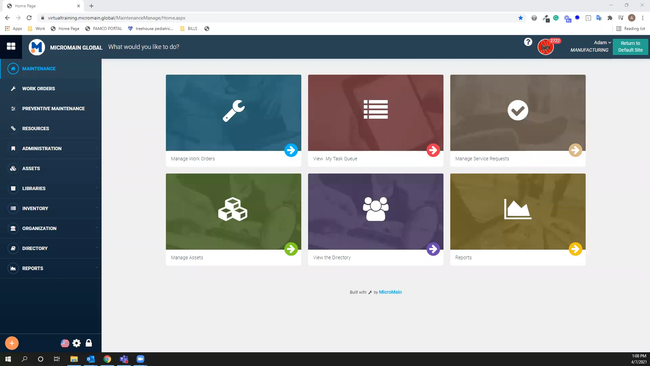
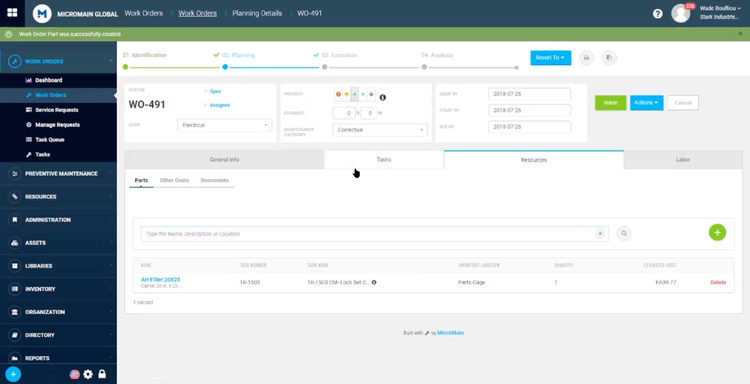
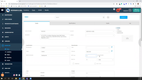
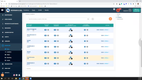
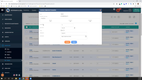
MicroMain’s work order scheduler allows manufacturers to create detailed WOs for all production equipment. The system offers multi-site support for larger operations, and you can specify which site and shop you’re located in. You can also select the maintenance category of the order, whether it’s corrective, preventive, or even predictive. This is crucial for ensuring proper classification during audits and scheduling tasks.
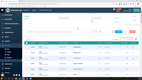
While creating a work order, the resources tab lets you add additional costs for better planning. Because it syncs with its spare parts inventory module, you can easily include all necessary components and their estimated costs for the repair. Also, the part isn’t taken out of inventory until the work order is completed for better accuracy. This helps plants with complex machinery plan maintenance more efficiently to reduce overall downtimes.
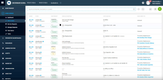
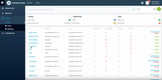
Additionally, the system stores all work orders for complete KPI reporting and maintenance history. Especially for food and beverage manufacturers, having a well-documented maintenance history is essential for compliance with 21 CFR Part 11. Even for job shops and discrete manufacturing, MicroMain organizes past work orders to help evaluate metrics like mean time between failures (MTBF) and mean time to repair (MTTR).
MicroMain is an effective option for mid to large-sized multi-site manufacturers. Its pricing starts at $99/user/month, which may be too steep for small job shops. Click Maint or MaintainX offer more affordable pricing, but less scalability.
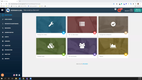
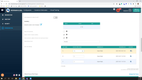

Read our MicroMain review for more info.
Equips - Best for Equipment Management
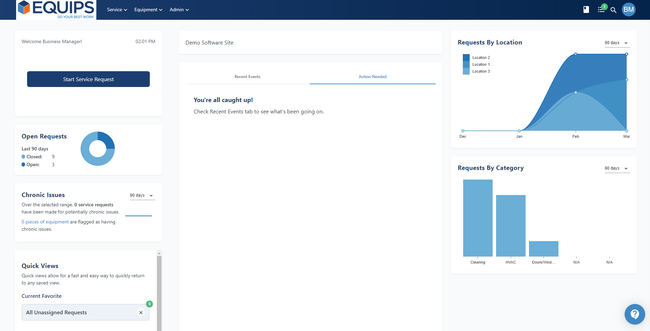
The equipment management module in Equips helps companies of various industries track maintenance. For example, it lets you configure the dispatch preference for each asset, making it much easier to assign the correct technician for the job. Whether you’re a financial institution needing an ATM repair or a restaurant with a broken dishwasher, this system ensures you assign the correct specialist to reduce downtime.
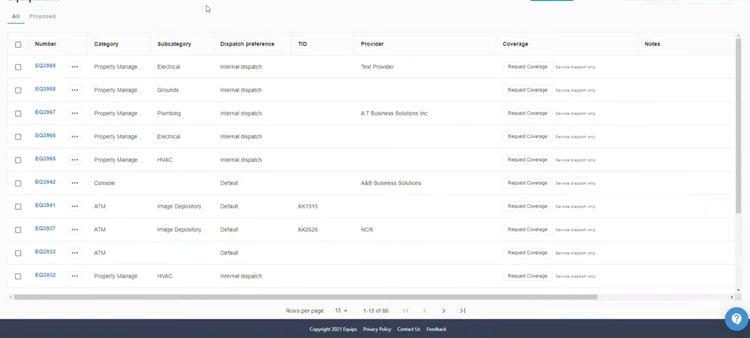
You can link all equipment in the system to service requests for better organization. When creating a request, you can search for the equipment that needs maintenance by name or group. From there, Equips automatically assigns the dispatch to the preference listed for that specific asset, whether it’s internal or external providers.
Equips uses a quote-based pricing model, with subscriptions starting at $50/user/month. It works best for companies managing several pieces of specialized equipment or facilities that require maintenance, like financial institutions, service providers, or restaurants.

See our Equips profile page for more.
Click Maint - Most Affordable Option
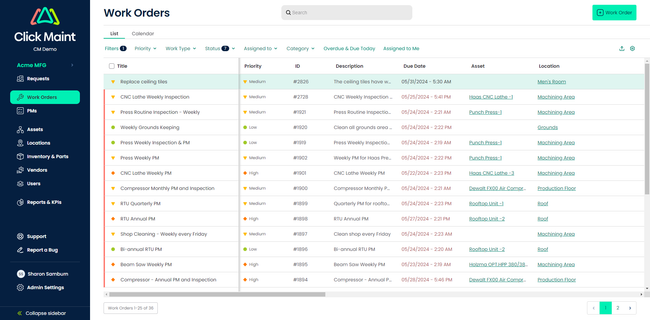
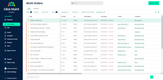
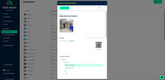
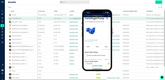
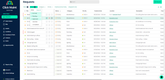
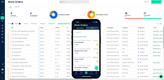
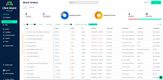
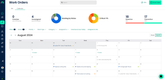
Click Maint’s all-in-one plan is $35/user/month for small to mid-sized businesses. While its price is low, it doesn’t lack functionality, as evidenced by its easy-to-use work order module. The list view provides a detailed record of all open and in-progress WOs. You can filter these by priority, ranging from low to critical, assigned date, due date, or location. This ensures more pressing tasks don’t get left behind.
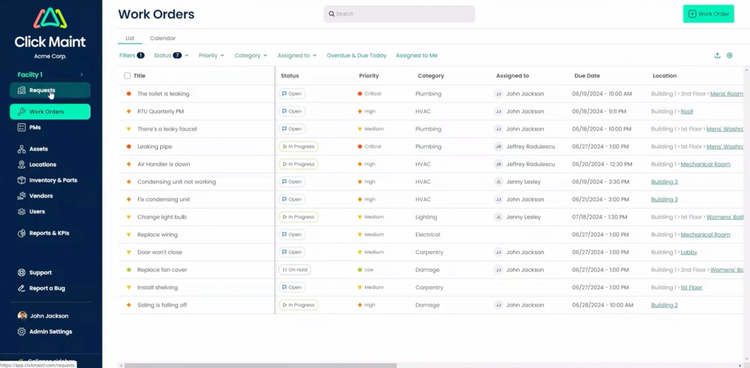
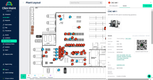
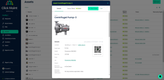
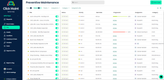
For recurring jobs, Click Maint lets you schedule preventive maintenance. For instance, you can set custom triggers on assets like CNC machines or mixers to auto-generate a work order when they exceed the threshold of production hours or cycles. From there, add all necessary information, checklists, or equipment manuals. This way, it will auto-populate into the list or calendar with the correct priority, helping you automate scheduling.
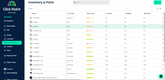
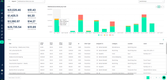
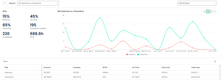
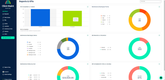
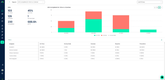
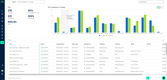
Additionally, the system organizes your work order history and consolidates data into reports for accurate time and cost tracking. Analyze KPIs to see total labor costs across your company and drill down into specific jobs to identify outliers. For example, if you have an unusually high parts cost at the end of the month, you can see exactly which ones were used, like a new control panel or motor for heavy machinery repair. This gives you total visibility into your maintenance operations to keep technicians accountable and create better-informed decisions.

Learn more in our full Click Maint review.
Jobber - Best for Field Services
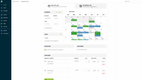
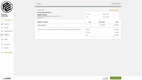
Jobber offers efficient scheduling and dispatching tools to optimize field service operations. The integrated online booking system automatically schedules new jobs in a shared calendar for easy viewing. You can edit daily tasks for each team member by dragging and dropping them into specific hour slots or by stretching the length. You can also assign jobs in open slots, helping you optimize daily schedules to avoid double booking or overworking field crews.
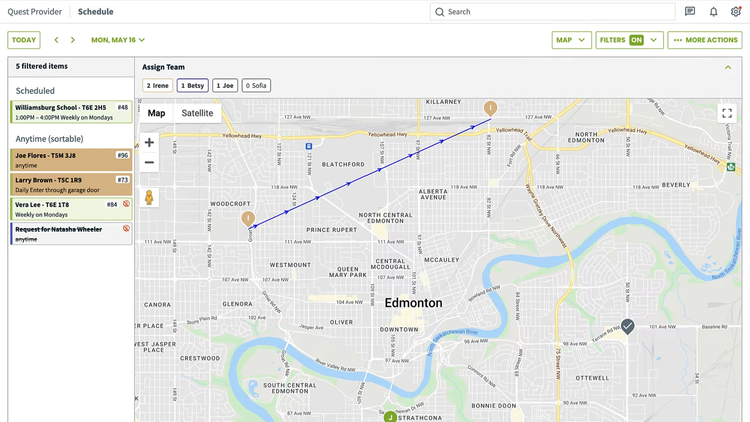
The scheduler doesn’t stop at the calendar view; it provides an interactive map that shows routes, scheduled tasks for the day, and filters like job type. This is especially useful for field service teams that perform anytime visits scheduled for a specific day but not a time. For these, you can order by location for optimal routes and minimal travel time.
Built for small businesses and startups, Jobber’s pricing starts at $49/month for a single user and $199/month for a 5-user team. However, if you’re a multi-location operation, Jobber may be too basic for your needs. Visit our full list of field service software for other options.

Visit our Jobber product profile.
MaintainX - Best Mobile App
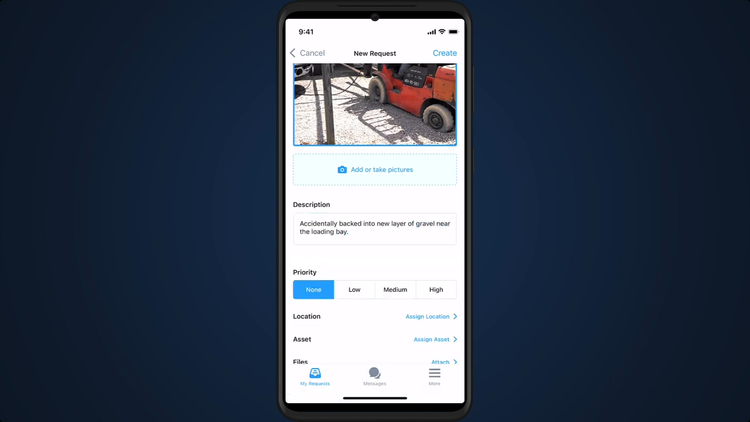
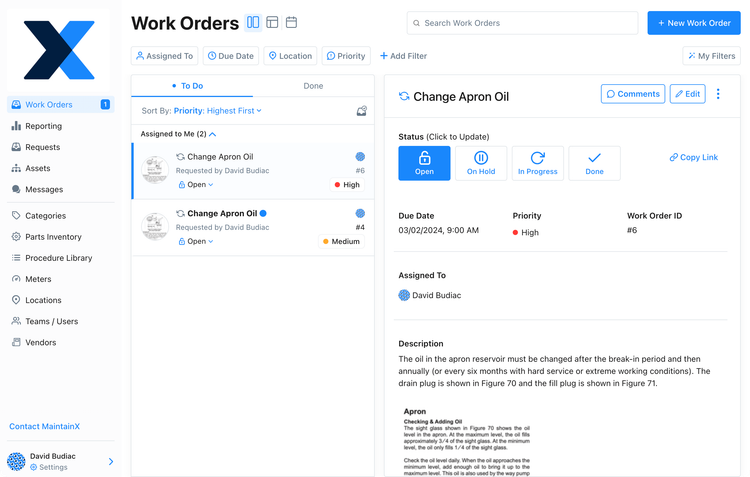
MaintainX’s mobile app is effective for both maintenance requesters and technicians. As a requester, you can quickly submit work orders on your mobile device. Add a title, pictures, a description, and set priority. At the bottom, you can assign the location and asset from the database and include any necessary associated files. MaintainX keeps the entire process on one screen, letting you go step-by-step. Once completed, it will instantly show up in the “my requests” tab so you can review, edit, or cancel the work order.
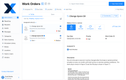
The mobile app automates processes for technicians, too. From the home screen, you can view all tasks assigned to you, including overdue and high-priority WOs. Once you select the one you’re working on, all the necessary information is included on the main screen, and you can start the timer to track time. It even has offline access, so you can complete jobs without internet or cellular service, which is essential for continuity.
The mobile app also includes a built-in messaging section for requester and technician communication. Either party can leave comments for specific work orders, whether it’s additional information or an acknowledgment that the issue will be resolved. This makes it easier for crews to perform maintenance and results in faster completion times.
MaintainX is one of the most affordable systems on the market. Its free plan offers unlimited work orders and requester users, making it suitable for small manufacturing job shops or single-entity facility management. However, you can only add images and work procedures on the paid plans starting at $20/user/month, which is still a good value.


Read our full MaintainX review.
FMX - Best for Property Management
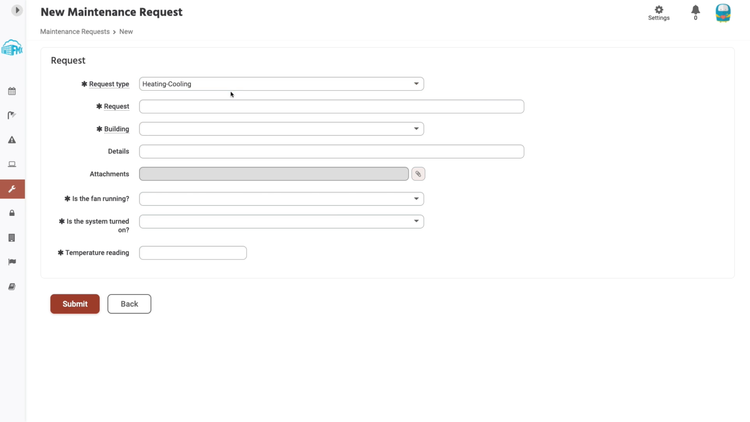
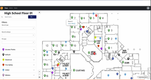
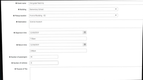
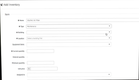
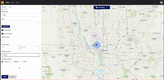
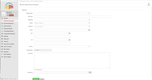
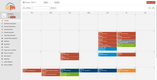
FMX service requesting module allows your tenants to submit requests for you to review, whether commercial or residential properties. These requests cover different categories, including maintenance, cleaning, incident, and IT. This helps you immediately assign the right technician when you create the corresponding work order.
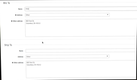
Based on the type the user selects, corresponding questions will automatically appear. For example, if it is a heating and cooling issue, questions like “Is the fan running?” or “Is the system turned on?” auto-populate. These are meant to address easily resolved issues, helping you lower maintenance labor costs.
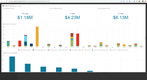
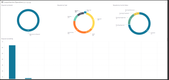
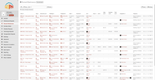
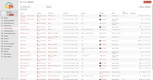
The service requesting module consolidates all data into a real time KPI dashboard. This breaks down important metrics such as:
- Maintenance costs: Combines all properties’ labor, inventory, and miscellaneous expenses for maintenance.
- Total cost by request type: Identify the most expensive requests to resolve and analyze trends. These can be issues like heating, refrigeration, or general maintenance.
- Team performance: See how efficient your crews are with average response time and average resolution time statistics.
Learn more information on FMX’s product profile.
UpKeep - Best Preventive Maintenance Checklists
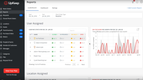
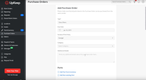
UpKeep’s smart import checklist generator lets you create preventive maintenance checklists just by uploading OEM manuals or PDFs. The software uses natural language processing (NLP) to extract step-by-step guidelines related to calibration, safety protocols, maintenance, or inspections. From there, UpKeep converts them into standardized task lists for your recurring work orders.
You can review, edit, and directly tie the checklists to work orders, which saves your team a ton of time manually setting up each asset. UpKeep even lets you trigger checklists on a runtime/meter-based or time-based schedule. Recent updates refined the algorithm even further to prevent hallucinated or invented steps. This means only verifiable, documented tasks appear in your checklists, vital for compliance in industries like manufacturing and healthcare.
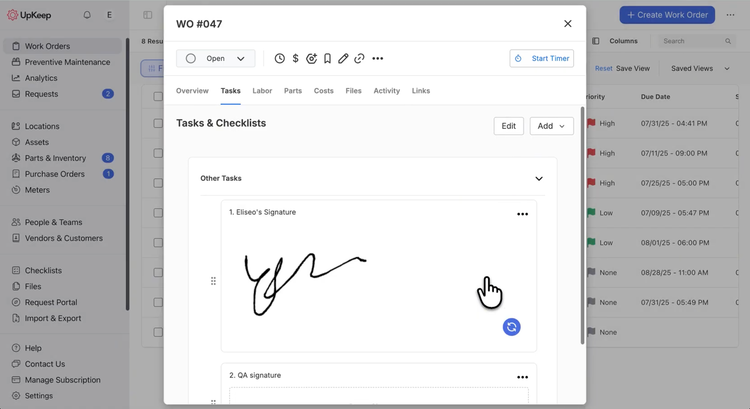
Additionally, UpKeep adds signature tasks directly into the work order process. So if a job requires signoff from safety, quality, or a supervisor, you build that into the work order itself, ensuring the right people sign within the system. Plus, the software allows you to create dependencies for complex jobs, flagging whether one work order blocks another, relates to it, duplicates it, or splits from it.
UpKeep starts at $24/month per user for unlimited work orders and recurring work orders. However, you’ll need to spring for the Premium plan at $55/month per user for custom checklists and preventive maintenance optimization. As work order software for small businesses, UpKeep is best suited for compliance-heavy environments or large asset inventories.

eMaint - Best for Condition-Based Work Orders
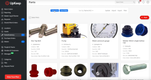
Where most CMMS rely on manual triggers or fixed schedules, eMaint offers condition-based maintenance with zero third-party integrations. It uses proprietary, industrial-grade sensors from its parent company, Fluke, to monitor real-time asset conditions, from vibration and temperature to power load and pressure.
Because Fluke sensors are natively integrated with eMaint, asset data flows directly into the CMMS, no custom coding or middleware required. Your maintenance planners can set thresholds for equipment; if a sensor reading breaches a threshold, eMaint automatically creates a work order and applies workflow rules, like:
- Assigning it to a specific technician
- Attaching standard procedures or documents
- Requiring approval before execution (if desired)
These WO workflows are fully customizable, so you can automate everything or maintain oversight where needed. In either case, this means no manual handoff; techs can log in and see a work order already in their queue, complete with sensor data, instructions, and asset history.
Pricing starts at $69/user/month for the Team plan, though you’ll need the Professional plan at $85/user/month for automated workflows.
Facilitron - Best for Facility Management
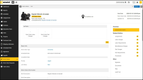
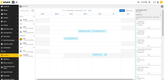
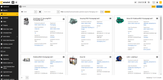
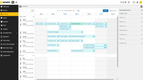
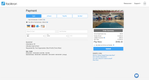
Facilitron is designed for organizations that need work order tracking and facility management in one platform. It’s great for schools, community organizations, and commercial buildings that struggle with managing maintenance across a large number of facilities, assets, and shared spaces.
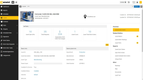
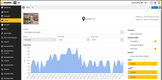
For maintenance and work order management, Facilitron lets users submit requests via their desktop or mobile device. Users can attach photos, select the room or building the request is for, and track its job status. Technicians can manage their assignments, view daily tasks, and log the labor and materials used for each work order. Managers can then monitor the overall health of the building or asset with detailed reports and a record of all maintenance activity.
Where Facilitron stands out from generalized work order systems is its tools for integrated space management. Organizations can request and book rooms or entire buildings for events, and link those activities to specific work order requests. This means that if you need to prepare a gym or shared space for an annual banquet, your staff can quickly assign the setup, cleaning, and teardown tasks associated with that reservation.
Pricing for Facilitron is quote-based and scales with the number of facilities and the modules you require. It’s best for schools, municipalities, cities, and organizations that manage both facilities and maintenance operations. Companies seeking an equipment-heavy maintenance platform may find its broad feature set to be more than required.
Other Systems We Like
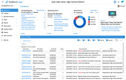
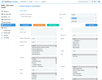
Limble CMMS is another strong CMMS, complete with work orders, preventive maintenance, and an easy-to-use mobile app. It can be used in several different industries, most notably manufacturing, facility management, and energy & utilities. Overall, it’s a solid work order system for small to midsize companies looking to digitize their maintenance.
What is Work Order Software?
Work order software is a trackable digital document that identifies what work needs to be done and how it should be accomplished. It aims to streamline workflows from initial service request to completion, with equipment tracking, cost monitoring, and dispatching. These systems are subsets of a more comprehensive CMMS or maintenance management software and are often interchangeable.
Types of Work Order Software
Work order software shows up in several different categories, and which one you need depends on what your team is actually servicing.
-
Maintenance work order software: Used by maintenance teams to manage repairs, inspections, and routine upkeep of physical assets. These systems tie every work order to a specific asset and its service history, covering both scheduled preventive tasks and unplanned breakdowns. Most options here are maintenance management platforms.
-
Field service work order software: For businesses like HVAC, electrical, and similar trades that dispatch technicians to customer sites. These systems often include job details, required parts, service history, and instructions for completing the visit, and usually sit within a broader field service management platform.
-
Facility work order software: Covers internal and external requests for building repairs, room cleaning, or equipment moves, common in schools, hospitals, and commercial buildings. Requests submitted by staff or tenants are routed to the right trade, and costs are tracked per building rather than per machine. Facility managers often use facility management software to manage work orders.
-
Property management work order software: For landlords and property managers handling tenant-submitted maintenance requests across residential or commercial units. Often included as part of property management software.
-
Equipment work order software: For maintenance teams servicing heavy equipment or fleets of vehicles rather than buildings. Work orders track meter readings, usage hours, and parts consumed per unit, so service can be scheduled by runtime instead of by calendar date. See our picks for equipment maintenance and fleet maintenance.
-
IT work order software: Used by IT departments to manage hardware repairs, replacements, and device lifecycle tasks. Work orders attach to serial numbers, warranty statuses, and employee usage. IT work order management is often a subset of larger IT asset management software.
-
Manufacturing work order software: Utilized by manufacturing businesses for planning and tracking the production of jobs. Often called digital job travelers, they outline the materials required, production steps, and machine time for each manufacturing run, and are typically found in shop floor management software.
How Work Orders Get Created
Work order software creates jobs several different ways, and which triggers a system supports is usually what separates its pricing tiers.
-
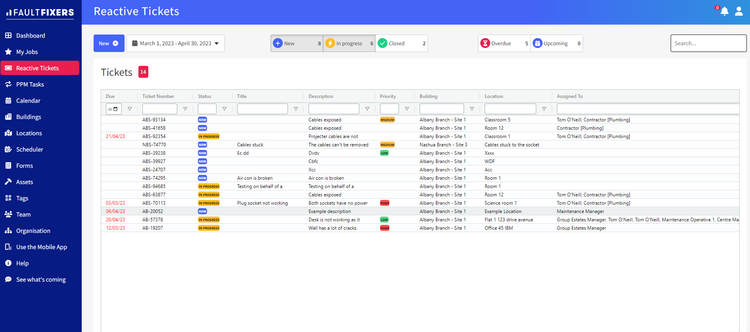
Reactive work orders: Are created after something has already failed. These need fast dispatching and immediate access to asset history, which is why mobile access matters more for this type than any other.
-
Preventive work orders: Are scheduled ahead of time to keep equipment running, based on either elapsed time or accumulated usage hours. These are the staples of preventive maintenance software.
-
Condition-based work orders: Get generated automatically when a sensor reading crosses a set threshold, such as vibration or temperature, before a failure happens. Systems supporting this overlap with predictive maintenance software.
-
Corrective work orders: Are created after an inspection turns up a problem that is not urgent yet. The goal is fixing it before it escalates into a breakdown.
-
Inspection work orders: Are routine checks that verify an asset’s condition, safety, or regulatory compliance. Findings are recorded for audits, and corrective work orders often follow.
Common Challenges
- Unorganized request process: Manual maintenance request systems are inefficient, can cause delays, or lead to miscommunication. High-priority tasks can be quickly lost within a fast queue.
- Missed deadlines: Poor scheduling and prioritization can lead to bottlenecks and double bookings, resulting in missed deadlines.
- High maintenance costs: Lack of visibility into jobs and unclear accountability can lead to increased maintenance costs. Also, technicians may face delays without access to important information before starting the job.
- Increased downtimes: Inefficient work order processes lead to increased machine and equipment downtimes, which cuts into profit.
Key Features and Benefits
| Feature | Description | Benefit |
|---|---|---|
| Service requests | Let users create work order requests using templates or from scratch. Upload pictures, add locations, and complete descriptions of the problem. | Helps employees solve their problems faster and provides more details for your technicians. |
| Scheduling | Schedule all work orders based on time, priority, and technician availability. | Avoid double-booking or overworking maintenance crews; complete critical tasks first and minimize downtimes. |
| Reporting | Consolidate work order data like turnaround time and completion percentage; monitor KPIs on a dashboard. | Visualize maintenance crew performance and see the average time between approval and completion; identify trends in data. |
| Mobile app | Submit service requests and complete work orders and inspections on your mobile device. | Provide flexibility for requesters and technicians; lets you document problems from anywhere, even without Wi-Fi access. |
| Equipment management | Maintain a database for all equipment that requires maintenance. | Select the proper asset when submitting requests and give technicians access to the correct details and information. |
| Approvals | Configure single or multi-level approval processes for work orders. | Only select users can approve or deny work orders for better control. |
| Job tracking | Track job statuses in real time; receive updates for task completion or if additional work is required. | Gain visibility into the work on assets and equipment to get up and running as soon as possible. |

Pricing Guide
Work order software ranges from limited free plans to over $100,000/year for enterprise deployments. Below is a breakdown of the expected price based on your maintenance needs and requirements.
-
Entry-level ($20–$35/user/month): Work order creation, mobile access for technicians, and basic preventive maintenance scheduling. Reporting is limited and integrations are usually restricted or unavailable. Great for small teams of 1-5 employees moving off spreadsheets and paper. Roughly $1,200–$6,000/year.
-
Mid-Range ($50–$70/user/month): Adds full preventive maintenance programs, asset history, spare parts inventory, and reporting dashboards. This is the tier where most teams start being proactive rather than reactive. Good for 10–30 users across one or two sites. Roughly $6,000–$25,000/year.
-
High-End ($85–$120/user/month): Multi-site support, condition-based triggers, custom workflows, API access, and the audit trails needed for regulated environments. Fits 25–50 users managing complex or compliance-bound assets. Roughly $25,000–$60,000/year.
-
Enterprise (quote only): Unlimited sites, single sign-on, governance and role-based controls, custom integrations, and a dedicated support contact. Vendors stop publishing rates here, so expect $60,000/year and up for 50 or more users across multiple facilities.
Free plans exist but are often very limited and used to get you familiar with a system before committing. For free options, check out our free work order software roundup to compare.
What the Sticker Price Leaves Out
-
Annual vs. monthly billing: Most vendors offer a lower price if you pay for the year upfront, and a higher one if you pay month to month. For example, Click Maint charges $35 per user for annual billing and $42 per user for monthly contracts. Prepaying annually usually saves money but locks you into longer contracts.
-
How a vendor defines a “user”: Almost every system here is priced per user, but “user” is not standard. The people who only submit requests, like floor staff or tenants, usually outnumber your technicians several times over, so whether they need paid seats can matter more than the per-seat rate. For example, MaintainX states that requester accounts are free, whereas other systems charge the same rate regardless of usage level.
-
One-time setup costs: Your monthly or annual subscription is rarely the only cost for a new work order software. Importing assets, migrating records, and initial configuration are usually quoted separately, and they almost never appear on a pricing page. Understand what your team receives for onboarding and training, and consider total costs before purchasing anything.
-
Seats and feature limits: Plans are often gated by how many users they allow and by which features come included. Click Maint sells a single plan with nothing held back, while eMaint’s entry-level plan caps at three users. Consider not only what you need today, but plan for the headcount and features you may require tomorrow.