

The Best Small Business Accounting Software
We’ve reviewed the top small business accounting software for all industry needs. Whether you’re tracking expenses for a professional services firm or need streamlined invoicing for an eCommerce store, we’ll help you find the best system to streamline your bookkeeping.

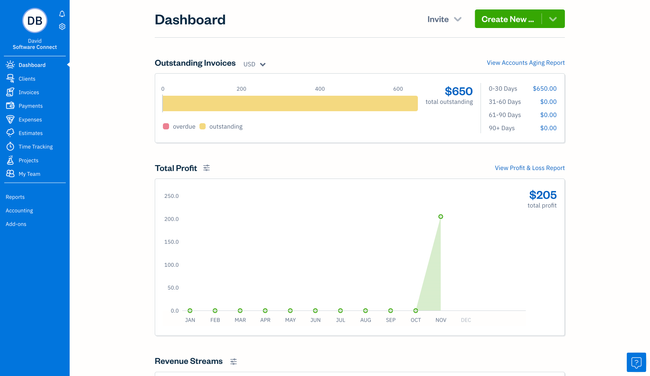
- No setup costs
- Discounted intro pricing
- Simple and intuitive
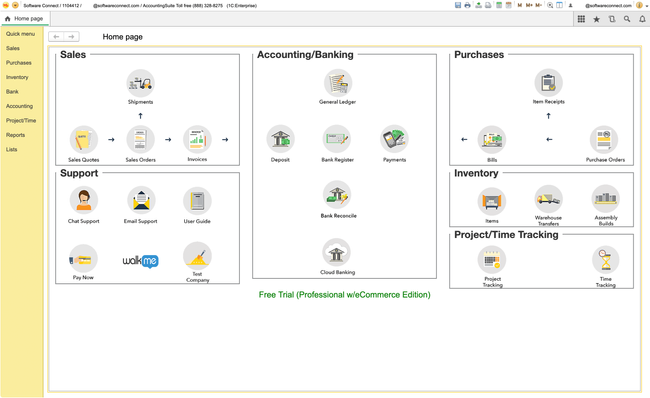
- Use multiple modules at once via tabs
- Includes inventory management and time tracking
- No costs beyond the subscription fee
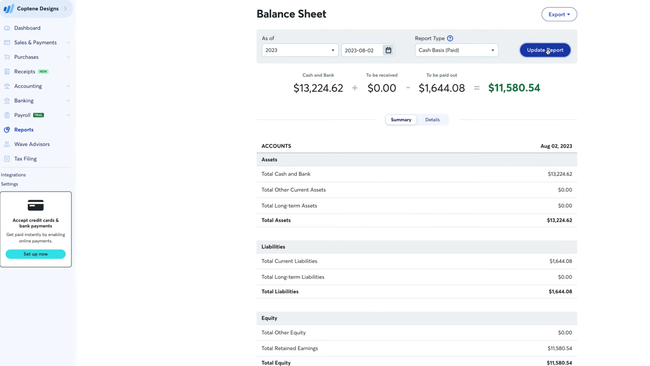
- Unlimited bank accounts and credit cards
- Unlimited income/expense transactions
- Multi-currency invoicing
To help you find the best small business accounting solution, we’ve researched a wide range of management software and compiled a collection of our best picks for small business accounting software. We evaluated products based on invoicing, reporting, and ease of use to find the best fit for your business.
- FreshBooks: Best for Service Companies
- CustomBooks: Best Flat-Rate Pricing
- Wave: Best Free Option
- Xero: Best for Multi-User Access
- QuickBooks Online: Best Reporting Module
- Striven: Best ERP Option
- Kashoo: Easiest to Learn
- AccountEdge: Strong Time Billing Features
- Zoho Books: Best for Growing Businesses
FreshBooks - Best for Service Companies
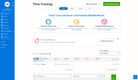
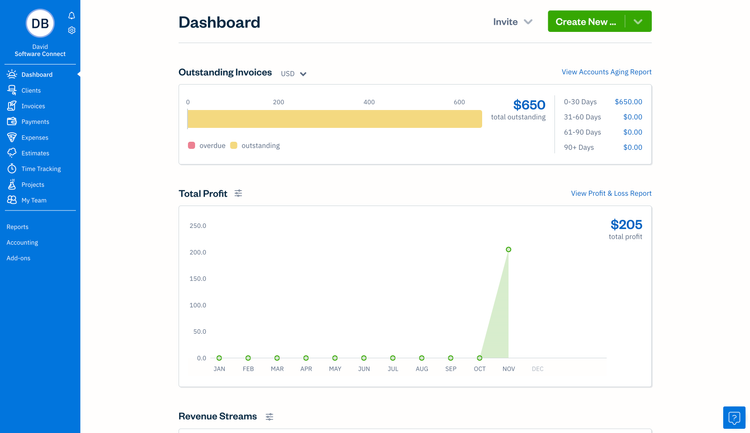
FreshBooks is a true all-in-one small business accounting software that improves cash flow and automates your administrative tasks, such as basic invoicing, organizing expenses, and tracking your time worked on projects. It also provides a large number of reports to monitor your business’s finances and financial health.
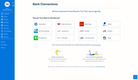
The bank reconciliation feature helps you track billable expenses, especially vital when you’re in a service-based industry. FreshBooks guides you through the process of adding a new bank connection. Then, as expenses and payments come in, the system suggests possible matches based on your history.
The biggest benefit of FreshBooks is what you get included in the price. Rather than offer a limited base version of their software (such as only invoicing), their “Lite” package includes a full suite of unlimited invoices, expense entries, estimating, and time tracking. It can also accept credit card payments and ACH bank transfers, with the automated bank import feature built in.
However, the lowest plan limits you to only five billable clients; most companies will likely need the Plus or Premium plans, which support up to 50 or unlimited clients, respectively.





CustomBooks - Best Flat-Rate Pricing
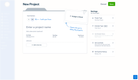
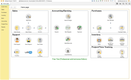
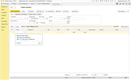
CustomBooks prices by module rather than by headcount, so every plan includes unlimited users, starting at $29/month. A fifteen-person shop and a solo operator pay the same for the same feature set, which sets it apart from the per-user pricing you’ll find elsewhere.
Each step increases your scope. Start-up at $29/month covers banking, accounting, projects, and time tracking. Business Edition at $109/month adds sales, purchasing, and sales tax, which is the tier most companies with customers and vendors will land on. Professional at $299/month is where inventory management turns on, and Professional with eCommerce at $399/month adds a ShipStation connection covering Shopify, Etsy, eBay, WooCommerce, and Amazon. Annual billing saves up to 15%.
The pricing lever here is modules, not headcount, so adding people costs nothing. That makes the deal best when a lot of people need logins, but the work itself stays straightforward: a bookkeeper, a controller, and two people in AP can all work in the $109/month Business Edition at no extra cost. Zoho Books would bill $3 per user per month for that same group, and Sage 50 would push you into a higher tier. Xero is the other pick on this list with unlimited users, so compare the two directly if seat count is your main concern.
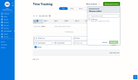
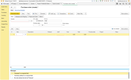
The one real gap is mobile. CustomBooks has a mobile app, but it’s a view-only tool that doesn’t support data entry and hasn’t been updated since early 2025. The Mobile Dashboard shows bank balances, sales, net income, and expenses, and lets you pull reports and share files through a secure vault. Creating an invoice, categorizing a bank transaction, and entering a vendor bill must be done in the full web version.
Wave - Best Free Option
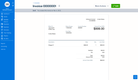
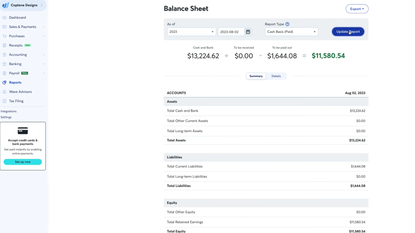
Wave offers a forever-free plan for small businesses and solo operators that just need the basics. The free Starter plan includes unlimited invoicing, expense tracking, and core financial reports like profit and loss statements. And most importantly, it has double-entry accounting, making it one of the most capable free options on the market.
That said, the free version has its limitations. It doesn’t automatically import your bank transactions, so you’ll need to add them manually or import a CSV. And if you accept payments through Wave, the credit card processing fee is 2.9% + $0.60 per transaction (3.4% for AMEX). These are competitive with the rest of the market, and there are workarounds, but this does dampen the “free” promise.
If you do want to upgrade, Wave’s Pro plan is very affordable at $19/month. This plan includes auto-importing bank transactions, adding users to your account, and installing third-party integrations. Still, this is a more basic system compared to platforms like CustomBooks or QuickBooks Online. So if you need more advanced features like detailed reporting, those will be better options.
Xero - Best for Multi-User Access
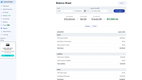
Xero lets you have unlimited users on every plan, rather than a user-based pricing model or maximums. This makes it a great fit if you’re a growing business with a larger financial team, since you can add new employees or bookkeepers without extra cost. And even with the pricing model, it’s more affordable than other systems like QuickBooks Online. Plans range from $25-$90/month, depending on the plan and desired features.
As for its features, the bank reconciliation tool is among the best on the market. You can connect your bank account, and Xero pulls in transactions daily and suggests matches against your recorded invoices and bills. You can set rules, too, so recurring charges get categorized automatically. While this is a common feature among SMB accounting systems, Xero is one of the more straightforward options.
The system also connects with 1,000+ third-party apps, letting you add on almost any platform to your tech stack. That said, Xero doesn’t include built-in payroll in the U.S., so you’ll need to integrate whatever you already use. Still, it’s a solid option if you have several people who need accounting access.
QuickBooks Online - Best Reporting Module
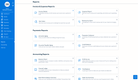
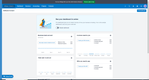
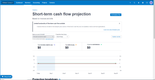
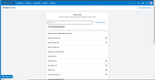
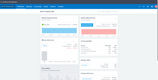
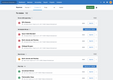
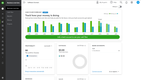
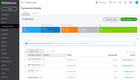
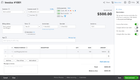
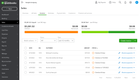
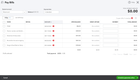
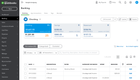
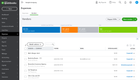
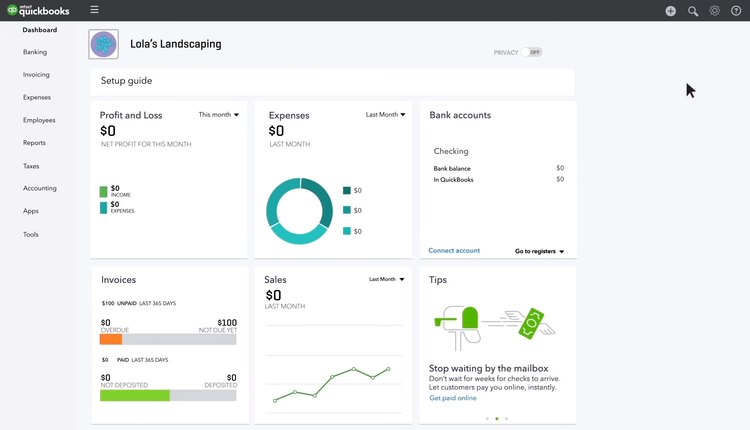
QuickBooks Online is the most popular accounting software on the market, offering an easy-to-use reporting module. The system includes several built-in reports to help you view your business’s financials. You can generate statements with real-time data on profit and loss, expenses, and balance sheets with only a couple of clicks. This helps small businesses upgrade from Excel spreadsheets to quickly view accurate financial data in digestible tables and charts.
QuickBooks Online’s reports are also customizable. You can edit multiple fields that are specific to the report you’re running. For example, you can customize a profit and loss report by adding percentages of income and expense or comparisons to the previous period or year. Once you’ve customized it, you can save the report as a template for easy future use.
While QuickBooks Online’s reporting module is effective, many users have cited rising costs and a forced subscription-only model as challenges for small businesses. Its lowest “Simple Start” plan is $38/month, which is steep compared to other systems like FreshBooks or Xero.



Striven - Best ERP Option
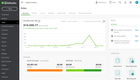
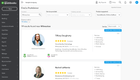
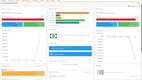
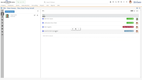
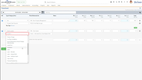
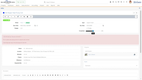
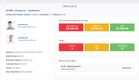
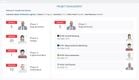
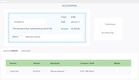
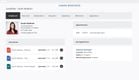
Striven is a small business ERP system with strong accounting at its core. The system covers core accounting features like AP, AR, general ledger, revenue tracking, invoicing, and online banking. But, Striven doesn’t stop at the basics, its accounting tools are fully connected to the rest of the system, syncing financials with operations.
The accounting module is designed to drive smarter business decisions. You can tie income and expenses directly to projects, automate financial updates across departments, and generate reports that reflect your entire business. Whether you’re tracking job costs, managing billable hours, or monitoring cash flow, accounting is at the center of everything you do in Striven.
This makes it a great fit for small businesses that need more than QuickBooks but aren’t ready for larger full-featured ERPs like NetSuite. Striven is best for small businesses in construction, manufacturing, field services, and distribution. It starts at just $35/user/month for the basic plan and goes up to $70/user/month for its Enterprise plan.
Kashoo - Easiest to Learn
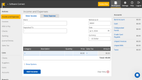
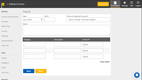
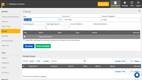
Kashoo puts a plain entry screen over a real double-entry ledger. Most simple accounting software gets there by gutting the ledger. Kashoo keeps it intact underneath, so your bookkeeper can still work in it at year’s end.
Bank feeds pull transactions in from around 5,000 institutions. Categorizing them and sending invoices happen on one screen, not in separate banking and sales tabs. There’s also only one plan, so there’s no tier chart to decode and no capability you find out you needed after buying. Multi-currency, project cost tracking, and unlimited users are all included at $30/month, billed monthly or annually.
The gaps are real, and one of them matters against a pick ranked above. There’s no time tracking, so if you bill by the hour, FreshBooks may be a better fit. Integrations are limited compared to Xero’s 1,000-plus, and there’s an iOS app but no Android one. Kashoo suits an owner who wants accurate books without having to learn accounting software, but it’s the wrong choice if you need the system to do much more than bookkeeping.
Want more results? Check out our list of best small business invoicing software.
AccountEdge - Strong Time Billing Features
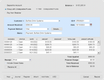
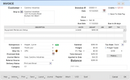
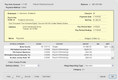
AccountEdge offers a straightforward time billing module for small professional service firms. You can quickly manage rates for your team, whether that’s fixed or custom, based on the job. They can record their time worked for both billable and non-billable activities, so all client invoices are accurate to actual employee hours. It’s a great feature to have built in, instead of jumping back and forth between your bookkeeping and time tracking system.
This also enables more efficient client invoices. Since everyone’s time is already on the system, it will automatically create work-in-progress (WIP) bills based on the existing data. This includes specific job details, so you can show your clients exactly where your team’s time was spent throughout a project. And if you have the AccountEdge Connect add-on, they can pay online through the customer portal.
AccountEdge is also unique for its optional on-premise deployment. You can download the system to your computer (Windows or Mac) for just $20/month for the single-user Pro plan, or access it in the cloud through a web browser for $50/month. That said, the system does have a dated interface, so you may want to look elsewhere if you want a more modern UI.

Zoho Books - Best for Growing Businesses
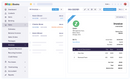
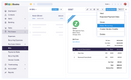
Zoho Books covers two capabilities most entry-level accounting software leaves out: invoicing in currencies you don’t keep your books in, and tracking profitability by project rather than by timeline.
Multi-currency is the more mechanical of the two. Zoho pulls the exchange rate when you create the invoice, then compares it against the rate on the day you record payment. The difference shows up in a Realized Gain or Loss report, while outstanding invoices sit in an Unrealized report you can run against any date.
Project billing answers a different question. Time entries, expenses, and vendor costs all attach to a job, and profitability reports run per project, which is the number that tells a services business which kind of work to take more of and which client is quietly losing money. Both live in the $50/month Professional plan rather than the entry tiers, so pay close attention to features before selecting an option.
Inventory is another influential factor. The $150/month Elite plan adds warehouse management with serial and batch tracking, which starts to matter once stock sits in more than one location and a spreadsheet stops being an honest record of it. Moving between plans doesn’t require migrating data or rebuilding your chart of accounts, so the history you build in year one survives a change in requirements in year three.
Two honest limits. Bank syncing is thinner than what Xero and QuickBooks Online offer, and you’ll notice this when reconciling across several accounts. And the built-in inventory has a notable boundary. Elite covers warehouses and serial or batch tracking, but barcode scanning, picklists, bin locations, order fulfillment, and selling through Amazon or Shopify all live in Zoho Inventory, a separate subscription with its own plans. Seats beyond what your plan includes run $3 per user per month, or $2.50 billed annually.


Systems We Don’t Recommend
- Sage 50 Accounting delivers strong job costing and granular reporting, which can be suitable for established contractors running Windows on a local network. However, Pro Accounting starts at $128.67/month for a single user, more than any other system listed here. Despite the desktop architecture, it’s still a subscription with a one-year commitment, which disappoints the buyers most likely to go looking for it. Reviewers rate it low on value for money and consistently report that performance degrades as the company file grows.
What is Small Business Accounting Software?
Small business accounting software manages financial transactions at a lower cost of entry. By tracking income and expenses and determining profit and loss, businesses can improve their cash flow through an affordable and easy-to-use platform that allows them to spend the least amount of time entering data.
Small businesses will usually only require core accounting features such as accounts payable for tracking expenses, accounts receivable for creating customer invoices, and a general ledger that creates profit and loss statements and balance sheets.
A growing small business may also look beyond basic income and expense tracking, desiring additional functionalities such as payroll services, inventory management, and fixed asset management. Some solutions are scalable and will let you add these functionalities on at a later date.
Key Features
- Accounts Payable: Track expenses by monitoring the money you paid or owe.
- Accounts Receivable: Track income by monitoring the money you receive or are owed from invoicing.
- General Ledger: Records financial activity, including transactions and account structures. Creates reports such as profit and loss statements and balance sheets.
- Payroll: Manage employee compensation, including wages, check printing, ACH deposits, and compensation tax reports.
- Inventory Management: Inventory is recorded as current assets on your balance sheet. The cost of goods sold is also tracked on the income statement.
- Fixed Asset Management: Automates the calculation of depreciating asset value with standard or custom decay models.
Types Available
Small businesses need an affordable, easy-to-use solution. A company will understandably want to save on its first software purchase and will need a user-friendly option that someone without an accounting background can learn quickly.
Small Business Accounting Software for Mac
Finding a reliable small business accounting software for Mac platform can be a challenge. This is because the vast majority of solutions are built with PCs in mind. Accounting solutions developed for Macs often have limited functionality compared to similar options on PC.
Developers tend to focus their efforts on PCs because PCs are more common. Statista Consumer Insights found that only 23% of active personal computers were Macs. PCs have been historically considerably cheaper than Macs, which plays a big part in their popularity. Businesses also find PCs to be a more cost-effective option for running accounting software.
That said, more and more software is web-based, so it runs through your browser and isn’t downloaded to your PC. This allows it to be used on any computer, since it’s fully online and cloud-based, so it’s not dependent on hardware.
Online Small Business Accounting Software
Online (also known as cloud-based), small business accounting software lets you access real-time financial data from anywhere with an Internet connection. Online software has a low cost of entry, making it a popular option for smaller companies with limited funds.
Cloud-based software is typically lower-cost because it is billed on a subscription model. You will pay a small monthly or annual fee to get access to the software. The developer also handles all of the hosting and you won’t need to spend extra money on additional hardware to download the solution.
Free Options
Startups and very small businesses can get away with using free accounting software, but free software will be limited in functionality. You will also be limited to one user, and will usually have a small threshold when it comes to how many customer/vendor accounts you can store information on.
Features typically include income and expense tracking, invoicing, and receipt scanning. Additional fees usually apply to credit card payment processing and ACH transfers (per transaction).
Examples of free small business accounting software include:
Cloud-Based vs. On-Premise Software
| Cloud-Based | On-Premise | |
|---|---|---|
| Payment Model | Monthly payments with smaller upfront costs for setup | Upfront charge for license with annual maintenance fees |
| Deployment | Hosted by developer | Installed on your server or computer |
| Accessibility | Accessible from anywhere with an Internet browser | Accessible from the system it’s installed on |
Cost
Cloud-based accounting software is usually more popular among small companies due to a generally lower monthly cost compared to the upfront prices of an on-premise solution. However, some companies prefer the one-time purchase of on-premise, because they feel more comfortable owning the software or don’t want to worry about ongoing monthly payments.
After years of paying for a subscription-based software, you might end up paying more than if you bought a solution outright. However, many smaller companies don’t have immediate funds to pay for a solution up front.
Adding users
Online accounting software makes it easier to add additional users as your business grows. Some systems give you a range of users or even unlimited users that you can set up with an account in just a few minutes. Desktop software typically requires you to purchase additional user licenses for each computer you want to install the solution on.
Accessibility
Cloud-based solutions allow you to log into the software from any computer or mobile device. With on-premise software, you would only be able to access your financial data from the computer where the software is installed. A smaller company might need the convenience of cloud accessibility. If an employee is traveling for business or working from home for the day, they will have easy access to the data if needed.
Data backups
Online software generally allows automatic cloud data backup. Depending on the package, there may be a storage capacity limit. Desktop software requires data to be backed up manually.
Security
Some businesses like the idea of having their data secured on designated computers within the company instead of storing data on the cloud.
Pricing
Small business accounting software pricing ranges from free to around $700 per month, driven less by revenue than by how many people need access and whether the software has to handle inventory, payroll, or job costing alongside the books.
- For solo operators and small teams (1-4 users), software covers bookkeeping, invoicing, expense tracking, and bank reconciliation. Pricing runs from free to $130 per month. Examples: Wave (free, Pro plan $19/month), FreshBooks ($23/month, five billable clients on Lite), Kashoo ($30/month flat, unlimited users).
- For growing businesses (5-9 users), mid-tier software adds multi-currency, project billing, purchasing, and deeper reporting. Pricing runs from $50 to $350 per month. Examples: Zoho Books ($50/month Professional, where multi-currency and project billing start), CustomBooks ($109/month Business Edition, unlimited users), Xero ($25-$90/month, unlimited users on every plan).
- For larger small businesses (10+ users), software at this level handles inventory across locations, job costing, and multi-entity accounting. Pricing runs from $270 to $700+ per month. Examples: Zoho Books ($275/month Ultimate, 15 users plus $3 per additional user), CustomBooks ($299/month Professional, $399 with eCommerce).
A monthly price only means something once you know how many people it covers. Striven charges $35 to $70 per user, so a two-person shop pays $70 to $140 while a ten-person team pays $350 to $700 for the same software. Flat-rate plans work the other way.

