The Best Purchase Requisition Software
Purchase requisition software standardizes purchase requests and routes them through approval and budget checks before money is spent. We evaluated platforms for small businesses through large enterprises.


- Integrates with accounting systems
- Cloud-based platform provides remote and mobile access
- Tracks orders and automates reordering
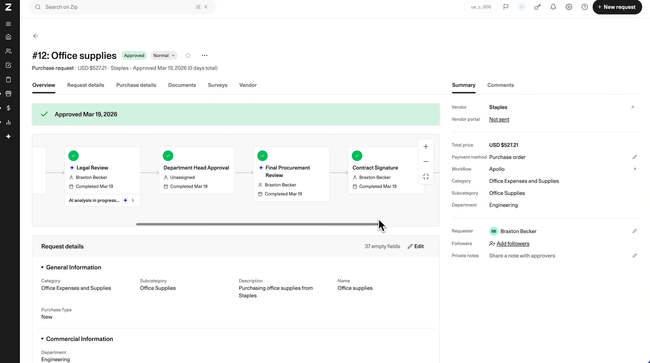
- Plain-language request intake
- Cross-department approval workflows
- Syncs with major ERPs
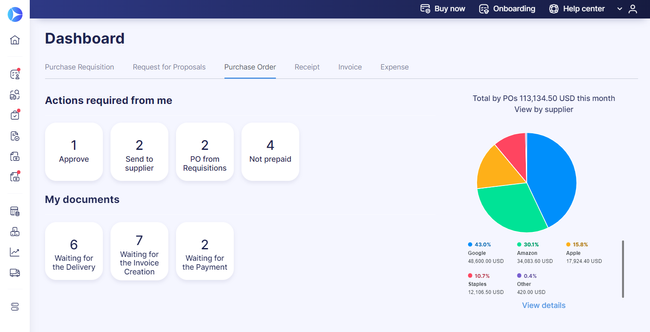
- Simple and straightforward pricing
- Both punchout and Punch-In catalogs
- Integrations for the top accounting systems e.g. QuickBooks Online, NetSuite, Xero
We assessed requisitioning software using our advanced review methodology. As a subset of procurement software, these platforms streamline purchasing and control spending.
- Procurify: Best Overall
- Zip: Best Request Intake
- Precoro: Best for Small Businesses
- Tipalti: Best for Global Supplier Payments
- Fraxion: Best Mobile App
- ProcureDesk: Best for Retail
- Coupa: Best for Professional Services
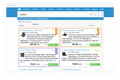
- Ramp: Best for Card-Based Spending
Procurify - Best Overall
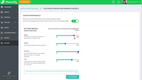
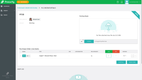
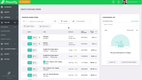
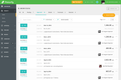
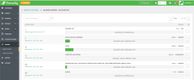
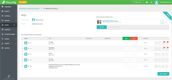
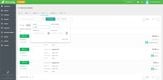
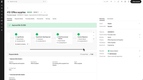
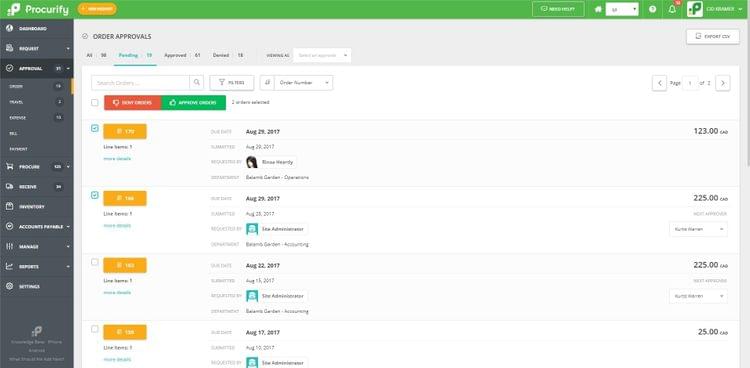
Procurify includes budget control and approval routing tools that minimize financial risk and help you maintain control over spending. Through user-friendly dashboards, approvers can monitor expenses against organizational or project budgets directly within the platform.
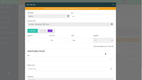
The software incorporates customizable approval workflows that streamline purchase request routing to the relevant individuals or departments. You can tailor these workflows based on different organizational structures:
- Departmental needs: Routes approvals to department heads based on the specific team making the request.
- Purchasing types: Configures workflows for specific categories like office supplies, IT equipment, or raw materials.
- Project categories: Ties requests to specific projects, then routes them to project managers or financial controllers.
By enforcing this hierarchical approval process, Procurify ensures all requests pass through the right channels for review and authorization.
Procurify prices by quote. Every plan starts with the Purchasing module, and costs depend on add-ons like AP and Expense & Card, plus the number of Pro users. Basic users are unlimited.


Read our Procurify profile for more details.
Zip - Best Request Intake
Zip Procurement gives employees one place to submit purchase requests and routes each request through approval. It’s built for mid-market and enterprise companies where purchases often need sign-off from several departments.
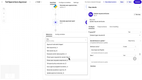
Plain-language intake lets employees describe what they need, and Zip fills out the request form for them. Procurement and finance teams receive complete requests instead of chasing missing information over email. Behind the form, a configurable workflow engine routes each request to the right reviewers, including legal, IT, and security. Approvers can act on requests directly in Slack, notifications can also go through Microsoft Teams, and approved requests sync with systems such as NetSuite, Coupa, SAP, and Workday.
Zip doesn’t publish pricing, and there’s no free plan or free trial. Modules like procure-to-pay, sourcing, and vendor risk are sold separately, and users describe the cost as high compared to competitors, with implementations of about three months. If most requests come from a small team, a lighter tool like Precoro will be faster to set up.
Precoro - Best for Small Businesses
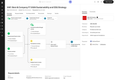
Precoro is procurement software for small to medium-sized businesses. This cloud-based software helps companies streamline procurement processes and eliminate manual work.
Precoro integrates with popular accounting software, including Xero and QuickBooks, seamlessly transfers data and enhances workflow. In addition, Precoro has an open API and integrations with Power BI to help integrate with your business’s ERP and accounting systems.
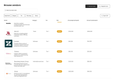
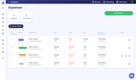
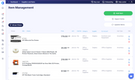
Standout features include real-time budget tracking, package-based pricing, and PunchOut catalogs from suppliers like Amazon Business, Staples, and Grainger.
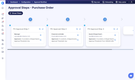
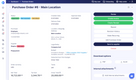
Precoro’s requisition system saves time and reduces manual errors by standardizing the requisition form and automatically creating a purchase order once the appropriate user approves the requisition. The software also allows users to create approval workflows that ensure timely approval of requisitions.

Tipalti - Best for Global Supplier Payments
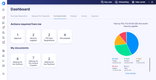
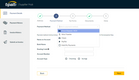
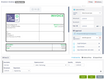
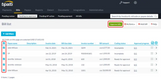
Tipalti is a finance automation platform that combines procurement, accounts payable, and global payments. Its Procurement module handles the request side, and approved purchases move straight into Tipalti’s payment network.
Employees submit requests through customizable intake forms that can vary by department or location, or they can describe what they need in plain language and let Tipalti draft the request. Rules-based approval routing follows your org chart, budget items, and spend policies, with parallel approvals and the option to pull in IT, security, or legal reviewers. Approvers can respond through Slack or email, and Tipalti creates the purchase order automatically once the request is approved.
After approval, Tipalti pays suppliers in 200+ countries and territories in their local currencies and preferred payment methods, and built-in validation rules help catch payment errors before money goes out. It also runs sanctions checks on payees, which helps companies with a large international supplier base stay compliant.
Tipalti’s Accounts Payable plan starts at $99/month with unlimited users, plus per-transaction fees for invoices and payments. Procurement is a separate add-on module priced by quote. Teams that mostly buy from domestic suppliers may get more value from a standalone requisition tool.



Read our Tipalti profile to learn more.
Fraxion - Best Mobile App
Fraxion is a full procure-to-pay platform that offers a great mobile app for handling requisitions on the go. The app lets your team create requests to purchase goods and services from anywhere, with features designed to eliminate the typical bottlenecks that slow down the process. Anyone can capture expenses as they occur, take photos of receipts, and attach supporting documents. From there, it routes all requests through your custom approval workflows so nothing slips through the cracks.
Fraxion’s mobile app also reduces approval delays. Management receives instant notifications when requests need their attention, and can review complete details. These include vendor information, attached receipts, and most importantly, real-time budget impact before making a decision. They can approve, reject, or cancel requests without needing to return to their desks or hunt through email threads. Of course, they can still use the desktop version, but the app makes the whole process that much easier.
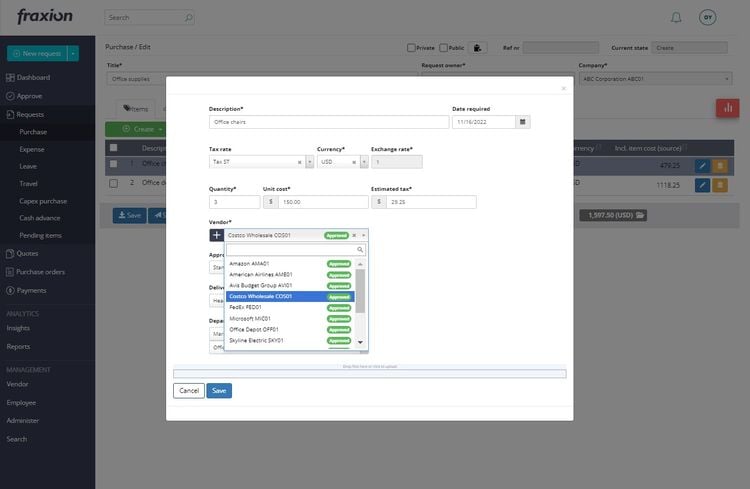
The strong requisition module, combined with its full procure-to-pay suite, makes Fraxion a strong option for small mid-market companies. Fraxion prices by quote, based on the features, number of users, and integrations you need. It also integrates with several leading ERP and accounting systems for a unified tech stack.


ProcureDesk - Best for Retail
ProcureDesk is particularly effective for companies managing high volumes of vendor interactions and invoices. It includes advanced purchase order tracking and a three-way matching system, making it well-suited to handling complex supplier networks.
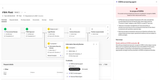
After approval, the system auto-generates a purchase order. Vendors can mark POs as acknowledged, add expected ship dates, and note when orders ship, and they can share tracking numbers that your team adds to the PO. This gives you clearer timelines for replenishment and helps you avoid delays from overlooked purchase orders.
On the back end, ProcureDesk’s three-way matching process ensures accuracy across purchase orders, supplier invoices, and goods received. The optical character recognition (OCR) tool extracts data from vendor invoices, matching them to the relevant purchase order and receipt. The system flags pricing mismatches outside your tolerance rules and routes them to the right team member. This helps you address discrepancies and verify that payments match pre-negotiated terms.
Coupa - Best for Professional Services
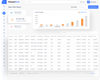
Coupa Procurement supports firms with department-led purchasing across locations and client projects. When consultants or project managers need to request software licenses, services, or travel, Coupa’s AI-powered intake lets them describe what they need in plain language, and the system structures the request behind the scenes. No procurement background is needed.
The system steers requesters toward contracted items and preferred vendors, including pre-approved catalogs. Items added to the cart are pulled into the requisition, where your team can review and edit them before submission. Coupa can also fill in defaults like the shipping address from the requester’s user profile.
The requisition shows which approvers it will route to, helping requesters anticipate delays and adjust as needed, such as tweaking delivery timelines or choosing a lower-cost vendor. The submitted request then routes through the approval chain automatically and triggers a purchase order once approved. That PO is then sent to the supplier, with Coupa maintaining a full audit trail of each request.

Ramp - Best for Card-Based Spending
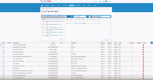
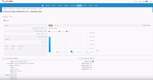
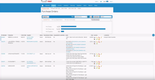
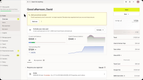
Ramp is a spend management platform that combines corporate cards, bill pay, and expense management, and its Procurement add-on brings purchase requests into the same system.
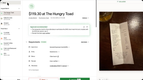
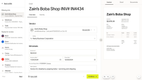
Employees can describe what they need in plain language, or upload a quote, and Ramp’s AI Intake fills out the request form for them. Each request then follows an approval policy created in a no-code builder, with rules based on budget, department, or vendor type. Approvers see how the purchase affects the budget before they sign off. Once the request is approved, Ramp creates the purchase order automatically and can issue a virtual card directly from the PO, so the approved amount and the card that pays for it stay linked. Card transactions and bills are then matched against the PO, including 3-way matching against item receipts.
Approval workflows, PO management, and procurement agents require Ramp’s Procurement add-on, which is only available on Ramp Plus ($15/user/month plus a platform fee) or Enterprise. Ramp doesn’t publish the add-on’s price. POs synced from NetSuite or QuickBooks Online also can’t be edited in Ramp. Ramp is the best fit for companies that already run cards and bills through it. Teams using a different card provider will find a standalone requisition tool easier to adopt.

What is Purchase Requisition Software?
Purchase requisition software manages the internal request stage of purchasing. An employee submits a requisition describing what they need, why they need it, and what it costs. The software routes that request to the right approvers, checks it against budget and purchasing policy, and once it’s approved, converts it into a purchase order or hands it off to your procurement or accounting system.
The goal is control before spending. Every purchase gets reviewed by the right people before the company commits money to a vendor.
Purchase Requisition vs. Purchase Order
A purchase requisition is an internal document. It asks for permission to buy and never goes to a vendor. A purchase order is the external document a company sends to a supplier after the requisition is approved, and it commits the company to the purchase.
Requisition software focuses on the request and approval side. Purchase order software focuses on what happens next: sending orders to suppliers, tracking delivery, and matching invoices. Many platforms on this list handle both, but they differ in which side they handle best.
Key Features
- Request intake forms: Standard forms collect the details managers and finance need, such as item, vendor, cost, cost center, and business reason, so nothing arrives incomplete. Some tools guide employees through the questions, and Ramp can fill out the form from a plain-language description or an uploaded quote.
- Approval routing: Rules send each request to the right people based on amount, department, project, or purchase category. Multi-step approvals can pull in finance, IT, or legal when a purchase needs their review.
- Budget checks: Budget owners see how a purchase affects their remaining budget before signing off, and some systems flag purchases that would go over.
- Mobile and chat approvals: Managers can sign off from a mobile app or get notified in tools like Slack or Microsoft Teams, so decisions don’t stall in an inbox.
- Automatic PO conversion: Approved requisitions become purchase orders automatically or sync to your ERP or accounting system, so nobody has to re-enter the data.
- Audit trail: Each requisition keeps a record of who submitted, reviewed, or changed it, which supports internal controls and audits.
- Catalogs and PunchOut: Pre-approved item catalogs and PunchOut connections to supplier websites steer employees toward preferred vendors and negotiated prices.
Benefits
Fewer Off-Policy Purchases
When every purchase starts as a requisition, employees have less room to buy from unapproved vendors or outside their budget. This kind of unapproved buying, often called maverick spend, is hard to catch after the invoice arrives. A requisition step catches it while it’s still a request.
Faster Approvals
Automated routing replaces email chains and paper forms. Approvers are notified when a request needs them and can see the details, attachments, and budget impact in one place, so requests spend less time waiting.
Budget Control Before Money Is Spent
Expense reports and invoice reviews show what was already spent. Requisition software checks spending before the company commits to it, so finance can stop or adjust a purchase while it’s still a request.
Better Requests From Occasional Buyers
Most requesters aren’t purchasing professionals. Guided forms and catalogs help them submit complete requests the first time, reducing back-and-forth with finance and procurement.
Pricing Guide
Most purchase requisition software is billed annually, and many vendors only share pricing through a quote. Costs depend on the number of users, which modules you add (like AP automation or expense cards), and how many integrations you need.
-
- Entry-Level ($0–$500/month): Fits small businesses that need standard request forms and basic approval routing. Precoro’s Core plan starts at $499/month, billed annually.
- Mid-Range ($500–$1,500/month): Fits growing companies with multiple departments and budget owners. ProcureDesk’s Startup plan costs $830/month with 10 users, and its Growth plan costs $1,250/month with 20 users. Precoro’s Automation plan starts at $999/month.
- Enterprise (custom pricing): Fits large companies with multi-step approvals across finance, legal, and IT. Zip and Coupa only sell through custom quotes. In our experience, high-end procurement suites like Coupa cost $45,000 to $150,000/year for companies with 150 to 500 employees.
Some platforms sell procurement as an add-on to a larger finance product. Ramp’s Procurement add-on requires Ramp Plus ($15/user/month plus a platform fee) or Enterprise, and Tipalti’s Procurement module is quoted on top of its AP plans, which start at $99/month. Procurify and Fraxion also price by quote, based on the modules and users you choose.
Other Types of Procurement Software
Purchase requisition software covers one stage of the purchasing process. These related categories handle the steps before and after the request.
Procurement Software
Procurement software covers the full purchasing cycle, from sourcing suppliers to paying invoices, and requisition management is usually one module within it. If you need supplier sourcing, contracts, and invoice processing in addition to requests and approvals, a full procurement suite may be a better fit.
Purchase Order Software
Purchase order software picks up after a requisition is approved. It creates and sends POs to suppliers, tracks order status and delivery, and matches POs against invoices and receipts. See our roundup of the best purchase order software.
Procure to Pay Software
Also often used interchangeably with procurement software, procure-to-pay software is more of an end-to-end solution than procurement software. This software is considered a link between accounts payable and purchasing departments, so it also caters to supply chain management practices.
Spend Management Software
Spend management software assists organizations in managing their overall spending, including budgeting, expense tracking, invoice processing, and reporting. Benefits include real-time visibility into financial data, automated data recording processes, and spending categorization.
Supplier Relationship Management (SRM) Software
Sometimes called vendor management software, supplier relationship management software helps organizations manage supplier relationships, track supplier performance, and reduce risk. This software also gives users automated follow-up reminders to ensure timely communication with supplier partners.
Contract Management Software
Contract management software, also called contract lifecycle management (CLM) software, handles the creation, negotiation, signing, and renewal of contracts. Procurement is one of several teams that use it, alongside finance and sales.
A central repository keeps contracts and contact information in one place, and alerts flag renewals and pending obligations so agreements don’t lapse. Some procurement suites, like Coupa, build contract management into purchasing, which gives teams real-time visibility into spending against each contract. Common features include templates, e-signature, OCR and advanced search, alerts, reporting, and approval workflows.
Strategic Sourcing Software
Strategic sourcing software enables organizations to solicit quotes and proposals electronically in real time, allowing suppliers to see their rank among bidders, which encourages more competitive pricing. Features of strategic sourcing software typically include spend analysis, bid/quote creation, request for proposal (RFP), contract management, and supplier management.
Frequently Asked Questions
What is a purchase requisition?
Is a purchase requisition the same as a purchase order?
What is a purchase requisition form?
Who creates a purchase requisition?
What is a purchase requisition workflow?
A purchase requisition workflow is the set of steps a request follows from submission to approval. A typical workflow looks like this:
- An employee submits a requisition.
- The system checks it against the budget and purchasing policy.
- The request routes to one or more approvers based on amount, department, or category.
- Once approved, it becomes a purchase order or moves to procurement.