
Top SAP Competitors and ERP Alternatives
SAP has dominated enterprise resource planning (ERP) for decades, and for good reason. Its powerful feature set, global compliance capabilities, and years of enterprise expertise has made it the go-to choice for large organizations looking to streamline operations. But industry dominance doesn’t mean it’s the right fit for every business.
With SAP migrations costing six figures and taking years to implement, mid-market companies face a critical decision. Commit to a costly, multi-year SAP implementation, or evaluate competitors that offer similar functionality with less overhead.
Top 7 SAP Competitors
NetSuite - Best Cloud ERP Alternative
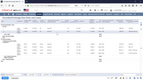
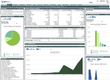
NetSuite from Oracle is the original cloud ERP and a top choice for growing mid-market companies. Its platform covers financials, CRM, inventory, eCommerce, and HR on a single database. Native support across 190+ currencies makes it especially strong for organizations with global operations.
Key Features:
- Multi-subsidiary and multi-currency management
- Industry-specific editions with preconfigured workflows
- Real-time dashboards and reporting (SuiteAnalytics)
- Customizable via SuiteScript and SuiteFlow
How it compares to SAP: NetSuite delivers comparable enterprise functionality in a cloud-native package without the on-premise infrastructure or consultant dependency SAP is known for. Implementations typically take 4-6 months vs. 18-36 months for SAP S/4HANA.
What our reviewers say:
Able to customize just about everything. Integrated accounting to ERP system. Ability to build reports exactly how I want them. Able to use from anywhere with no hardware to manage. Able to audit employees work. Easy drill downs make it easy and quick to access info you need. Easy to change/fix mistakes - every record is editable. From a top level executive/accounting perspective, awesome system. Mary Adams, Adams Horse Supplies
Dynamics 365 Business Central - Best Small Business ERP
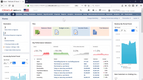
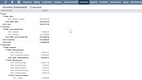
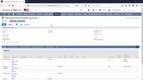
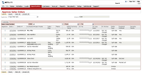
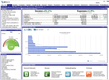
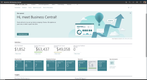
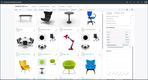
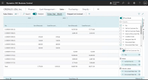
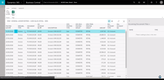
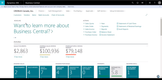
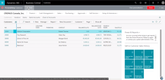
Microsoft’s Dynamics 365 Business Central is a cloud-first ERP built for small and mid-sized businesses. It provides modules for finance, sales, and operations, with native integration into Microsoft 365, Power BI, and Teams.
Key Features:
- Financial management with multi-currency and audit trails
- Inventory, warehouse, and supply chain management
- AI-powered insights via Microsoft Copilot
- Low-code customization through Power Apps
How it compares to SAP: Business Central offers an enterprise-grade ERP at an affordable, transparent pricing model. It delivers faster implementations in a familiar Microsoft environment, making it a natural fit for small businesses looking for a first ERP.
What our reviewers say:
Microsoft has swung the pendulum the other way and now has a full ERP at a very reasonable price point… …the Essentials package takes care of everything fundamental except for manufacturing and service. The general ledger, payables, receivables, ability to cut checks, budgets, consolidations, multi-currency, are all included in Essentials. It’s a mid-market ERP, so you can sell stuff and ship stuff. It’s great if you need project accounting and things like that. Andrew King, WebSan Solutions
Oracle ERP Cloud - Best Alternative for Large Enterprises
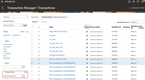
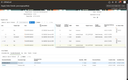
Oracle ERP Cloud (Fusion) is an integrated suite of business applications built for large, complex, and global organizations. It covers financials, procurement, project management, and supply chain management with AI-driven analytics and reporting throughout.
Key Features:
- Financial consolidation across multiple entities and currencies
- Multi-language and multi-country tax compliance
- Enterprise performance management (EPM)
- Risk management and compliance tools
How it compares to SAP: This is Oracle’s direct competitor to SAP S4/HANA. It matches SAP’s global enterprise depth while leveraging a cloud-native architecture, reducing infrastructure overhead and providing greater flexibility than SAP offers.
What our reviewers say:
We wanted to be ahead of the curve so we were one of the first to go live on the ERP Cloud Financial system from Oracle. By utilizing technology, we were able to maintain our efficiency ratio which gives us a huge advantage over our competitors. We rely on Oracle to develop the best practices rather than follow the best practices. Neil Martucci, ConnectOne Bank
SYSPRO - Best Alternative for Distributors
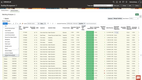
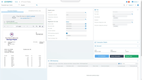
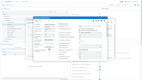
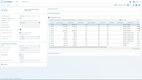
SYSPRO is an ERP designed specifically for mid-market manufacturers and distributors. Its modular structure, multiple stock costing methods (LIFO, FIFO, standard, average), and inventory optimization tools make it a strong fit for distribution operations.
Key Features:
- Multi-warehouse inventory management
- Demand forecasting and procurement automation
- Product configurator for complex orders
- Embedded analytics and BI dashboards
- Cloud, on-premise, or hybrid deployment
How it compares to SAP: SYSPRO offers deep distribution and inventory management capabilities at a significantly lower per-user cost. It avoids the lengthy implementations and complex configuration SAP typically requires.
What our reviewers say:
[SYSPRO] tracks inventory and costs in details. Integrates easily with MS-Office tools, especially Excel, Outlook and Word. Designed ground-up for manufacturers and distributors. Workflow - for accounting and procurement process. Pretty powerful and integrated software. Easily customizable without a developer. Stable and low total-cost compared to other ERP products. Anonymous
Epicor Kinetic - Best for Small Business Manufacturing
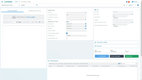
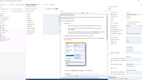
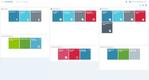
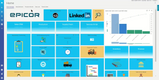
Epicor Kinetic is a cloud ERP purpose-built for discrete, make-to-order, and mixed-mode manufacturers. It offers deep shop floor control tailored for small and mid-sized manufacturing operations.
Key Features:
- MRP and advanced production scheduling
- Native MES integrations
- Quality management and compliance tracking
- Product configurator for complex BOMs
- Cloud, on-premise, or hybrid deployment
How it compares to SAP: Epicor delivers manufacturing functionality out of the box at a fraction of the cost of SAP. Because it was built for manufacturers, it does not require heavy customization to fit most production workflows.
What our reviewers say:
From quote to manufacturing to sales and after sales service Epicor does what you need it to do with real time reports that you can design and customize to fit your needs. I love the way Epicor has all the data at my fingertips. I can see it in a query, dashboard, report or extract the data to use in other reporting packages. Chris

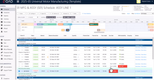
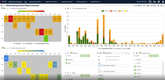
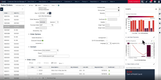
QAD Adaptive - Best Alternative for Enterprise Manufacturing
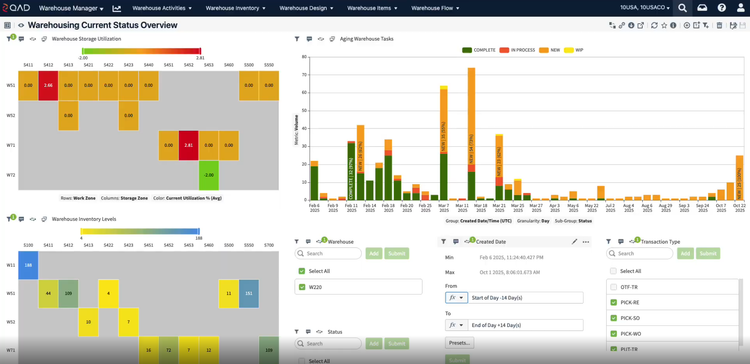
QAD Adaptive ERP is built exclusively for global manufacturers in automotive, life sciences, food and beverage, consumer products, high tech, and industrial verticals. Its industry-specific process maps and native supply chain planning make it a strong fit for complex manufacturing environments.
Key Features:
- Shop floor control and manufacturing execution
- Quality management with FDA and ISO compliance built in
- Multi-site, multi-country, multi-currency support
- Built-in EDI and supplier portal integration
- Cloud-native on AWS
How it compares to SAP: QAD matches SAP’s global manufacturing scale but with deeper vertical specialization and faster deployments. QAD can go live in as little as 90 days in comparison to SAP’s multi-year rollouts.
What our reviewers say:
We were looking to move from an on-premise ERP to a cloud ERP. We were able to roll out QAD in a new facility in a matter of months and we have a methodology and team to do it that works well. We’re very confident that we are going to be able to grow with QAD in the coming years. Nicolas


Odoo - Best Open Source Alternative
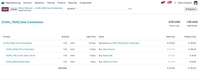
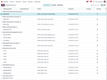
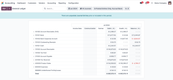
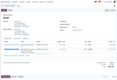
Odoo is a modular, open-source ERP with over 50 integrated business apps covering CRM, accounting, inventory, manufacturing, HR, ecommerce, and more. Its Community edition is completely free, making it one of the most accessible ERP platforms on the market.
Key Features:
- 50+ integrated modules
- Open-source Community edition
- Highly customizable with 16,000+ third-party apps
- Modern, user-friendly interface
- Cloud, on-premise, or self-hosted deployment
How it compares to SAP: Where SAP requires significant upfront investment just to get started, Odoo lets businesses build their ERP piece by piece. Its open-source foundation gives teams full control over customization, with a free Community edition and affordable Enterprise plans.
What our reviewers say:
Odoo is a fantastic fit for my business. It’s user-friendly, surprisingly affordable, and handles most of my operations with ease. I’d give it a full 5 stars, but the shipping features aren’t quite as robust as the rest of the system. Still, it’s a great choice for anyone looking for a solid ERP! Andy Seales

What Makes an SAP Competitor?
Not every ERP on the market qualifies as a real alternative to SAP. To compete, a platform needs to check several boxes.
- Broad feature coverage: The ERP should include finance, CRM, supply chain, inventory, and reporting in one platform.
- Scalability: The platform needs to support growth, whether that’s adding users, locations, or entire business units without requiring a full reimplementation.
- Deployment: Cloud-first is the standard today, but hybrid and on-premise options still matter for regulated industries.
- Industry functionality: Manufacturing, distribution, healthcare, and professional services all have unique workflows. A true alternative offers vertical depth, not just generic modules.
- Competitive pricing: Licensing is only part of the equation. Implementation, consulting, training, and ongoing maintenance all factor into whether an alternative actually saves money over SAP.
Pros and Cons of SAP ERP
Pros of SAP
SAP’s reputation in the ERP market is well earned. For the right organization, it remains one of the most capable platforms available.
- Comprehensive functionality across finance, HR, supply chain, manufacturing, and analytics
- Strong global compliance and multi-country regulatory support
- Deep integration across departments and geographies
- Extensive partner and reseller ecosystem
- Proven track record with large-scale, complex enterprises
Cons of SAP
That said, SAP’s strengths come with trade-offs that hit mid-market companies especially hard.
- High licensing, implementation, and ongoing maintenance costs
- Complex deployments that often stretch beyond initial timelines and budgets
- Steep learning curve that slows user adoption
- Heavy reliance on consultants for configuration and customization
- Rigid upgrade cycles that require significant time, resources, and planning to execute
Benefits of SAP Alternatives
If SAP isn’t the right fit, the alternatives on the market today offer several clear advantages.
- Faster implementations: Cloud-native ERPs like Dynamics Business Central and Acumatica can go live in weeks or months, not the multi-year timelines SAP deployments are known for.
- Lower total cost of ownership: Subscription-based pricing replaces heavy upfront licensing, and most alternatives require far less consulting spend.
- Easier adoption: Modern interfaces, mobile access, and intuitive dashboards mean less training and faster team buy-in.
- Industry-tailored solutions: Vendors like Epicor, QAD, and SYSPRO build for specific verticals out of the box, reducing the customization SAP often requires.
- Less consultant dependency: Most modern ERPs are designed for business users to configure themselves to avoid overly relying on expensive consultants or specialists.
- Faster innovation cycles: Cloud-first vendors tend to roll out AI, automation, and new features more quickly than SAP’s release cadence.
Cost of SAP vs Competitors
The cost of ERPs can vary widely depending on business size and complexity. But SAP implementations are often some of the most expensive when compared to its alternatives:
Cost of SAP
-
SAP S/4HANA implementations typically range from $150,000 to $500,000+ for mid-market companies. Large enterprise implementations can exceed millions in total cost of ownership (TCO), including consulting fees and support.
-
SAP Business One is more accessible and geared towards small and mid-sized companies. Cloud subscriptions range from $100-$200/user/month, and implementation costs can range from $15,000 to $150,000+, depending on complexity.
Cost of SAP Alternatives
| Product | Starting Price |
|---|---|
| NetSuite | $999/month base + $129/user/month |
| Dynamics 365 BC | $80/user/month |
| Oracle ERP Cloud | $625/user/month |
| Epicor Kinetic | ~$175/user/month |
| SYSPRO | ~$150/user/month |
| QAD Adaptive | ~$250/user/month |
| Odoo | Free (Community) / $39/user/month (Enterprise) |
Pricing is approximate and may vary based on modules, user count, and deployment method. Contact vendors directly for custom quotes.
The Future of ERP and SAP
The ERP landscape is evolving fast. Whether you stick with SAP or choose an alternative, these are the trends shaping where the market is headed:
- Cloud ERP: Cloud-first deployment is now the standard. Vendors like NetSuite and Acumatica have been cloud-native from day one, and even SAP is pushing customers toward cloud with S/4HANA. Expect on-premise to continue declining.
- AI and Automation: AI is being embedded directly into ERP platforms for demand forecasting, anomaly detection, workflow automation, and predictive analytics. Microsoft’s Copilot integration and SAP’s Joule are early examples.
- Industry-specific ERPs: Generic, one-size-fits-all platforms are losing ground to vertical solutions built for specific sectors. ERPs like Epicor, Infor, and SYSPRO have developed products for manufacturing, distribution, healthcare, and eCommerce.
- Headless ERP: A newer concept where the ERP backend is decoupled from the front-end interface, allowing businesses to build custom user experiences while keeping core ERP logic intact. This is still very early, but it has been gaining traction with companies that need flexibility without rebuilding their entire system.
How to Choose an SAP Competitor
Switching ERPs is a big decision, but it doesn’t have to be overwhelming. Here’s a simple framework to help narrow your options.
-
Define what’s not working with your current setup. Whether it’s cost, complexity, poor user adoption, or missing functionality, knowing your pain points will guide every other decision.
-
Identify your must-have workflows. Most businesses rely on 10-15 core daily processes. Map those out and make sure any alternative handles them efficiently.
-
Be honest about your company size. Mid-market companies don’t need enterprise-scale ERP. Choosing a platform built for your size avoids overpaying for functionality you’ll never use.
-
Test with real scenarios. Skip the generic demo. Ask vendors to walk through your actual workflows like processing a sales order, running MRP, or reconciling month-end.
-
Evaluate total cost of ownership. Look beyond licensing. Factor in implementation, consulting, training, and ongoing support before comparing price tags.
-
Don’t go it alone. Evaluating ERP options takes time and expertise. Our team offers free software recommendations tailored to your business needs, so you can build a shortlist without the guesswork.