

The Best Student Information Systems (SIS)
Student information systems help schools manage enrollment, track academic progress, and streamline operations. We evaluated top options for institutions of all sizes, from small K-12 districts to universities.

- Easy to navigate
- Integrates administrative processes into SIS
- Responsive customer support
- Includes online enrollment, parent/student portal, and communication features
- Easy interface with good documentation to help navigate
- Training and support are fairly robust
- Flexible deployment options
- Expertise in serving higher education facilities and organizations
- Scalable and extensible for growing systems
Student information systems are valuable tools for K-12 and higher education facilities to streamline operations. From tracking attendance to managing finances, these systems offer undeniable benefits. After researching and comparing the best SIS software on the market using our independent review process, here are our top picks.
- Alma SIS: Best Overall
- Gradelink: Best for Small Schools
- Ellucian Banner: Best for Colleges and Universities
- Blackbaud Student Information System: Best for Private Schools
- PowerSchool SIS: Best for Large School Districts
- Infinite Campus: Best State Reporting
- Administrator’s Plus: Best for Family Engagement
- Skyward Student Management Suite: Best Classroom Tools
Alma SIS - Best Overall
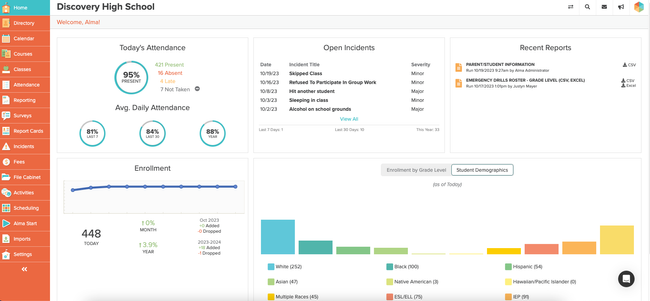
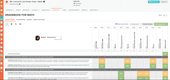
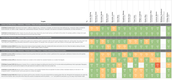
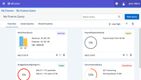
Alma SIS is a Pre-K-12 student information system and education platform built for independent schools, charters, school districts, and networks. Alma is one of the easier-to-use systems that both teachers and office staff will enjoy using. It offers an intuitive interface, customizable report card templates that are simple to update, and a single place to manage students’ information, state reporting, and admissions.
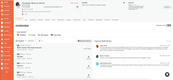
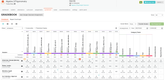
Alma enables teachers and school admins to track a student’s records, including transcripts, grades, attendance, schedules, and even after-school activities. Staff can create layouts for custom seating charts for everyday classes or subject areas, with support for floating teachers. Alma makes it easy to record attendance with a visual chart showing where each student is supposed to sit, which is great for substitutes. Behaviors and incidents are also tracked using custom incident codes and a priority level, ensuring that any on-site issues are properly documented and reported.
Alma also supports state agencies in collecting, managing, and reporting data across their jurisdictions. That said, the platform is built for Pre-K-12 only; universities that need an SIS should look elsewhere. Pricing for Alma is not public and requires a custom quote based on each unique school’s requirements.

Gradelink - Best for Small Schools
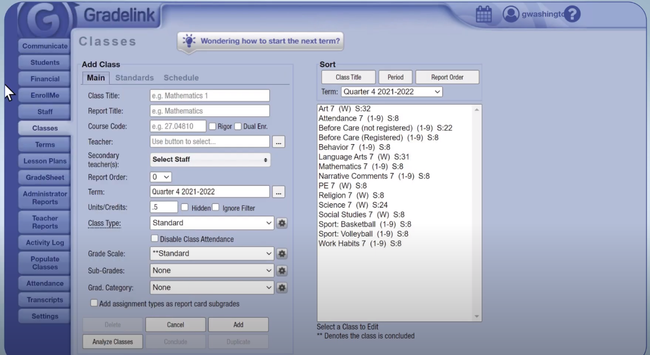
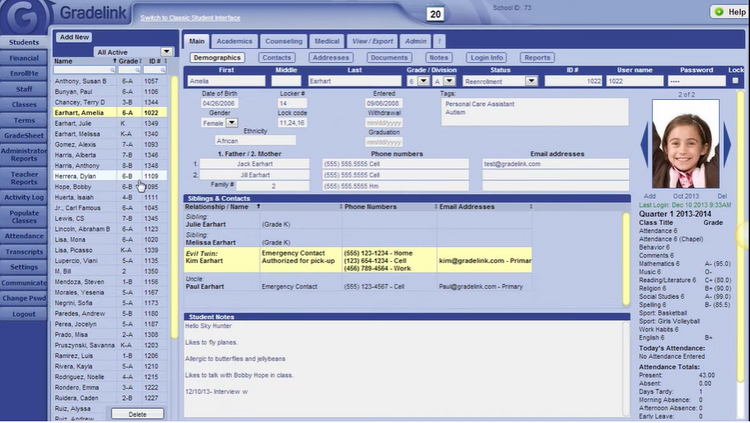
Gradelink offers a wide range of student information management features, including K-12 curriculum management, gradebooks, report cards, attendance tracking, class scheduling, and more.
Gradelink also handles the admin work usually split across other tools, covering tuition and incidental billing, lunch program management, and after-school care check-in. These tools streamline admin tasks, allowing educators and administrators to focus more on providing better student services and enhancing the overall academic experience.
Gradelink is also user-friendly, especially for administrators with varying levels of technical expertise. It has a strong support team with a fast response time, and its low entry price of $117 per month provides flexibility for schools of different sizes and budgets. Expect costs to scale based on student count which is great for smaller school districts.



Ellucian Banner - Best for Colleges and Universities
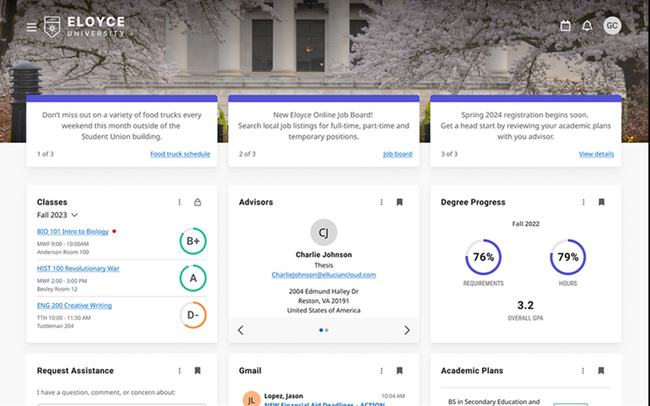
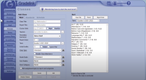
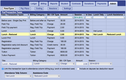
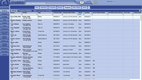
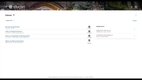
Ellucian Banner is a higher-education ERP and student information system that offers features for accounting and finance, human resources, school and student management, and state reporting. This comprehensive approach allows large higher educational institutions to manage their operations efficiently and holistically.
Its student-focused features, such as registration, advising, and administration tools, help streamline student management processes, making it easier for students to plan their courses and register for classes. The system’s flexibility and comprehensive registration options benefit both students and administrators.
Ellucian also provides universities and colleges with growing alumni networks to build donor relationships and track fundraising efforts from the same platform. Custom reports on fundraising goals, tailored campaigns, and predictive AI models are all built to identify more opportunities to increase funding across campus.

Blackbaud Student Information System - Best for Private Schools
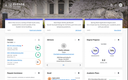
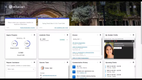
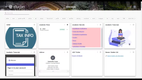
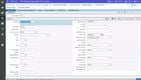
Blackbaud Student Information System builds a 360-degree profile of every student, giving you a unified view of academics and student records. From a single central location, you can view attendance, grades, and even medical records. Also, you can configure interdepartmental dashboards that administrators can use to track their schools’ KPIs, leading to better decision-making.
The system also has a streamlined scheduler for both academics and events. You can use the school-wide calendar to book activities, lunch menus, and class timetables across the school. This allows students and their families to access custom individual schedules easily. And if something changes, administrators can reassign classrooms or allocate time slots to avoid conflicts.
Blackbaud Student Information System is designed for mid-sized to large private schools though it can support growing K-12 schools as well. Blackbaud SIS integrates with other Blackbaud software, including its learning management system, enrollment management system, and donor management software, to provide complete oversight across academics and attendance, fundraising, marketing, and engagement. Unfortunately, pricing is not public and requires a custom quote.
PowerSchool SIS - Best for Large School Districts
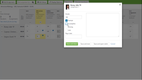
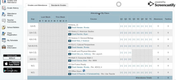
PowerSchool SIS covers various aspects of daily school operations. The inclusion of both a Parent Portal and a Student Portal enhances communication and engagement between schools, parents, and students. Parents can monitor their child’s academic performance, attendance, and class schedules, while students can access their grades, assignments, and graduation progress.
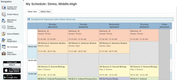
For districts enrolling thousands of students, PowerSchool includes an automatic class scheduler with a visual interface that builds a master schedule for each student based on the available classrooms, teachers, and course requirements. Students just submit their course requests online, and staff can build or adjust the schedule from there.
The centralized data system for third-party data integration is a notable advantage, streamlining data management processes. District administrators can extend the system with unlimited custom fields and a free plugin library to add tools such as Ed-Fi and OneRoster, providing valuable insights into student data and enabling educators to identify and support at-risk students effectively.
Infinite Campus - Best State Reporting
Infinite Campus is a student information system with platforms for both K-12 school districts and state education agencies. It goes beyond the core SIS, offering support for food service, online payments, a learning management system, and a multilingual reporting system. Unlike some systems that grew through acquisitions like Power SIS, Infinite Campus was built from the ground up in-house, meaning each module works seamlessly together.
Infinite Campus was also one of the first SIS platforms to create a State edition, now supporting over 10 state agencies in educational data management. This makes it easy for state agencies to push state-wide announcements, request data required by law, and collect data from surveys or other assessments desired by the state.
For school districts, this makes it easy to send and receive information from the state. It also allows schools to quickly monitor a student’s path to graduation, no matter where they started or ended up within the state.
Pricing for Infinite Campus is not public and requires a custom quote based on organization complexity and student volume. Currently, Infinite Campus’s State Agency platform is rolled out across 10 states, though any school district can still use the SIS platform for accurate student records, gradebook tracking, and family engagement.
Administrator’s Plus - Best for Family Engagement
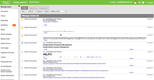
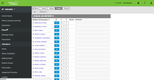
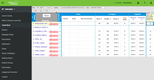
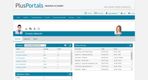
Administrator’s Plus is a complete SIS for PK-12 schools requiring tighter collaboration between educators, parents, and students. The platform provides a mobile app for on-the-go access. And its PlusPortals functionality enables easy data sharing between parents and teachers.
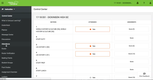
Additionally, Administrator’s Plus gives families online access to monitor their student’s performance. Overall, the software is adept at handling attendance tracking, scheduling, billing, grade books, and more.
Skyward Student Management Suite - Best Classroom Tools
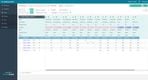
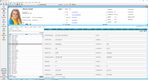
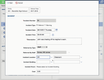
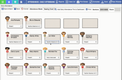
Skyward Student Management Suite is primarily designed for K-12 educational institutions. Custom portals and mobile apps let parents easily track their child’s academic progress, attendance, and behavior, while teachers can efficiently manage grading, attendance, and behavior tracking.
Skyward’s emphasis on classroom tools and family engagement supports effective teaching and parent involvement. It promotes a paperless environment, digital literacy, and transparent classroom management.
What Are Student Information Systems?
Student information systems (SIS), also known as “student information management systems" or a subset of “student management systems”, are web-based software that help students, teachers, families, and administrators track students’ academic careers. Student information software maintains student records from their initial registrations to their eventual discharges. They hold data like attendance/truancy records, health histories, discipline records, academic histories/transcripts, financial obligations, and more.
For teachers and school administration, student information systems help with scheduling, grading, fundraising, and communications with families, among many others. SIS are like customer relationship management tools (CRM) but built within or able to integrate with school management systems and learning management systems.
Key Features
- Gradebooks: Manage transcripts/report cards, weighted grading, standards-based/numeric options, assignment types (quizzes, worksheets, essays, finals, etc.)
- Scheduling and Events: Use advanced calendars to create and track school-wide/district-wide events, class-specific events/deadlines, teacher schedules, after-school events, birthdays, and more.
- Student and Family Communication: Help teachers and administrators streamline communication with students and guardians and vice versa. Send messages through phone calls, emails, and text messages.
- Student and Family Portals: Students and their guardians have their own portals to communicate with teachers and administrators, see grades, upload/download documents, and view class/assignment rubrics.
- Student Attendance: Track and review attendance for classes, student activities, and field trips. Set up automated penalties for truancy infractions.
- Student Uploading Tools: Let students upload assignments, essays, and other files for teachers to review. Students can collaborate by sharing documents with each other.
- Fundraising and Volunteer Management: Administrators can create, manage, and review fundraising events and strategies. Track volunteer hours for guardians and students.
- Discipline History: Track details of a behavioral incident (individuals involved, times/dates, series of events, etc.). Send alerts to administrators and guardians and, if necessary, report events to appropriate authorities.
- Recruiting: Easily collect prospective students’ information with an integrated module/tool on your website. Use that information to follow up with emails, phone calls, answers, and quotes.
- Medical Records: Keep students’ allergies, vaccinations, and other health information available at all times. Let guardians/students upload medical records.
- Internal and State Reporting: Access pre-built report templates to track internal information like GPA student rankings, athletic eligibility, or volunteer hours. Send reports to agencies about student truancy, PSAT/SAT/ACT scores, class grade averages, and other student records.
- Financial Tools: Track money received and owed for tuition, field trips, lunch, and textbooks. Let students and guardians securely pay online with customizable and automated payment plans.
Primary Benefits
Student information systems are built for school and student success. SIS helps students by giving them full transparency to their academic progress and full access to resources and expectations from their teachers.
Academic Reporting
Administrators can select and fill in specific forms and documents from a library of state reporting templates. Some data can be directly imported from Excel spreadsheets and other file types, which reduces the amount of time needed, as well as data entry errors. And SIS will update templates to stay up-to-date and compliant with data standards like Ed-Fi, SIF, and ADT.
Administrators can view these reports in a variety of ways to assess teachers or departments. They can see how certain classes progress or digress throughout their time at a school, and compare them to past classes and/or state or federal classes of the same year. Schools can create strategies to continue success or reverse declines, and then they can see the results of their strategies in future reports.
Student and Guardian Portals
Most student information systems have separate portals for students and their guardians. Teachers can post rubrics, schedules, assignments, coursework, deadlines, and more, so students have their work and expectations readily available. Teachers can communicate with students and guardians through these portals. This gives guardians easy and direct access to their children’s teachers, and it makes sure that teachers are able to reach guardians. Other notifications and histories will be saved on the portals, like report cards, disciplinary records, health histories, attendance, schedules, and more.
Financial Data Management
Schools require many different payments from students throughout the year, and student information systems help administrators manage those payments and information. Administrators can create events that students can sign up for and then pay for, all online, within the same portal. That information gets logged, and a student list will be generated for each event. Students can sign up for an event without paying, too, and the SIS will notify administrators to collect payment at a different time. Notifications for payments can be sent to student/guardian portals, as well.
Financial aid, grants, and scholarships can be tracked through SIS, as well. Deadlines can be set for any necessary payments, and schools can set up payment plans with participating students/guardians. Schools can view their incoming revenue and outgoing financial aid, past financial data, and future projects. And they can use that information to prepare budget goals, fundraising targets, and other financial strategies.
Types of Educational Institutions
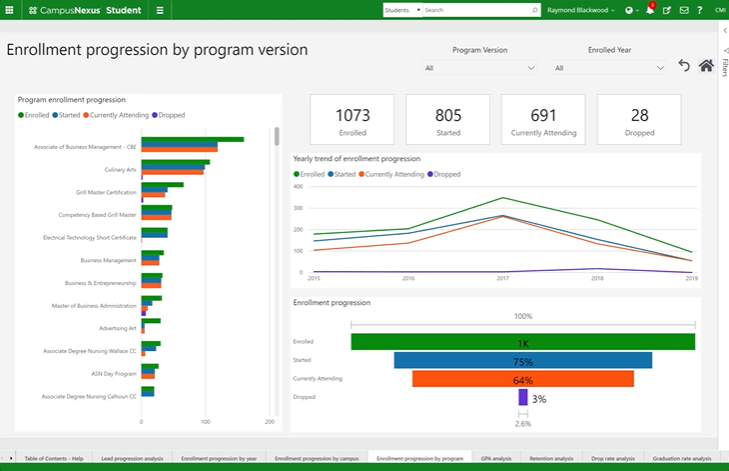
Each individual school and district has its own standards, curricula, and needs; and student information systems have broad tools to help with all of them. From kindergarten to postgraduate degrees, SIS helps students and schools with scheduling, finances, data management, and student outcomes.
Some SIS are built for certain types of educational institutions, though. Many student information systems are built to scale up and down with varied enrollment sizes, budgets, student demographics, and educational levels. While others are built to serve specific types of schools and students.
K-12 Education
With so many types of students in so many stages of their progress, with so many necessary student services, student information systems need to be flexible and robust. Things like birthday alerts help teachers celebrate with their younger students. And high schools need systems to decide who qualifies for certain types of courses. And with students moving from elementary to secondary schools or transferring from one school to another, SIS needs to be able to easily share information.
Student information systems include a vast number of scheduling tools and gradebooks to comply with any school’s scheduling or grading standards. Teachers can access curriculum management tools and, for example, electronically pass out assignments and studies by individual students, as opposed to the entire class. This lets teachers decide how quickly or slowly students will move through their work, and it can help teachers manage their time between their students.
Outside of the classroom, SIS helps manage field trips, arts and athletics, social events, and other extracurriculars. Students and guardians can see when practices/rehearsals are, where certain events will occur, in addition to whatever other important information. SIS helps clubs schedule their meetings, and it helps leaders see where students are supposed to be at any particular time.
Private Schools
Private schools often have additional needs to public schools, mostly around tuition and fundraising; and many SIS have tuition tracking tools for administrators and guardians. Administrators can project revenue based on enrollment and tuition, while guardians can view their tuition paid/owed, along with any financial aid and/or scholarships given to them. Many SIS accept payments online, with tools for payment plans and automatic payments.
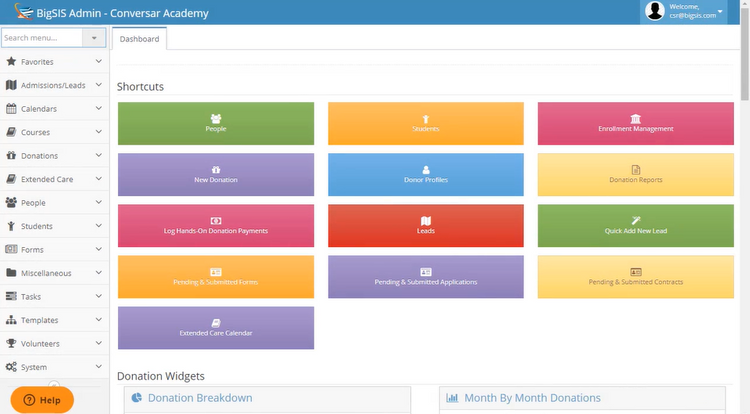
Keep donors aware of fundraising efforts, and make payments simpler with student information systems. Private institutions can manage the contact information for families, sponsors, alumni, and past donors, making communication and marketing campaigns simpler and more effective. And then SIS sets up individual accounts for donors for them to enter their contact and billing information. They can set up automated payments, one-time gifts, and more. And SIS stores payment history and documentation, which helps with donor paperwork and tax filings.
And particular requirements for certain schools can be shared with students and guardians. Have students log volunteer hours, have dress codes publicly available, and disciplinary rules, among much more.
Higher Education Institutions
Like private schools, recruitment, tuition, and financial aid are important and difficult issues for higher education institutions to solve. Student information systems for higher education help school administrators and their students in very similar ways to private primary and secondary schools. But they have tools to help with grants and student loans, as well.
Students and advisors can also access interactive tools to explore different types of careers. See what degrees employers are looking for, where certain jobs are available, average starting salaries of different occupations, and more.
Students can easily see what types of and/or specific courses they will need to complete in order to declare or seek admission to certain schools and majors. And they can track the progress of their credits and requirements throughout their academic career. So all of their student progress is saved, and students and advisors can cross-reference that information with certain graduation requirements.
Pricing Guide
Student information systems range from about $1,000 a year for a small private school to over $100,000 a year for a university or large school district. Most vendors don’t publish pricing and instead require custom quotes, so what you pay depends on your size and which features you need. Below is a breakdown by tier and organization size.
Low-Tier
- Company Size: 1-25 employees (Small Schools)
- Average Cost: $1,000-$10,000 per year
- Features Expected: At this tier, expect the core system: gradebook, attendance, report cards, class scheduling, and parent and student portals. Some software can include basic financial management for private schools. Tools like online enrollment, payment processing, and text messaging are usually paid add-ons.
Mid-Tier
- Company Size: 25-150 (Small to Mid-Sized Schools)
- Average Cost: $10,000-$25,000 per year
- Features Expected: At this tier, expect online enrollment, standards-based and traditional grading support, customizable report cards and transcripts, and behavior/health records. Advanced features like LMS integration or advanced reporting can often be bundled or added on.
High-Tier
- Company Size: 150-500 employees (Large Schools or Small Colleges)
- Average Cost: $30,000-$100,000 per year
- Features Expected: At this tier, expect automated master scheduling, at-risk dashboards, custom fields and tables, and API access for building your own integrations. Tools like food service, payments, and workflow automation are usually sold as separate modules.
Enterprise-Tier
- Company Size: 500+ employees (Universities & Large School Districts)
- Average Cost: $100,000+ per year
- Features Expected: This tier often introduces ERP-level features such as financial management, HR, and payroll. Most systems at this level will include financial aid management, degree audits, and advising services for higher education departments. Implementation, data migration, and hosting are often added costs.

