

The Best Equipment Maintenance Software
Equipment maintenance software tracks each machine’s service history and schedules preventive maintenance by run hours, meter readings, or calendar dates. Whether you run production lines, heavy equipment, or medical devices, find a platform that reduces downtime.

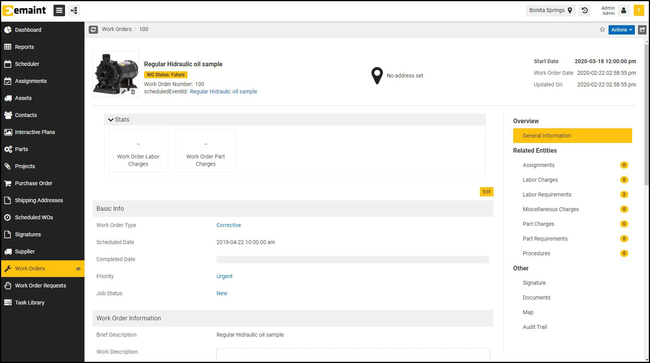
- Offline mode with work order syncing capabilities
- Customizable KPIs
- Strong international support: multi-currency, multilingual, multi-location, etc
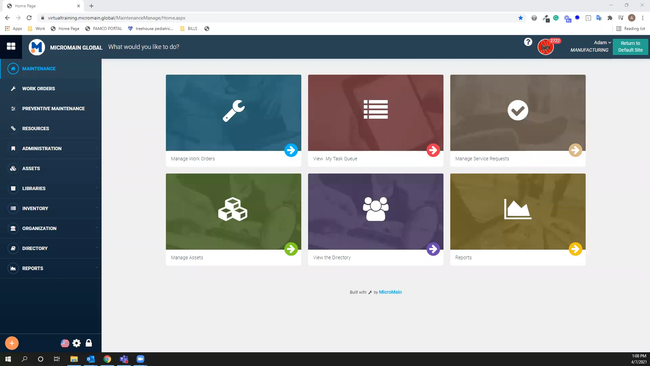
- Comprehensive features (spare parts, OEE, depreciation, reporting)
- Unlimited sites, priced per user
- Tailored for manufacturing
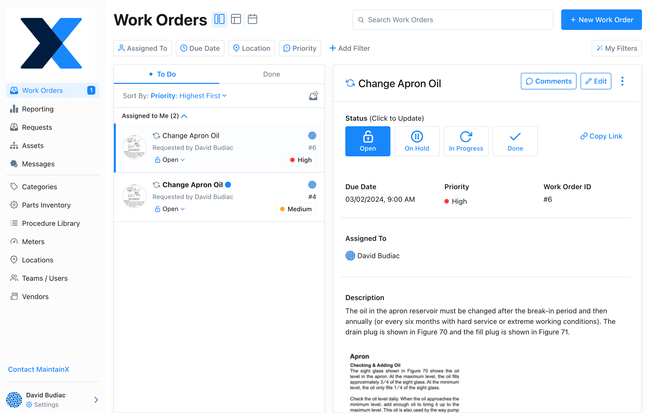
- Strong virtual support
- Offers free plan
- Streamlined mobile app allows users to add images/documents
These systems serve manufacturers, construction contractors, and healthcare providers that depend on high-value equipment, helping you reduce repair costs and track each machine’s lifecycle. We used our review methodology to evaluate these top options:
- eMaint CMMS: Best Overall
- MicroMain CMMS: Best for Manufacturing
- MaintainX: Best Work Order Management
- Equips: Best for Medical Equipment
- UpKeep: Best Equipment Service History Tool
- Limble CMMS: Best Meter-Based Machine Maintenance
- Fleetio: Best for Construction Equipment
- FMX: Best for Multi-Site Equipment
- Asset Panda: Best for Equipment Tracking
- Tractian: Best for Mining and Off-Highway Equipment
- Click Maint: Most Cost-Effective Option
eMaint CMMS - Best Overall
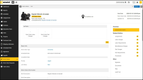
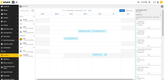
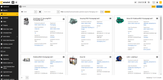
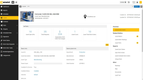
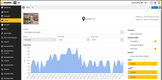
eMaint CMMS offers turnkey, proprietary sensor integrations to help your maintenance teams stay informed about equipment health without manual checks. As part of its product suite, eMaint uses Fluke’s lineup of 13 different sensor types. These include models like the Azima Accel 310 wireless vibration sensor or the Azima handheld TRIO analyzer. These sensors support remote condition monitoring as well.
Once installed, the sensors continuously track machine metrics like:
- Vibration: Measures vibrations in equipment to identify wear and tear or looming failures.
- Power Usage: Monitors electrical consumption to help you pinpoint any anomalies or inefficiencies.
- Temperature: Gauges operating temperatures to prevent equipment from overheating.
Because Fluke owns eMaint, these sensor integrations are built directly into the system, meaning you’ll never have to depend on complicated third-party connections. This is handy if you’re a manufacturer needing fast access to data and early warnings for potential issues. For example, you can set automated alerts and trigger work orders if a vibration metric crosses a danger threshold, saving you from unexpected downtime.
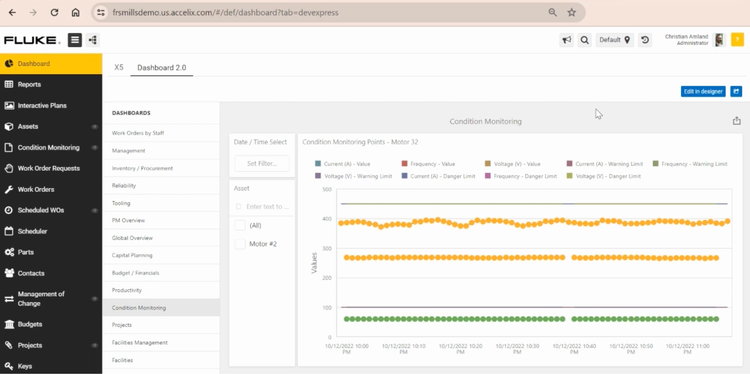
With eMaint’s sensor-based condition monitoring, you can extend the lifespan of your equipment and shift to a predictive maintenance model. However, it can be pricier than other platforms. eMaint quotes pricing on request for its Professional plan (three-user minimum) and Enterprise plan (five-user minimum), both billed annually. UpKeep starts at $24/user/month, but it lacks eMaint’s proprietary sensor integrations, so setup may be more complicated.
Read our full eMaint CMMS review.
MicroMain CMMS - Best for Manufacturing
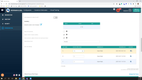
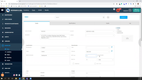
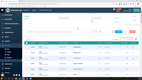
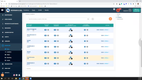
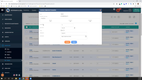
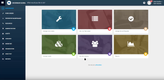
MicroMain CMMS allows manufacturers to analyze machine KPIs and performance through its advanced reporting module. Here, you can create several machine metric reports to ensure equipment health and reduce downtime. These include:
- Downtime Events: Track the current status of high-value production machinery and review each downtime event to evaluate root causes.
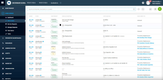
- Maintenance history: See each machine’s maintenance history to keep a comprehensive record of preventive and corrective work orders.
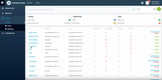
- Instance comparisons: Compare machinery and other equipment to see which have the most recurring issues to help identify potential replacement opportunities.
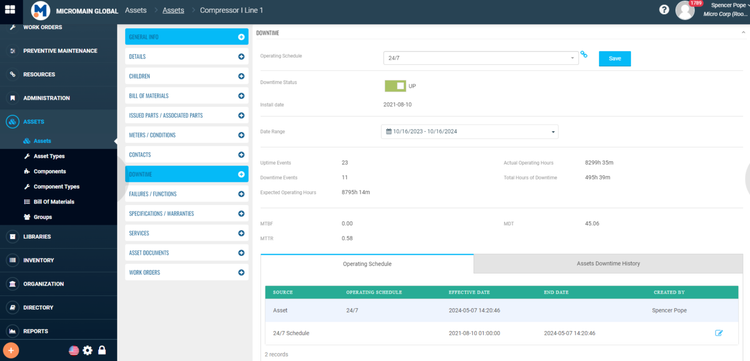
MicroMain’s reporting also helps manufacturers document OSHA compliance. It keeps each machine’s preventive maintenance and repair work orders in one place, which helps when an OSHA standard requires written inspection records. For example, cranes need monthly certification records for hooks, hoist chains, and ropes, and lockout/tagout procedures need a yearly inspection certification. Missing records can lead to OSHA citations and penalties.
MicroMain CMMS is best for multi-site manufacturers managing several high-value machines and pieces of equipment. Its pricing starts at $99 per admin license and $45 per technician license, making it one of the more expensive systems on our list. That said, it’s worth the investment to minimize unexpected production downtimes.
For more info, visit our full MicroMain CMMS review.
MaintainX - Best Work Order Management
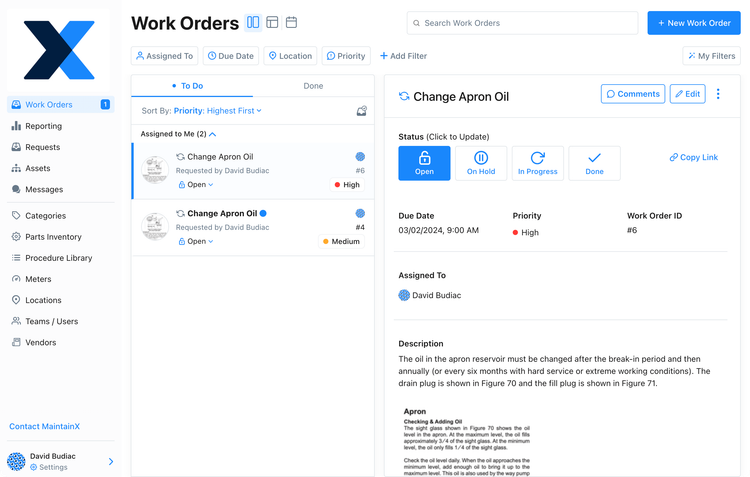
MaintainX offers a streamlined work order management module that simplifies the process for maintenance managers and technicians alike. You can easily create new work orders for routine or spontaneous equipment maintenance. Add procedures, estimated time, and pictures from a centralized screen to make processes more efficient and ensure jobs are done correctly the first time. Plus, you can assign them to a specific asset from your database to keep an accurate maintenance history for each.
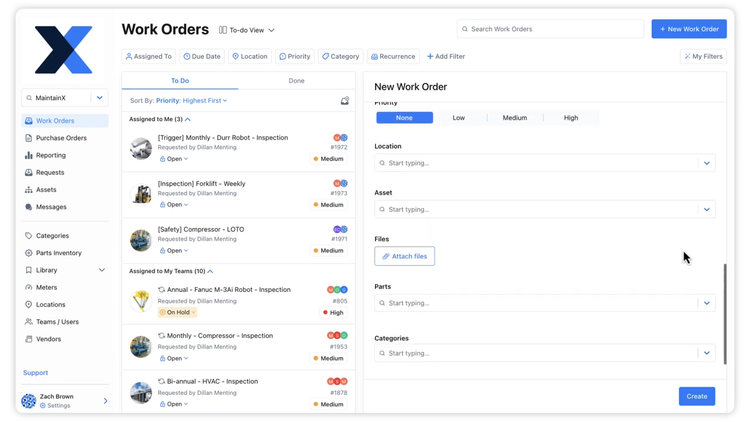
Using the information on the work order, technicians can quickly complete equipment maintenance on their mobile devices. Users can go through the attached procedures and checklists to ensure the job is done correctly. Also, if you need to reference equipment maintenance history, you can scan its QR code directly through the app. On the Premium and Enterprise plans, an offline mode lets technicians finish work orders without an internet or cellular connection.
MaintainX is one of the most affordable systems on the market, making it well-suited for small job shops or single-entity facilities management. Its free plan includes unlimited work orders and requester users so that every employee can submit maintenance needs without increasing the price, though it caps you at two work orders with attached procedures per month. However, if you have several assets with procedural maintenance, you’ll want to opt for the Premium plan at $65/user/month.


Read our full MaintainX review.
Equips - Best for Medical Equipment
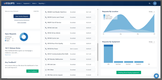
Equips is built for healthcare facilities that maintain costly medical equipment, including devices covered by vendor contracts. Its automated PM schedules and reporting keep that work on track, and each asset’s maintenance history gives you the records you need for compliance reports and audits.
Where Equips stands out is in managing what that upkeep costs. Its Cost IQ tool compares your service contracts and invoices against industry benchmarks, so you can see whether you’re overpaying for a device’s maintenance when it’s time to renew. Contract Management also tracks expiration dates and opt-out deadlines, so a device’s coverage doesn’t lapse or auto-renew unnoticed. Uptime reporting shows how often critical equipment is down, and on the Pro plan, chronic issue insights flag assets that keep coming back for repairs. Status updates go out by email, text, or phone, so staff know when a piece of equipment is ready to use again.
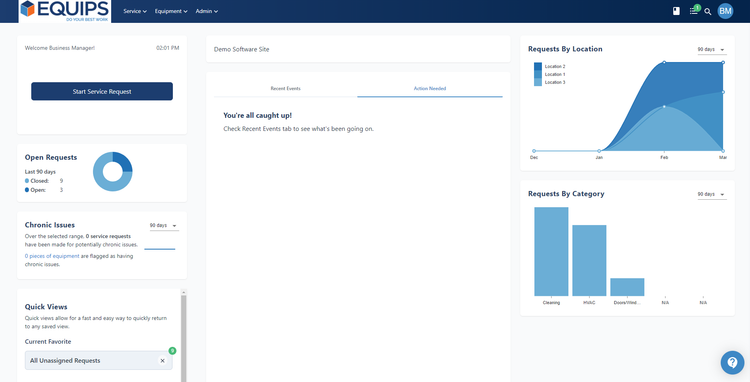
Equips’ Basic plan costs $50/user/month and covers up to 25 equipment profiles, with PM scheduling, service requests, maintenance history, and basic reporting. The $125/user/month Pro plan raises the limit to 100 equipment profiles and adds QR code asset tagging, chronic issue insights, document uploads, and advanced reporting. Hospitals with large equipment inventories will likely need the custom-quoted Enterprise plan, which includes unlimited equipment profiles and vendor management.

Read more in our full Equips review.
UpKeep - Best Equipment Service History Tool
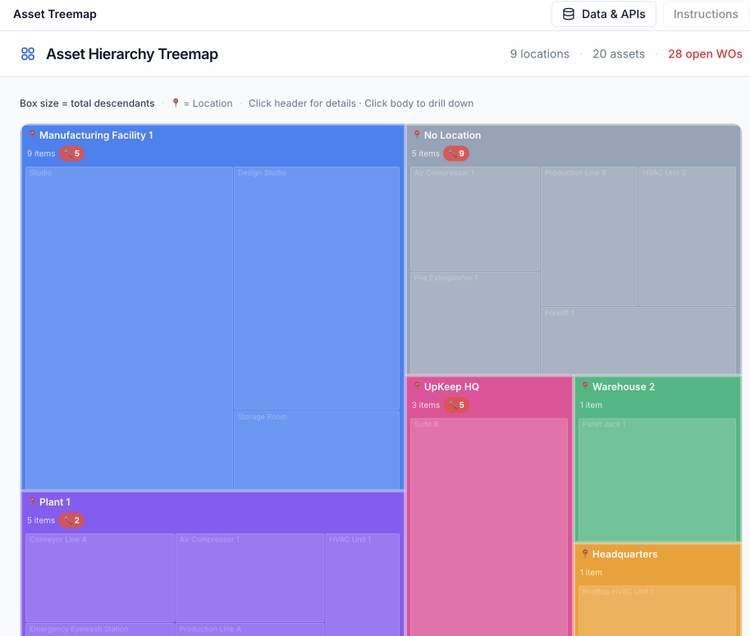
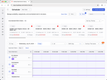
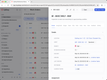
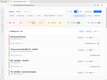
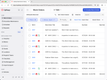
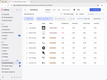
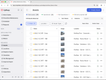
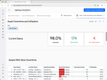
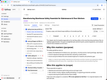
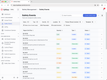
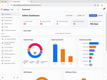
UpKeep builds a running service record for every asset, so you can see everything that’s been done to a machine before deciding how to fix it. Each asset record ties together its past work orders, parts used, attached manuals, and meter readings. You can also group assets into parent-child hierarchies to track history down to the component level.
That history is easy to reach from the floor. Print a QR code sticker for each asset, and anyone who scans it in the UpKeep app can see the asset’s full maintenance history, open work orders, and manuals. Requesters can scan the same code to submit a request that’s automatically tied to the right machine. Over time, the record shows which equipment keeps breaking down, so you can decide whether a unit is worth repairing again or due for replacement. UpKeep’s Nova AI chat, included on every plan, also lets you ask questions like which assets failed most last quarter and why, instead of building a report by hand.
UpKeep’s Essential plan starts at $24/user/month and includes asset management, barcode scanning, and Nova AI. Meter readings, file uploads (for manuals and documents), and labor and parts cost tracking start with the $55/user/month Premium plan, and full analytics history requires the quote-based Professional plan. Downtime tracking is reserved for the Enterprise plan, so teams that want complete lifecycle cost data should plan for a top-tier quote.
See our UpKeep review.
Limble CMMS - Best Meter-Based Machine Maintenance
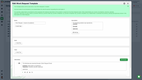
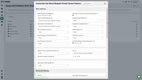
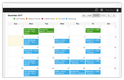
Limble CMMS lets you schedule machine maintenance based on actual equipment use, not just the calendar. Once you add meter fields to an asset, like run hours on a compressor or cycles on a press, you can set PMs to trigger after a set number of units.
Limble also supports threshold-based scheduling, which creates a task when a reading falls below, rises above, or lands between target values. That’s useful when a single out-of-range reading signals a problem. For machines that need service on both a calendar and a usage basis, a “whichever comes first” setup combines the two, and both reset when either task is completed.
Readings can be entered manually or recorded as a step within a PM, and IoT sensor integrations like Monnit can feed readings into Limble and generate tasks automatically. Once an asset has at least five logged readings, Limble’s Anomaly Detection also flags new values that suddenly drop or look out of range, helping you catch data-entry errors or early signs of wear.
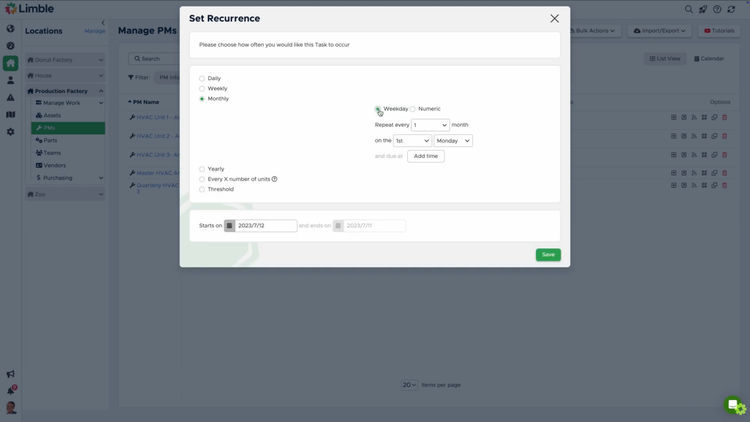
Meter- and threshold-based scheduling, IoT sensor integrations, and Anomaly Detection all require the Premium+ plan or higher, and sensor integrations may carry additional costs. The Standard plan doesn’t include usage-based PMs. Limble doesn’t publish prices on its site, so you’ll need to use its cost calculator or request a quote. It’s best for plant and operations teams running machines on run-hour or cycle-based service intervals.





For more info, read our full Limble CMMS review.
Fleetio - Best for Construction Equipment
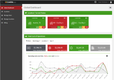
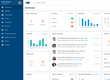
Fleetio’s fleet management software gives construction companies a clear view of what each piece of equipment or vehicle costs to run. Its expense-tracking dashboard breaks down fuel, service, and other costs and calculates each asset’s cost per engine hour or mile. You can also build custom reports and compare equipment side by side to see which is costing the most to operate on the job site.
Fleetio lets you build preventive maintenance schedules based on a fixed calendar date, an equipment’s actual usage, or a combination of both. Its integrations with OEMs like Caterpillar VisionLink and John Deere Operations Center provide the system with actual engine hours, so usage-based schedules can trigger when equipment is ready for repair. A machine that runs all day will wear down much faster than one that’s idle. Fleetio’s AI Service Advisor, built on 14 years of maintenance data across millions of assets, drafts work orders from maintenance signals, ranks issues by impact, and can approve low-risk repairs within your policies.
Fleetio works best for companies running at least five vehicles, as it’s overkill for small teams with just a few assets. The software is priced per vehicle per month, so expect costs to rise as fleet sizes grow. Fleetio’s Essential plan starts at $4/vehicle/month billed annually, but caps you at 100 vehicles. The Professional plan ($7/vehicle/month) adds limited work order and parts features, while full work order and parts management require the Premium plan at $10/vehicle/month, billed annually.
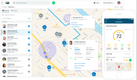
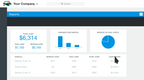

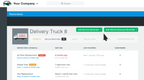
See our Fleetio review.
FMX - Best for Multi-Site Equipment
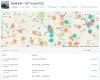
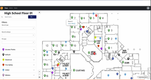
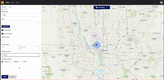
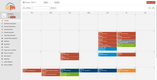
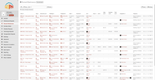
FMX is a maintenance platform used by school districts, universities, local governments, and manufacturers that manage equipment across several buildings. Its Interactive Mapping feature records where each asset physically sits, so technicians spend less time searching for the right unit across a campus or plant.
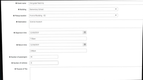
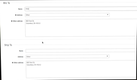
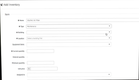
You can upload floor plans or use satellite, roadmap, or terrain views, then pin equipment directly on each map. Pins can be filtered, tagged, and grouped, and each one shows its open work orders and any planned maintenance due in the next 30 days. When portable equipment moves between buildings, you can drag its pin to the new location to keep the map current. In the field, technicians use the FMX Work List app on iOS or Android to see their assigned tasks, find nearby work based on their location, scan an asset’s QR code to pull up its record, and attach photos. Maps themselves are viewed and updated through a mobile browser.
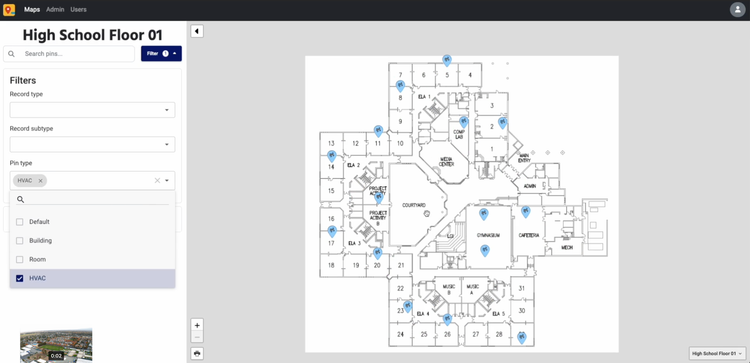
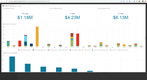
Interactive Mapping is a separate purchase that FMX turns on for your account, so confirm it’s included in your quote. FMX doesn’t publish pricing; costs depend on the number of users and the features you enable, with an annual contract and a one-time implementation fee. Public K-12 schools’ pricing is based on student enrollment and includes unlimited users. FMX is best suited for organizations managing equipment across multiple buildings or sites, since a single-location shop may not need mapping tools.
Get more info on FMX.
Asset Panda - Best for Equipment Tracking
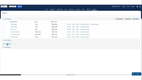
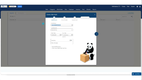
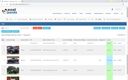
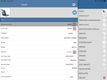
Asset Panda helps track and perform maintenance on mobile equipment with its asset tagging tools. The system lets you create customized barcodes or QR codes for your high-value equipment of all sizes, whether it’s forklifts in your warehouses or laptops in the office. Simply choose the asset you want to tag and create a customized label to print. Add your logo, company name, asset ID, or description to give it a personalized feel. This way, you can check it in and out or create work orders just by scanning the code.
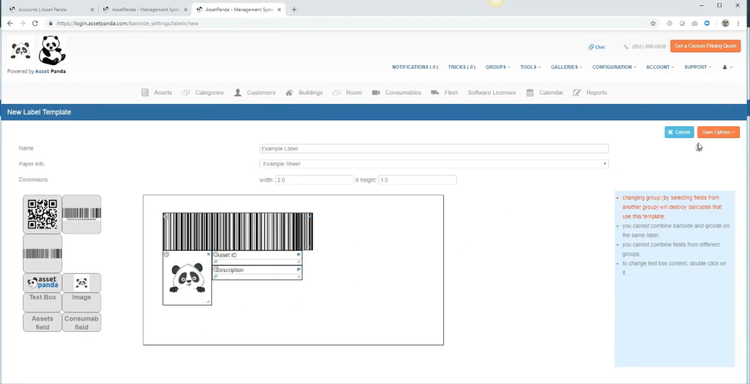
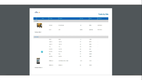
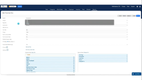
You can scan the tags using the Asset Panda mobile app, so you don’t need additional hardware like barcode scanners. After you scan, it immediately opens all the equipment’s information, like maintenance history, model number, and last scanned location. You can also create work orders that auto-assign to equipment to track its lifecycle history.
The equipment tagging system can benefit construction or healthcare industries with tens or hundreds of tools and devices requiring maintenance. Asset Panda doesn’t list prices publicly. It provides a custom quote after a demo, and it offers a 7-day free trial.

Visit our Asset Panda page for more info.
Tractian - Best for Mining and Off-Highway Equipment
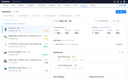
Tractian is ideal for off-highway and mining environments where machines operate at high temperatures and frequently move between sites, such as drilling rigs or crushers. Its condition monitoring module tracks equipment under stress and interprets its behavior long before a breakdown ever happens.
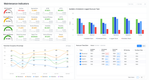
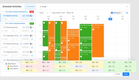
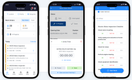
The Smart Trac sensor records aspects such as frequency, RPM, vibration, temperature, and runtime, collecting high-resolution data in real time. This translates to a trend profile of the equipment’s health. From there, the Autodiagnosis engine comes into play, assessing harsh-environment signatures through a three-layered comparative approach:
- The equipment against its own history
- Performance against similar assets in your plant
- The equipment against assets in other industries
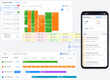
If an anomaly arises, Tractian creates a failure-mode diagnosis, whether that’s a lubrication breakdown or early-stage bearing wear, and then depicts how that issue has progressed across temperature, frequency, or vibration curves. The system explains why it triggered the alert and whether severity is accelerating or leveling off.
Tractian’s Standard plan starts at $60/user/month with a five-user minimum, and the Enterprise plan starts at $100/user/month with a 10-user minimum, both billed annually. Smart Trac sensors and condition monitoring are sold as a bundle, so you’ll need a quote for the full setup.


Learn more about pros, cons, and pricing in our full Tractian review.
Click Maint - Most Cost-Effective Option
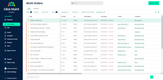
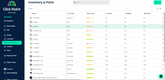
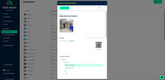
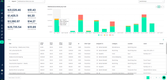
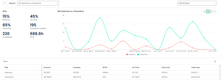
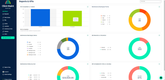
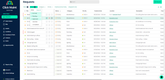
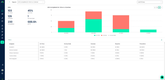
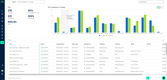
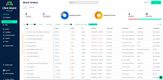
Click Maint is one of the more affordable CMMS tools on the market. Starting at $35/user/month billed annually, the price includes access to its equipment maintenance management module. While some platforms lock this functionality behind higher-tier plans, Click Maint provides full access for smaller teams upgrading from spreadsheets or clunky legacy systems.
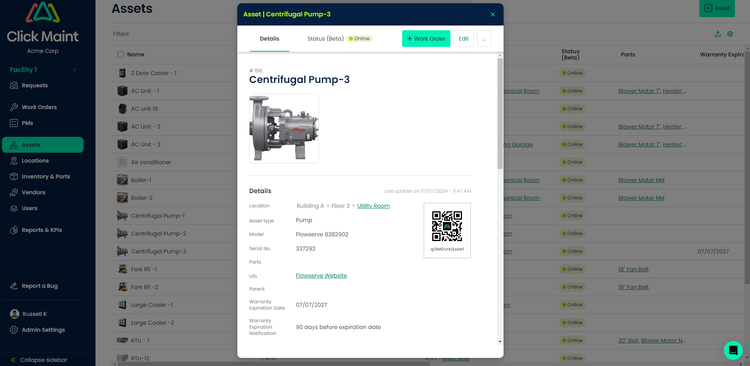
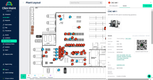
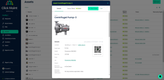
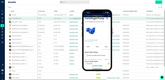
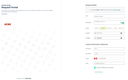
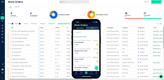
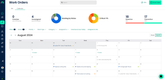
The equipment maintenance module makes it easy to manage preventive and reactive work. You can submit a request either through the desktop or mobile app simply by scanning the equipment’s QR. That request becomes a work order with details like asset type, location, priority level, and assigned technician. From there, your techs can start a built-in timer and log the time and parts used. They can even dictate notes using voice-to-text.
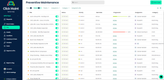
Preventive maintenance is just as simple. You can set recurring work orders using calendar-based or floating schedules based on when the last job was completed, with attached procedures and checklists. Click Maint then tracks progress so you know when each is coming due. For $35/user/month, you’re getting more than basic task lists. While we wouldn’t recommend it for large global enterprises, it’s ideal for smaller companies with up to 100 employees.

Check out our Click Maint product page for more details.
Other Systems We Like
Eptura Asset is a good option for mid to large-sized businesses managing several facilities. It includes digital floorplanning and asset lifecycle management tools to streamline equipment maintenance.
Another capable system is eWorkOrders, with its straightforward UI and wide feature set. It offers more advanced tools like predictive maintenance and GIS mapping for utility companies and large manufacturers.
Systems We Don’t Recommend
Hippo CMMS is a system commonly featured on other equipment maintenance pages, despite it being discontinued in 2019. While some businesses still use it, it’s no longer sold or supported. MaintainX or Click Maint are good alternatives with similar functionalities and prices.
What is Equipment Maintenance Software?
Equipment maintenance software tracks the service history and upkeep of individual machines, such as production equipment, heavy equipment, and medical devices. Each machine gets its own record with its maintenance log, parts used, meter readings, and past work orders. You can schedule preventive maintenance by calendar date, run hours, or mileage, and the system tells your team when service is due.
It’s a type of maintenance management software and shares many features with CMMS software. The difference is focus. Broader maintenance management tools also cover facilities, buildings, and team workflows. Equipment maintenance software centers on equipment maintenance tracking: what each machine needs, when it was last serviced, and how much it costs to keep running.
What Does Equipment Maintenance Software Do?
Equipment maintenance software helps teams keep equipment running reliably by planning for, managing, and documenting maintenance tasks.
In practice, it’s used to:
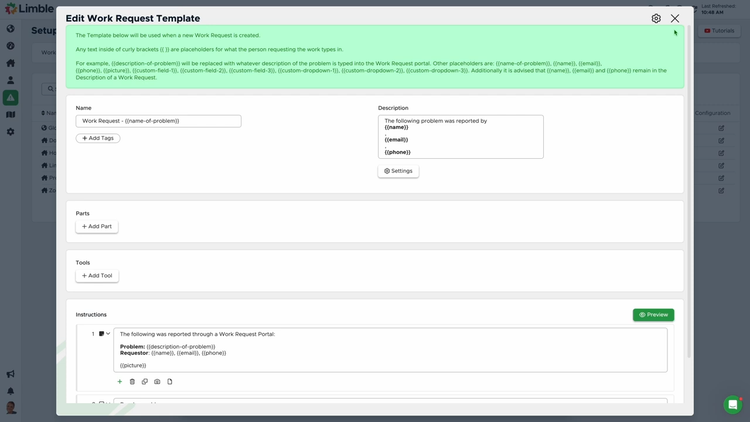
- Log maintenance requests and turn them into trackable work orders
- Assign tasks to technicians and monitor job status from start to finish
- Schedule preventive maintenance so issues get handled before they cause downtime
- Track asset’s repair history and costs to spot recurring problems and plan for new equipment
- Record the work completed with notes, photos, and time tracking of techs
- Create reports on equipment downtime and maintenance performance so teams can improve over time
By replacing spreadsheets or scattered paperwork with a centralized system, maintenance teams can stay organized and maintain a consistent process for all equipment maintenance work.
Key Features of Equipment Maintenance Software
| Key Feature | Description | Benefit |
|---|---|---|
| Preventive Maintenance | Create preventive maintenance schedules that automatically trigger work orders based on usage time or meters. | Ensures equipment maintenance is routinely performed on time to prevent unexpected failures and downtimes. |
| Work Order Management | Create maintenance tasks and assign them to your team. | Organizes all equipment maintenance tasks and prioritizes them for streamlined processes. |
| Asset Management | Maintain a record of all equipment and asset information, including location and maintenance history. | Stay audit-ready by easily referencing past maintenance on equipment and ensuring it’s safe to use. |
| Inventory Management | Manage spare parts inventory and attach them to work orders to ensure availability during maintenance. | Optimizes your stock levels to prevent stockouts or overstock. |
| Predictive Maintenance | Uses IoT sensors and analytics to monitor equipment and predict potential failures. | Prevent breakdowns before they occur and get real-time alerts on potential issues to reduce downtime. |
| Mobile App | Create and fill out work orders and reference equipment information from your mobile device. | Allows maintenance crews to receive updates on new tasks and complete work from anywhere, even without a connection. |
| Reporting and Analytics | Create reports on maintenance data like downtime statuses and average cost. | Lets you drill into your data and gain insights into machine health and maintenance crew performance. |
Who Uses Equipment Maintenance Software?
Equipment maintenance software is used by organizations that rely on equipment uptime to keep operations running smoothly. It can be used across a wide range of industries, including manufacturing, construction, healthcare, logistics, energy, food production, and facility management. Equipment maintenance software is required in businesses where unexpected downtime can disrupt schedules, increase costs, or even create safety risks.
Primary users of these systems include:
- Maintenance Managers who schedule PMs, assign, and monitor work as it’s completed.
- Maintenance Technicians who receive work orders, document repairs, and close jobs from the field.
- Engineers who analyze asset performance data, spot failure patterns, and identify root causes.
- Plant Managers who need to monitor equipment availability to meet production goals.
- Facility Managers who oversee expensive building systems like HVAC, electrical, and refrigeration equipment.
- Inventory & Parts Coordinators who track spare parts and create purchase requests to maintain optimal stock levels.
- Business Owners who need visibility into equipment and maintenance costs that affect service or product delivery.
In smaller companies, a single person may handle many of these roles and responsibilities. In larger organizations, equipment maintenance software helps standardize processes across multiple sites, teams, and asset types.
How to Choose Software
A single-site plant, a hospital, and a construction fleet all track equipment, but the features and capabilities required by each organization differ significantly. The best fit software is usually the one your team will actually use day to day, not the one with the longest feature list.
Manufacturing Equipment
Manufacturing teams live and die by uptime on high-value production machinery, so preventive maintenance scheduling, downtime tracking, and condition monitoring through IoT sensors carry the most weight. Detailed maintenance records also keep you ready for OSHA and quality audits, helping you avoid failed inspections and fines. MicroMain is our top pick for manufacturing.
Facilities and Multi-Site Equipment
Facilities managers oversee equipment scattered across buildings or campuses, from HVAC to generators, so interactive floor mapping and an easy request-to-work-order intake matter most. Non-technical staff can flag a problem, and a technician can pinpoint the asset on a floor plan before walking over. FMX is our top pick for multi-site equipment, though its Interactive Mapping is a separate purchase.
Medical Equipment
Healthcare organizations maintain medical equipment under close regulatory scrutiny, so compliance documentation and complete maintenance histories outweigh everything else. Per-device inspection checklists and audit-ready records keep you aligned with Joint Commission standards and, more importantly, keep patients safe. Equips is our top pick for medical equipment.
Heavy and Construction Equipment
Construction companies operate mobile heavy equipment across multiple job sites, so usage-based maintenance, cost-per-job tracking, and a field-ready mobile app are priorities. Knowing the true cost of each asset helps you decide when to repair equipment or when to replace it. Fleetio is our top pick for construction equipment.
Energy and Utility Equipment
Energy and utility operations depend on critical, often remote assets like turbines, pumps, and substations. Because a technician can’t eyeball gear spread across remote sites, condition monitoring and predictive maintenance that flag trouble from afar matter most. Catching a failing asset before it quits prevents both an outage and a regulatory headache. Tractian pairs its CMMS with its own condition-monitoring sensors.
Equipment Rental
Equipment rental businesses cycle assets in and out constantly, so the priority is maintenance that connects to the rental counter and flags gear for service between rentals. That keeps your fleet safe, available, and making money instead of sitting in the shop. For rental-specific tools, see our equipment rental software roundup.
Equipment Management vs Equipment Maintenance
These two categories overlap a lot, and plenty of products get sold under both names, but it’s important to understand their differences.
-
Equipment maintenance software is about keeping equipment running. The core of it is work orders, preventive maintenance scheduling, inspections, and repair history. It answers the question of what needs servicing, when, and whether you did it.
-
Equipment management software is about the asset itself over its whole life. It includes features for tracking where equipment is, who has it, how many hours or miles it has logged, what it’s depreciated to, and when to replace it. It answers what you own, where it is, and what it’s worth.
The reason they blur together is that you can’t really manage an asset without maintaining it, so most maintenance platforms already include the management basics like asset records, usage tracking, and cost history. If your main job is fixing and servicing equipment, you want maintenance software. If your main job is tracking assets that rarely break down, like tools, IT equipment, or furniture, a dedicated asset-tracking system is the better fit.
Pricing
Pricing for equipment maintenance software varies, but most platforms range between $20-$250/month. This heavily depends on your desired features, equipment amount, and user count. There are some systems, like MaintainX and Fiix, that offer free plans, but they’re extremely limited in functionality and are only recommended for startups. Here are some broad yearly ranges you can expect to pay based on your company size:
- Low-Tier: $3,000-$10,000 per year
- Mid-Tier: $10,000-$30,000 per year
- High-Tier: $30,000-$80,000 per year
- Enterprise: $80,000+ per year
Most systems offer per-user pricing in tiered packages that increase in price with the number of features offered. A good option for small businesses is MaintainX. Its Essential plan starts at $20/user/month billed annually but limits you to three work orders with attached procedures per month. Premium costs $65/user/month billed annually.
| System | Free Plan | Starting Price | Free Trial for Paid Plans |
|---|---|---|---|
| Asset Panda | ❌ | Quote-based | 7-day |
| Click Maint | ❌ | $35/user/month (billed annually) | 30-day |
| eMaint CMMS | ❌ | Quote-based | No (demo only) |
| Equips | ❌ | $50/user/month | Not listed |
| Fleetio | ❌ | $4/vehicle/month (billed annually) | 14-day |
| FMX | ❌ | Quote-based | 14-day |
| Limble CMMS | ❌ | Quote-based | Not listed |
| MaintainX | ✅ | $20/user/month (billed annually) | Yes |
| MicroMain CMMS | ❌ | $99/admin license; $45/technician license | Yes |
| Tractian | ❌ | $60/user/month (billed annually) | Not listed |
| UpKeep | ❌ | $24/user/month | Yes |

