

The Best Manufacturing Inventory Software
We tested and reviewed various solutions for manufacturers needing precise inventory tracking. We based our picks on factors such as pricing, industry fit, and features like automated reordering, WIP, and lot tracking.

- Integrates with QuickBooks Online, ShipStation, and Shopify
- Affordable pricing for SMBs
- Mobile app for warehouse inventory management
- Audit trails that highlight abnormal behaviors
- Base package includes sales and purchasing
- Unlimited user accounts to track transaction processing
- Competitive pricing; does not require a subscription
- Integrates with QuickBooks
- Can function as a light MRP system
Manufacturing inventory software is a digital tool designed to manage raw materials, work-in-progress items, and finished goods throughout the production process. Based on our internal review process and user reviews, here’s a rundown of our top products.
- SOS Inventory: Best Traceability Tools
- inFlow Inventory: Easiest to Use
- Fishbowl Inventory: Strong MO Tool
- Katana MRP: Best for Batch-Based Manufacturing
- Sutton Software: Best for Warehouse Management
- MRPEasy: Best for Production Planning
- Zoho Inventory: Best for Small D2C Manufacturers
- Acctivate: Best Multi-Level BOM Module
- MISys Manufacturing: Most Scalable Option
SOS Inventory - Best Traceability Tools
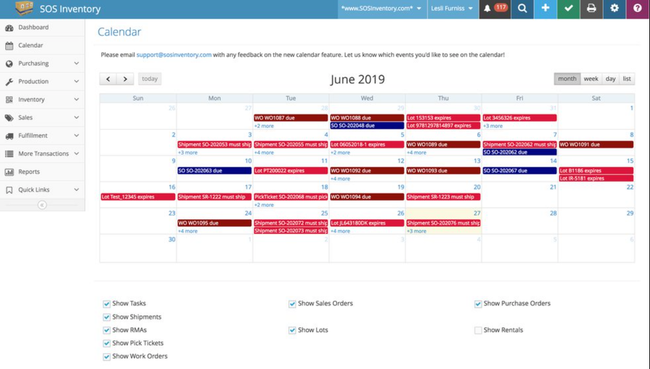
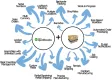
SOS Inventory delivers strong lot tracking functionalities. It’s a great choice for small companies in industries like food manufacturing because it helps identify quality issues and enables targeted recalls if needed. Every item is assigned a unique identifier, such as a lot or serial number, ensuring traceability through every stage of the supply chain. This includes product coding and labeling, enabling meticulous procurement and customer delivery monitoring.
Additionally, this manufacturing inventory management system integrates lot traceability within the production process. As you utilize components in assembly, they’re automatically deducted from inventory, providing real-time materials tracking and lot information updates. This is paired with WIP tracking and multi-level assemblies, enabling inventory control for in-progress states for better visibility during production.
SOS Inventory is strictly an inventory management software, so you’ll need to integrate your MRP or QuickBooks for two-way sync. It’s best for small to midsize manufacturers that have simple processes and don’t need a full ERP system. Most manufacturers will need the Plus plan at $139.95/month or the Pro plan at $194.95/month.
inFlow Inventory - Easiest to Use
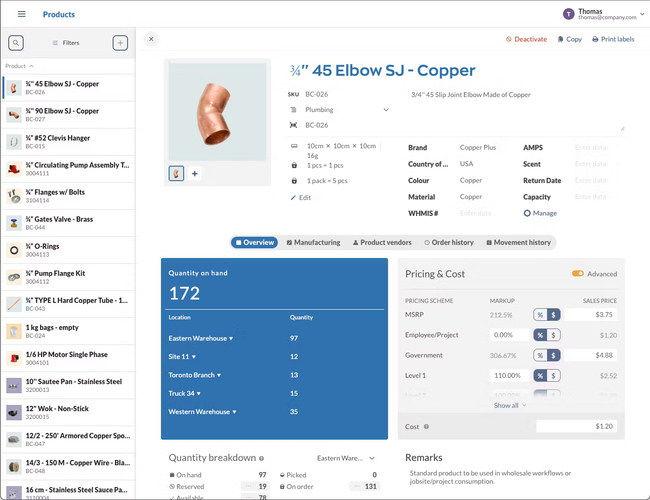
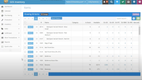
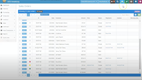
InFlow Inventory strikes a great balance between simplicity and capability for small manufacturers. Specifically, the product list lets you see key info such as quantity on hand by location, reorder points, pricing schemes, and vendors. And beyond those defaults, you can add up to ten custom fields to track virtually any additional attributes you need. This way, your team doesn’t have to hunt through spreadsheets or multiple systems to find data.
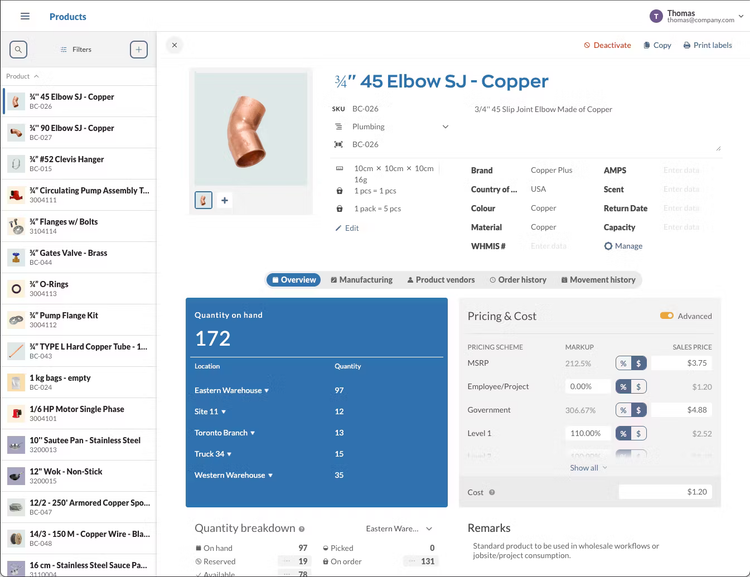
For smaller discrete manufacturers, inFlow also offers a strong manufacturing edition that integrates inventory and production. You can create BOMs that list every component you need to assemble the finished good. It pulls data from the item list to accurately calculate the product’s cost based on the raw materials used. From there, create the manufacturing order (MO), which deducts items from the inventory once it’s complete. This creates a tightly closed loop, where the inventory and the manufacturing production are synced in every step to eliminate manual reconciliation.
InFlow’s easy-to-use interface and streamlined implementation allow the system to be up and running in days with minimal training. It’s also affordable, with the Small Business inventory plan starting at $436/month for five members and unlimited locations. The manufacturing is slightly more expensive, but still a great option for those upgrading from spreadsheets that don’t want the complexity and cost of a full ERP.


Fishbowl Inventory - Strong MO Tool
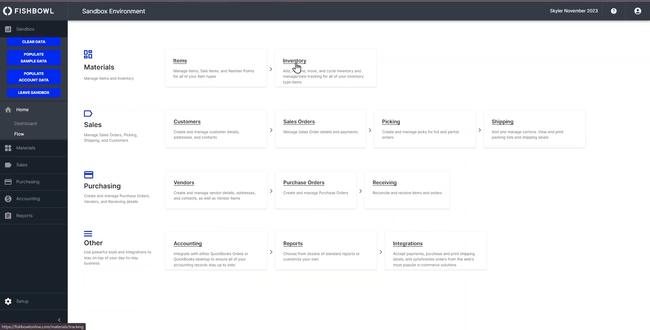
Fishbowl Inventory’s manufacture order (MO) module automates how and when MOs are created. Sales orders, forecasted demand, or low raw-material stock levels trigger the auto MO wizard. You can decide whether Fishbowl should only look at finished goods reorder points or roll demand up through nested sub-assemblies.
From there, the wizard builds one MO containing multiple work orders (WOs). Each WO inherits its routing steps, material lists, and default work center from the underlying BOM. When Fishbowl releases the MO, it allocates on-hand parts and alerts you if there are any shortages. If a component is out of stock, a linked MO-to-PO capability converts those shortages into purchase orders. This is ideal if you generally deal with outsourced or long-lead items, like in electronics production.
Your operators can scan barcodes with Fishbowl GO using handheld or mobile devices to start or finish each WO stage. Plus, Fishbowl Time clocks employees onto the job, updating actual labor cost back to the MO. When the last WO closes, Fishbowl rolls material, overhead, and labor into a single finished-good cost. It decreases WIP and sends the journal entry to Xero or QuickBooks without you ever having to open a spreadsheet.
The Manufacturing perpetual license pricing plan is a minimum of $8,895 for two users. The per-user cost goes down when additional users are added to the plan. Integration with QuickBooks streamlines inventory control functions, making it a top choice for businesses already using that software for accounting.
Katana MRP - Best for Batch-Based Manufacturing
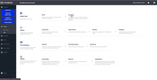
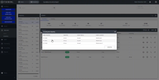
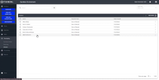
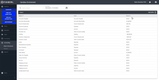
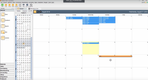
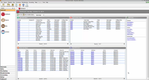
Katana MRP is a good option for industries like food and beverage, cosmetics, and pharmaceuticals. Its batch management tool helps you keep track of on-hand inventory levels by assigning unique batch numbers to raw materials and finished goods. These follow products through every stage, from production to sale, to help you meet quality and safety standards.
You can log details like supplier information, compliance notes, and batch expiration dates. This creates a clear digital audit trail that streamlines regulatory checks. In the event of a recall, Katana’s traceability feature even lets you pinpoint affected batches down to their raw materials and manufacturing timeline.
Finally, Katana’s batch management includes FIFO functionality for managing materials with short shelf lives. This ensures that the oldest stock is used first, reducing waste and optimizing inventory turnover.
Though Katana’s Core plan is affordable at $299/month, it only supports one inventory location. Pricing increases drastically for more inventory locations, monthly sales orders, and add-ons like manufacturing management. You’ll need a custom quote to get exact costs for your operation.
Sutton Software - Best for Warehouse Management
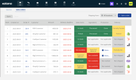
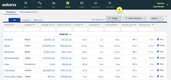
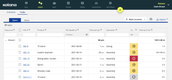
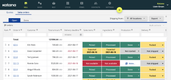
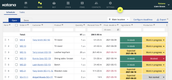
Sutton Software’s warehouse management module lets you create detailed layouts of every facility and print labels for each location. You can add custom tags for unique storage types, like bulk or rack storage, or classify temperature-controlled areas. This makes the picking process more efficient, whether you’re using scanners or a mobile device. Plus, inventory is updated in real time, so your shop floor is always looking at updated data to avoid material shortages.
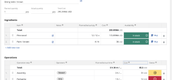
Additionally, Sutton Software tracks detailed stock movements and configurations. If you pick boxes from pallets, the system can handle partial depletion to show what’s been picked and what hasn’t. It also includes nested inventory, labeling parent and child items, which is crucial for accurate material planning and costing. You can even build custom labels for unique items to include fields like lot number, weight measurement (gross, tare, net), or vendor SKU.
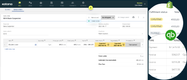
Sutton Software is a flexible ERP alternative that includes an integrated suite of MRP, inventory, warehousing, and sales. It’s best for small to midsize manufacturers that want ERP functionality without the lengthy implementation times. Unfortunately, pricing is not public and requires a custom quote.


MRPEasy - Best for Production Planning
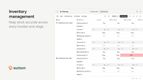
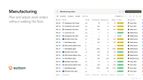
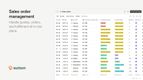
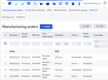
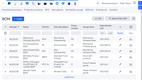
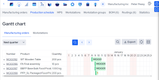
MRPeasy builds every production plan around a drag-and-drop Gantt chart that lays each manufacturing order against your available workstations. Jobs are color-coded by status, so a late or paused operation is easy to spot, and you reschedule one by dragging it to an open slot. If you do reschedule a job, MRPeasy will automatically adjust the remaining work and reassign it to the appropriate workstations.
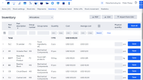
Looking further out, its master production schedule, pulls sales forecasts, confirmed orders, and workstation capacity into one plan you can commit to. To avoid double-booking a machine or over-committing materials, MRPeasy groups workstations by machine type and monitors their load. A required-capacity view then flags any overloaded group before you commit to a delivery date you can’t meet.
MRPeasy includes a standard accounting module on every plan, but it’s basic, so most manufacturers connect QuickBooks Online or Xero for full accounting. Pricing starts at $49/user/month on the Starter plan, with a $99/user/month and a $150/user/month plan for more advanced features. MRPeasy’s pricing and feature set make it best suited for basic manufacturing operations with minimal production complexity.



Zoho Inventory - Best for Small D2C Manufacturers
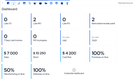
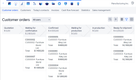
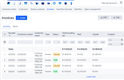
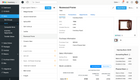
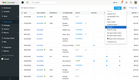
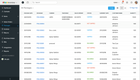
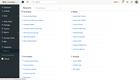
Zoho Inventory is a strong choice for businesses seeking manufacturing inventory software, particularly for small to midsize enterprises focusing on online retail. This cloud-based solution makes it easy to maintain stock across inter-warehouse transfers. Expiration dates, serial numbers, or batches can track individual units.
Zoho Inventory is more aimed at managing inventory in the eCommerce sector. However, those tools are still valuable for manufacturers looking to bundle products, manage warehouses, merge orders, and efficiently track inventory using features like RFID and barcode scanning. It’s worth noting that users may require additional add-ons to meet all specific manufacturing needs.
Acctivate - Best Multi-Level BOM Module
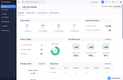
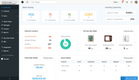
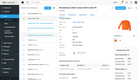
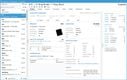
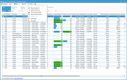
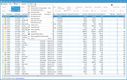
Acctivate connects multi-level bills of materials (BOMs) to inventory management. Whenever you create a work order, it reserves sub-assemblies and components based on the BOM. Then, as production progresses, Acctivate updates stock levels dynamically, deducting used components and adding finished goods after assembly.
Additionally, this inventory and manufacturing software’s BOM module integrates with inventory reorder points. This helps replenish your raw materials just in time rather than letting them sit idly in storage. And if a component is running low, this manufacturing inventory software can auto-trigger purchase orders. This saves you from stockouts and potential disruptions to your production line.
Acctivate supports complex product structures with multiple layers of materials and sub-assemblies. This makes it a solid fit for electronics, where tracking parts is vital to managing inventory accuracy and compliance with industry regulations. While it doesn’t offer RFID scanning, Acctivate includes granular lot and serial number tracking.
MISys Manufacturing - Most Scalable Option
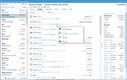
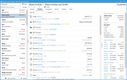
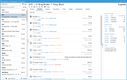
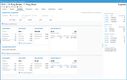
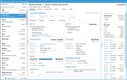
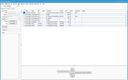
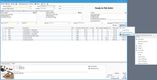
MISys Manufacturing is the best fit for small to mid-sized manufacturers looking for scalable inventory management. The software is designed to grow with businesses, offering modules that can be added as manufacturing requirements expand. It provides detailed tracking of inventory levels, costs, and manufacturing orders, making it easier for companies to manage their resources effectively.
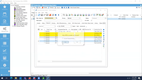
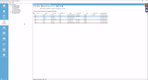
MISys is particularly beneficial for sectors like electronics, machinery, and fabricated metals, offering features like serial and lot tracking, multi-level BOM, and bin tracking. Its ability to integrate with popular accounting systems such as QuickBooks and Sage 50 enhances its utility for managing financials alongside manufacturing operations.
What is Manufacturing Inventory Software?
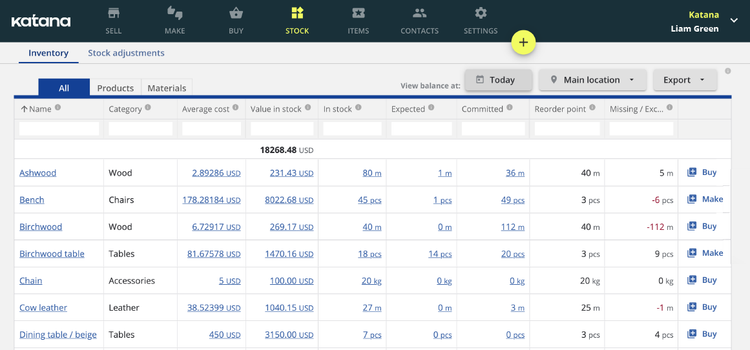
Manufacturing inventory software keeps track of the on-hand physical inventory levels of raw materials and finished goods for manufacturing production orders. Manufacturing businesses need a system that accurately tracks inventory to reorder supplies as needed to keep up with demand.
An inventory management system will automatically place purchase orders once your supplies drop below a specified threshold, ensuring you don’t run out.
Manufacturing inventory management software allows you to track the cost of each item in your inventory. Knowing the cost of your manufactured goods helps with budgeting and financial planning, ensuring you receive ROI on your finished products.
Improving inventory traceability is a substantial benefit of manufacturing inventory systems. Inventory software for manufacturing is generally compatible with RFID and barcode scanners that allow you to gather information about a product quickly.
Some of this information can include pricing, physical location, and vendor info. Having the location and vendor information on hand lets you quickly identify any recalled products from which vendor the materials came from, to where the product is stored.
Key Features
| Feature | Description |
|---|---|
| Bill of Materials (BOM) | The list of raw materials, components, and sub-assemblies needed to build a finished product, including multi-level BOMs. |
| Manufacturing Work Orders | Turn demand into production orders that pull components from stock and add finished goods once complete. |
| Work-in-Progress (WIP) Tracking | See the value and status of items mid-production, not just raw materials and finished goods. |
| Lot & Batch Tracking | Assign lot or batch numbers to materials and finished goods for quality control, expiry dates, and targeted recalls. |
| Traceability | Trace a finished good back to its raw materials and suppliers to isolate affected batches quickly. |
| Serial Number Tracking | Track individual units by serial number through production, stock, and delivery. |
| Automated Reordering | Trigger purchase orders automatically when stock drops below a set threshold. |
| Inventory Costing | Value stock and track margins with FIFO, FEFO, or average costing methods. |
| Multi-Location Tracking | Track stock across multiple warehouses, bins, and storage locations in real time. |
| Barcode & RFID Scanning | Scan items for faster, more accurate receiving, picking, and cycle counts. |
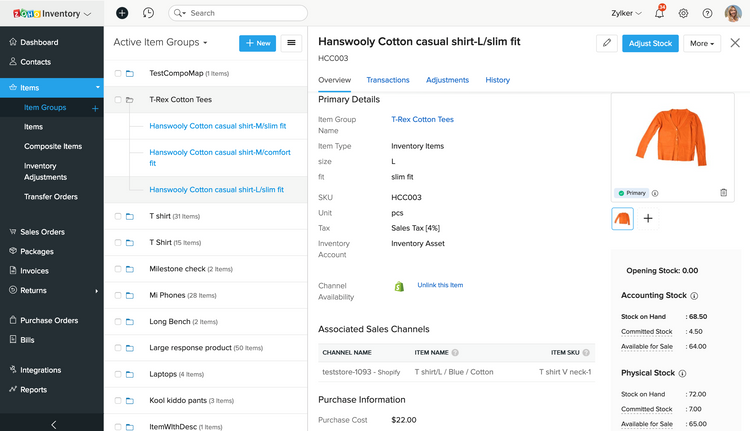
| Inventory Matrix | Track product combinations by size, color, or another dimension. |
Benefits
Manufacturing inventory software does more than count stock. Here are five benefits of using inventory software in manufacturing:
Improve Traceability
Traceability is one of the biggest reasons manufacturers adopt inventory software. It records the lot and serial numbers of every material from receiving to finished goods. If a defect turns up, you can trace it back to the source and pull only the affected units. That kind of documentation is essential in regulated industries like food and medical devices.
Real-time WIP Tracking
As jobs move through the shop, inventory software updates the status of each work order in real time, typically via barcode or QR code scans at each station. Instead of walking the floor or calling a supervisor to find out where an order stands, you get a live view of what’s in progress, what’s stalled, and where a bottleneck is forming. That visibility lets you shift work before a delay compounds, so orders keep flowing and you stop losing hours to guesswork.
Less Raw Material Wastage
By tying bills of materials to live stock levels and reorder points, inventory software helps you buy raw materials closer to actual production demand instead of overordering to be safe. For perishable or shelf-life-sensitive inputs, expiration tracking and FIFO rules push older stock into production first, reducing spoilage and write-offs that quietly eat into margins. The payoff is less cash tied up in excess inventory and fewer materials scrapped before they’re even used.
Accurate Job Costing
Inventory software captures the actual material, labor, and overhead costs for each job, rather than leaving you to estimate them after the fact. That gives you the true cost and margin of every job, so you can see which products actually make money and which ones carry hidden costs.
Better On-Time Delivery
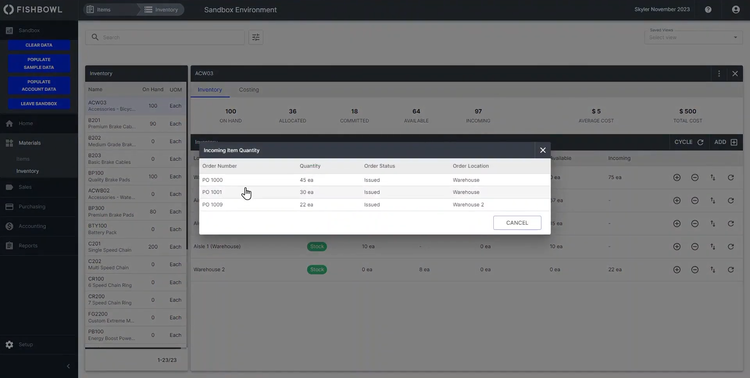
Because inventory software knows what’s on hand, what’s on order, and what’s already committed to other jobs, it can tell you what you can realistically promise and when. That keeps sales from committing to ship dates the floor can’t hit, and it flags looming material shortages early enough to act before an order slips. Consistently hitting the dates you quote is one of the main things a customer judges you on, and reliable delivery is what earns a repeat order.
Pricing
The cost of manufacturing inventory software varies widely based on features, deployment options (cloud-based or on-premise), and the scale of the manufacturing operation.
Here are some specific examples to illustrate the range of pricing:
1 Perpetual License Pricing Plan
For a manufacturing perpetual license, the cost starts at a minimum of $8,895 for two users. These plans with higher upfront costs are more common with on-premise systems that you purchase outright compared to subscribing to (like a cloud option).
The per-user cost decreases with the addition of more users. Such plans are suitable for businesses looking for a long-term investment with a one-time payment, often chosen by larger companies or those requiring extensive customization.
2 Monthly Subscription Models
- Some basic software options start at $39/month, and may include essential features suitable for smaller or less complex operations.
- Mid-tier options are closer to $99/month, likely offering more advanced features or catering to larger manufacturing operations.
- Higher-end solutions can cost around $600/month, indicating a more comprehensive feature set for large-scale manufacturing needs.
- There are also user-based pricing models, such as $49/user/month, which can be scalable based on the number of users or employees who need access to the software. These pricing models typically require a minimum number of users.
When evaluating the cost of manufacturing inventory software, consider your operation’s specific needs, including the scale of your manufacturing, the complexity of your inventory processes, and the level of integration required with other systems.
Keep in mind that while some software options might appear expensive, they could offer a higher return on investment due to their comprehensive features and efficiencies. On the other hand, more affordable options could be sufficient for less complex needs and offer an economical solution without compromising on essential features.
How to Choose Software
When choosing the best manufacturing inventory software, consider the following key aspects, integrating real-world examples and specific factors:
- Assess Business Needs and Existing Processes: Analyze warehouse procedures to identify inefficiencies in inventory turnover, stock control, demand forecasting, reorder points, safety stock, and customer demand.
- Key Software Features: Look for features like real-time inventory updates, barcode scanning for data accuracy, enterprise mobility, purchase order management, advanced inventory tracking (batch traceability, bulk moves), optimal replenishment automation, and integration capabilities with systems like MES and WMS.
- Deployment Options: Decide between on-premises and cloud-based solutions. While cloud-based (SaaS) solutions are popular for their scalability and reduced IT burden, some organizations may prefer on-premises deployments for specific needs. Hybrid solutions that offer flexibility between these two models are also available.
- Evaluating Software Providers: Research providers with a proven history in your industry. For instance, food and beverage companies may need software that automates traceability, while industrial manufacturers might focus on shop floor data collection. It’s crucial to read reviews, request demos, and consider the provider’s track record in implementing similar solutions effectively.
- Cost and ROI Considerations: Analyze the cost and potential return on investment (ROI). More complex solutions may have higher upfront costs and longer implementation times, affecting the ROI timeline. Compare pricing plans, considering one-time purchases versus subscription models, and factor in additional costs like support, upgrades, and customization.
- The Cost of Waiting: Ineffective tracking and manual processes can be costly, leading to significant operational efficiency and accuracy losses. Modern inventory software can address these issues through automation, potentially reducing material handling costs and increasing data accuracy, thereby saving companies significant amounts annually.
- Benefits and Challenges: Manufacturing inventory software offers time savings, improved accuracy, enhanced visibility, optimized supply chain, and integration with other business applications. However, challenges include implementation difficulties, training and adoption, cost considerations, and data security.
- Current Market Trends: Stay informed about smart inventory tracking (RFID, barcoding), cloud-based solutions, business intelligence and analytics, mobile applications, and IoT advancements. These technologies enhance inventory tracking, decision-making, and operational efficiency and facilitate remote work capabilities.
- Implementation Steps: Evaluate your inventory management requirements, research software options, define essential features, and request demos or trials. Assess user-friendliness, integration capabilities, customization options, and the level of support and training the software provider offers. Analyze scalability and seek references or case studies before planning the implementation.
What Systems Provide Functionality Beyond Inventory?
You may be looking for a dedicated inventory program because you are at peace with your existing systems and don’t want to go through the ordeal of implementing a Manufacturing ERP software. This may lead to
Depending on your business needs, you may want to consider another solution that includes or integrates with inventory systems. Some examples include:
Manufacturing ERP Software
Inventory control is an important part of general manufacturing software. These systems are ideal for businesses looking to improve product quality and efficiency during the manufacturing process.
Manufacturing software generally includes additional functionality like:
- Supply Chain Management
- Work Order Management
- Production Planning and Scheduling
- Demand Forecasting
- Shop Floor Control
- Quality Control
- Bills of Material
Manufacturing software solutions can be designed for a specific industry or type of manufacturer. Solutions are available for discrete or process manufacturers and can be broken down further into specific industries, including:
- Apparel Manufacturers
- Food and Beverage Manufacturers
- Medical Device Manufacturers
- Pharmaceutical Manufacturers
- Chemical Manufacturers
Finding the right solution for your industry ensures that your manufacturing processes and finished products comply with specific regulatory industries.
Warehouse Management Software
Warehouse management solutions coordinate and manage inventory and actions in a warehouse. The system tracks where inventory items are located and allows managers to optimize warehouse picking methods.
Small businesses often use warehouse software to track inventory and speed up the shipping process. Larger enterprises use warehouse management systems to manage the inventory of multiple warehouses, track serial numbers, and manage retail compliance laboring.
Material Resource Planning (MRP) Software
Manufacturing resource planning (MRP) helps streamline the manufacturing process through production planning, scheduling, and inventory control. Known as a leading type of manufacturing software, MRP systems allow manufacturers to plan and calculate material requirements, coordinate personnel and machine workloads, and optimally plan purchasing to meet customer demands.
MRP also aids in inventory and production schedules to produce products and complete manufacturing jobs. An MRP system determines which assemblies must be built, what materials must be purchased, and the order in which to build products to meet customer due dates.

