

The Best MRP Software
Materials requirements planning (MRP) software helps you efficiently manage the materials, inventory, and production processes needed to meet customer demands. We reviewed the top systems for various industries, including job shops and food and beverage manufacturers.

- Custom app building with Sutton Studio
- Strong lot and serial traceability for food, beverage, and chemical manufacturers
- Built-in machine monitoring tied to production jobs
- Affordable pricing
- User-friendly interface
- Integrates with Xero and Shopify
- Detailed cost reports with access to historical data
- Enhanced job costing
- Logical database structure
We evaluated the most popular products on the market with features like production scheduling, batch tracking, and multi-level BOMs. We used our advanced review methodology to select the best systems.
- Sutton Software: Editor’s Pick
- MRPEasy: Best for Small Businesses
- JobBOSS²: Best for Job Shops
- Mar-Kov: Best for Batch Manufacturers
- Katana MRP: Best for eCommerce Manufacturers
- Total ETO: Best for ETO Manufacturing
- SOS Inventory: Best for QuickBooks Users
- Fulcrum Pro: Best for Metal Fabricators
- Fishbowl: Best for Mixed-Mode Manufacturers
- xTuple: Best for Discrete Manufacturers
- MISys: Best for Pharmaceuticals
Sutton Software - Editor’s Pick
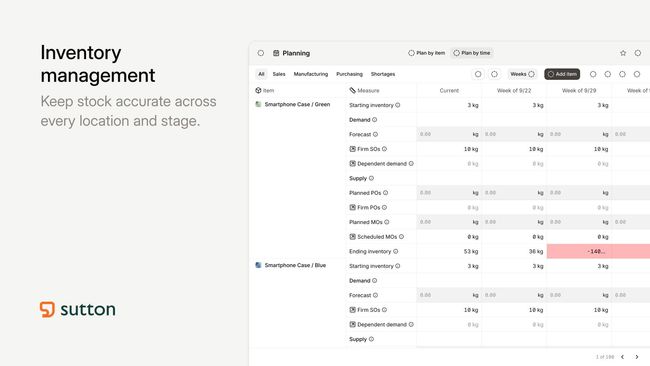
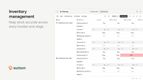
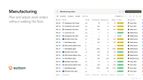
Sutton Software is an MRP and manufacturing software that connects inventory, production, procurement, sales, and traceability in a single, centralized platform. It was built for small- to midsize manufacturers and distributors, earning the top spot for its ability to deliver real manufacturing depth without the high enterprise costs and lengthy rollout.
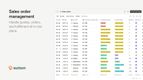
Traceability is built into Sutton’s modern, easy-to-use platform, enabling continuous tracking of materials throughout every stage of production. When a sales order is confirmed, Sutton checks material availability across open jobs and flags stockouts before production begins. From there, your team can create purchase orders, attach documentation like certifications or compliance forms, and send them to vendors via email. When materials arrive, receiving captures lot numbers, expiration dates, and locations, and Sutton generates serialized barcodes that are fully customizable.
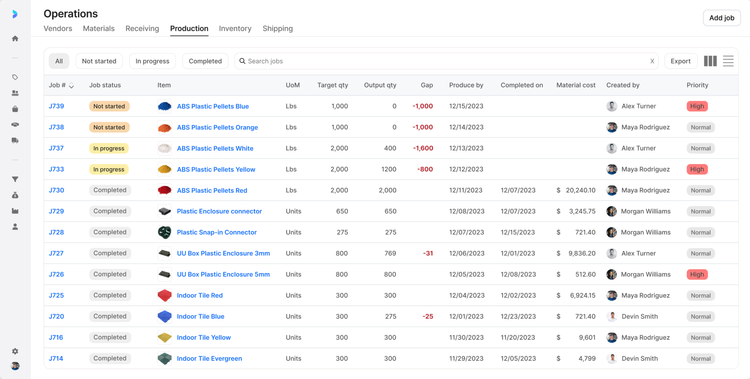
On the shop floor, employees can use tablets to log labor hours, track job progress, and record quality checks with photos and notes. Because the system auto-captures lot histories and audit trails as work happens, you get recall-ready records, making it a strong fit for process and batch manufacturers in food and beverage, cosmetics, packing, and chemicals.
While marketed as an ERP, Sutton leans on integrations with QuickBooks, Xero, and NetSuite for accounting rather than offering its own. Sutton offers a free 14-day trial with pricing starting at $400/month for the Starter plan, which includes 5 users. For full traceability and audit trails, the Growth, Professional, and Enterprise plans offer more users and advanced features. For small and midsize manufacturers looking to replace spreadsheets or those who need an MRP that works alongside their existing software, Sutton is our top pick.


MRPEasy - Best for Small Businesses
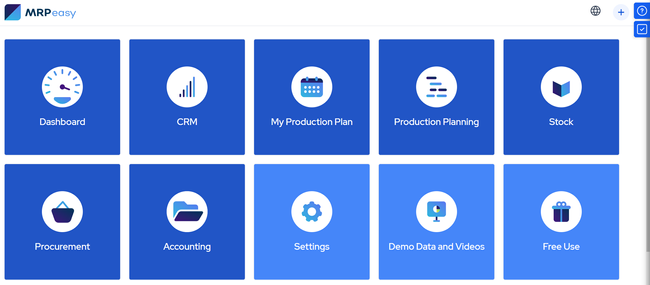
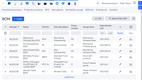
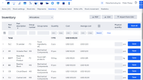
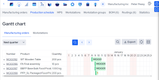
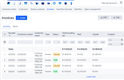
MRPeasy’s production scheduling allows you to easily adjust timelines by dragging and dropping tasks, offering you more flexibility to respond to production priorities. The capability consolidates input from order management, inventory levels, and resource availability.
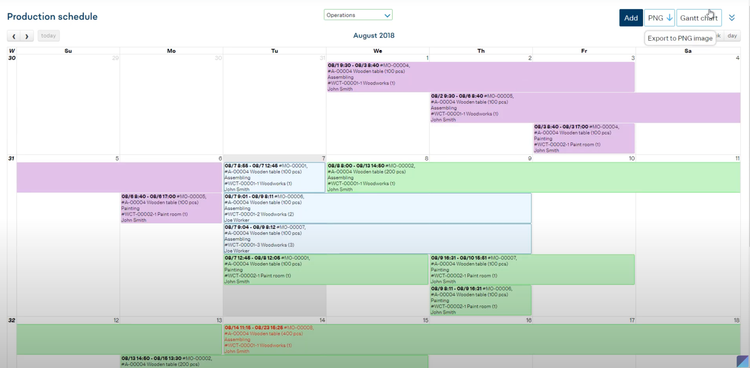
For example, maybe you’re a small furniture manufacturer who receives an influx of orders for chairs and tables near the holidays. You can manually enter the purchases into the system when they come through. Then, MRPeasy will automatically check available resources such as wood inventory, machine time, and workforce capacity.
The system will create a production schedule and allocate specific tasks for cutting, putting the pieces together, and applying the finishing touches. If a supplier delays a shipment of wood, you can use your drag-and-drop tool to adjust the schedule to prioritize chairs while waiting on the materials needed for tables. The Gantt charts will show the adjusted timeline, ensuring clear team communication and preventing missed deadlines.


JobBOSS² - Best for Job Shops
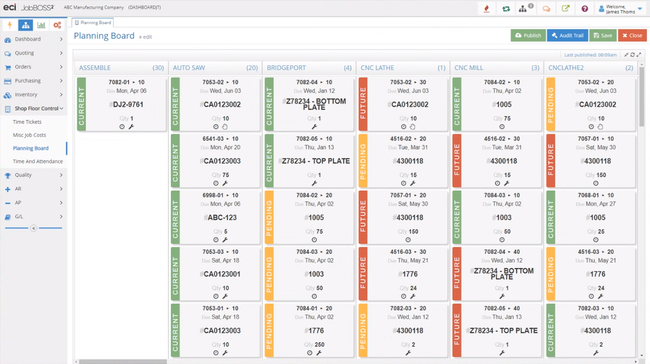
JobBOSS²’s job costing and quoting capability can automatically calculate expenses based on material usage, labor hours, overhead rates, and other variables.
For instance, maybe you specialize in custom metal fabrication and receive a request for 100 steel brackets that must be delivered within 4 weeks. You can input the job specifications into the system, including the material, dimensions, and finishing details.
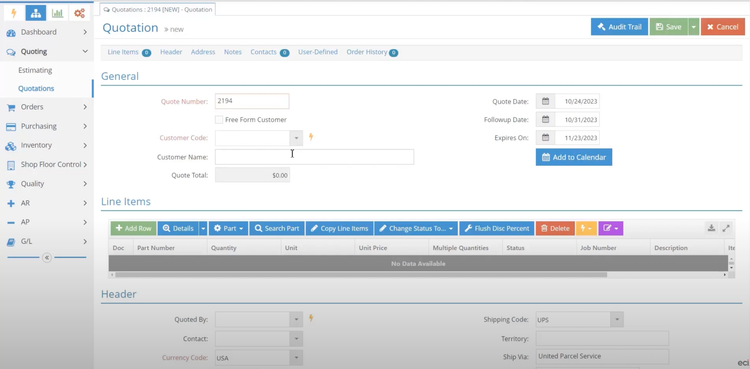
JobBOSS² calculates the material cost by checking inventory and determining current steel prices. It will also estimate labor hours based on your shop’s historical data for similar jobs and add overhead costs.
The software checks on material lead times and will adjust the quote to include expedited shipping for steel since the deadline is tight. Once the system produces a quote, you can send it to the customer through its portal.
JobBOSS² costs start around $3,000/year, which could be expensive for smaller job shops with limited budgets. If you’re looking for a more affordable option, check out our best job shop roundup to view your options.
Mar-Kov - Best for Batch Manufacturers
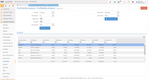
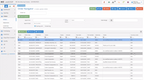
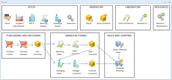
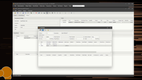
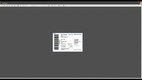
Mar-Kov offers strong features for several types of batch manufacturers, including food and beverage, cosmetics, alcohol, and pharmaceuticals. Specifically, its formulation control module centralizes all your recipes and batch records in one place. This gives you a better handle on your production operations and ensures every batch meets your quality standards.
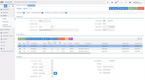
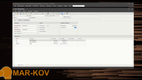
The formulation control module also includes full revision management, which is crucial for tracking every change to a recipe. When changes are made, the system displays costing information, helping you figure out the pricing for raw ingredients for each variation. Further, you can assign user-based access and roles so that only approved users can publish recipes or approve changes.
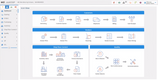
Mar-Kov’s formulation control module is part of its broad MRP suite, which fits the needs of batch manufacturers. With its detailed costing or end-to-end traceability with parent-child relationships, the system is well-suited for mid to large-sized companies.

See our Mar-Kov profile for more info.
Katana MRP - Best for eCommerce Manufacturers
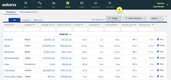
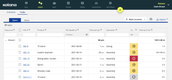
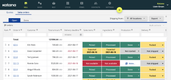
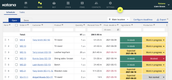
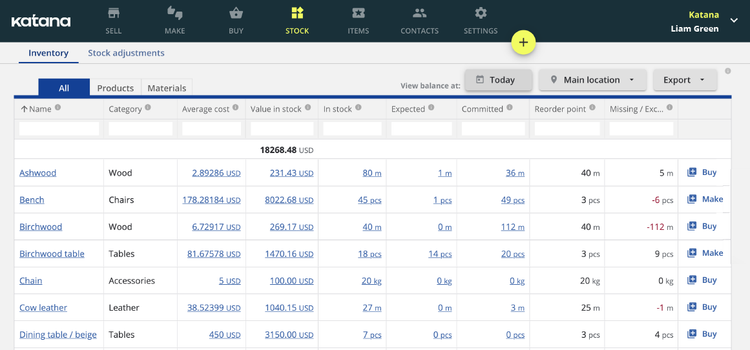
Katana MRP has native integrations with several leading eCommerce platforms, including Shopify, WooCommerce, and Amazon. So when sales orders come in, it flows directly into production planning without manual re-entry. Katana reads the order, checks available materials, and updates your production queue so your team knows what to make and when. And the UI is one of the best on the market, making it easy to navigate as orders go through each stage.
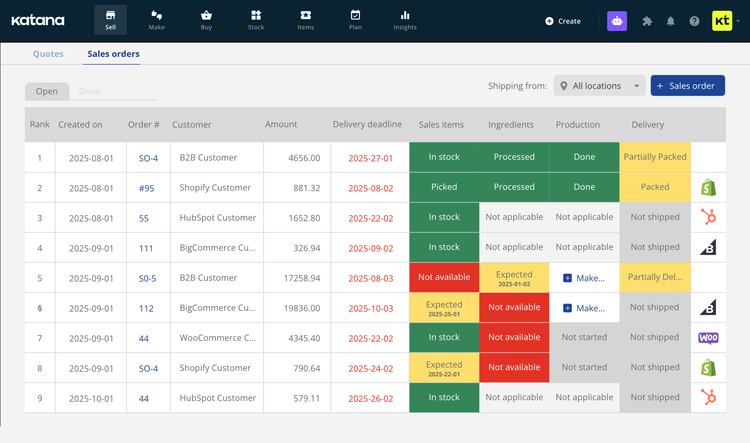
Native integrations are crucial if you’re selling across multiple channels. If you’re running a Shopify storefront alongside wholesale B2B orders, Katana keeps finished goods inventory in sync across both, so you’re not overselling products you haven’t made yet. As production orders complete and items move to finished goods, stock counts update in real time across every connected sales channel.
One thing you have to watch out for with Katana is the pricing model. The core plan is only $299/month, but essential features like manufacturing, warehouse management, traceability, and the shop floor app are all add-ons that require a separate subscription. It also adds a fee based on your monthly sales orders and active inventory locations. This makes Katana a better fit for low-volume, high-margin discrete manufacturers.
Total ETO - Best for ETO Manufacturing
Total ETO’s change order management feature simplifies the process of handling revisions and updates throughout the manufacturing lifecycle. This capability allows you to track and manage project alterations, documenting and communicating all changes in real time.
For example, you’re in the middle of a project and receive a client’s request to add protection features to a specialized machine, like safety guards. This change will require you to adjust the design and parts list.
You can add this request to Total ETO, which will analyze the cost and schedule implications of adding a safety guard. The software will identify the required components and recalculate the project timeline. This change will then route to your engineering and procurement teams for approval.
Once approved, the system will update the BOM with the new safety guard components and notify your procurement team to source additional parts. Your production team can integrate the safety guard into the build process, and the database will log the changes for future audits and client reporting. This capability lets your client receive their machine with the requested features without delays or miscommunication.
Total ETO requires a higher initial investment, starting at $7,500 annually. If you’re looking for something less costly, MRPeasy is our most affordable choice, with its price starting at $49/user/month.
SOS Inventory - Best for QuickBooks Users
SOS Inventory’s demand forecasting feature can help you predict future inventory needs based on historical sales data and trends. It provides insights for better planning and inventory management by ensuring the right products are available at the right time, minimizing overstocking and stockout issues.
Planning for the holiday season can be challenging, especially if you run a specialty food manufacturing company. During this season, you might see a spike in demand for festive products. If you’re a QuickBooks user, you can pull historical sales data from previous years to identify sales peaks and account for the seasonality of your business.
The demand forecasting feature will analyze the trends in your product sales. For example, it can recognize if there is a 15% increase in demand for gingerbread cookies starting in early December. The system will generate a forecast and recommend ordering a specific quantity of ingredients by mid-November to meet the expected demand. It can also align production schedules to ensure timely fulfillment of customer orders. SOS Inventory will adjust the forecast as new sales orders are recorded in QuickBooks.
With this capability, you can ensure you have your raw materials in advance, avoiding costly rush orders or lost sales due to shortages. It can also help optimize your inventory levels and reduce waste from overstocking during the holiday season.
SOS Inventory is a highly affordable solution starting at $64.95 per month. However, the system’s full potential is best utilized when paired with QuickBooks, as it is designed to complement and extend its capabilities. If you’re not a QuickBooks user, you might want to explore whether the system’s standalone features meet your specific needs.
Fulcrum Pro - Best for Metal Fabricators
Fulcrum Pro’s dynamic scheduling feature optimizes planning and resource allocation by providing real-time visibility and flexibility in managing production schedules.
The dynamic scheduling functionality leverages real-time data from the shop floor and integrates it with production plans. For example, you specialize in custom steel parts and receive a rush order for 200 machined components needed in four days. Your team can enter the order into the system, where the dynamic scheduler will evaluate your current workloads, machine capacity, and labor availability. It will identify a CNC machine and two operators who can take on the job without significantly delaying existing orders.
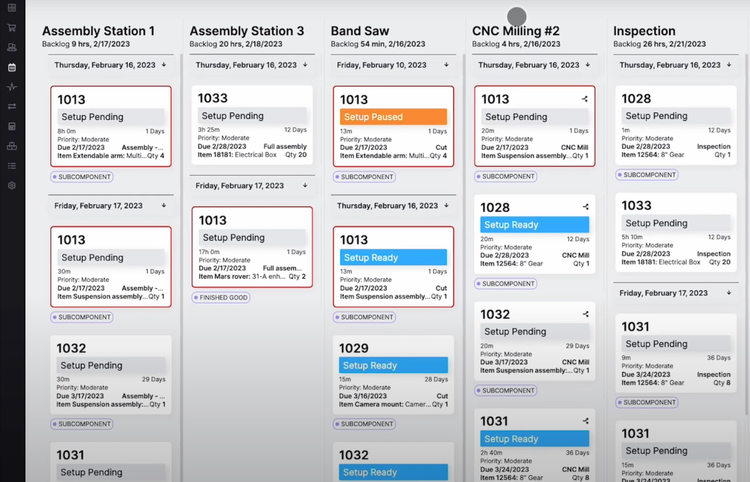
During production, if a machine experiences downtime, the system automatically reassigns the job to an available machine to ensure that rush orders stay on track. If raw materials for a rush order are delayed, the scheduler can shift jobs around to fill the gap without leaving machines idle.
If there are any last-minute changes on your rush order, you can use a scenario simulation tool to assess how switching materials will impact your timeline. The system integrates real-time data, ensuring that the simulation is based on the most current and accurate information. Fulcrum’s pricing model involves unlimited users and an initial investment of $20,000 for configuration and implementation. This is followed by recurring monthly fees for cloud hosting, support, and updates, making it one of the higher-priced MRP systems.
Fishbowl - Best for Mixed-Mode Manufacturers
Fishbowl’s barcode scanning feature lets you instantly update inventory records when items are received, moved, or shipped. This real-time tracking can help reduce discrepancies and ensure accurate stock levels.
Fishbowl integrates barcode scanning with its stock and production management modules. You can assign barcodes to inventory items, work orders, and storage locations.
When raw materials arrive, your workers can scan the barcodes on the items, and the system will automatically update with the quantities received and assign them to designated storage locations. For machinery production, team members can scan components when they pick them for assembly. This ensures that you use the correct parts for each order.
As machinery moves through various stages of assembly, workers will need to scan barcodes at each step. This provides real-time updates on the work order status, ensuring efficient scheduling and tracking. You’ll scan the finished product for custom machinery, ensuring the right product ships to the customer. You can also scan barcodes on bulk containers or packaged goods for accurate lubricant order fulfillment.
However, one drawback we found with Fishbowl is that it may lack advanced features like recipe management for process manufacturing.
xTuple - Best for Discrete Manufacturers
xTuple’s bill of materials (BOM) feature lets you effectively define and manage complex product structures. Whether you’re working with multi-level assemblies, subcomponents, or raw materials, xTuple keeps everything organized. It even auto-populates BOMs and routing steps for repeatable designs while allowing you to manually adjust for custom builds.
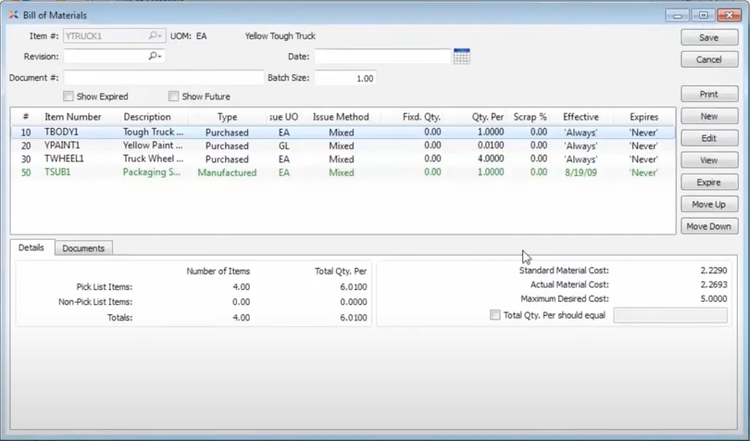
For example, a smart thermostat consists of multiple parts, such as a plastic casing, circuit board, and LCD screen. Each part has subassemblies, like the circuit board, which includes resistors, capacitors, and connectors. With xTuple, you can create a BOM for the smart thermostat and link it to the BOMs for the circuit board and other pieces.
Beyond materials, xTuple also tracks tooling like molds and machine parts without lumping them into inventory counts. Additionally, BOMs can enforce quantity requirements, which means that when you mix or assemble materials, everything stays in the right proportions. If something’s off, xTuple sends an automatic alert before it causes issues.
xTuple starts at around $175/user/month. The pricing can vary depending on whether you choose cloud or on-premise hosting and any additional support packages. Pricing is based on named users, with a five-user minimum for the manufacturing edition.

MISys - Best for Pharmaceuticals
MISys Manufacturing offers a raw material control feature that can help ensure compliance with stringent regulations and accurate inventory management.
If you’re a pharmaceutical company that produces a pain relief medication, you’ll likely find that the active ingredients include raw materials with strict expiration dates and quality standards. When a new shipment arrives at your warehouse, you’ll need to log the materials into MISys with their lot numbers, expiration dates, and supplier details. A quality control team will inspect the materials, and all non-compliant batches will be flagged and quarantined.
If a production batch is scheduled for the pain-relief medication, the system will allocate the oldest approved active pharmaceutical ingredients (APIs) that meet the required quality standards. The software minimizes waste by ensuring First In, First Out (FIFO) usage.
During production, the inventory team can monitor the real-time availability of APIs and other excipients through MISys. You will receive alerts if any raw materials are running low or nearing expiration, prompting timely reorders. The system also generates reports detailing APIs’ lot numbers, suppliers, and quality certifications, ensuring accurate compliance.
Other Systems We Like
Odoo offers basic MRP tools for manufacturers just starting out with low-complexity workflows. Its features include multi-level BOMs, capacity scheduling, and work orders. Also, it includes tight integration with inventory, procurement, and accounting on the Enterprise edition, making it an effective and low-cost light ERP.
E-Z-MRP is a solid on-premises MRP software for smaller companies with under $20 million in annual revenue. It supports different environments, including build-to-stock, build-to-order, and job shop operations. It also includes a material planning and tracking module that logs all inventory transactions and creates daily production reports.
What is MRP Software?
Manufacturing resource planning (MRP), or material requirements planning software, helps streamline the manufacturing process through production planning, scheduling, and inventory control. Known as a leading type of manufacturing software, MRP systems allow manufacturers to plan and calculate material requirements, coordinate personnel and machine workloads, and optimally plan purchasing to meet customer demands.
At its core, an MRP system takes your bills of materials, current inventory levels, and customer demand (either actual orders or forecasts) and calculates what materials you need to order, when to order them, and when to schedule production. The goal is to make sure the right materials arrive at the right time so production runs without delays or excess stock sitting on shelves.
Modern MRP systems have evolved well beyond basic material calculations. Today’s platforms handle production scheduling, capacity planning, shop floor reporting, quality control, procurement, and basic financials. Many also integrate directly with accounting software like QuickBooks or Xero, e-commerce platforms like Shopify, and shipping tools like ShipStation, giving small manufacturers a connected system without the cost and complexity of a full ERP.
Read more: What is Material Requirements Planning (MRP)?
Best MRP Software at a Glance
At a glance, here’s how our top MRP picks compare across key criteria:
| Software | Best For | Deployment | Starting Price | BOM | Prod. Scheduling | Batch Tracking | QB/Xero | Free Trial |
|---|---|---|---|---|---|---|---|---|
| Sutton Software | Traceability | Cloud | $400/month | ✓ | ✓ | ✓ | ✓ | ✓ |
| MRPeasy | Small Businesses | Cloud | $49/user/month | ✓ | ✓ | ✓ | ✓ | ✓ |
| JobBOSS² | Job Shops | Cloud or On-Premise | Custom quote | ✓ | ✓ | ✗ | ✗ | ✓ |
| Mar-Kov | Batch Manufacturers | Cloud | Custom quote | ✓ | ✓ | ✓ | ✓ | ✓ |
| Katana MRP | eCommerce Manufacturers | Cloud | Free; $299/mo (Core) | ✓ | ✓ | ✓ (paid) | ✓ | ✓ |
| Total ETO | ETO Manufacturing | On-Premise | Custom quote | ✓ | ✓ | ✗ | ✗ | ✓ |
| SOS Inventory | QuickBooks Users | Cloud | $64.95/month | ✓ | ✓ | ✓ | ✓ (QB only) | ✓ |
| Fulcrum Pro | Metal Fabricators | Cloud | From $20,000 | ✓ | ✓ | ✗ | ✓ (QB only) | ✓ |
| Fishbowl | Mixed-Mode Manufacturers | Cloud or On-Premise | From $595/month | ✓ | ✓ | ✓ | ✓ (QB only) | ✓ |
| xTuple | Discrete Manufacturers | Cloud or On-Premise | $175/user/month | ✓ | ✓ | ✓ | ✗ | ✓ |
| MISys | Pharmaceuticals | Cloud or On-Premise | Custom quote | ✓ | ✓ | ✓ | ✓ (QB only) | ✓ |
Common Pain Points
Manufacturers typically invest in an MRP to replace manual workflows and Excel spreadsheets. The most common problems MRP helps solve are:
- Inventory Inefficiency: Excess inventory or material stockouts lead to high carrying costs or production delays. Using manual methods, it’s difficult to accurately procure the correct amount of inventory while balancing just-in-time production.
- Production Scheduling: One of the biggest bottlenecks that occurs without MRP is poor scheduling. Creating schedules on whiteboards or spreadsheets can lead to inefficient labor allocations if changes occur, resulting in a lack of capacity to meet demand.
- Scalability: As a business grows, production becomes more complex. Trying to keep up with spreadsheets alone becomes nearly impossible with high demand and tight deadlines, necessitating a more structured approach.
- Compliance and Traceability: Manufacturers in regulated industries like food, pharmaceuticals, and cosmetics need to track lot numbers, maintain batch records, and produce audit trails. Without MRP, this documentation is manual, error-prone, and a significant liability during inspections or recalls.
- Disconnected Systems: Many manufacturers use separate tools for inventory, purchasing, production, and accounting that don’t share data. This leads to double entry, conflicting numbers across departments, and decisions made on outdated information. An MRP system centralizes these functions into a single source of truth.
Key Features and Benefits
At a high level, material resource planning software bridges the gap between demand and manufacturing capacity by ensuring materials are available when needed. Here are the core functionalities of MRP solutions.
| Feature | Description | Benefit |
|---|---|---|
| BOM Management | Manages and tracks raw materials, components, and sub-assemblies required for production. | Ensures accurate production planning and reduces assembly errors. |
| Demand Forecasting | Analyzes sales data, order history, and demand trends to predict future material and production needs. | Improves planning accuracy and minimizes excess inventory costs. |
| Production Scheduling | Aligns production activities with available materials and labor resources. | Enhances efficiency, reduces delays, and optimizes resource use. |
| Material Requirements Planning | Calculates needed materials and components based on production schedules, inventory levels, and lead times. | Reduces waste and ensures timely procurement, avoiding production stoppages. |
| Procurement and Supply Chain Management | Automates purchase orders and coordinates with suppliers for timely material deliveries. | Streamlines procurement, minimizes delays, and improves supplier relationships. |
| Resource Optimization | Allocates labor, machines, and materials efficiently to reduce idle times and bottlenecks. | Maximizes productivity and reduces operational costs. |
| Shop Floor Control | Tracks machine usage, downtime, and production efficiency with real-time reporting. | Enhances production visibility and minimizes equipment-related disruptions. |
| Equipment Maintenance Scheduling | Organizes and tracks preventive and critical equipment maintenance tasks. | Prevents unplanned downtime and extends machinery lifespan. |
| Production Cost Reporting | Produces detailed cost reports covering labor, overhead, storage, waste, and other expenditures. | Helps identify cost-saving opportunities and improves pricing strategies. |
| Inventory Management | Tracks raw materials, work-in-progress, and finished goods inventory to ensure optimal stock levels. | Prevents overstock and shortages. |
Who Uses MRP Software?
MRP software is used by manufacturers across a wide range of industries and company sizes. The most common buyers include:
-
Small manufacturers replacing spreadsheets. Companies with 10 to 50 employees often reach a point where tracking inventory, production, and purchasing in Excel becomes unsustainable. Missed orders, stockouts, and manual errors are usually the trigger. Cloud-based MRP systems like MRPeasy and Katana are designed specifically for this transition.
-
Mid-market manufacturers outgrowing basic tools. Companies with 50 to 200+ employees that have been using entry-level inventory tools or a basic QuickBooks setup often need deeper production planning, job costing, and multi-location inventory control. Systems like JobBOSS2, xTuple, and Fishbowl serve this tier.
-
Regulated industries with compliance requirements. Manufacturers in food and beverage, pharmaceuticals, cosmetics, and chemicals need lot traceability, batch records, and audit-ready documentation. Products like Mar-Kov and Katana offer built-in compliance features for these verticals.
-
Job shops and custom manufacturers. Companies that produce unique or made-to-order products need flexible scheduling, detailed quoting, and change order management. JobBOSS2 and Total ETO are built specifically for these environments.
If you’re not sure whether you need MRP or a full ERP system, see our ERP vs. MRP comparison below.
ERP vs MRP Software
Enterprise resource planning systems (ERP) are large suites of tools that help plan and account for the resources of an entire organization. While incorporating some of the functionality of material resource planning software, these systems handle more of an organization’s data management, including customer relationship management (CRM), supply chain management, and accounting tools. ERP solutions can be fully integrated into an organization’s data operations to handle most major aspects of the business. Large companies often utilize it.
MRP, in comparison, is a narrow but highly specialized set of tools designed specifically for manufacturing purposes. More nimble than a full ERP suite, smaller manufacturers or businesses looking for complete control over their manufacturing often select MRP to oversee their manufacturing operations.
When to choose MRP over ERP:
- You’re a small to mid-sized manufacturer (under 200 employees) focused primarily on production
- Your accounting needs are already handled by QuickBooks, Xero, or a similar tool
- You need fast implementation (weeks, not months) and a lower total cost
- Your priority is production scheduling, inventory control, and BOM management
When to consider ERP instead:
- Your business needs go beyond manufacturing into HR, advanced financials, or multi-entity management
- You have 150+ employees across multiple departments that need a single integrated system
- You’re already outgrowing your MRP and need deeper CRM, project management, or supply chain capabilities
Some products blur the line between MRP and ERP. Systems like xTuple and Fishbowl started as MRP tools but have grown to include distribution, accounting, and CRM features, making them a middle ground for manufacturers that need more than basic MRP but aren’t ready for a full ERP deployment.
Read More: ERP vs. MRP: What are the Key Differences?
How to Choose
The right MRP system is the one that matches your size and operations. Before committing, weigh these 6 factors:
-
Company size and team. Match the system to your headcount and revenue. Cloud tools like Digit and MRPeasy fit small to midsize manufacturers, while heavier systems like MISys suit larger operations with more complex needs. Pay attention to how each vendor charges, since per-user pricing can climb quickly as you add seats, while flat-rate plans stay predictable.
-
Production complexity. If you run multi-level BOMs, subassemblies, or made-to-order work, you need a system built for that depth rather than a light inventory tool with production bolted on. Discrete, process, batch, and mixed-mode manufacturers all have specialized requirements.
-
Industry and compliance. Regulated industries like food and beverage, pharmaceuticals, and cosmetics need lot traceability, batch records, and audit trails. If a recall or inspection is a real risk, prioritize systems with built-in traceability like Digit or Mar-Kov.
-
Accounting fit. Most small manufacturers keep their books in QuickBooks or Xero and want the MRP to work alongside them, not replace them. Confirm the integrations can sync the data you care about. If you need accounting built in, that points you toward a full ERP instead.
-
Implementation speed and support. Cloud MRP can go live in weeks, while larger on-premise systems can take months. Ask what onboarding covers, how data migration is handled, and how quickly support responds once you are live.
-
Total cost of ownership. Look past the sticker price to per-user fees, add-on modules, usage-based charges, and implementation costs. A low headline price with paid add-ons can end up costing more than a higher flat rate.
Pricing Guide
MRP pricing ranges from $50/month for systems like MRPeasy to over $100,000/year for custom enterprise quotes. Like most software, MRP pricing depends on your user count, the features you need, and your preferred deployment method. Here are general cost ranges by company size, with examples for each.
Low-Tier
- Company Size: 1-25 employees
- Average Annual Cost: $1,000-$10,000 per year
- Features: MRP essentials such as inventory tracking, BOMs, production scheduling, and purchasing, usually cloud-based with quick setup and QuickBooks or Xero integration.
- Examples: Sutton, MRPeasy, Katana MRP, SOS Inventory
Mid-Tier
- Company Size: 25-150 employees
- Average Annual Cost: $10,000-$50,000 per year
- Features: Everything in the low tier plus multi-location inventory, job costing, deeper production planning, role-based access, and more integration options.
- Examples: Fishbowl, ECI M1, JobBOSS², xTuple
High-Tier
- Company Size: 150-500 employees
- Average Annual Cost: $50,000-$150,000 per year
- Features: Broader ERP-level functionality including advanced planning, quality and compliance management, and shop floor control (MES) across larger operations.
- Examples: MISys Manufacturing, Global Shop Solutions, Epicor Advanced MES
Enterprise
- Company Size: 500+ employees
- Average Annual Cost: $150,000+ per year
- Features: Multi-site and multi-entity management, global compliance, advanced financials, and heavy customization, typically with dedicated implementation and support.
- Examples: Infor CloudSuite Industrial (SyteLine), Plex Manufacturing Cloud, IFS
TIP: Some MRP vendors charge separately for implementation. Budget around $5,000 to $25,000+ for data migration, setup, and training.
For starting prices across our picks, see the MRP Software comparison table near the top of this guide.
Open-Source and Free MRP Software
If you’re exploring MRP on a limited budget or want to test-drive manufacturing software before committing, there are a few free and open-source options worth considering.
-
Odoo Community Edition is the most capable free option. It’s fully open-source and includes an MRP module with multi-level BOMs, work orders, capacity scheduling, and basic production planning. The Community Edition is free to self-host, but you’ll need technical resources for setup, customization, and ongoing maintenance. Odoo’s paid Enterprise edition adds more advanced manufacturing features, official support, and a managed hosting option.
-
Katana offers a free plan that covers inventory management and order tracking with unlimited users, integrations, and locations, but caps you at 30 SKUs. The Core plan at $299/month removes the SKU cap, adds 24/7 support, and provides access to features such as traceability and shop-floor management. The free tier is a useful way to explore the platform, but most growing manufacturers will quickly exceed the small SKU limit.
-
ERPNext is another open-source ERP with manufacturing modules, including BOM management, production planning, and quality inspection. Like Odoo, it’s free to self-host and community-supported, with a paid cloud option available.
The trade-off with free or open-source software is straightforward: you save on licensing but take on more responsibility for implementation, customization, and support. For most small to mid-sized manufacturers, a paid system in the $49 to $299/month range will be faster to implement and easier to maintain.
Software Trends
Artificial Intelligence (AI)
AI is the most active area of development in MRP, moving beyond forecasting into embedded assistants and workflow automation. Plex Manufacturing Cloud embeds machine learning for demand forecasting, anomaly detection, and predictive production analytics, while MRPeasy uses AI to sharpen demand forecasting and production planning for smaller manufacturers.
In practice, AI in MRP analyzes historical sales, market trends, and seasonality to predict demand more accurately than manual methods, and can dynamically reschedule production when a machine goes down or a shipment slips, without a planner stepping in. AI-driven quality control is emerging as well, flagging patterns in production data that signal potential defects before they spread. Newer tools are layering in AI assistants that let teams query their data and build reports in plain language.
IoT Integration
Connected devices and sensors (IoT) increasingly feed live data into MRP systems, giving you real-time visibility into machine performance, inventory levels, and production bottlenecks. Systems like Fulcrum Pro and Epicor Advanced MES pull real-time data from the shop floor and connected machines to keep schedules aligned with what is actually happening on the line.
IoT-enabled sensors can monitor inventory in real time across raw materials, components, and finished goods, enabling your MRP to run on current data and reducing the risk of overstocking and stockouts. Systems can also trigger automated purchase orders when stock falls below a set threshold, and track shipments and supplier performance so you can adjust schedules dynamically when disruptions hit.
Mobile and Shop Floor Apps
More vendors are investing in mobile-first interfaces and dedicated shop-floor apps, letting employees report production progress, scan barcodes, and log quality checks from a tablet or phone rather than walking to a desktop terminal. Fishbowl offers a mobile scanning app for inventory and warehouse tasks, and Sutton gives operators a tablet-based shop floor view to log labor, track job progress, and record quality checks.
Capturing data at the point of work keeps production records accurate and current, rather than relying on paper travelers or end-of-shift entries. Machine operators also get clear instructions and can flag issues in the moment, and shop floor managers see real-time progress without chasing status updates.
No-Code Tools
MRP software is getting easier to set up and change without a developer. Integrations that used to require custom code now run through prebuilt connectors. And even more recently, a growing number of MRP systems let you build workflows and even full shop-floor apps, visually instead of coding them.
For a manufacturer, that means the people closest to the work can shape the software around their process, whether that is routing a large purchase order for approval, adjusting a production routing, or building a guided app for operators on the floor. Tangle leans into this with a graphical workflow editor and an AI builder that turns plain-English requests into workflow and automation drafts, while the Tulip Platform lets frontline teams assemble drag-and-drop shop-floor apps without any software expertise.

