The Best Time and Attendance Software
Whether you manage hourly and salaried staff, service crews, or remote and hybrid teams, these time and attendance systems make it easier to track hours accurately and run payroll without the cleanup.


- Free-forever plan with unlimited users
- Strong anti-fraud features, including facial recognition and GPS tracking
- Integrations with Slack and Microsoft Teams

- Adheres to regional labor laws for global teams
- Mobile app for time tracking and project management
- Offers API access and integrates with Slack, Jira and Teams
- Offers an intuitive user interface
- Includes compliance management
- Automates HR-related tasks
Time and attendance software records clock-in and clock-out times, calculates total hours worked, tracks breaks, lunches, and overtime hours, and allows employees to request time off. Here’s our guide to the top solutions based on user reviews and our internal review process.
- Jibble: Best Free Option
- Deltek Replicon Time: Best for Global Labor Compliance
- Paycor: Best for an Hourly Workforce
- QuickBooks Time: Best QuickBooks Integration
- Hubstaff: Best for Remote and Hybrid Teams
- Connecteam: Best for Service Businesses
- OnTheClock: Best for Small Teams
Jibble - Best Free Option
Jibble is a top option for organizations that want a complete time and attendance tracking system without ongoing licensing fees and user limits. Its forever-free plan is suitable for teams of all sizes, from small businesses to large workforces managing attendance at scale. The interface is easy to learn, too, so employees can clock in and out on their phones or on a desktop with minimal training.

Additionally, Jibble stands out for its anti-fraud features. These include facial recognition, GPS tracking, and live location monitoring. So if you’re a construction or field service company, or you just have a remote workforce, you can ensure they are clocking in and out from the correct jobsite or office. This boosts accountability and results in more accurate timesheets.
On the free plan, Jibble also supports unlimited projects and clients, so you never have to worry about job limits. It integrates with popular tools like Slack and Microsoft Teams, letting you track time at the project and task level for better productivity monitoring. These features make the free plan one of the strongest on the market today.


Deltek Replicon Time - Best for Global Labor Compliance
Deltek Replicon Time is a time and attendance platform for HR and payroll teams with employees working across multiple states and countries. Replicon comes prebuilt with a library of wage and labor rules covering more than 145 jurisdictions across over 75 countries. You no longer have to rebuild those rules by hand or guess each location’s overtime, meal break, and paid leave laws every time you expand into a new state or country.
Those labor rules extend beyond the country level, as Replicon also handles state and provincial requirements such as California’s 9/80 alternative schedules and Manitoba’s holiday overtime rules. Replicon applies the appropriate rules to each employee based on where they work and then automatically calculates overtime, premium pay, and break penalties. And if part of your workforce is unionized, you can build rule sets for your union agreements so every timesheet is calculated correctly.
Once timesheets are approved, Replicon sends employees’ hours straight to payroll, including a direct integration with ADP Workforce Now and other payroll platforms. We typically recommend Replicon for multinational and multi-state employers managing complex pay rules as well as growing government contractors. Replicon starts at around $6 per user per month, with a 10-user minimum, though large teams often require custom quotes.


Paycor - Best for an Hourly Workforce
Paycor is an HR and payroll platform built for businesses that run an hourly staff. Employees can punch in using the included mobile app, a tablet with facial scanning, or a physical time clock with a PIN or badge. And to avoid time theft and buddy punches, managers can set approved locations, so mobile punches only count when employees are actually on site.
Where Paycor stands out is how it handles hourly pay. It supports more than 10 pre-built overtime policies, including blended overtime for employees who work at more than one pay rate, and automatically calculates shift differentials for employees who work nights, weekends, or other premium rates. It also enforces meal and rest break rules at the state and city level, so managers know right away when an employee skips a break.
Managers don’t have to review every timecard by hand, either. Paycor compares each timecard to the schedule, flags exceptions, and auto-approves those that meet your thresholds before the hours are pushed to payroll. This not only saves time but also means fewer errors make it into payroll in the first place.
Paycor is best for businesses with large hourly teams that want payroll and improved time tracking in a single system. Its pricing is not public and requires a custom quote, though it’s important to note that time and attendance is an add-on to its core HR and payroll suite.
QuickBooks Time - Best QuickBooks Integration
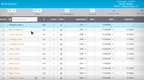
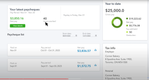
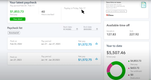
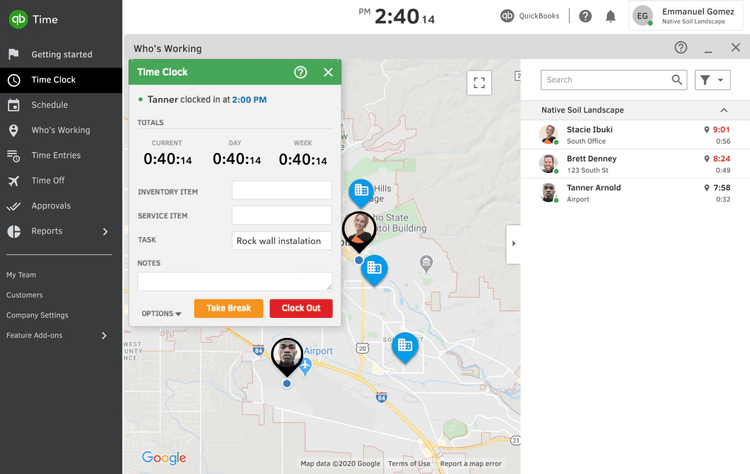
QuickBooks Time is an obvious choice for companies already utilizing QuickBooks Online for their accounting. Employees clock in from the QuickBooks Workforce mobile app, a web browser, or an on-site kiosk with facial recognition. And as of this year, its time tracking lives inside QuickBooks itself, allowing approved hours to flow straight into payroll, invoicing, and job costing without a separate system to manage.
QuickBooks Time also helps you catch mistakes before payroll gets run. It will flag all overtime hours that look off so a manager can review them manually, and it sends them reminders if timesheets are still waiting for approval. Additionally, employees can request time off and check their balances using a mobile app so you don’t have to manage PTO and vacation hours in spreadsheets.
The trade-off is that QuickBooks Time only makes sense if you’re already on QuickBooks Online, and features like geofencing and project tracking are limited to the Elite plan. We generally recommend it for small and midsize businesses that run their books and payroll in QuickBooks, with Premium plans starting at $20 per month plus $10 per user.


Hubstaff - Best for Remote and Hybrid Teams
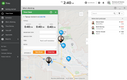
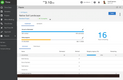
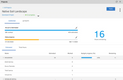
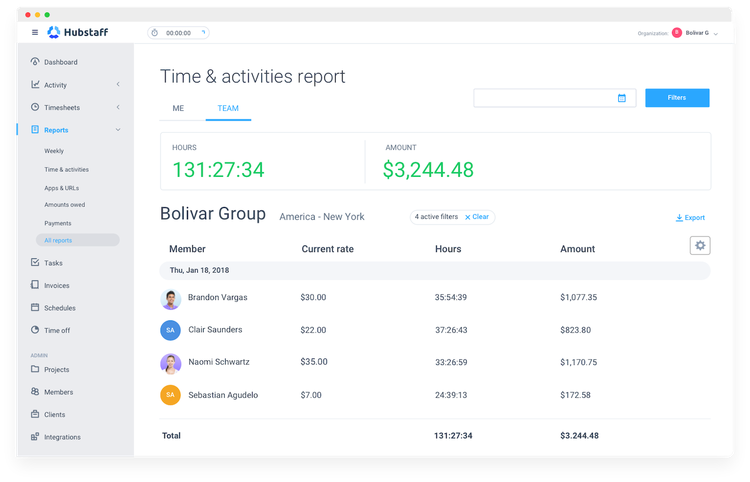
Hubstaff is time-and-attendance software built for teams that don’t share an office. Employees clock in by starting a timer in the desktop app, web browser, or mobile app so their hours are captured whether they work from home, in the field, or in the office.
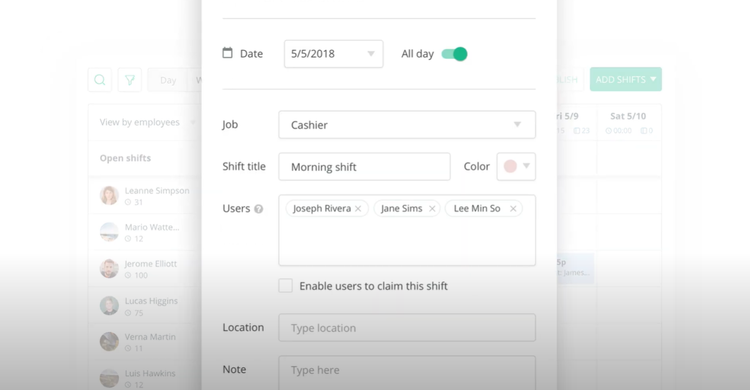
Managers can build full shift schedules in Hubstaff and assign hours to each employee across different time zones and locations. Once scheduled, the platform will track attendance and will send alerts automatically if an employee is late, misses a shift, or leaves early. Time off requests and PTO balances are also tracked next to the schedule, so it’s easy to plan around someone being out.
Some remote teams also want a better picture of how remote employees spend their time, and Hubstaff can provide it without feeling like surveillance. Managers can turn on activity levels, screenshots, or app and URL tracking, but only while an employee’s timer is running. Employees can see what data their managers collect, so everyone is aware of what is being tracked and when.
We recommend Hubstaff for remote and hybrid teams that need reliable attendance records and proof of work without a physical time clock. Paid plans start at $4.99 per employee per month (billed annually), but you’ll need the Team plan to access scheduling, attendance alerts, and time-off features.

Connecteam - Best for Service Businesses
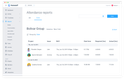
Connecteam gives businesses a single app to manage employees in the field or on service calls. It’s most commonly used by cleaning companies, home care agencies, and field service teams to track hours, build schedules, and communicate with staff who spend the day on the move.
Employees can clock in and out of jobs on their phone, with every punch stamped with their location and the job they’re working on. If you have a central location or a project that several employees start at, you can also use a shared tablet or kiosk to clock in. And to prevent buddy punch-ins and other time theft, Connecteam supports geofencing on higher-tier plans, allowing employees to clock in only when they are physically on site.
Connecteam also keeps everyone on the same page when plans change during the day. If a client reschedules or someone calls out, managers can quickly update the schedule and notify the affected employees right in the app. They can also post open shifts on the app for anyone to pick up, with a built-in chat to communicate about the work.
Connecteam is best for small and midsize service businesses with employees spread across multiple client sites or projects in a day. It’s free for up to 10 users, and paid plans start at $29 per month for your first 30 users, though geofencing requires the Advanced plan, which costs more.

OnTheClock - Best for Small Teams
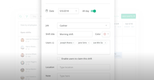
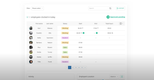
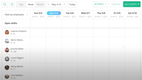
OnTheClock is a straightforward time clock for small businesses that want accurate hours without setting up a full HR system. Employees can clock in from their phones, a web browser, or in person, and most teams start tracking time the same day they sign up.
Keeping hours accurate doesn’t take much effort either. GPS and geofencing confirm employees are on the job site when they punch in, and overtime is calculated automatically, with alerts as soon as it starts. If someone forgets to clock out, managers can fix the missed punch from any device, with every edit logged.
Once timecards are approved, OnTheClock sends the hours to QuickBooks, Gusto, ADP, or Square, so you can keep running payroll the way you already do. It’s also one of the few time clocks that still exports to QuickBooks Desktop, including overtime and PTO pay.
We recommend OnTheClock to small teams that need a reliable time clock and an easy handoff from their current payroll provider. Pricing starts at $4 per employee per month plus a $5 monthly base fee, with a 30-day free trial.
What Is Time and Attendance Software?
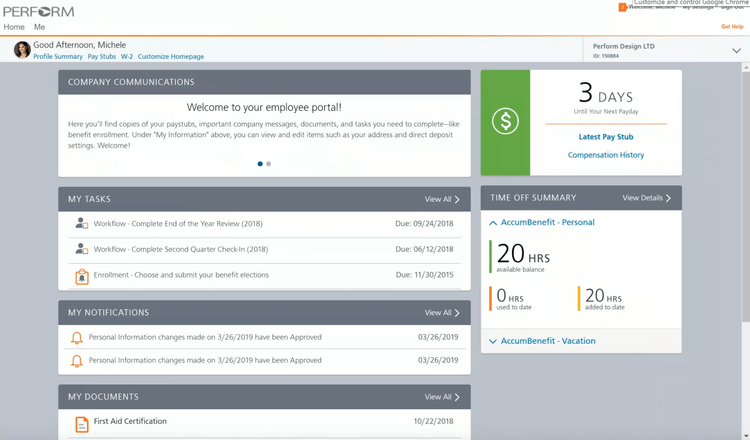
Time and attendance software allows employees to clock in and out for shifts and employers to record time worked and push it to payroll. Most platforms allow employees to clock in from their phones or mobile devices, or at shared kiosks, though many businesses still use physical time clocks. Either way, the system helps track employees’ breaks, overtime, and paid time off for vacation and sick days.
As a subset of HR software, time and attendance systems offer more than just clocking in and out. They will also control labor costs by ensuring that your payroll software calculates the correct employee pay amounts. And for businesses that operate across multiple locations, geolocation and geofencing features can ensure your employees are at the job site when they are supposed to be, helping deter time theft. Additionally, business owners and HR professionals can use time and attendance software to create labor reports that give real-time data on employee time metrics.
Key Features
- Clock-In Options: Employees can punch in from a mobile app, web browser, shared kiosk, or physical time clock with a PIN or badge.
- GPS and Geofencing: Attaches a GPS coordinate to each punch-in with the time and place it occurred. Geofencing limits clock-ins to a set area around the job site or office building to avoid time theft.
- Biometric Verification: Facial recognition or fingerprint scans confirm the right person is clocking in. This stops buddy punching and time theft, where one employee clocks in for another.
- Overtime and Break Rules: The system calculates daily and weekly overtime and tracks meal and rest breaks based on federal, state, and local requirements. Managers receive alerts before small issues become compliance problems.
- Employee Scheduling: Create and manage shifts, post open shifts for employees to claim, and compare scheduled hours to actual hours worked.
- Time Off Tracking: Employees can request vacation, sick time, or PTO. Employee balances and accruals update automatically, so no one has to track them in a spreadsheet.
- Timesheet Approvals: Require managers or owners to approve timesheets before they are pushed to payroll. Helps identify missed punch-outs, unusual overtime, and other exceptions before paying employees.
- Payroll Integration: Approved hours sync directly to your payroll system with overtime and PTO already reconciled, avoiding manual double entry.
- Job Costing: Employees clock in to specific jobs, clients, or cost codes, so you can see labor costs for each project as they add up.
Primary Benefits
Time and attendance may already be a feature of your payroll software or HR software but a dedicated system usually gives you more control over how hours are captured and approved before they’re paid. Here’s where most businesses see the biggest differences:
Faster, More Accurate Payroll
Without a time and attendance system, someone has to collect timesheets, add up hours, and figure out overtime by hand before every payroll run. A time and attendance system does that math as employees clock in and out. Once hours are approved, they sync straight to your payroll software or export as a file you can send to your payroll provider, so no one has to re-enter them.
Less Time Theft and Buddy Punching
Paper timesheets and shared time clocks make it easy to pad hours or have a coworker clock you in. Facial recognition and fingerprint scans confirm the right person is punching in, and geofencing keeps employees from clocking in before they reach the job site. Every edit to a timecard is also logged, so you have a record if hours are ever questioned.
Easier Labor Law Compliance
Overtime, lunch break, and other break rules vary by state and sometimes by city, and getting them wrong can lead to back pay claims or lawsuits. Most time and attendance systems apply these rules automatically as hours come in and alert managers when someone misses a break or is about to hit overtime. These systems also provide an audit trail showing how each employee’s hours were calculated in case of litigation or employee pushback.
Clearer Labor Costs
Most businesses don’t see their real labor costs until payroll is already processed, and by then it’s too late to change anything. A time and attendance system shows you those costs as hours are logged. If a crew is heading into overtime on Wednesday, a manager can shift hours or bring in another employee before the week gets expensive. For businesses that bill by the job, tracking time to each project also shows whether you’re actually making money on the work you quoted.
Types of Time and Attendance Software
Once you decide to implement a time-and-attendance system, you have many deployment options. The goal of any time-and-attendance package is to streamline labor management. To that end, the software must be able to communicate time data to your payroll processing tool.
- Standalone time and attendance systems are designed to communicate with payroll packages. This integration is critical to export time data in one batch without manually re-entering information.
- If you use a third-party payroll processor, you can also export data in commonly used file formats or print reports from a standalone time and attendance system.
- There are also many payroll packages that have time and attendance tracking built-in as an integrated component.
- Finally, if you’re considering implementing a full ERP package, many of those systems include time and attendance functionality.
Different Punch-in Methods
- Time cards: An electronic method of the traditional mechanical time clock. These credit card-sized time cards are carried by employees and swiped on a machine upon entering and leaving for the day. This is one of the simplest methods available but can be prone to buddy punching behavior.
- Scanned cards: Methods such as badges and key fobs act as proximity sensors and eliminate the need to swipe a card. Employees simply hold their badge up to a reader. This method can also track employee movement through facilities and provide security clearance to open specific doors.
- Biometric scanners: These systems scan employee fingerprints and retinas or use Face ID technology to ensure the right person is being punched in. While expensive, these systems are the most difficult to fabricate results for.
- Time Stations: A simple computer station with a web browser is an inexpensive option for clocking in. Employees can sign in by entering their login details and punching in and out. Some time stations may only operate on the employees’ network–others may allow access to clock in and out from any device with an internet connection, such as a home computer or mobile device, which can lead to abuse.
What Type of Buyer Are You?
The right time and attendance system depends largely on your team size and what you already use for payroll and HR. Here’s how needs typically change as a business grows.
-
Small Businesses: Teams with a handful of hourly employees usually need a reliable record of hours and an easy way to get them into payroll, not a long list of HR features. Most of today’s tools run on employees’ phones, so you don’t need to buy time clock hardware to get started, and several offer free plans for small teams. If you run payroll through QuickBooks Online or another small business provider, check that the tool exports hours there directly. Jibble, OnTheClock, and QuickBooks Time are good places to start.
-
Mid-Sized Businesses: Once you’re managing dozens of hourly employees across shifts or job sites, accuracy and compliance matter more. Look for automatic overtime and break calculations, scheduling tied to actual punches, and geofencing or biometric clock-ins to prevent time theft. Most mid-sized businesses want a standalone system that syncs with their payroll provider, or a payroll platform with built-in time tracking, such as Paycor.
-
Large HR Departments: Enterprises with employees in multiple states or countries need a system that can handle different labor laws, union agreements, and pay rules at the same time. Many will want time and attendance as part of a broader human resources or human capital management (HCM) platform that also covers onboarding, benefits, and talent management. For complex pay rules across regions, Deltek Replicon is built for that scale.